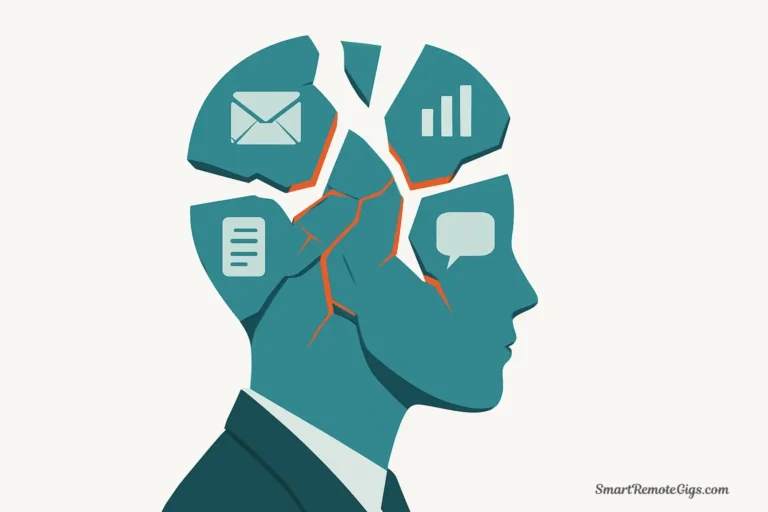
You sit down to study for your exam. You open your laptop, pull up your notes, and tell yourself “just one hour of focused work.” Then you notice a notification. You check it. While you’re on your phone, you might as well check Instagram. Twenty minutes vanish. You return to your notes, but now you’re thinking about that text conversation. You open another tab to “quickly” look something up. Thirty minutes later, you’ve read three Wikipedia articles that have nothing to do with your assignment.
Sound familiar? You’re not alone, and you’re not lazy. You’re facing a unique challenge that previous generations of students never encountered: you need technology to succeed academically, but that same technology is engineered to destroy your focus.
Here’s your dilemma: You can’t simply delete all your apps and throw your laptop away. You need your computer for research, writing papers, accessing online learning platforms, and submitting assignments. You need your phone for coordinating group projects, receiving important campus alerts, and staying connected with study partners. Technology is mandatory for modern education.
But that same technology is designed by billion-dollar companies whose business model depends on fragmenting your attention. Every notification, every autoplay video, every “recommended for you” algorithm is optimized to pull you away from your studies and keep you scrolling, clicking, watching.
Digital minimalism for students offers a strategic framework for resolving this tension. It’s not about rejecting technology—it’s about using tech as a tool for academic success rather than a source of procrastination and stress. This approach is a core part of the Digital Minimalism philosophy we cover in our main guide.
This guide provides actionable strategies that lead to better grades, less academic stress, and—surprisingly—more free time for the social side of college life. When you study with genuine focus, you accomplish in two hours what used to take five hours of distracted half-attention.
The Student’s Challenge: An “Always-On” Campus Culture

Before diving into solutions, let’s acknowledge the specific pressures you face that make avoiding phone distractions while studying uniquely difficult:
The Social Media Pressure Cooker
College campuses have become laboratories for FOMO (fear of missing out). Everyone’s documenting parties, posting about internships, sharing relationship updates, and broadcasting achievements. The pressure to stay constantly connected feels overwhelming because being “out of the loop” for even a few hours can feel socially catastrophic.
Group Chat Overload
Modern student life means belonging to dozens of group chats: your dorm floor, each class, every club or organization, friend groups, project teams, and more. These chats generate hundreds of messages daily. Ignoring them feels irresponsible—what if you miss something important? But monitoring them makes focused studying impossible.
The Research Rabbit Hole
Academic work requires internet research, but every search opens the door to distraction. You start researching the French Revolution and somehow end up watching YouTube videos about modern guillotine engineering. One click leads to another, and suddenly your “quick fact check” has consumed forty-five minutes.
The Netflix Study Break
You tell yourself you’ll watch “just one episode” as a reward for studying. Three hours later, you’ve binged an entire season and your assignment is still blank. Streaming platforms are engineered with “just one more” mechanisms that exploit your mental fatigue.
Academic Tech That Distracts
Even the technology designed for learning creates distraction. Learning management systems are cluttered with notifications. Online textbooks are surrounded by ads. Educational videos autoplay into unrelated content. The tools meant to help you learn often sabotage your focus.
The result? Research from institutions like Stanford and MIT shows that constant multitasking—checking your phone while studying, switching between assignments and social media—significantly impairs learning and memory retention. Students who think they’re “good at multitasking” actually perform worse on assessments than those who focus on single tasks.
You’re not competing against just the material you need to learn. You’re competing against apps designed by the world’s best behavioral psychologists to be addictive. That’s not a fair fight—unless you set up your digital environment strategically.
How to Create a Distraction-Free Digital Study Environment
Here’s the comprehensive system for transforming your digital devices from distraction machines into study tools. This setup takes about 30 minutes initially but saves you hundreds of hours throughout your academic career.
Step 1: Build Your “Focus Desktop”
🕒 Time Required: 15 minutes (one-time setup)
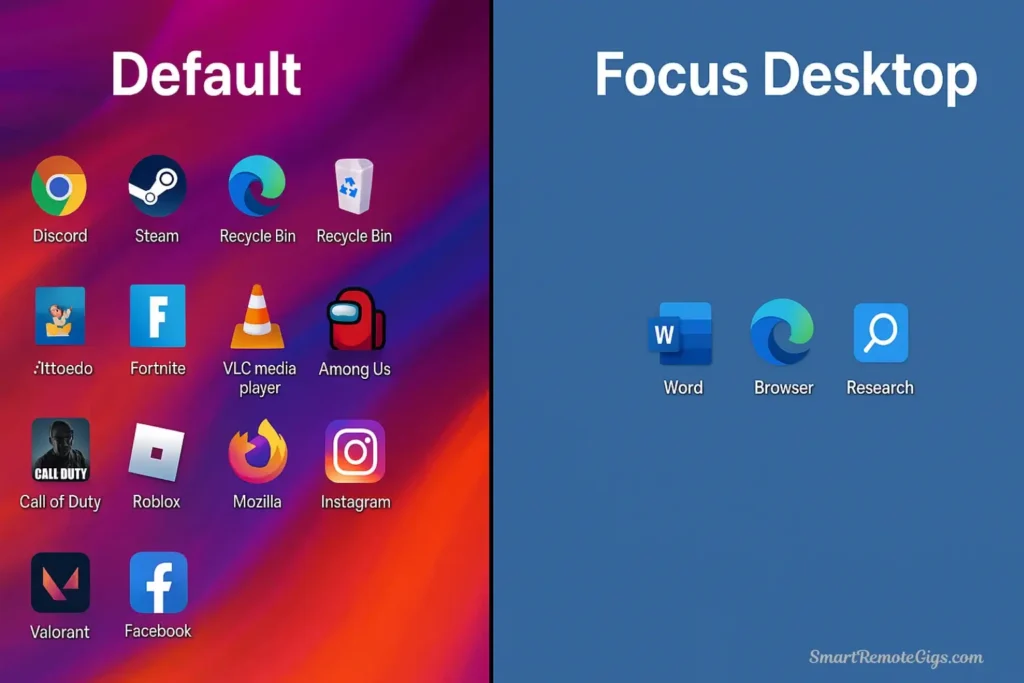
Action: Create a completely separate user profile on your computer dedicated exclusively to studying and academic work. This psychological and technical separation is the foundation of focused studying.
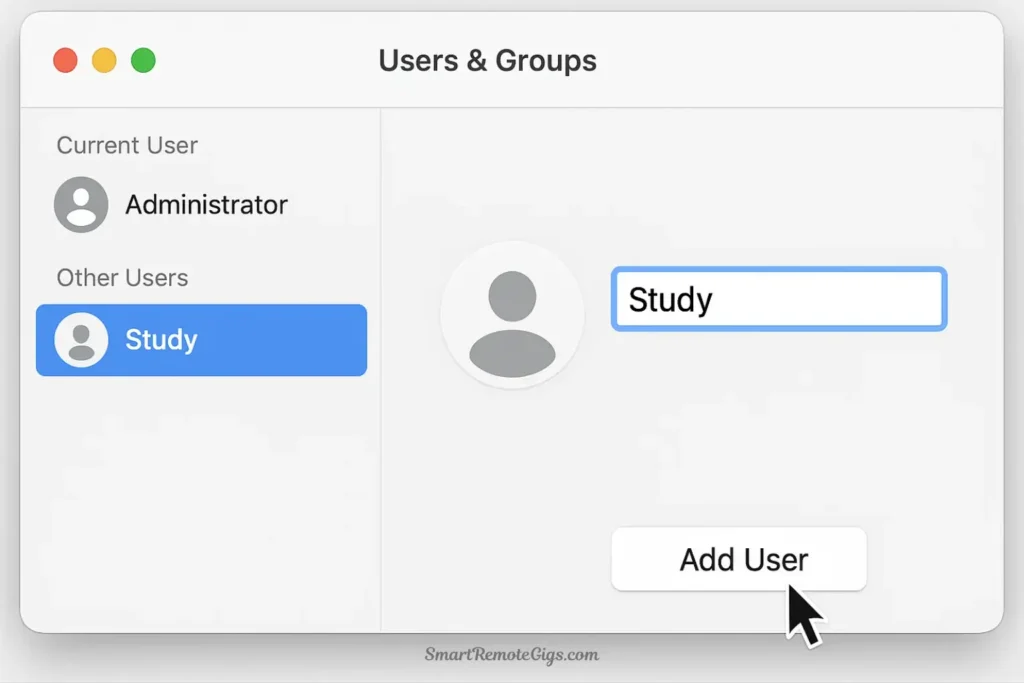
Why this works: Your brain creates strong associations between environments and behaviors. Your regular desktop is associated with entertainment, socializing, and browsing. Every icon, background image, and notification trains your brain to think “this is where I relax and have fun.” You need a clean slate associated exclusively with academic work.
How to do it:
On Mac:
- Open System Preferences → Users & Groups
- Click the lock icon and enter your password
- Click the “+” button to add a new user
- Name it “Study” or “Focus” (avoid neutral names—be explicit about purpose)
- Set it to automatically log in or switch easily
- Log into the new profile
On Windows:
- Open Settings → Accounts → Family & Other Users
- Click “Add someone else to this PC”
- Create a new local account named “Study”
- Log into the new account
Setting up your Focus Desktop:
Once you’re in your new profile, keep it ruthlessly minimal:
- Desktop: Empty. No files, no folders, no distracting wallpaper (use a solid color or a calm, neutral image)
- Taskbar/Dock: Only essential academic applications
- Word processor (Word, Google Docs, Pages)
- Reference manager (Zotero, Mendeley)
- Browser (configured for focus—see Step 2)
- Calculator, PDF reader
- Subject-specific tools (MATLAB, coding environment, etc.)
- No personal accounts: Don’t log into social media, personal email, gaming platforms, or entertainment services in this profile
- No entertainment apps: No Spotify, Netflix, Discord, or games
This profile is a sanctuary for focus. When you switch to it, you’re communicating to your brain: “We’re here to work.”
Step 2: Configure Your “Focus Browser”
🕒 Time Required: 15 minutes (one-time setup)
Action: In your Focus Desktop profile, configure your browser to block distractions and keep you on task. This prevents the “just a quick check” impulse that derails study sessions.
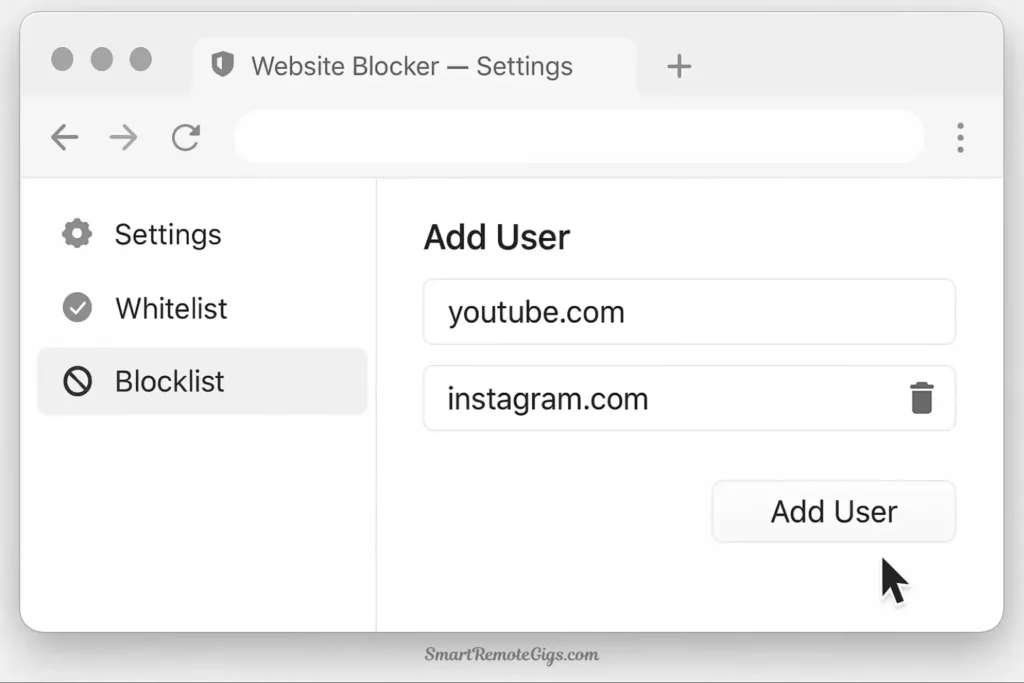
Specific tasks:
- Choose your browser: Use a privacy-focused, distraction-free option. Brave is significantly better than Chrome for digital minimalism because it blocks ads and trackers by default, making pages load faster and cleaner.
- Install a website blocker: Use a tool like Freedom, Cold Turkey, or LeechBlock. Create a blocklist including:
- All social media (Instagram, Facebook, Twitter/X, TikTok, Reddit)
- Video platforms (YouTube, Twitch—unless required for specific classes)
- News sites
- Entertainment sites (Netflix, gaming sites, sports sites)
- Shopping sites
- Any site you personally tend to fall into
- Enable blocking during study hours: Schedule your blocker to activate automatically during your regular study times. For example: 9 AM-12 PM and 2 PM-6 PM Monday-Friday, plus weekend morning blocks.
- Log out of everything: Don’t save passwords for social media or entertainment platforms in this browser. Make accessing them require friction—retyping passwords creates a pause where you can catch yourself.
- Set a plain start page: Configure your browser to open to a blank page or simple search page—no news feeds, no “trending” articles, no recommended content.
- Enable focus-friendly extensions only:
- A reference manager extension (Zotero connector)
- Grammar checker (Grammarly or similar)
- Dark Reader (if you study at night)
- PDF viewer
- Nothing else—especially no social media or entertainment extensions
Pro tip: Some students create two browser profiles within their Focus Desktop—one for “deep research” (with academic databases bookmarked) and one for “writing” (with the blocker even more aggressive, blocking all websites except your document editor).
Step 3: Neuter Your Smartphone
🕒 Time Required: 5-10 minutes (before each study session)
Action: Your phone is your biggest distraction. You can’t leave it permanently behind (you need it for safety and important communication), but you can render it harmless during study sessions.

Pre-study session routine:
- Activate Focus Mode:
- iOS: Settings → Focus → Create a new “Study” focus mode. Allow calls from family/emergency contacts only. Block all app notifications except Messages from favorite contacts.
- Android: Settings → Digital Wellbeing → Focus Mode. Select all distracting apps to pause. Set emergency contacts who can break through.
- Schedule it: Set your Focus Mode to activate automatically during your regular study times.
- Physical separation: This is crucial and non-negotiable. Put your phone in another room, in a drawer, in your backpack—somewhere you can’t see it and can’t reach it without physically getting up. The friction of walking to another room gives you time to catch yourself before impulsively checking.
- Alternative: Use a phone lockbox: Some students buy timed lockboxes (like the “K-Safe”) where they lock their phone for a set period. Sounds extreme, but it’s remarkably effective for breaking the automatic reaching habit.
What about “emergency” situations?
Real emergencies are incredibly rare. Your Focus Mode allows calls from designated emergency contacts. For truly critical situations (family emergencies, campus security alerts), people can still reach you by phone call. Everything else can wait 90 minutes.
Students often worry: “What if my study group needs me?” Set communication boundaries (see Advanced Strategies). Real emergencies are phone calls. Everything else is a text that can be answered during your scheduled break.
Step 4: The “Analog Companion” Method
🕒 Time Required: 2 minutes (at the start of each study session)
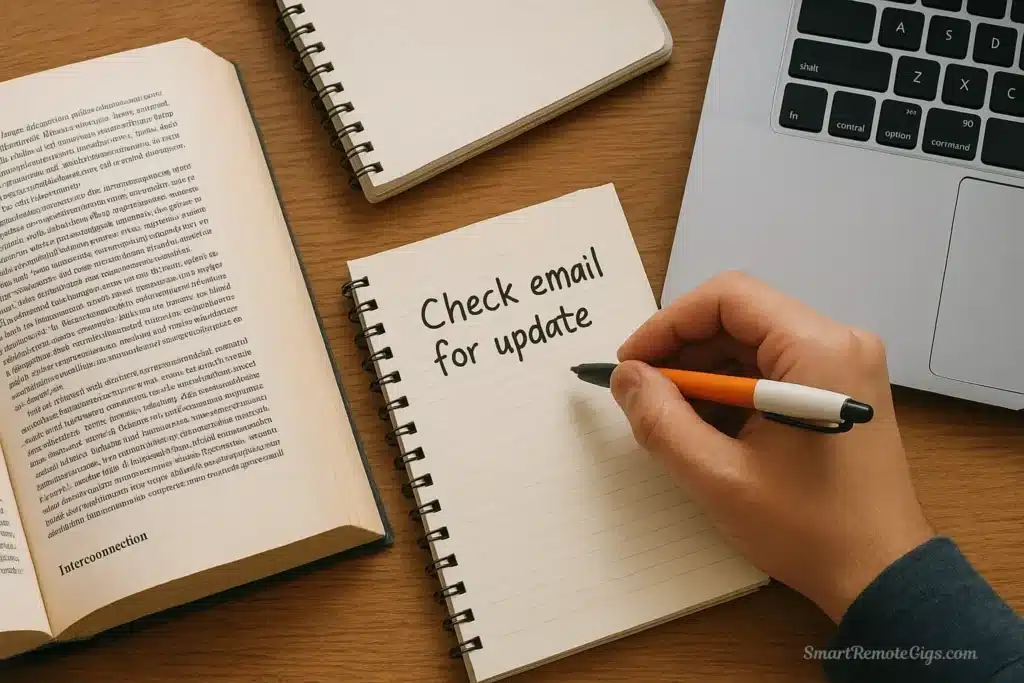
Action: Keep a physical notepad and pen next to you while studying. This simple tool prevents one of the most common focus-killers: the random thought that sends you down a digital rabbit hole.
How it works:
You’re reading about cellular respiration when suddenly you remember: “I need to check when that assignment is due.” Or “I should look up that internship opportunity.” Or “What was that song from the party last night?”
These thoughts feel urgent. Your immediate impulse is to open a new tab or grab your phone to “quickly check.” But that “quick check” turns into a 20-minute distraction spiral.
Instead: Write the thought in your analog notepad. Just the act of writing it down satisfies your brain’s need to “capture” the information. The thought is recorded—you won’t forget it—but you don’t break your study flow.
Your notepad captures:
- Tasks to do later (“Email professor about extension”)
- Questions to research after studying (“Why does mitochondria have two membranes?”)
- Personal reminders (“Text Sarah about weekend plans”)
- Random thoughts (“I’m hungry—snack after this chapter”)
After your study session ends, review the notepad and address items appropriately. Most of them will seem less urgent than they felt in the moment. Many won’t matter at all.
This method keeps you in flow state while ensuring you don’t lose important thoughts. It’s low-tech, but it’s remarkably effective for study without distraction.
- A computer with ability to create user profiles
- A smartphone with Focus Mode capabilities
- A website-blocking app like Freedom (optional but highly recommended)
- A physical notepad and pen
Advanced Strategies for Deep Learning
Once you’ve set up your distraction-free environment, these advanced techniques help you study more effectively and retain information better.
The “Research and Write” Split
One of the biggest student productivity tips is separating information gathering from content creation. These require different mental states, and mixing them kills your momentum.
The problem: You’re writing an essay. You need to cite a study, so you open a new tab to find it. While searching, you find three related studies. You start reading them. You notice they cite another paper. You look that up. Thirty minutes later, you’ve learned a lot but written nothing. Your essay is still blank.
The solution: Split your work into two distinct phases:
Phase 1: Research Mode (Focus Desktop, browser with limited blocking)
- Gather all sources you’ll need
- Read and take notes in a separate document
- Bookmark or save relevant pages
- Highlight key quotes and citations
- Build a complete reference list
- Close all tabs when finished
Phase 2: Writing Mode (Focus Desktop, aggressive blocking active)
- Open only your word processor
- Use only the notes and sources from Phase 1
- Block the entire internet except your reference manager
- Write from start to finish without stopping to “look something up”
- Flag missing information with [FIND SOURCE] to research later
This separation dramatically increases both research efficiency and writing quality. You don’t context-switch, and your writing flows because you’re not constantly interrupting yourself.
Using Technology for Active Recall
Passive reading—highlighting textbooks, rereading notes—feels like studying but is remarkably ineffective for how to focus on studying and retaining information. Active recall—forcing yourself to retrieve information from memory—is far more effective.
Minimalist tools for active recall:
Anki (Spaced Repetition Flashcards)
- Free, open-source, no ads or distractions
- Create digital flashcards with the key concept on one side, answer on the other
- The algorithm shows you cards at optimal intervals for memory retention
- Spend 20 minutes daily reviewing cards instead of passively rereading
- Especially effective for medical students, language learners, and memorization-heavy courses
The “Closed-Book Summary” Technique
- After reading a chapter or attending a lecture, close everything
- Open a blank document
- Write everything you remember about the topic without looking at notes
- Compare your summary to your actual notes to identify gaps
- This forces active retrieval and reveals what you actually learned vs. what you only recognized
The Feynman Technique (Teaching)
- Open a voice memo app or video recorder
- Explain the concept you’re studying as if teaching it to someone who knows nothing about it
- When you get stuck or realize you can’t explain something clearly, you’ve found a gap in your understanding
- Research that specific gap, then record again
These techniques require minimal technology—just a flashcard app or a blank document—and produce far better results than hours of passive reading.
Managing Group Projects Without Losing Your Mind
Group projects are essential for collaboration skills but terrible for personal focus. Here’s how to participate effectively without sacrificing your study time:
Set communication boundaries:
Don’t be available 24/7 in group chats. Instead, establish and communicate clear boundaries:
“Hey team, I’m trying to improve my focus habits, so I’ll be checking this chat at 12 PM and 6 PM daily. For anything urgent, call me. Otherwise, I’ll respond during those windows.”
Most group members will respect this. Those who don’t were probably being inefficient with communication anyway.
Designate “sync points”:
Instead of constant back-and-forth texting, schedule specific meeting times (even if virtual):
- “Let’s have a 20-minute video call tonight at 8 PM to assign sections”
- “Everyone submit their draft by Thursday at 5 PM, we’ll review together Friday”
This batches communication, reducing constant interruptions while ensuring work gets done.
Use asynchronous tools:
For collaboration, use tools designed for deep work, not constant messaging:
- Google Docs with comments (not constant back-and-forth texting about edits)
- Shared outlines where people claim sections (not debating assignments in chat)
- Voice memos for detailed explanations (not 47 short texts)
The goal: minimize synchronous communication (real-time chat) and maximize asynchronous work (everyone works independently, then syncs at designated times).
Your Student Focus Toolkit
Beyond this core setup, you can enhance your academic toolkit with practical resources:
- For Daily Habits: Reinforce your new systems with these 10 actionable tips you can use before an exam or during a tough week.
- For The Right Tools: Ensure you’re using technology that helps, not hinders. Explore our review of the 7 best apps for students aiming for digital minimalism.
Conclusion: Study Smarter, Not Harder
If you implement even half of the strategies in this guide, you’ll notice a dramatic shift in your academic performance and stress levels. But the real transformation isn’t just better grades—it’s reclaiming control.
Control your technology, control your focus. Control your focus, control your learning. Control your learning, control your academic outcomes.
The irony of digital minimalism for college students is that it actually frees up more time for the social side of college life. When you study with genuine, undistracted focus for two hours, you accomplish what used to take five hours of scattered half-attention. Those extra three hours? That’s time for friends, hobbies, exercise, sleep, or whatever else matters to you.
You’re not sacrificing social connection by putting your phone in another room during study time. You’re investing in deeper connection later—connection where you’re fully present because you’re not stressed about unfinished work.
The students who succeed aren’t the ones with supernatural willpower. They’re the ones who build systems that make focus the path of least resistance. That’s what you’ve learned here: how to architect your digital environment so that distraction requires effort and focus happens naturally.
Ready to go deeper? These student-specific strategies apply the broader principles covered in our summary of Cal Newport’s book “Digital Minimalism.” For foundational ideas about why this philosophy matters beyond just academic success, start there.
Want to extend these principles beyond studying? The same frameworks work for managing social media, email, and all digital distractions. Check out our comprehensive Ultimate Guide to Digital Minimalism to apply these principles to your entire digital life.
Your competitors in the classroom are distracted. They’re studying with their phones next to them, notifications pinging, group chats buzzing, tabs open to Instagram and Twitter. They’re working twice as long to accomplish half as much, and they’re stressed, anxious, and overwhelmed.
You don’t have to be. You have a system now. Use it.
Study smarter, not harder. Focus deeper, not longer. Win back your attention, win back your time, win back your academic success.
The focused life—and the GPA—you want is on the other side of these choices. Get started today.