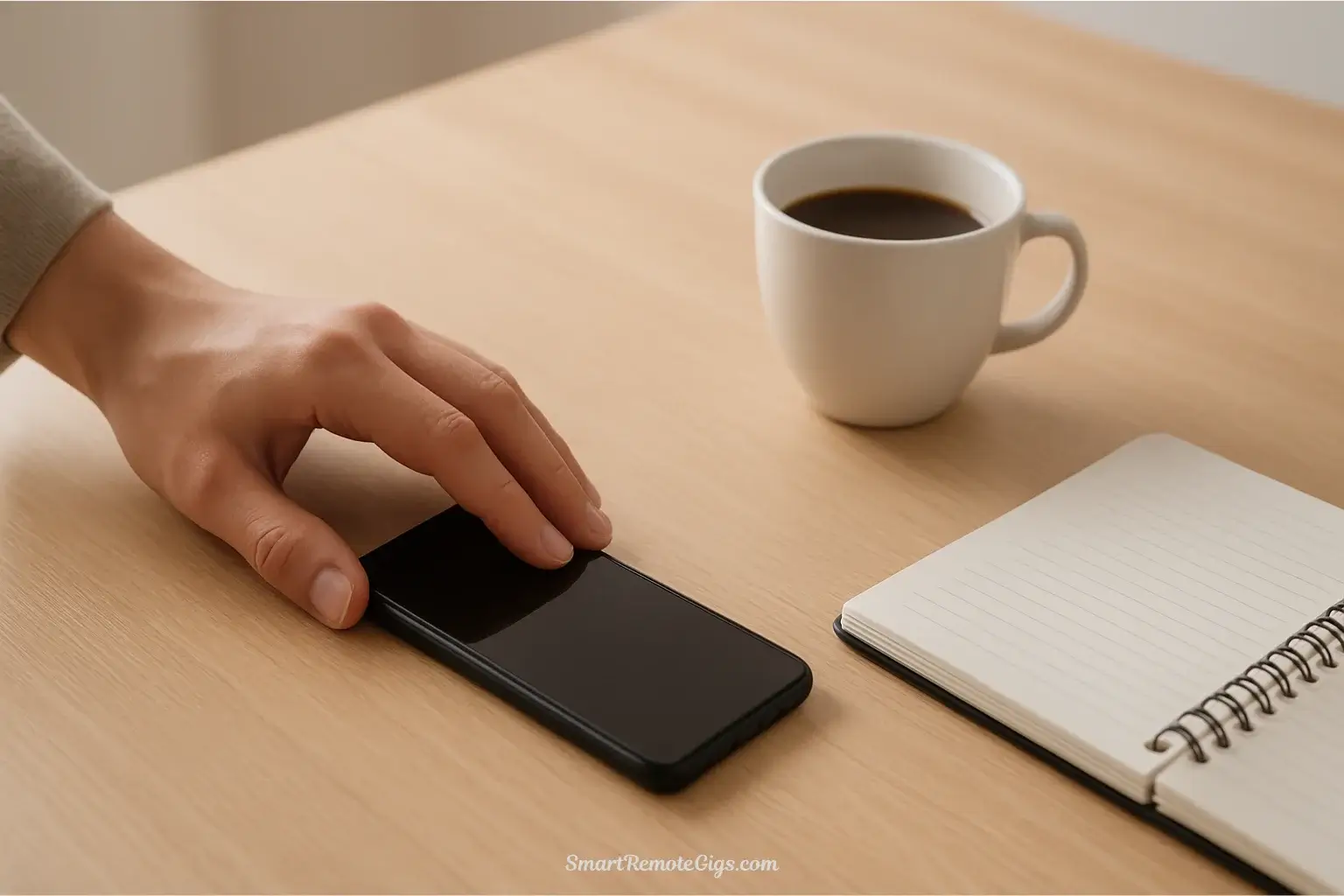
Your phone buzzes. You check it. Thirty minutes vanish into a social media vortex. You look up, disoriented, wondering where the time went. Sound familiar?
Digital overload isn’t a character flaw—it’s a design feature. Apps are engineered to grab your attention and refuse to let go. But here’s the good news: you don’t need a radical lifestyle overhaul to start winning back your focus. These 10 digital minimalism tips are simple, non-intimidating actions you can take right now to feel more in control of your technology.
Each tip takes five minutes or less to implement. No complicated systems. No overwhelming commitments. Just quick, practical wins that reduce digital noise immediately. These are your first steps on the larger journey toward intentional technology use we explore in our Ultimate Guide to Digital Minimalism, and they start right here.
Here are 10 digital minimalism tips you can implement today to reduce digital noise and reclaim your focus.
Quick Wins for Your Smartphone
Your smartphone is likely your biggest source of digital distraction. These first three tips transform it from an attention thief into a useful tool.
Tip 1: Turn Your Screen to Grayscale
🕒 Time Required: 2 minutes
The vibrant colors on your phone screen aren’t accidents—they’re carefully calibrated to trigger dopamine responses and keep you scrolling. Instagram’s gradient logo, YouTube’s red icon, and notification badges in bright orange are all designed to be irresistible.
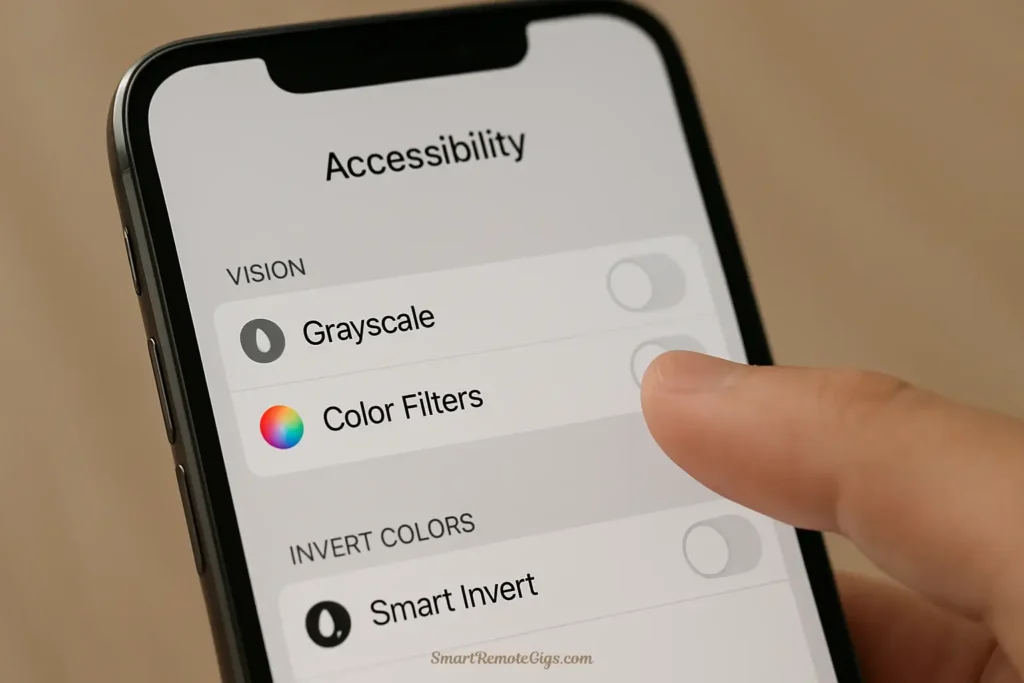
Switching to grayscale removes this psychological manipulation. Your phone becomes dramatically less appealing to mindlessly browse.
How to do it:
- iPhone: Settings → Accessibility → Display & Text Size → Color Filters → Enable and select Grayscale
- Android: Settings → Accessibility → Color and Contrast → Color Correction → Enable and select Grayscale
Try it for just one day. Most people are shocked by how much less compelling their phone becomes. This is one of the most effective phone distraction tips you’ll find.
Tip 2: Prune Your Notifications
🕒 Time Required: 3 minutes
Every notification is an interruption that fragments your attention and pulls you out of whatever you’re doing. Most notifications aren’t from humans trying to reach you—they’re from apps trying to re-engage you.
Right now, open your notification settings and disable everything except direct messages from actual people. No news alerts. No app updates. No promotional notifications. No “someone liked your post” pings.
How to do it:
- iPhone: Settings → Notifications → Go through each app and toggle off
- Android: Settings → Notifications → App notifications → Go through each app
Keep only: Phone calls, text messages, and perhaps messaging apps you use for real communication. Everything else is noise designed to distract you. This simple change is one of the easiest ways to reduce screen time without actually changing your behavior.
Tip 3: Create a “Mindless Apps” Folder
🕒 Time Required: 2 minutes
You don’t have to delete your addictive apps yet. Just make them less accessible. Move social media, news apps, games, and other time-sink applications off your home screen and into a folder on your very last page.
Name the folder something that creates a moment of awareness: “Mindless,” “Time Waste,” or “Really?”
This tiny bit of friction—having to swipe multiple pages and tap a folder—creates a pause that interrupts the automatic reach-and-scroll pattern. In that pause, you might realize you don’t actually want to open Instagram right now. You were just bored.
This is quick digital minimalism at its finest: a two-minute action that prevents hours of mindless scrolling.
This is quick digital minimalism at its finest: a two-minute action that prevents hours of mindless scrolling. For a deeper look at which apps are worth keeping and which tools can actively support your focus, explore our review of the 7 best apps for a digital minimalist.
Reclaiming Your Attention
Beyond your smartphone, your broader digital environment constantly competes for your focus. These next three tips help you redesign that environment.

Tip 4: Unsubscribe from 5 Email Newsletters
🕒 Time Required: 5 minutes
Open your email inbox right now. Scroll through and find five newsletters you never read but always see cluttering your inbox. Maybe it’s a retailer you shopped with once. Maybe it’s a blog you were interested in three years ago. Maybe it’s a “daily deals” email you’ve ignored for months.
Click “unsubscribe” on five of them. Right now. Do it before you finish reading this article.
Every newsletter you remove reduces the digital noise in your life. You’ll stop feeling that low-grade anxiety about unread emails. Your inbox becomes clearer, and ironically, the newsletters you actually care about become easier to notice.
This is one of the most satisfying digital minimalism tips because the results are immediate and lasting.
Tip 5: Turn Off Autoplay on YouTube and Netflix
🕒 Time Required: 1 minute
Autoplay is a trap designed to keep you watching indefinitely. You finish one video or episode, and before you can decide if you want to continue, the next one starts. The algorithm exploits your inertia, and suddenly you’ve watched four more episodes when you only intended to watch one.
Disable autoplay and reclaim your agency. Each time content ends, you’ll make a conscious choice about whether to continue.
How to do it:
- YouTube: Click your profile icon → Settings → Playback and performance → Turn off “Autoplay on Home” and “Autoplay next video”
- Netflix: Account → Profile → Playback settings → Uncheck “Autoplay next episode”
This simple switch creates intentional stopping points throughout your day. It’s a small change with a huge impact on how much time you unconsciously give to streaming platforms.
Tip 6: Set a Single, Specific Purpose Before You Browse
🕒 Time Required: 10 seconds (every time you open a browser or app)
This isn’t a setting you change—it’s a habit you build. Before you open your browser, social media, or any potentially distracting app, pause for ten seconds and ask: “What exactly am I trying to accomplish right now?”
State your purpose clearly: “I’m checking the weather,” “I’m looking up that restaurant,” “I’m messaging Sarah about dinner plans.”
If you can’t articulate a specific purpose, don’t open the app. Close it immediately if you find yourself drifting from your stated intention.
This practice of intentionality is at the heart of how to start being a minimalist with technology. It transforms you from a passive consumer of whatever content appears in front of you into an active director of your own attention.
Redesigning Your Digital Environment
These final four tips restructure your digital spaces to support focus instead of fragmentation.
Tip 7: Curate a “Single-Purpose” Browser Start Page
🕒 Time Required: 3 minutes
Most browser start pages display a news feed, trending stories, or a grid of frequently visited sites—all designed to pull you into browsing sessions you never intended to have.
Replace this with a minimal start page that supports focus. Use a browser extension like “Momentum” or “New Tab Redirect” to create a simple, clean landing page. Even better, set your browser to open to a blank page or a single, intentional website like your task manager or calendar.
The goal is to eliminate the automatic invitation to distraction that greets you every time you open a new tab.
Tip 8: Remove Social Media from Your Phone (Even for a Day)
🕒 Time Required: 1 minute
This one feels scary, but it’s just an experiment. Delete Instagram, Facebook, Twitter/X, TikTok—whatever social apps you use—from your phone for 24 hours. You can still access them on your computer if needed.
Most people discover two things:
- They reach for their phone dozens of times out of pure habit, not actual desire
- They don’t miss social media nearly as much as they feared
If deleting feels too extreme, try this: log out of all social media apps but keep them installed. The friction of logging back in creates the same pause as moving apps to that “Mindless” folder.
This is the most powerful of all our digital minimalism tips for immediately revealing how much your phone habits are driven by automation rather than intention.
Tip 9: Charge Your Phone Outside Your Bedroom
🕒 Time Required: 0 minutes (just a physical relocation)
If your phone is on your nightstand, you’ll reach for it first thing in the morning and last thing at night. These are the most vulnerable moments of your day—when your mind is either foggy from sleep or winding down from stress.
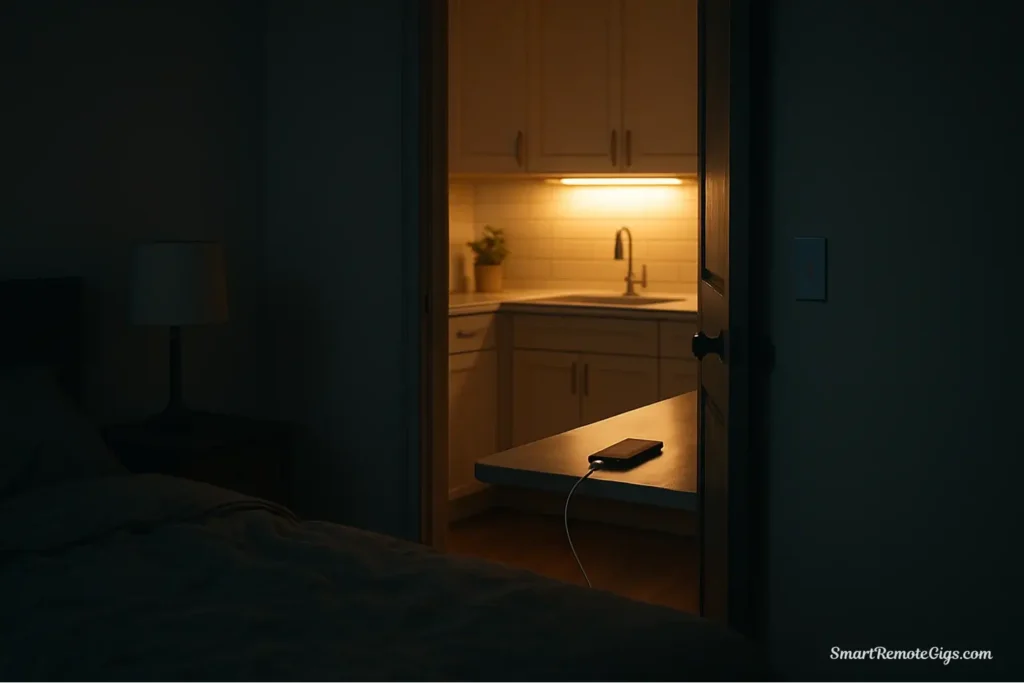
Tonight, plug your phone in to charge somewhere else: the kitchen, a hallway, even the bathroom. Use a traditional alarm clock if you need one (they cost less than $15).
This single change improves your sleep quality, prevents morning scroll sessions before you’ve even started your day, and creates boundaries between your waking life and digital consumption. Many people report this as the single most impactful change they’ve made.
Tip 10: Schedule a 30-Minute “Do Nothing” Block in Your Calendar
🕒 Time Required: 2 minutes to schedule, 30 minutes to experience
Open your calendar right now and block out 30 minutes sometime this week. Label it “Do Nothing” or “No Screens” or “Just Exist.”
During this time, you’re not allowed to look at any screen. No phone, no computer, no TV. You don’t have to meditate or be productive. You can stare out the window, sit with your thoughts, take a walk, or simply be bored.
This practice reveals how uncomfortable we’ve become with unstructured time and unoccupied attention. It’s the ultimate act of reclaiming focus—choosing to give your attention to nothing in particular, breaking the pattern of constant digital stimulation.
For many people, this 30-minute block becomes the most valuable part of their week.
Conclusion: Your Next Step to a More Focused Life
Congratulations. If you’ve implemented even a few of these tips, you’ve already taken real action toward reclaiming your focus from digital distraction. You should notice immediate changes—fewer interruptions, less compulsive phone-checking, and small pockets of recovered time throughout your day.
But here’s the truth: these digital minimalism tips are like first aid. They stop the immediate bleeding and provide relief, but they’re not the cure. The real transformation comes from going deeper—from understanding the philosophy behind these actions and implementing a comprehensive system for intentional technology use.
These quick wins are your proof that change is possible and not as scary as it seems. You’ve experienced what it feels like to have more control over your devices. Now it’s time to make that control permanent.
Ready to go beyond quick fixes? These tips are the first step in a journey we outline in our Ultimate Guide to Digital Minimalism. That comprehensive guide will take you from understanding the core philosophy to implementing a complete 30-day transformation process.
Want a structured plan? Our Complete Checklist for a Digital Declutter provides the detailed roadmap for permanently restructuring your relationship with technology.
The focused life you want doesn’t require perfection—it just requires starting. You’ve already begun. Keep going.
10 Actionable Digital Minimalism Tips You Can Try Today
Turn Your Screen to Grayscale
Reduce your phone's psychological appeal by removing the vibrant, attention-grabbing colors that trigger dopamine responses and encourage mindless scrolling.
One of the most surprisingly effective tips. It instantly makes your phone a less compelling entertainment device and more of a simple tool.
Editor's Rating:
Price: Free
Visit Website
Prune Your Notifications
Eliminate non-essential interruptions by disabling all app notifications except for direct messages from real people, reclaiming your focus from automated pings.
A foundational tip for digital minimalism. This single action dramatically reduces context switching and restores a sense of calm to your day.
Editor's Rating:
Price: Free
Visit Website
Create a 'Mindless Apps' Folder
Increase the friction required to access addictive apps by moving them off your home screen and into a folder, creating a crucial pause that breaks automatic habits.
An easy, low-commitment way to curb impulsive app use. The simple act of adding one extra step is surprisingly effective at preventing mindless scrolling.
Editor's Rating:
Price: Free
Visit Website
Unsubscribe from 5 Email Newsletters
Immediately declutter your digital life and reduce inbox anxiety by unsubscribing from email lists that no longer provide value.
A highly satisfying tip with immediate and lasting benefits. It's a simple action that makes your digital workspace cleaner and less stressful.
Editor's Rating:
Price: Free
Visit Website
Turn Off Autoplay
Reclaim control over your viewing time on platforms like YouTube and Netflix by disabling the feature designed to keep you passively consuming content.
This one-minute change prevents hours of unintentional binge-watching. It creates intentional stopping points, forcing you to make a conscious choice to continue.
Editor's Rating:
Price: Free
Visit Website
Set a Single, Specific Purpose Before You Browse
Transform browsing from a reactive, mindless habit into an intentional action by stating your goal before opening any app or browser.
A powerful mental habit that forms the foundation of mindful technology use. This 10-second pause can save you from countless hours of distraction.
Editor's Rating:
Price: Free
Visit Website
Curate a 'Single-Purpose' Browser Start Page
Remove the default invitation to distraction every time you open a new tab by replacing news feeds with a blank or minimalist start page.
An often overlooked but highly effective way to reduce unintentional browsing sessions. It ensures that every time you open your browser, it's for your purpose, not theirs.
Editor's Rating:
Price: Free
Visit Website
Remove Social Media from Your Phone (For a Day)
A powerful, low-commitment experiment to reveal how much of your phone usage is driven by automatic habit rather than genuine intention.
This is the most eye-opening tip for many people. Experiencing a day without social apps on your phone provides profound insights into your digital dependencies.
Editor's Rating:
Price: Free
Visit Website
Charge Your Phone Outside Your Bedroom
Improve your sleep quality and create healthier morning and nighttime routines by physically removing your phone from your sleeping space.
Arguably the single most impactful habit change for overall wellbeing. It protects the two most important parts of your day: when you wind down and when you wake up.
Editor's Rating:
Price: Free
Visit Website
Schedule a 30-Minute 'Do Nothing' Block
An advanced practice to rebuild your tolerance for boredom and break the cycle of constant digital stimulation by scheduling time with no screen-based input.
This feels uncomfortable at first but is deeply restorative. It's the ultimate act of reclaiming your attention and allowing your mind to wander, which is crucial for creativity.
Editor's Rating:
Price: Free
Visit Website