A digital declutter is not just another productivity hack or self-improvement trend. It’s a radical reset of your relationship with technology—a 30-day process that strips away all optional digital tools from your life, forces you to sit with the discomfort of boredom, and then carefully rebuilds your digital environment based on your deepest values rather than algorithmic manipulation.
This concept was popularized by Cal Newport in his book “Digital Minimalism,” and thousands of people have since used this digital declutter process to reclaim their attention, time, and sense of agency. The goal isn’t to become a Luddite or reject technology—it’s to reset your relationship with it from the ground up, ensuring that every digital tool in your life serves a clear, valuable purpose aligned with what you actually care about.
Fair warning: this is challenging. You’ll experience withdrawal, boredom, anxiety, and strong urges to “just check” the apps you’ve removed. But those who complete the full 30 days consistently describe it as one of the most transformative experiences of their lives. This process is the core practical exercise of our Ultimate Guide to Digital Minimalism, and this complete checklist will walk you through every single day.
Are you ready? Let’s begin.
Before You Begin: The Preparation Phase (Day 0)
Success in the 30-day digital declutter challenge depends heavily on preparation. Don’t skip this phase. Taking a few hours to set yourself up properly will dramatically increase your chances of completing the full 30 days.
Define Your “Why”
Before you touch any settings or delete any apps, you need absolute clarity about why you’re doing this. Without a compelling “why,” you’ll abandon the process during the difficult middle weeks.
Grab a journal or open a document and spend at least 30 minutes writing honest answers to these questions:
- What aspects of my technology use make me feel out of control?
- What activities or relationships have I neglected because of digital distraction?
- What do I deeply value in life? (Examples: family connection, creative work, physical health, spiritual growth, meaningful friendships)
- What would my ideal relationship with technology look like?
- What do I hope to gain from completing this digital declutter?
Your answers form your foundation. When you’re tempted to break your declutter rules two weeks in, you’ll return to these answers to remember why you started.
Choose Your Start Date & Inform Key People
Pick a specific start date for your digital declutter—ideally a Monday to align with the weekly rhythm. Avoid starting during major holidays, important work deadlines, or significant life events. You want as few external complications as possible.
Next, inform the people who matter. Tell your family, close friends, and relevant colleagues that you’ll be temporarily stepping away from certain technologies. Explain that you’re not disappearing—just that you’ll be harder to reach via certain channels.
Example message: “I’m doing a 30-day digital detox from social media and non-essential apps. I’ll still respond to texts and emails, but I might be slower than usual. If something is urgent, call me directly.”
This advance communication prevents misunderstandings and reduces social pressure to “just check in quickly.”
Make a List of “Banned” and “Essential” Technologies
Not all technology is optional. You likely need email for work, banking apps for finances, and navigation for getting around. The key is distinguishing between what’s truly essential and what’s merely convenient or entertaining.
Create two lists:
Essential Technologies (you can keep these):
- Work-required communication tools (email, Slack if mandatory)
- Banking and financial apps
- Navigation and transportation apps
- Calendar and basic utilities
- Phone calls and text messaging with actual people
Banned Technologies (these must go for 30 days):
- All social media platforms (Instagram, Facebook, Twitter/X, TikTok, LinkedIn, Reddit)
- Video streaming services (Netflix, YouTube except when required for work/education)
- News websites and apps
- Video games
- Dating apps
- Online shopping apps
- Any other apps or websites you use for entertainment or compulsive checking
All social media platforms (Instagram, Facebook, Twitter/X, TikTok, LinkedIn, Reddit). For a focused approach to just this category, see our Guide to a Mindful Social Media Cleanse.
Be honest with yourself. If you’re tempted to classify something as “essential” when it’s really just something you don’t want to give up, that’s probably the clearest sign it belongs on the banned list.
⏱️ Need to Focus?
Our free Smart Gig Finder app includes a built-in Pomodoro timer to help you master deep work. Download it now.

The 30-Day Digital Declutter: A Step-by-Step Guide
Now we enter the actual 30-day digital declutter. This is broken into five distinct phases, each with specific actions and expected challenges.
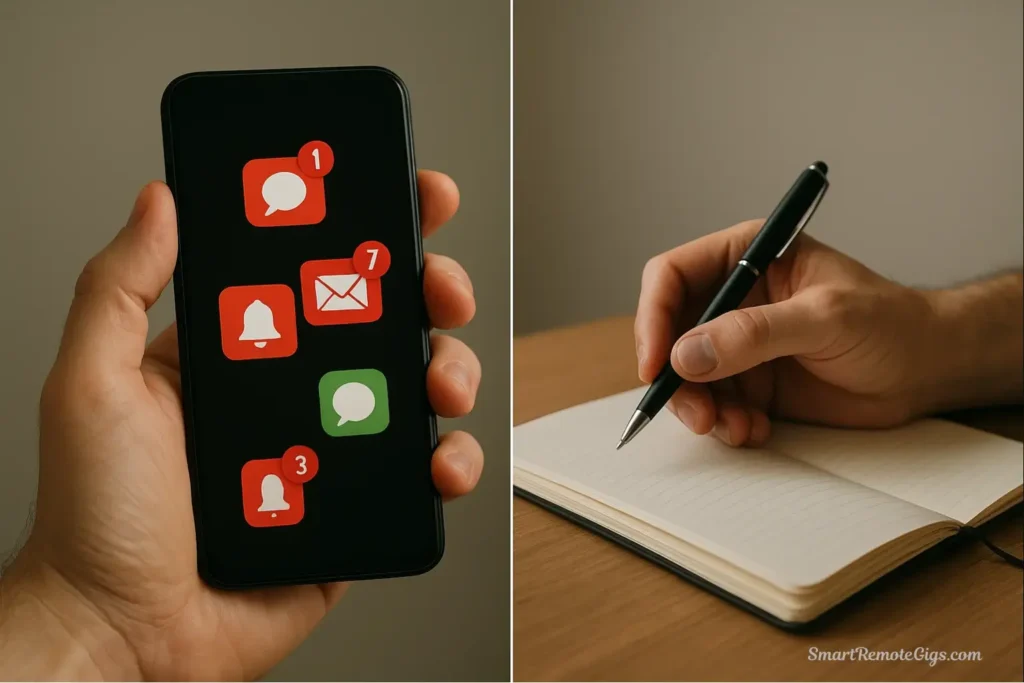
Step 1: The Purge (Days 1-7)
🕒 Time to Complete: 2-3 hours on Day 1, then ongoing for the week
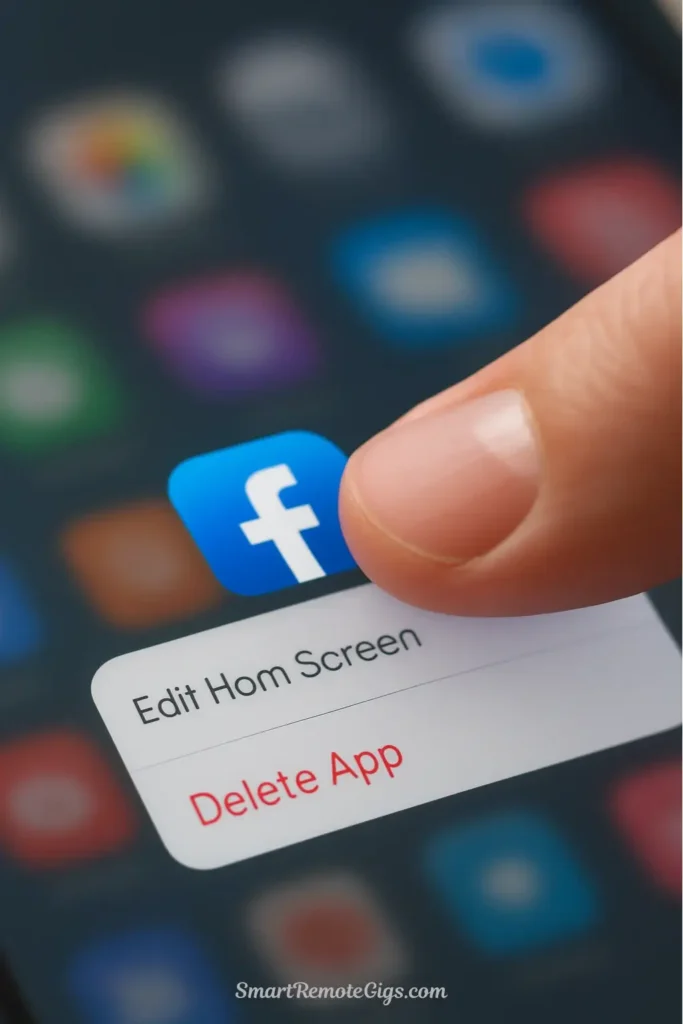
Action: This first week is about creating your clean slate. You’re physically removing temptation and establishing new boundaries.
Specific tasks for Day 1:
- Install a website blocker: Use tools like Freedom (which we review in our guide to the best apps for digital minimalists) to prevent access to banned sites.
- Delete all banned apps from your phone: Don’t just move them to a folder—actually delete them. Go through every page of your home screen. Remove social media, games, news apps, streaming apps, and anything else on your banned list.
- Log out of all banned websites on your computer: Don’t rely on willpower to avoid them. Log out of Facebook, Twitter, Instagram, Reddit, YouTube (unless work-required), news sites, and any other time-sink websites. Delete saved passwords if needed.
- Install a website blocker: Use tools like Freedom or other blocking apps to prevent access to banned sites. Schedule blocks for the next 30 days. Make it difficult or impossible to circumvent.
- Communicate your temporary absence: Post a brief message on social platforms if needed (“Taking a break for personal reasons, back in 30 days”) or simply disappear. The world will survive without you.
- Set up your phone for minimalism: Turn on grayscale mode, disable all non-essential notifications, remove your email app if possible, and charge your phone outside your bedroom.
What to expect this week: The first 2-3 days will feel liberating. You’ll notice how much time you suddenly have. By days 4-7, you’ll start feeling strong urges to check banned apps. Your hand will reach for your phone dozens of times out of pure habit. This is normal. Notice the urge, but don’t act on it.
Step 2: Embrace the Boredom (Days 8-15)
🕒 Time to Complete: This is a mental shift, not a task

Action: Week two is typically the hardest phase of the digital declutter checklist. The novelty has worn off, but you haven’t yet developed new habits to replace your old patterns. Your task is simple but not easy: sit with the boredom and discomfort without filling it with another low-quality distraction.
Specific practices:
- Notice your automaticity: Pay attention to how often you automatically reach for your phone, open a new browser tab, or feel the urge to “check” something. Don’t judge yourself—just observe.
- Don’t replace one distraction with another: Resist the temptation to replace Instagram scrolling with Reddit browsing, or Netflix binging with excessive podcast listening. The point is to break the pattern of constant stimulation, not just swap sources.
- Sit with discomfort: When you feel bored, anxious, or restless without your usual digital crutches, resist the urge to immediately fill that space. Sit with it for five minutes. Let your mind wander. This is where insight happens.
- Use the time for nothing: Give yourself permission to do absolutely nothing. Stare out the window. Lie on the couch without a screen. Be “unproductive.” This feels incredibly uncomfortable in our productivity-obsessed culture, but it’s essential for resetting your relationship with stimulation.
What to expect this week: You’ll probably feel some level of withdrawal—irritability, anxiety, restlessness, or a sense that something is “missing.” Your brain has been conditioned to expect constant novelty and dopamine hits. Withdrawal is evidence that the process is working. Push through. By day 15, the worst is usually over.
Step 3: Rediscover High-Quality Activities (Days 16-25)
🕒 Time to Complete: At least 1-2 hours per day engaged in planned activities

Action: Now that you’ve created space in your life by removing digital clutter, it’s time to actively fill that space with high-quality, non-digital activities. This is where the transformation really happens.
Specific activities to pursue:
Physical activities:
- Go for walks without headphones or podcasts—just you and your thoughts
- Join a fitness class, sports league, or hiking group
- Start a physical hobby: woodworking, gardening, cooking, painting
- Exercise consistently without a screen for entertainment
Social activities:
- Schedule in-person coffee dates, dinners, or hangouts with friends
- Have long, meandering phone conversations (actual phone calls, not texts)
- Attend community events, meetups, or group activities
- Volunteer for a local organization
Creative and intellectual activities:
- Read physical books—aim for at least 30 minutes of reading daily
- Write in a journal, try creative writing, or start a personal project
- Learn a musical instrument or return to one you’ve abandoned
- Take an in-person class or workshop in something you’re curious about
Contemplative activities:
- Practice meditation or mindfulness without an app
- Spend time in nature without documenting it
- Have quiet mornings with coffee and a journal instead of your phone
- Engage in spiritual or philosophical reflection
The key principle: These activities should be high-quality leisure that genuinely restores you and aligns with your values. Not every activity needs to be “productive.” Reading fiction for pleasure absolutely counts. The distinction is between active, engaged, intentional activities versus passive, mindless consumption.
What to expect this week: This is often when people have their “aha” moment. You’ll remember what you actually enjoy doing when you’re not distracted. You’ll have ideas you haven’t had in years. You’ll feel more present in conversations. You might even feel… content.
Step 4: The Reintroduction Phase (Days 26-30)
🕒 Time to Complete: 2-3 hours of thoughtful evaluation

Action: The 30 days are almost complete. Now comes the crucial decision-making phase: which technologies earn the right to come back into your life?
The evaluation process:
For each banned technology, go through this strict filter:
- Does this technology directly and significantly support something I deeply value? (Reference the values you defined on Day 0)
- Is this the best tool for serving that value? (Consider if there are better alternatives, including non-digital options)
- What would I lose if I kept this technology out of my life permanently? (If the answer is “not much,” that’s your answer)
Be ruthless. If a technology provides only marginal benefits—it’s “kind of nice” or “occasionally useful”—keep it out. Only reintroduce technologies that pass a high bar of genuine, significant value.
Examples of good reasons to bring something back:
- “Instagram allows me to stay connected with my photography community and share my work, which is central to my creative identity”
- “YouTube is essential for the woodworking tutorials I need for my new hobby”
- “LinkedIn is required for my professional networking in my industry”
Examples of bad reasons:
- “I might miss something important” (you won’t)
- “Everyone else uses it” (not a value-based decision)
- “I’m just curious what I missed” (curiosity isn’t a sufficient justification)
You may find that you want to bring back only 20-30% of what you removed. This is perfectly normal and actually indicates success.
Step 5: Create Your New “Rules of Engagement”
🕒 Time to Complete: 1-2 hours
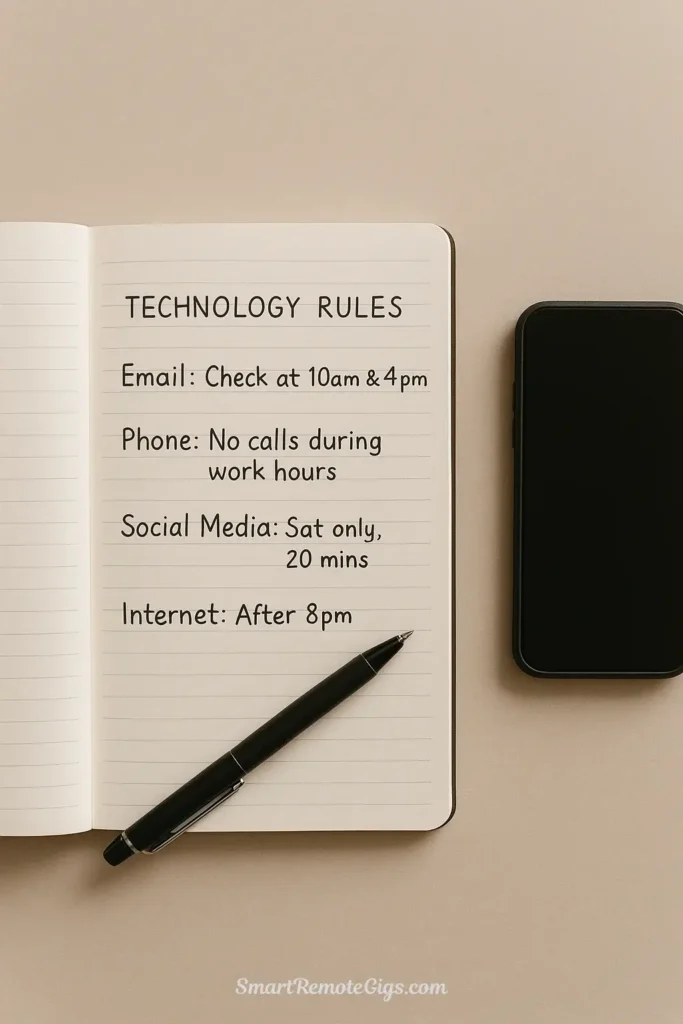
Action: For each technology that earned its way back into your life, you must define specific, concrete rules about when and how you’ll use it. This is non-negotiable. Without clear constraints, you’ll gradually drift back to your old patterns.
Write down your rules using this format:
Technology: [Name]
Purpose: [Why this tool serves my values]
Access Method: [Phone, computer, both?]
Time Restrictions: [When I’m allowed to use it]
Duration Limits: [How long per session/day/week]
Trigger for Use: [What prompts me to use this tool]
Examples of good rules:
- Purpose: To share my photography and connect with my local hiking community
- Access: Desktop computer only (not on phone)
- Time: Saturday mornings only, 9-9:30 AM
- Duration: 30 minutes maximum
- Trigger: After my morning coffee, before starting weekend activities
YouTube
- Purpose: To learn woodworking techniques for my projects
- Access: Desktop computer only
- Time: After work, when I have a specific project question
- Duration: One tutorial per session, no recommended videos
- Trigger: Only when I have a specific skill I need to learn, not for browsing
News
- Purpose: To stay informed about major events affecting my community
- Access: Desktop computer only
- Time: Sunday evenings only
- Duration: 20 minutes reading one trusted source
- Trigger: Sunday evening routine after dinner
These rules transform technologies from open-ended attention traps into bounded tools you control. They’re the difference between using technology intentionally and being used by it.
- A journal for defining values and documenting rules
- A calendar for scheduling high-quality activities
- (Optional) Supporting apps like those reviewed in our guide to the 7 Best Apps for a Digital Minimalist
- A traditional alarm clock (if you currently use your phone)
Common Challenges and How to Overcome Them
Even with perfect preparation, you’ll face obstacles during your digital declutter. Here’s how to handle the most common ones.
Dealing with FOMO (Fear of Missing Out)
The challenge: You’ll worry that you’re missing important news, social events, or information while you’re disconnected.
The reality: You’re missing almost nothing that actually matters. Important news will reach you through other channels. Real friends will call or text you directly about genuinely important events. Everything else is noise.
How to overcome it:
- Remind yourself that FOMO is manufactured by platforms designed to keep you engaged
- Keep a running list of “important things I missed” during your 30 days—it will be remarkably short
- Remember that people lived rich, connected lives for thousands of years without instant access to everyone’s updates
- Focus on what you’re gaining (presence, focus, time) rather than what you’re missing (noise, distraction, anxiety)
Managing Social or Professional Expectations
The challenge: People expect you to be reachable instantly on certain platforms. Colleagues might push back on your absence from work communication tools.
The reality: Very few things are actually urgent. Most “urgent” communication is merely convenient for the sender.
How to overcome it:
- Set up auto-responders explaining your response time expectations
- Provide alternative contact methods for genuine emergencies
- Establish specific check-in times (“I check email at 9 AM and 4 PM”) and communicate them clearly
- Stand firm on your boundaries—most people will respect them once they realize you’re serious
- For truly mandatory work tools, define strict time boundaries (e.g., “Slack access only during work hours, disabled on phone”)
Feeling Bored or Restless
The challenge: Without constant digital stimulation, you’ll feel uncomfortable levels of boredom.
The reality: Boredom is not a problem to solve—it’s a sign that your brain is healing from constant overstimulation.
How to overcome it:
- Recognize that boredom is temporary and valuable—it’s where creativity and insight emerge
- Use the “just five minutes” rule: commit to sitting with boredom for five minutes before reaching for any distraction
- Keep a list of high-quality activities nearby for when you need ideas
- Remind yourself that learning to be comfortable with boredom is one of the most valuable skills you can develop
Conclusion: Life After the Declutter
If you’ve made it through the full 30 days, congratulations. You’ve completed one of the most challenging and transformative processes available for reclaiming your attention and agency in the digital age.
What you’ll notice first is the sense of control. Your phone no longer feels like a slot machine demanding your attention. Your computer is a tool you use, not a portal that consumes your time. You’ve broken the automatic reaching, the compulsive checking, the anxious need to “just see” what’s happening online.
But more importantly, you’ve rediscovered what your life actually feels like when it’s not constantly interrupted by digital noise. You’ve had ideas you forgot you were capable of having. You’ve been fully present in conversations. You’ve pursued interests that got crowded out by scrolling. You’ve felt bored—really bored—and survived it.
This feeling of intentionality and control is what digital minimalism is all about. The 30-day digital declutter isn’t the destination—it’s the reset that makes a sustainable minimalist lifestyle possible.
What comes next?
The declutter has given you clarity and broken old habits, but maintaining this new relationship with technology requires ongoing vigilance. For daily reinforcement and quick reminders, check out our 10 Quick Digital Minimalism Tips you can implement whenever you feel yourself slipping.
The rules of engagement you created in Step 5 are your new operating system for technology. Review them regularly. Adjust them as your values and circumstances evolve. But never go back to the unexamined, default relationship with technology that you had before.
Your digital declutter has given you something precious and increasingly rare: the ability to direct your own attention. Guard it carefully.
Welcome to life after the declutter. You’ve earned this clarity.