I got hired by Duolingo because I made a funny TikTok about their owl. I didn’t have a resume. I had a link.
Here’s the Catch-22 that keeps thousands of talented people stuck: you need experience to get a portfolio, but you need a portfolio to get experience.
Hiring managers won’t interview you without proof of skills. But how do you prove skills without clients?
The answer: Permissionless Projects. You don’t ask permission. You pick a brand, create content for them (without being hired), package it beautifully, and show it as proof of competence.
This isn’t fake work—it’s spec work. The same thing ad agencies do to win pitches. The same thing designers do to land clients. You’re creating real value for real brands, just on your own timeline.
This guide gives you 5 specific portfolio projects you can build this weekend—no clients, no budget, no excuses.
📂 The Portfolio Project Menu
Project Type | Time to Build | Shows Hiring Manager… |
|---|---|---|
The Audit | 2 Hours | Strategic Thinking |
The Rebrand | 4 Hours | Design & Copywriting |
The Video | 1 Hour | Editing (CapCut) |
The Calendar | 3 Hours | Planning & Organization |
The Crisis | 1 Hour | Maturity & Judgement |
Total time investment: 11 hours to build a portfolio that gets interviews. That’s one weekend.
The Golden Rule: “Permissionless Projects”
Don’t wait for clients. Pick a brand you love (or hate) and fix their socials.
This is the permissionless approach: you’re not asking for permission, approval, or payment. You’re demonstrating competence by creating work that could hypothetically be used.
The process:
- Find a brand with terrible social media (local coffee shop, B2B SaaS company, your dentist)
- Create better content than they’re currently posting
- Package it as a case study: “Instagram Rebrand Concept for [Brand Name]”
- Share it publicly in your portfolio
Pro Tip: Label it clearly as “Spec Work,” “Concept Project,” or “Unsolicited Rebrand” so there’s no confusion. You’re not claiming you worked for them—you’re showing what you COULD do for them. This protects you legally and ethically.
Why this works:
Hiring managers don’t care if you were officially hired. They care if you can do the job. A spec project for Starbucks is more impressive than real work for your uncle’s lawn care business.
You’re solving a real problem (bad social media) with real solutions (better content). The only difference is you did it on your own initiative instead of being paid.
Project 1: The “Roast & Fix” (Audit)

Time to build: 2 hours
What it proves: You have strategic eyes and can identify problems
The task:
Pick a local business with genuinely bad social media. Look for:
- Last post was 6+ months ago
- Under 500 followers
- Blurry photos, no strategy, inconsistent posting
- Generic captions like “Check out our new product! 🎉”
Examples of good targets:
- Local restaurant with a dead Instagram
- Real estate agent posting terrible mirror selfies
- Small gym with no social presence
- B2B company stuck in 2015 (stock photos and corporate jargon)
Your deliverable:
Create a 3-5 minute Loom video (free) walking through their Instagram/TikTok and identifying:
3 problems:
- “Your last post was 4 months ago—the algorithm has completely abandoned your account”
- “These product photos have terrible lighting and don’t show the actual product benefits”
- “Your captions are generic sales pitches with no personality or call-to-action”
3 quick fixes:
- “Post 3x per week minimum to stay algorithmically relevant”
- “Use your iPhone with natural window light—here’s an example of better product photography”
- “Write captions that educate or entertain first, sell second—here’s a template”
Bonus points: Actually create 1-2 example posts showing what their content SHOULD look like.
How to present it:
Title: “Social Media Audit: [Business Name]”
Include: Loom video link + written summary of findings + 2 example improved posts
Why hiring managers love this:
It proves you can analyze existing strategies, identify problems, and recommend solutions. That’s literally the job. You’ve just done it for free to prove competence.
Project 2: The “9-Grid” Rebrand (Aesthetic)

Time to build: 4 hours
What it proves: Design taste, brand voice understanding, visual cohesion
The task:
Pick a boring B2B company (accounting software, HR platforms, cybersecurity) and redesign their Instagram grid to make it actually interesting.
Why B2B? Because most B2B companies have terrible social media—stock photos, corporate jargon, zero personality. It’s easy to improve dramatically.
Your deliverable:
Create 9 posts (3 weeks of content at 3 posts/week) in Canva showing a cohesive visual identity:
Content mix (the 3-3-3 rule):
- 3 educational posts (tips, how-tos, explainers)
- 3 behind-the-scenes/humanizing posts (team photos, company culture, founder story)
- 3 promotional posts (product features, customer wins, call-to-action)
Design requirements:
- Consistent color palette (use their actual brand colors)
- Consistent font choices (2-3 fonts maximum)
- Consistent layout style (similar graphic treatment across all posts)
- Mix of formats: 3 static graphics, 3 carousels, 3 photo-based posts
Write real captions for each post—not placeholders. Show you understand brand voice and copywriting.
Example:
Target brand: Generic payroll software company
Current vibe: Boring stock photos of business people in suits
Your rebrand: Colorful, friendly, educational content showing “5 Payroll Mistakes That Cost Small Businesses Thousands” with clear infographics
How to present it:
Create a Canva presentation showing:
- Slide 1: “Current State” (screenshot of their actual grid)
- Slide 2: “Proposed Rebrand” (your 9-post grid mockup)
- Slide 3-11: Each individual post with caption
- Slide 12: Strategy explanation (why you made these choices)
Export as PDF and as shareable Canva link.
Use the design principles from our 10 Social Media Manager Skills to Get Hired Faster guide—specifically the graphic design and copywriting sections.
Why hiring managers love this:
You’ve demonstrated visual thinking, content planning, and brand understanding. They can see your aesthetic taste and strategic choices. This is portfolio gold.
Project 3: The “Viral” Reel (Video)

Time to build: 1 hour (including filming and editing)
What it proves: You can edit video and understand trends
The task:
Jump on a current TikTok/Reel trend but adapt it for a niche industry that would never normally use it.
Examples:
Trending format: “Get Ready With Me” (GRWM)
Your adaptation: “Get Ready With Me to Audit Your Company’s Balance Sheet” (for an accounting firm)
Trending format: “POV: You’re…”
Your adaptation: “POV: You’re a plumber dealing with the worst call of the day” (for a plumbing company)
Trending format: “Hearing [X] for the first time”
Your adaptation: “Accountants hearing someone say ‘I’ll just pay the penalties’ for the first time”
The key: Take something trending and make it relevant to a boring industry. This shows cultural awareness + strategic adaptation.
Your deliverable:
Actually film and edit the Reel using CapCut. Post it to your personal TikTok/Instagram (create a burner account if needed). Include it in your portfolio as a live link.
Technical requirements:
- 15-30 seconds
- Use trending audio (search “trending audio” on TikTok)
- Text overlays (most people watch without sound)
- Smooth transitions and cuts every 2-3 seconds
- On-brand for the hypothetical company
Tag the actual company when you post it (optional but bold). Sometimes they’ll reshare it or even reach out to hire you. I’ve seen this happen multiple times.
How to present it:
Title: “Spec Content: [Brand Name] TikTok Concept”
Include: Live link to the video + screenshot of metrics after 48 hours + explanation of strategy
Why hiring managers love this:
Video editing is the #1 in-demand skill in 2026. A live Reel with actual views proves you can execute, not just theorize. Even if it only gets 500 views, that’s 500 more than most candidates have.
Project 4: The 30-Day Calendar (Planning)
Time to build: 3 hours
What it proves: Organization, strategic planning, content mix understanding
The task:
Plan 30 days of content for a SaaS brand (productivity tools, project management, email marketing, etc.).
Why SaaS? Because SaaS content strategy is valuable and well-documented. You can study what successful SaaS companies post and create a similar calendar.
Your deliverable:
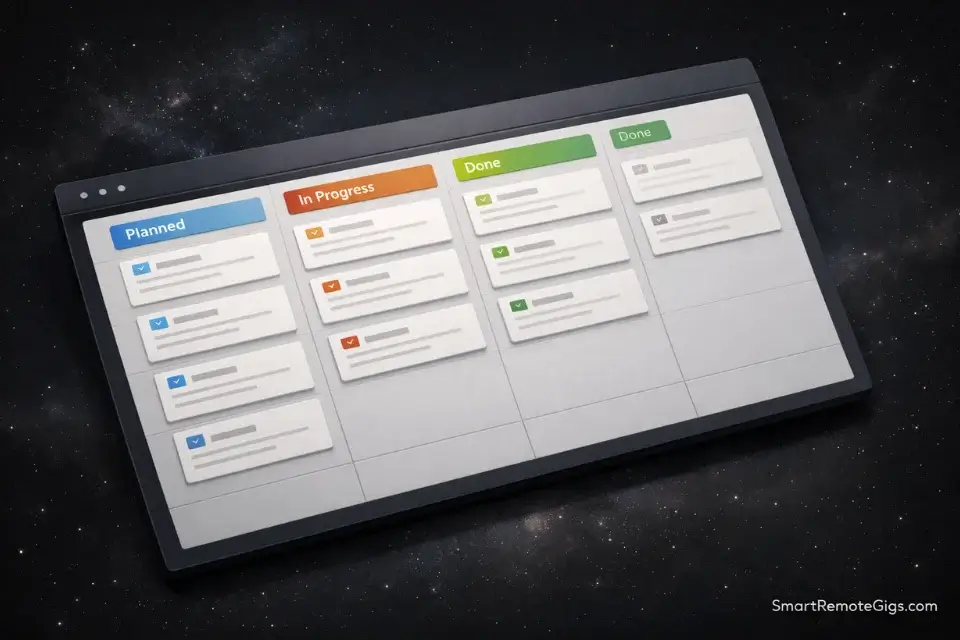
Build a content calendar in Notion (free) with these columns:
- Date: When it posts
- Platform: Instagram, TikTok, LinkedIn, Twitter
- Format: Reel, Carousel, Static, Story
- Content Pillar: Educational, Promotional, Behind-the-Scenes, User-Generated
- Topic: Specific subject of the post
- Caption (first line): The hook
- CTA: What action you want viewers to take
- Status: Planned, In Progress, Ready, Posted
Content requirements:
- 30 posts across 30 days (minimum 1/day)
- Mix of platforms (don’t just do Instagram)
- Mix of formats (don’t just do static posts)
- Strategic content pillars following 60/30/10 rule:
- 60% educational/value-driven
- 30% behind-the-scenes/company culture
- 10% promotional/sales
Include 5 complete posts with:
- Full caption written out
- Hashtag strategy
- Visual description or mockup
- Rationale for timing/platform choice
How to present it:
Create a public Notion page (share settings: “Allow anyone with the link to view”). Include:
- The full calendar database
- 5 complete post examples
- 1-page strategy document explaining your approach
Why hiring managers love this:
This proves you think ahead, understand content mix, and can manage complexity. Most candidates can’t show organized planning—this makes you stand out immediately. It also shows you know Notion, which most companies use.
Project 5: The “Crisis Response” (Writing)
Time to build: 1 hour
What it proves: Maturity, judgment, communication under pressure
The task:
Write hypothetical crisis responses to common social media disasters.
Pick 3 scenarios:
Scenario 1: Product Failure
“A customer posts: ‘I ordered your product 3 weeks ago and it arrived BROKEN. Customer service hasn’t responded to my emails. This is ridiculous. Never buying from you again.'”
Scenario 2: Offensive Misunderstanding
“Your company’s post using a popular meme gets misinterpreted as insensitive to a current event. Comments are 80% negative calling you ‘tone deaf.'”
Scenario 3: Employee Misconduct
“A viral TikTok shows someone in your company uniform being rude to a customer. 50K views, trending in your industry. Comments demand accountability.”
Your deliverable:
For each scenario, write:
- The immediate public response (Instagram comment or Twitter reply within 2 hours)
- The follow-up statement (full post or story addressing the situation after investigation)
- The internal brief (what you’d tell leadership about the situation and recommended next steps)
Good response structure:
- Acknowledge quickly: “We’ve seen this and are looking into it”
- Apologize (if warranted): “We’re sorry this happened”
- Explain action: “Here’s what we’re doing to fix it”
- Move to private: “Please DM us your order number so we can resolve this directly”
- Follow up publicly: “Update: We’ve resolved this with [Name] and are implementing [change]”
How to present it:
Create a Google Doc or Notion page titled “Crisis Response Portfolio” with:
- Each scenario described
- Your response (formatted as it would appear on social media)
- Brief explanation of why you chose this approach
Screenshot your responses so they look like real social media comments.
Why hiring managers love this:
Crisis management separates amateurs from professionals. Most candidates panic or get defensive. Your calm, strategic responses prove you can handle the pressure and protect the brand. This is executive-level thinking that makes you hireable immediately.
How to Host It (The Tech Stack)
Now you have 5 projects. You need somewhere to showcase them professionally.
Don’t use:
- Wix or Squarespace (too expensive, overkill for a portfolio)
- PDF attached to emails (gets lost, feels outdated)
- Google Drive folder (unprofessional)
Do use one of these:
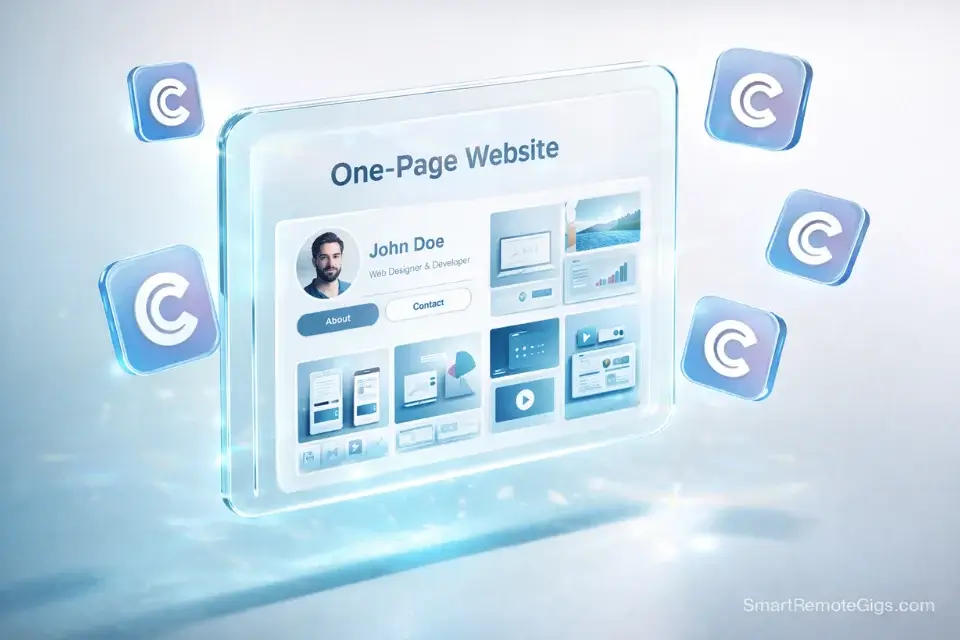
Option 1: Carrd (Easiest)
Carrd – $19/year for a simple one-page portfolio site.
Structure:
- Section 1: Your name + headline (“Social Media Strategist specializing in short-form video”)
- Section 2: Your story (2-3 sentences about who you are and what you do)
- Section 3: Project 1 with image/link
- Section 4: Project 2 with image/link
- Section 5: Project 3 with image/link
- Section 6: Contact (email + LinkedIn)
Use their templates, customize colors to match your personal brand, publish in 30 minutes.
Option 2: Notion (Most Flexible)
Notion – Free, infinitely customizable.
Create a public Notion page with:
- Header with your photo and bio
- Table of contents linking to each project
- Each project as a sub-page with full context
- Contact info at bottom
Advantage: You can easily update and add projects. Everything lives in one place.
Option 3: Canva Website (Most Visual)
Canva – Free version works, Pro ($13/month) gives you custom domain.
Use their website templates to create a visual portfolio. Works great if your projects are highly visual (rebrands, graphics, video thumbnails).
The critical element (regardless of platform):
Every project needs:
- Clear title: “Instagram Rebrand Concept: [Brand]”
- 1-sentence description: “I redesigned XYZ’s grid to increase engagement”
- Visual preview: Screenshot or embedded content
- Link to full project: Notion page, Canva presentation, Loom video
- Your strategic thinking: “Why I made these choices”
URL structure:
yourname.carrd.co or notion.so/yourname or yourname.my.canva.site
Whatever you choose, make sure it’s:
- Easy to spell and share
- Mobile-friendly (60% of people will view on phone)
- Fast-loading (no one waits for slow sites)
Frequently Asked Questions
Do I need real clients for a portfolio?
No. Spec work (unsolicited projects for real brands) is completely acceptable and often more impressive than low-quality paid work. A well-executed spec project for Nike is better than actual work for your neighbor’s dog-walking service. Just label it clearly as “concept work” or “spec project” to avoid confusion. Many successful SMMs got their first job entirely through spec work.
Should I include my personal social media?
Only if it’s impressive. If your personal Instagram has 25K followers with high engagement and demonstrates your abilities, absolutely include it. If it’s 400 followers of friends and family posting occasional selfies, skip it. Your personal accounts should support your professional narrative, not distract from it. Consider creating a professional account specifically for industry content.
How many projects do I need?
Minimum 3, ideally 5-7. Three projects prove it wasn’t a fluke. Five projects show range and consistency. Seven projects demonstrate you’re serious and productive. But quality beats quantity—three exceptional projects are better than seven mediocre ones. Start with the three easiest (Audit, Video, Crisis Response), then add the others as you have time.
Conclusion: Send the Link
A link beats a PDF every single time.
PDFs get downloaded, maybe opened, usually forgotten. Links are clickable, shareable, and memorable. “Check out my work at yourname.carrd.co” is infinitely better than “I’ve attached my portfolio.”
The portfolio isn’t the finish line—it’s the starting line. You build it to get interviews. You get interviews to get jobs. You get jobs to get real experience. Then you update your portfolio with that real work and the cycle continues.
But you have to start. And starting means building Project 1 this Saturday.
Build Project 1 (the Audit) this Saturday. Then use our Land a Remote Social Media Job in 4 Weeks guide to schedule building the rest—Week 1 is entirely focused on portfolio creation.
Pick a local coffee shop with a dead Instagram. Record a 3-minute Loom video roasting their mistakes and suggesting fixes. Post it. You now have a portfolio.
Everything else is just adding to it.