
Remote Project Management Template 2026: Async PM [Free]
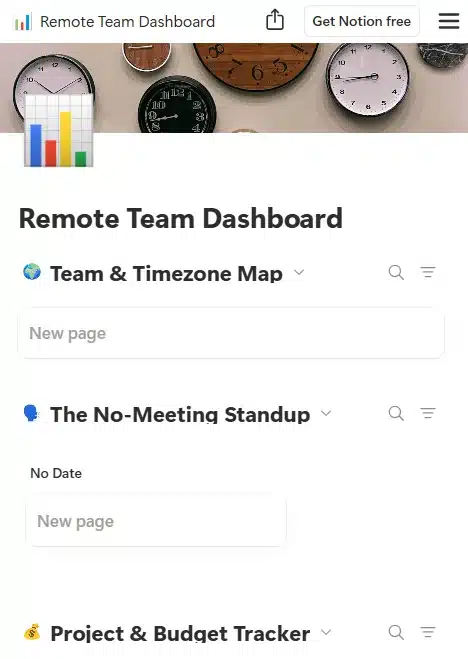
Managing a distributed team shouldn’t mean spending six hours a day chained to a webcam asking, “So, what’s the status on this?” If your team is drowning in Slack notifications and forced syncs, your system is broken. You need a reliable remote project management template designed to kill pointless meetings, track budgets relentlessly, and force an asynchronous-first culture.
Let’s get your operations out of the chaotic group chats and into a streamlined command center.
🛑 Why I Built This Template (The Backstory)
I used to run remote projects like I was a human router. I spent half my week repeating the exact same updates to different stakeholders, bouncing between Zoom calls that could have been a three-sentence email. I thought being “always available” on Slack made me a great project manager. Instead, it made me the ultimate bottleneck. Budgets started slipping because I was too busy managing conversations instead of managing the actual work. I was completely burned out.
That’s when I realized the corporate way of managing projects doesn’t translate to remote work. I nuked my calendar and built this Notion command center. I instituted a strict “No Loom, No Zoom” rule: if an update couldn’t be given via a quick async video or a written note, it wasn’t a real update. I built this tracker to centralize all sprints, budgets, and blocker reports in one place. It gave my team their deep work hours back, and it gave me my sanity back. Now, I’m giving you the exact blueprint.
✨ What’s Inside?
We cut the bloated corporate tracking metrics and focused entirely on momentum and clarity. This template is your async HQ.
- ✅ The Async Update Hub: Dedicated fields for Loom links and written status drops so your team can update you without scheduling a meeting.
- ✅ Sprint & Blocker Board: A visual Kanban system that immediately highlights who is stuck and why, preventing silent delays.
- ✅ Automated Budget Tracker: Keep a hawk-eye on your freelance or agency margins with a built-in table that subtracts task costs from the total project budget.
- ✅ Client Dashboard View: A clean, filtered view you can share with clients so they can see real-time progress without messaging you at 10 PM.
🚀 How to Use It
You don’t need a certification to run this system. It takes three minutes to deploy.
- Duplicate the Command Center: Click the link below and hit “Duplicate” to pull this entire system into your Notion workspace.
- Set Your Async Rules: Before inviting your team or contractors, define your communication rules. Let them know that all Friday status updates happen via Loom links inside the task cards, not on a video call.
- Map the First Sprint: Load your immediate tasks, assign budgets, and move everything to the backlog. Watch your project organize itself instantly.
❓ Frequently Asked Questions (FAQ)
Why should I use this remote project management template over Jira or Asana?
Because enterprise tools like Jira are often too bloated and complex for lean freelance teams or boutique agencies. They require weeks of onboarding. This Notion template is highly customizable, minimalist, and built specifically around asynchronous communication rather than ticketing bureaucracy.
Is this template completely free to use?
100%. We believe that managing a remote team efficiently shouldn’t require a $20/month software subscription. You can duplicate this into your Notion setup right now and use it for an unlimited number of projects.
Does this work well for non-technical projects?
Absolutely. While it uses “Sprints” (an agile term), the mechanics apply to everything. Whether you are managing a team of freelance writers, launching a marketing campaign, or planning a virtual summit, the core needs—tracking budgets, tasks, and async updates—are identical.