
Free Online Pomodoro Timer for Deep Focus
No downloads. No distractions. No account needed. Just open the timer, set your focus sprint, and get to work. Built for writers, developers, students, and anyone who wants to make their hours count.
Your brain works better in sprints. So does this timer.
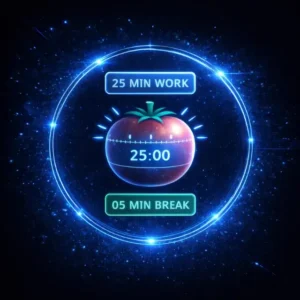
The Pomodoro Technique is one of the most studied and widely used focus methods in the world — 25 minutes of concentrated work followed by a short break, repeated in cycles. The science behind it is simple: the human brain isn’t built for marathon focus sessions. It’s built for intense, bounded effort with recovery built in.
Our free online Pomodoro timer strips the method down to what actually matters: a clean countdown, zero distractions, and the three modes you need — focus sprint, short break, and long break. No accounts. No notifications asking you to upgrade. Just the timer and your work.
Ready to eliminate distractions and get more done? Open the timer, press start, and let the 25-minute sprint do the rest. No downloads, no sign-ups — pure productivity.
Why the Pomodoro Technique works
25m
Optimal focused work sprint length
5m
Short break between sessions
4×
Sessions before a long 15-minute break
1987
Year Francesco Cirillo developed the method
Start your first focus session in under 10 seconds
Choose your session type
Select Pomodoro (25 min), short break (5 min), or long break (15 min) depending on where you are in your work cycle.
Define your single task
Before pressing start, decide on one thing to focus on. The Pomodoro method works best when each sprint has a clear, bounded objective.
Press start and work
The timer counts down. Resist all interruptions until the bell rings. If something urgent comes up, note it and return to your sprint.
Take your break — really
When the session ends, step away from the screen. A genuine break restores focus for the next sprint. Skip it and diminishing returns set in fast.
Repeat the cycle
After four Pomodoros, take a 15-minute long break. Most people find 3–4 full cycles per day is their productive ceiling — and that’s enough.
Built to get out of your way
0
Barriers to entry
No account, no download, no extension. Open the page and press start.
3
Built-in modes
Pomodoro, short break, and long break — the complete cycle, nothing extraneous.
∞
Free forever
No freemium limits, no upgrade prompts. The full timer, always free.
any
Works anywhere
Browser-based and mobile-friendly. Use it on any device without installing anything.
0
Distractions added
No ads, no pop-ups, no notification banners. Just a clean countdown and your work.
25m
Science-backed
Built around the original Pomodoro intervals, not an approximation of them.
Why most productivity timers get in the way
The irony of most productivity apps is that they demand your attention to manage your attention. Subscription tiers, onboarding flows, dashboards to configure, and notifications to dismiss — all of it chips away at the focus you opened the app to protect in the first place.
A Pomodoro timer should be invisible. It should exist exactly long enough to count down 25 minutes, ring, and get out of the way. That’s the philosophy behind this tool. It loads instantly in any browser, requires nothing from you except pressing start, and adds nothing to your workflow that isn’t already part of the Pomodoro method itself.
Whether you’re a student pushing through an essay, a developer in flow state, a writer on deadline, or a remote worker trying to carve focused time out of a noisy day — the Pomodoro Technique is one of the most accessible, evidence-backed productivity frameworks available. And a good timer is all you need to use it.
Frequently asked questions
What is the Pomodoro Technique?
The Pomodoro Technique is a time management method developed by Francesco Cirillo in 1987. It breaks work into 25-minute focused intervals — called Pomodoros — separated by 5-minute short breaks. After four Pomodoros, a longer 15–30 minute break is taken.
Why 25 minutes? Can I change the interval?
The 25-minute interval is the original recommendation from Cirillo’s research and remains the most widely used. It’s long enough to enter a state of focus but short enough to feel finite and non-threatening. Some people adapt intervals to 50/10 or 90/20 depending on the type of work — experiment to find what suits your attention span.
Do I need to create an account to use this timer?
No. The timer is completely free and requires no account, email address, or any personal information. Open the page and press start — that’s it.
Does the Pomodoro timer work on mobile?
Yes. The timer is browser-based and fully responsive — it works on any smartphone or tablet without requiring an app download.
What should I do during the short breaks?
Step away from your screen if possible. Stretch, get water, look out a window, or simply breathe. The goal is genuine cognitive rest — scrolling social media during a break largely defeats the purpose and delays recovery.
Who is the Pomodoro Technique best suited for?
It works for anyone who struggles with procrastination, distractions, or sustaining focus over long periods. It’s particularly popular with students, writers, software developers, designers, and remote workers — essentially anyone doing knowledge work that requires concentrated mental effort.
What if I get interrupted during a Pomodoro?
The traditional rule is to either deal with the interruption quickly and restart the timer, or note it down and return to your sprint. The key principle is that an interrupted Pomodoro doesn’t count — protecting the full 25 minutes is what makes the method effective over time.

Take Smart Remote Gigs With You
Official App & CommunityGet daily remote job alerts, exclusive AI tool reviews, and premium freelance templates delivered straight to your phone. Join our growing community of modern digital nomads.