
Brave vs Chrome: The Best Browser for Digital Minimalism
 ·
Last Updated: December 10, 2025 ·
13 min read
·
Last Updated: December 10, 2025 ·
13 min read
Your web browser is the most important digital tool you use. It’s not just software—it’s the front door to the internet, the lens through which you experience the digital world, and the gateway that either protects your attention or sells it to the highest bidder. Every webpage you visit, every article you read, and every search you perform passes through your browser first.
For digital minimalists, choosing your tools wisely is a key principle of Digital Minimalism. Your browser choice determines whether the web feels like a calm, focused workspace or a chaotic billboard screaming for your attention. It decides whether your data is private or being harvested for advertising algorithms. It controls whether pages load instantly or bog down with tracking scripts and autoplaying videos.
The two browsers dominating this conversation in 2025 are Google Chrome—the undisputed market leader with nearly 65% global market share—and Brave—the upstart challenger built from the ground up with privacy and user control as core values.
This article provides an unbiased comparison through the specific lens of minimalist values: privacy, speed, lack of clutter, and user control. By the end, you’ll know exactly which browser aligns with your goals for a more intentional digital life.

At a Glance: Comparison Table
Here’s the quick summary for those who need a fast answer:
|
Factor |
Brave |
Chrome |
Winner |
|---|---|---|---|
|
Ad & Tracker Blocking |
Built-in, aggressive blocking by default |
Requires third-party extensions |
Brave |
|
Privacy & Data Collection |
Minimal data collection, no user profiling |
Extensive data collection tied to Google account |
Brave |
|
Speed & Performance |
Faster page loads, lower resource usage |
Slower due to ads/trackers loading |
Brave |
|
Distraction-Free Experience |
Clean new tab, optional curated news |
Google Discover feed, constant suggestions |
Brave |
|
Ecosystem Integration |
Works with most extensions, but smaller library |
Seamless Google services integration |
Chrome |
|
Extension Library |
Compatible with Chrome extensions |
Largest extension library |
Chrome |
|
Overall for Digital Minimalism |
⭐⭐⭐⭐⭐ Excellent |
⭐⭐ Fair |
Brave |
Quick Verdict: Brave is the clear winner for digital minimalists prioritizing privacy, speed, and distraction-free browsing. Chrome’s only advantage is ecosystem convenience for heavy Google users.
Deep Dive Comparison: The 4 Key Factors
Now let’s examine each factor in detail to understand why these differences matter for your daily digital experience.
Factor 1: Privacy & Ad Blocking (The Deciding Factor)
This is where the fundamental philosophical difference between these browsers becomes crystal clear—and it’s the most important factor for digital minimalists.
Brave’s Approach: Privacy as Default
Brave was built on a simple premise: you shouldn’t have to configure dozens of settings or install multiple extensions to browse the web privately. Privacy and ad-blocking should work out of the box, from the moment you install it.
Brave Shields is the browser’s core feature. It’s automatically enabled and blocks:
- All third-party ads across every website
- Cross-site trackers that follow you around the web
- Cookie trackers and fingerprinting attempts
- Cryptominers that hijack your computer’s resources
- Invasive scripts and autoplaying video ads
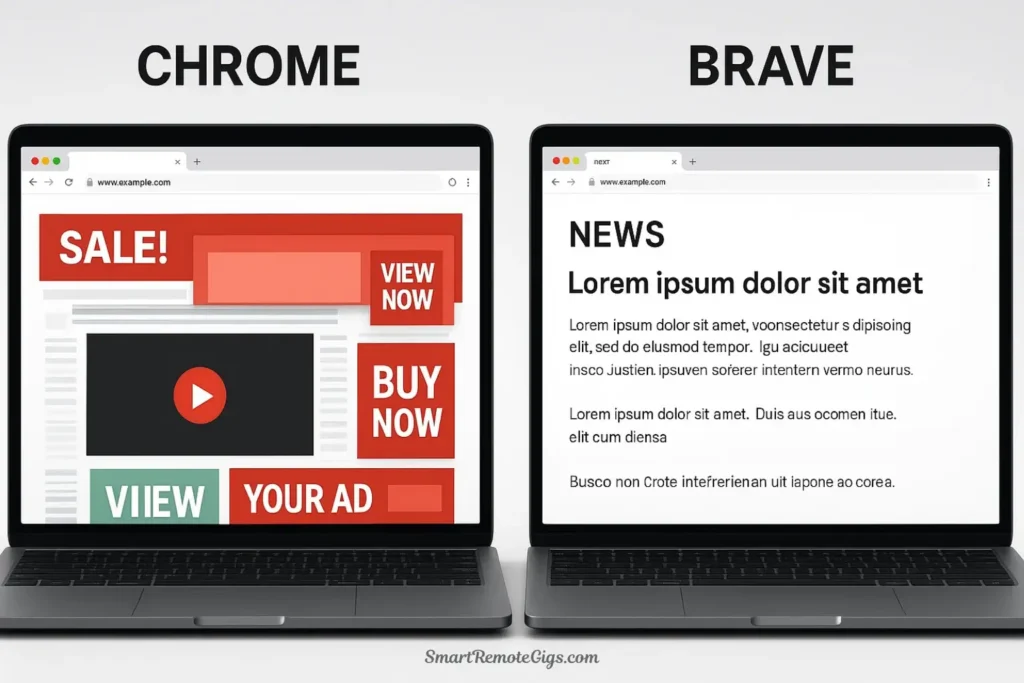
The results are dramatic. On a typical news website, Brave might block 30-50 trackers and ads on a single page. You see the clean content you came for—nothing else.
Brave’s dashboard shows you real-time statistics: total ads blocked, trackers blocked, time saved, and bandwidth saved. Most users block thousands of ads and trackers within their first week. This isn’t just about privacy—it’s about reclaiming your attention from platforms designed to hijack it.
Crucially, Brave doesn’t collect your browsing data. There’s no user profile being built, no browsing history being analyzed for ad targeting, and no integration with an advertising business model. The browser’s entire business model is designed to not rely on your data.
Chrome’s Approach: Privacy as Add-On
Google Chrome takes the opposite approach. Privacy features are minimal by default because Google’s business model fundamentally depends on data collection and targeted advertising.
Out of the box, Chrome:
- Does not block ads or trackers
- Collects extensive data about your browsing habits
- Syncs your history, searches, and website visits to your Google account
- Uses your browsing data to build an advertising profile
- Integrates deeply with Google services (which collect additional data)
To get even basic ad-blocking in Chrome, you must:
- Research and choose a third-party extension (uBlock Origin is popular)
- Manually install and configure it
- Install additional extensions for tracker blocking
- Navigate complex privacy settings to limit data collection
- Remain vigilant as Google periodically changes policies
Even with extensions, Chrome’s fundamental architecture allows more data leakage than Brave. Google has been gradually making it harder for ad-blockers to function effectively through changes to the browser’s extension system (Manifest V3), ostensibly for “security” but practically limiting ad-blocker capabilities.
Data Collection Reality Check
Google collects extensive data about Chrome users:
- Every website you visit
- Your search history
- The content of websites you view
- Your location data
- Your browsing patterns and habits
This data is tied to your Google account and used to:
- Build detailed user profiles
- Target advertisements across Google’s network
- Train AI models
- Share with third-party advertisers (in aggregated form)
Brave, by contrast, is built on a “privacy by default” model where the browser itself has no interest in your data. The company can’t sell what it doesn’t collect.
Winner: Brave (by a massive margin)
For digital minimalists who value control over their attention and information, this isn’t even close. Brave’s privacy-first architecture aligns perfectly with minimalist principles, while Chrome’s data collection model is fundamentally at odds with them.
Factor 2: Speed and Performance
Speed isn’t just about convenience—it’s about respect for your time and cognitive resources. A fast browser reduces friction and frustration, while a slow one creates mental overhead and wastes hours over time.
Why Brave is Faster
Brave consistently loads pages 3-6 times faster than Chrome on the same websites. This isn’t marketing hype—it’s measurable and the reason is simple: Brave blocks all the junk that slows pages down.
A typical modern webpage doesn’t just load the content you want to see. It loads:
- Dozens of third-party advertising scripts
- Multiple analytics and tracking pixels
- Video ads that autoplay in the background
- Social media widgets and share buttons
- Unnecessary images and resources from ad networks
On a content-heavy site like a news article or blog post, the actual article content might be 100KB, while the ads, trackers, and scripts add an additional 2-5MB. That’s 20-50 times more data than the content you actually wanted.
Brave eliminates all of this by default. Pages load only the content you requested, nothing more. The result:
- Pages load in 1-2 seconds instead of 5-10 seconds
- Significantly less data consumed (crucial on metered connections)
- Lower battery drain on laptops and mobile devices
- Reduced CPU usage and RAM consumption
Independent testing by various tech publications consistently shows Brave outperforming Chrome in speed benchmarks, particularly on ad-heavy websites like news sites and blogs.
Chrome’s Performance Trade-offs
Chrome is technically a well-engineered browser with a fast JavaScript engine. But in practice, it’s slower than Brave because it loads everything—ads, trackers, analytics, and all.
Chrome is also notorious for being a “memory hog.” It’s common to see Chrome using 2-4GB of RAM with just a dozen tabs open, while Brave uses 30-50% less memory for the same workload. This matters because:
- Your computer runs slower when RAM is maxed out
- Other applications have less memory available
- Laptop batteries drain faster
- Older computers struggle more
For digital minimalists who value efficiency and streamlined tools, Brave’s performance advantage isn’t trivial—it’s a daily quality-of-life improvement.
Winner: Brave
The speed difference is noticeable every single time you load a webpage. Over days and weeks, this adds up to hours of time saved and significantly less frustration.
Factor 3: The Distraction Landscape
A minimalist browser should get out of your way and let you focus on your intended task. It shouldn’t constantly suggest content, push notifications, or tempt you into browsing rabbit holes.
Brave’s Clean Experience
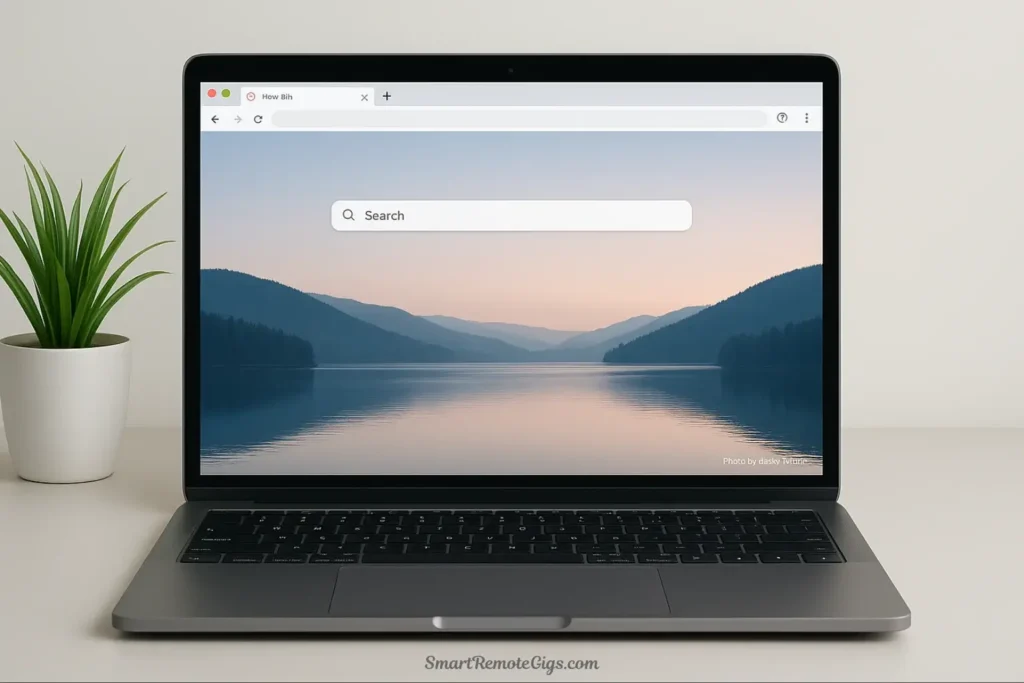
When you open a new tab in Brave, you see:
- A clean, customizable background image (or solid color)
- A simple search bar
- Optional shortcuts to your frequently visited sites
- Your Brave Shields statistics (unobtrusive, in the corner)
That’s it. No news feed, no suggested articles, no “trending searches,” no promotional content. The new tab page is a launching point for your next intentional action, not a destination designed to keep you browsing.
Brave News is available if you want it, but it’s completely optional and private. Unlike Chrome’s Discover feed, Brave News:
- Doesn’t track which articles you read
- Doesn’t build a profile of your interests for advertising
- Can be completely disabled with one click
- Pulls from RSS feeds rather than algorithmic recommendations
The overall browsing experience in Brave feels calmer and more controlled. Websites appear as their creators intended (minus the ads), without algorithmic suggestions trying to keep you engaged beyond your original purpose.
Chrome’s Attention Economy Integration
Chrome is deeply integrated with Google’s attention economy business model. When you open a new tab, you’re greeted by:
- Google Discover feed: Algorithmically-selected articles designed to keep you clicking
- Suggested articles based on your browsing history
- Trending searches and “popular on the web” content
- Promotional tiles for Google services
- Notifications and suggestions based on your Google account activity
Every element is designed to capture your attention and keep you within Google’s ecosystem. The new tab page isn’t a neutral starting point—it’s a carefully engineered engagement tool.
Chrome also pushes notifications more aggressively:
- Website permission requests appear more frequently
- Google account notifications appear in the browser
- Suggested actions based on your activity
- Update prompts and feature announcements
For someone trying to browse with intention rather than impulse, Chrome actively works against you. It’s constantly suggesting, prompting, and nudging you toward additional engagement.
Winner: Brave
Brave respects your intention. Chrome tries to shape it. For digital minimalists, this difference is fundamental.
Factor 4: Ecosystem and Convenience
Here’s where Chrome has its legitimate advantage—and it’s worth acknowledging honestly.
Chrome’s Ecosystem Integration
If you’re deeply embedded in the Google ecosystem, Chrome offers undeniable convenience:
- Seamless sync across all devices (desktop, mobile, tablets)
- Instant access to Google Drive, Docs, Sheets, Gmail, Calendar
- Password management integrated with Google account
- Voice search and Google Assistant integration
- Chromecast support for streaming to TVs
- Largest extension library with thousands of Chrome-specific extensions
For professionals who live in Google Workspace, Chrome can feel like the natural choice. Everything is integrated, synced, and accessible with one login.
Chrome also has the advantage of market dominance. Some web applications are primarily tested in Chrome and may have occasional compatibility issues with other browsers (though this is increasingly rare).
Brave’s Compatibility Approach
Brave is built on Chromium—the same open-source foundation as Chrome. This means:
- Most Chrome extensions work perfectly in Brave
- Web compatibility is nearly identical to Chrome
- Developer tools are the same
- Sync is available across Brave installations (though not as deeply integrated with other services)
The main trade-offs are:
- No deep Google service integration (which is actually a feature for privacy-conscious users)
- Smaller native extension library (though most popular extensions work)
- Some Google-specific features (like Chrome Remote Desktop) don’t work
For digital minimalists, the ecosystem question becomes: “Do I value convenience more than privacy and control?” If you’re willing to trade some convenience for significantly better privacy and less distraction, Brave is the clear choice.
Winner: Chrome (for ecosystem convenience only)
This is Chrome’s single advantage, and it’s a legitimate one for heavily Google-dependent workflows.
The Verdict: Why Brave is the Clear Choice for Digital Minimalists
After examining every factor, the conclusion is clear: Brave is the best browser for digital minimalism in 2025.
Here’s why Brave aligns perfectly with minimalist principles:
1. Control Over Your Attention
Brave blocks the ads, trackers, and algorithmic suggestions designed to hijack your focus. You visit websites for specific purposes, get what you came for, and leave—without being manipulated into extended browsing sessions.
2. Privacy as Default, Not Add-On
Digital minimalism is about using technology on your terms, not being used by it. Brave’s privacy-first architecture ensures you’re not being profiled, tracked, or turned into a product.
3. Speed and Efficiency
Minimalism values efficiency and respecting your time. Brave’s dramatically faster page loads and lower resource usage embody these principles in practice.
4. Simplicity
You don’t need a dozen extensions, complex configuration, or constant maintenance. Brave works properly from the moment you install it.
5. Intentionality
Brave’s clean interface and lack of engagement-optimization features support intentional browsing rather than impulsive clicking.
Chrome’s only advantage—ecosystem convenience—comes at too high a cost: your privacy, your attention, and your autonomy. For true digital minimalists, that’s not a worthwhile trade-off.
Brave is our top pick in our list of the Best Apps for a Digital Minimalist precisely because it demonstrates that technology can serve users rather than exploit them.
How to Make the Switch in Under 2 Minutes
Concerned about the hassle of switching browsers? It’s simpler than you think.
Step 1: Download Brave (30 seconds)
- Visit brave.com
- Click “Download Brave”
- Install like any other application
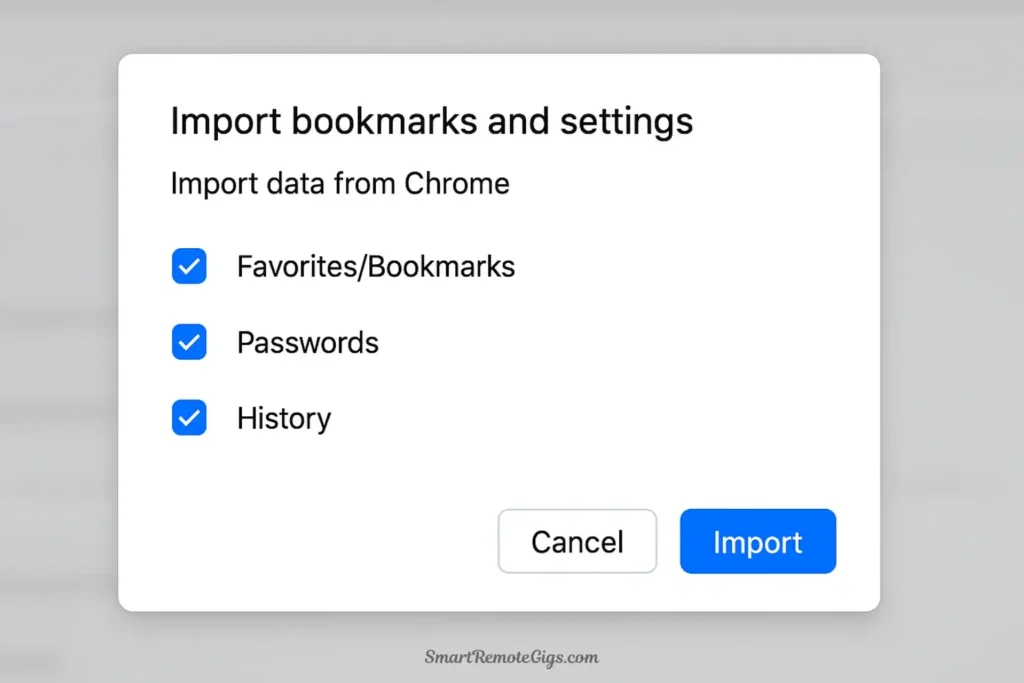
Step 2: Import Your Chrome Data (60 seconds)
- When you first open Brave, it will prompt you to import
- Select “Import from Chrome”
- Choose what to import: bookmarks, passwords, history, extensions
- Click “Import”
That’s it. Your bookmarks are in place, your passwords are saved, and your frequently-used extensions will work immediately.
Step 3: Customize Your Settings (30 seconds)
- Optional: Set your new tab page background
- Optional: Adjust Brave Shields settings (though defaults are excellent)
- Optional: Install any additional extensions you need
Within two minutes, you’re browsing with better privacy, faster speeds, and fewer distractions.
Pro tip: Keep Chrome installed for the first week in case you encounter any compatibility issues (rare but possible). Most people completely delete Chrome after discovering they don’t need it.
Conclusion: Browse with Intention
The choice between Brave and Chrome isn’t just about technical specifications or feature lists. It’s about values. It’s about deciding whether your browser should work for you or whether you should work for your browser’s advertising business model.
Chrome is optimized for Google’s goals: maximum data collection, maximum engagement, maximum integration with their ecosystem. These goals sometimes align with user interests, but often conflict with them—especially for digital minimalists seeking focus, privacy, and intentionality.
Brave is optimized for your goals: getting the information you need quickly, without surveillance, without manipulation, and without wasting your time on content engineered to capture your attention.
For digital minimalists in 2025, this is Brave vs Chrome in a nutshell: one browser respects your intention, the other tries to shape it for profit.
Choose tools that align with your values. If you value privacy over convenience, speed over features, and intention over engagement, Brave is the obvious choice. Download it today and experience what browsing should feel like—fast, clean, and in your control.
The web doesn’t have to be a chaotic, surveillance-driven attention trap. With the right browser, it can be what it was meant to be: a tool that serves your purposes, respects your time, and disappears when you’re done using it.
Browse with intention. Choose Brave.



![Build AI Second Brain Assistant 2026: Local Setup [Guide]](https://smartremotegigs.com/wp-content/uploads/2026/09/build-your-second-brain-ai-assistant-local-rag-hero-1024x577.webp)
![Second Brain with Claude & Obsidian 2026 [My Setup]](https://smartremotegigs.com/wp-content/uploads/2026/08/claude-obsidian-second-brain-mcp-hero-1024x577.webp)
![Why Your Second Brain Fails 2026: Retrieval Fix [Fix]](https://smartremotegigs.com/wp-content/uploads/2026/08/why-your-second-brain-fails-hero-1024x576.webp)