If you’re reading this copy.ai review, you’re probably exhausted by the daily grind of pumping out social media posts and sales emails from scratch—staring at a blank screen, rewriting the same hook five times, and still ending up with something that sounds like every other brand in your niche. I spent the last 30 days running my entire freelance social media and email marketing workflow strictly through Copy.ai to find out if its workflow templates actually generate better ROI than a standard ChatGPT Plus subscription.
The short answer: for the right use case, it’s not even close. For the wrong one, it’s a frustrating waste of money.
Here’s the context that matters before we get into it: the tool is only part of the equation. Scaling a freelance business requires the right ecosystem around your software stack. That’s why we built Smart Remote Gigs—from our curated AI Software Directory where you can compare every tool in this space on one page, to our Remote Job Board where you can pitch your newly automated services to clients actively hiring. SRG gives you the full toolkit to turn faster workflows into real revenue.
The 30-Second Copy.ai Breakdown
🏆 Best Feature | 🚨 Biggest Flaw | 💳 Starting Price | ⭐ SRG Rating |
|---|---|---|---|
Infobase + workflow templates for short-form variation at scale | Long-form content quality drops sharply past 600 words | Free / $36/month (Pro) | 4(1) |
The Core Experience: Workflows Over Chatbots
Most people approach Copy.ai the wrong way. They open it expecting a smarter ChatGPT—a blank canvas where they type prompts and get back polished content. That’s not what this tool is.
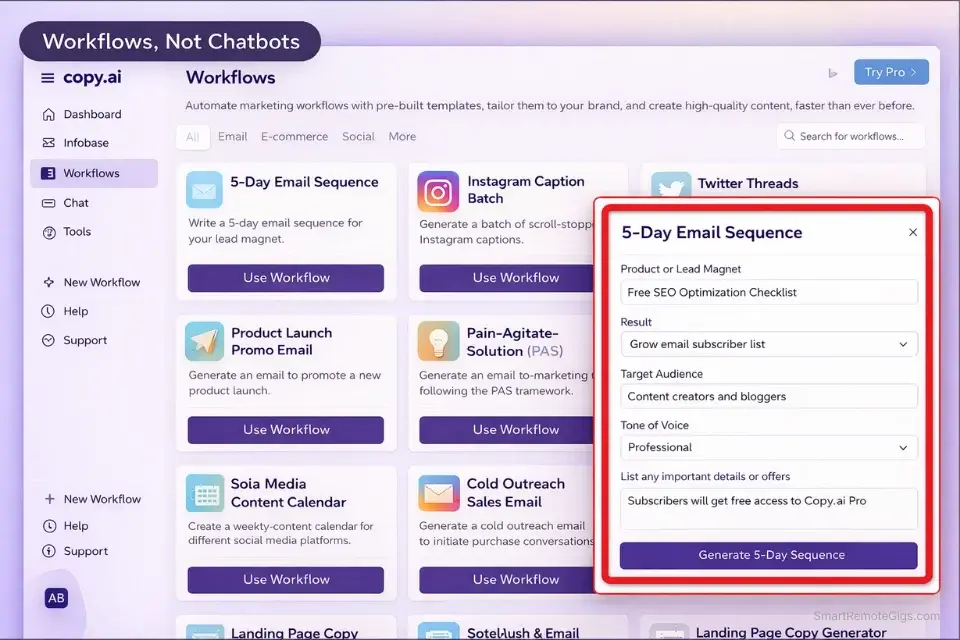
Copy.ai is a structured workflow engine. Its value comes from pre-built templates, guided multi-step sequences, and the Infobase system—not open-ended conversational generation. The moment you stop fighting that paradigm and lean into it, the tool becomes dramatically more useful.
In practice: instead of writing a prompt from scratch and hoping for a good output, you select a workflow—”5-Email Welcome Sequence,” “Instagram Captions Batch,” “Cold Email Campaign”—answer a series of structured input fields, and get a set of complete, variation-ready outputs. The scaffolding is already built. You’re filling in the brief, not constructing the prompt from zero.
For social media managers and email marketers running repetitive content formats, this cuts production time by 60-70% compared to a raw ChatGPT session. For bloggers who need a blank canvas and narrative flow, it feels restrictive and counterproductive.
Know which one you are before you pay for anything.
The Infobase & Brand Voice: The True Time Saver
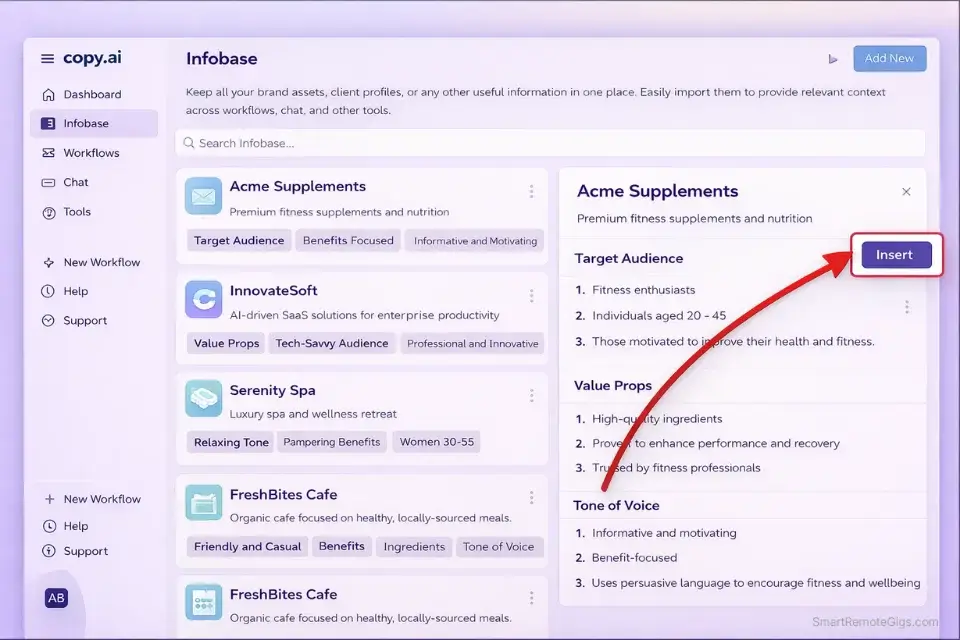
Verdict: The Infobase is the single feature that makes Copy.ai a legitimate powerhouse for multi-client freelancers. Upload a client’s brand voice guidelines, value propositions, product details, tone descriptors, and key messaging once—and every subsequent output automatically pulls from that context. You’re not re-briefing the model every session. You’re generating on-brand copy from the first output. For freelancers managing five or more clients simultaneously, this feature alone justifies the Pro plan.
In my 30-day test, I set up Infobase profiles for four client accounts: a DTC skincare brand, a B2B HR software company, a fitness coaching business, and a local restaurant group. Each profile contained their brand voice, product descriptions, target audience, and three to five example pieces of their best-performing content.
The difference in output quality versus a generic prompt was immediate and measurable. The skincare copy came out warm and ingredient-focused. The HR software copy stayed professional without turning clinical. The fitness copy was motivational without being cringe-level aggressive. I cut my editing time per client from roughly 45 minutes per batch down to 15.
That’s not a rounding error. Over a full month, that’s hours of billable time recovered.
Pro Tip: After generating your email sequences in Copy.ai, run the subject lines through our native Email Subject Line Tester before sending. Copy.ai writes solid body copy, but subject lines benefit from a second pass—open rate data beats gut feeling every time.

Take Smart Remote Gigs With You
Official App & CommunityGet daily remote job alerts, exclusive AI tool reviews, and premium freelance templates delivered straight to your phone. Join our growing community of modern digital nomads.
Long-Form Content: The Reality Check
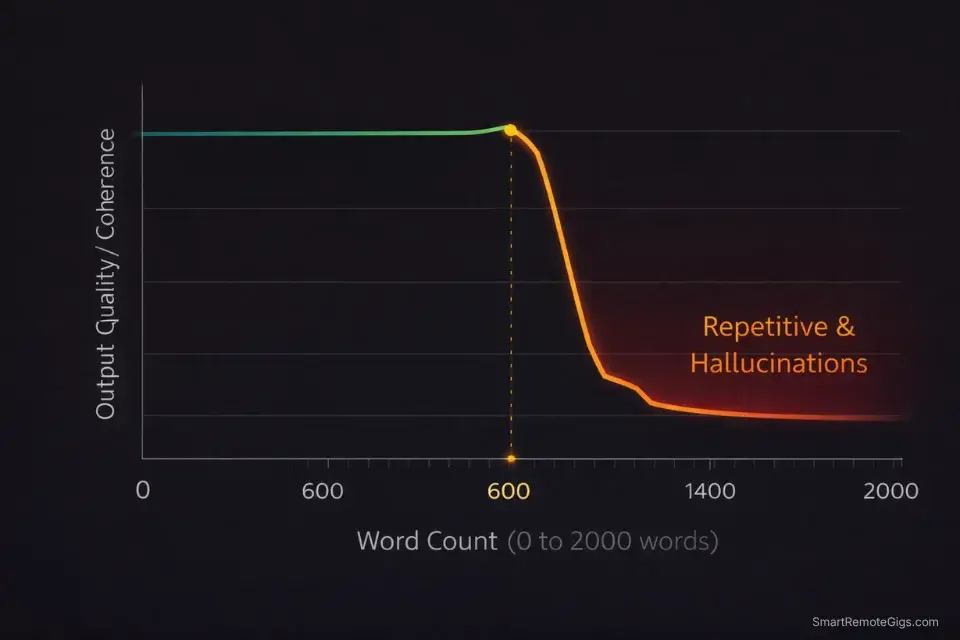
Red Flag: Copy.ai’s Blog Post Wizard produces structurally sound outlines and decent introductions. Past the 600-word mark, the quality collapses. Paragraphs start repeating earlier points. Transitions go generic. The argument loses thread. I tested eight long-form drafts across different niches during my 30 days—every single one required a full rewrite from the halfway point. For SEO blog content over 1,200 words, Copy.ai is not the right tool. Stop trying to make it work and use a dedicated LLM instead.
This isn’t a knock specific to Copy.ai—it’s a category limitation of template-driven writing tools. They’re optimized for short, punchy outputs with defined endpoints. Long-form requires sustained narrative reasoning that wrapper tools consistently struggle with.
If your primary deliverable is SEO blog content, long-form thought leadership, or research-driven articles, here’s what actually works:

Use Copy.ai for the short-form amplification layer—social posts, email teasers, ad variations—and Claude for the long-form foundation. That two-tool stack covers the full content spectrum without compromise.
Copy.ai vs The Competition
Feature | Copy.ai | Jasper AI | ChatGPT Plus |
|---|---|---|---|
Short-Form Variation | ✅ Best in class | ✅ Strong with templates | ⚠️ Manual prompting required |
Brand Voice / Infobase | ✅ Strong multi-client Infobase | ✅ Best in class | ❌ Prompt-only, no memory |
Long-Form Content | ❌ Weak past 600 words | ⚠️ Drifts past 800 words | ✅ Strong with good prompts |
Email & Sales Copy | ✅ Best in class | ✅ Strong | ⚠️ Requires detailed prompts |
SEO Integration | ❌ None | ✅ Native Surfer SEO | ❌ None |
Starting Price | Free / $36/month | $49/month | $20/month |
Best For | Email & social media marketers | Agencies, multi-client brand work | General-purpose drafting & research |
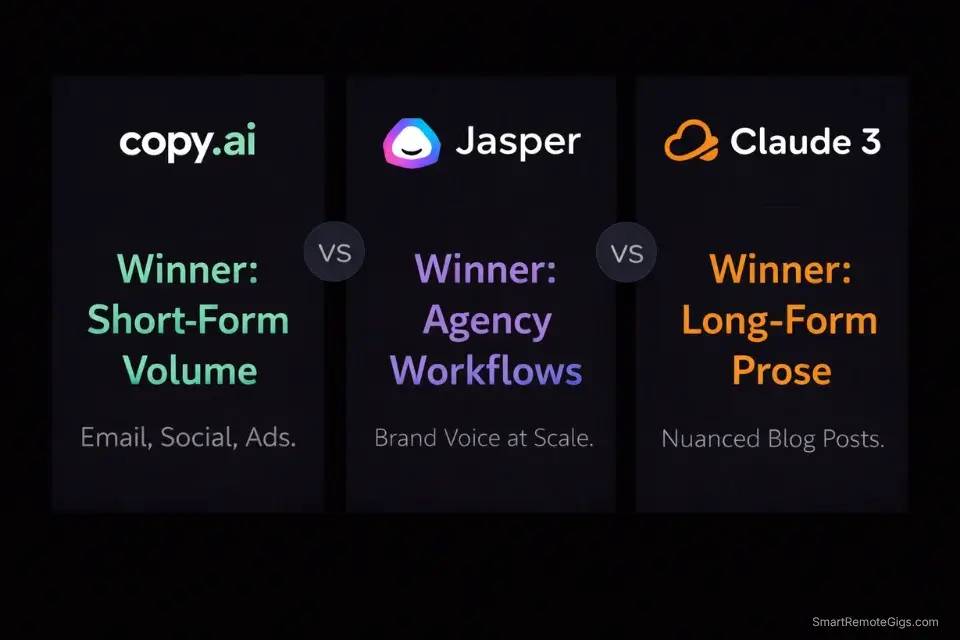
The table tells the story clearly. Copy.ai wins on short-form volume and email workflows. Jasper wins on brand voice enforcement and SEO integration. ChatGPT wins on flexibility and long-form when prompted well.

If you’re choosing between the two for an agency workflow, our Jasper vs Copy.ai 2026 comparison guide breaks down the decision by use case, team size, and monthly content volume. Want to see where Copy.ai ranks against the rest of the market? Check out our ultimate guide to the Best AI Writing Tools 2026 for a full breakdown of the top 15 platforms.
Pricing & ROI: Is the Pro Plan Worth It?
Copy.ai’s pricing structure in 2026 is straightforward:
Free Plan
Roughly 2,000 words per month, access to core templates, one Infobase workspace. Good enough to evaluate whether the tool fits your workflow. Not enough for serious production volume.
Pro — $36/month (billed annually) / $49/month (billed monthly)
Unlimited words, unlimited Infobase workspaces, access to all workflow templates, and priority generation speeds. This is the plan that makes the tool usable for client work.
Team — Custom pricing
Multiple seats, shared Infobase across the team, admin controls. Priced for small agencies running collaborative content operations.
The ROI math on the Pro plan: if Copy.ai saves you 30 minutes per client content batch, and you’re charging $75/hour for social media management, you recover the monthly cost with fewer than two client batches. Most active social media freelancers run four to eight client accounts. The math works decisively.
Pro Tip: Not sure if the Pro plan fits your current margins? Run your numbers through our Free Freelance Hourly Rate Calculator first. Plug in the hours Copy.ai saves you on drafting social posts and email sequences, then see whether the $36/month is a cost or an investment. For most active freelancers, it’s the latter by the second week.

AI Content Checklist Template
Publishing raw ChatGPT output is professional suicide. If your articles sound like…
Frequently Asked Questions
Is Copy.ai completely free?
Yes—there is a legitimate forever-free plan. It gives you access to the core template library and the Infobase with a low monthly word limit. It’s genuinely useful as a trial to evaluate whether the workflow fits how you work. It’s not sufficient for any serious production volume. Expect to hit the ceiling within the first week of real client work and upgrade from there.
Can I use Copy.ai to write SEO blog posts?
Technically yes, using their Blog Post Wizard. In practice, the output requires such heavy editing past the 600-word mark that the time savings evaporate. Copy.ai’s Blog Post Wizard produces solid outlines and punchy introductions—then gets repetitive and generic in the body. For SEO content over 1,000 words, Claude 3 or Jasper with Surfer SEO integration will save you more time with less friction. Use Copy.ai for the short-form distribution layer around your long-form content instead.
Does Copy.ai own the content I generate?
No. Under Copy.ai’s current terms of service, you retain full ownership of the content you generate on the platform. This means you can safely use Copy.ai outputs for paid client work, commercial campaigns, and published content without licensing complications. Always verify this against the most current terms if your use case involves sensitive IP or exclusivity clauses.
Copy.ai Review 2026: The Verdict
After 30 days of live client work run entirely through Copy.ai, the picture is clear:
If you’re a social media manager, email marketer, or ad copywriter: Copy.ai is the most purpose-built tool for your workflow. The Infobase removes the re-briefing tax on every client session. The template library eliminates blank-page paralysis. The Pro plan pays for itself within the first two client batches of the month.
If you’re primarily an SEO blogger or long-form content writer: Skip it. The tool’s architecture works against you. Claude 3 Sonnet on the free tier produces better long-form results with more flexibility and zero monthly cost.
If you’re a generalist freelancer doing both: Use Copy.ai for short-form production and Claude for long-form drafting. That two-tool stack costs between $36 and $56/month combined and covers every content format a freelance client will ask for.
Copy.ai doesn’t try to be everything. That focus is both its limitation and its strength. For the operator it was designed for, it’s the fastest short-form content engine on the market in 2026.
Now that you know whether Copy.ai belongs in your stack, put that speed to work. Head over to the Smart Remote Gigs Job Board to find high-paying remote social media and email marketing roles tailored for AI-assisted freelancers—vetted listings, real budgets, and clients who already value operators who can produce at volume.
Copy.ai
Copy.ai is the top-tier AI writing tool for social media managers, email marketers, and ad copywriters who need to produce high-volume short-form content across multiple client accounts. Its Infobase system eliminates the re-briefing overhead that kills productivity in multi-client workflows. Not recommended for SEO bloggers or anyone whose primary deliverable exceeds 800 words.
The Good
- Infobase system stores client brand data once and applies it automatically to every output
- Best-in-class short-form variation speed for email sequences, social captions, and ad hooks
- Generous Pro plan at $36/month with unlimited words covers full production volume
The Bad
- Long-form content quality collapses past 600 words—not viable for SEO blog production
- No native SEO integration means separate tooling required for search-optimized content