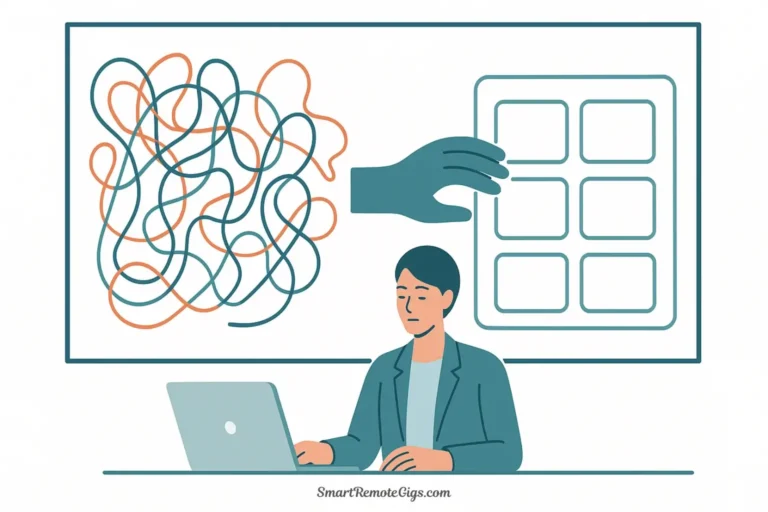
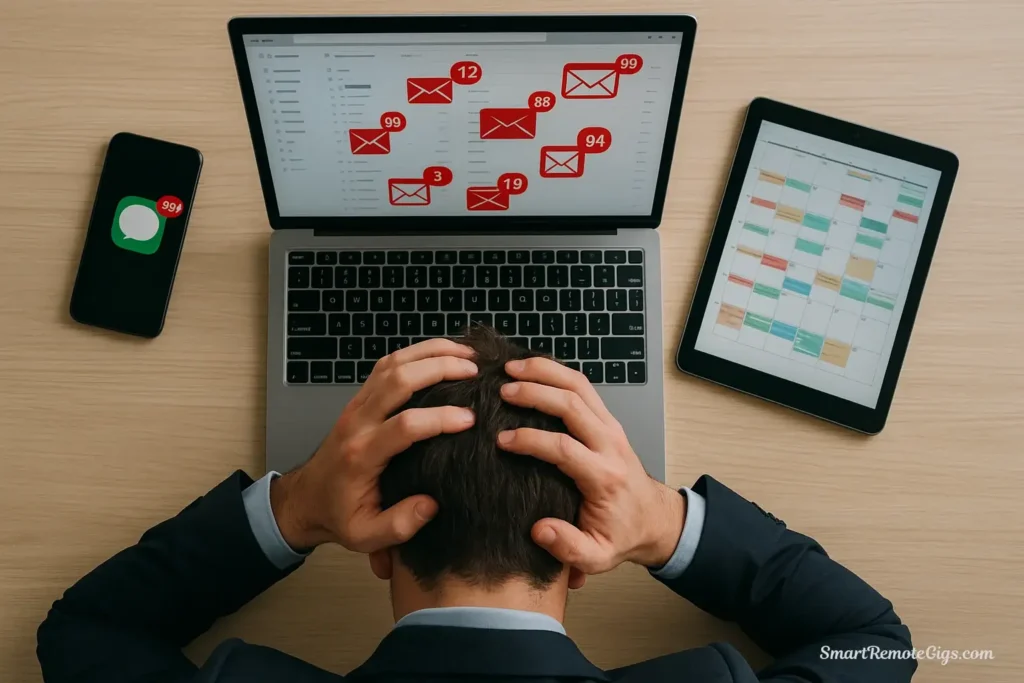
You arrive at the office at 8 AM. Before you can even think about your most important project, you’re drowning: 47 unread emails, 23 Slack notifications, three meeting invites, and a calendar so packed that you wonder when you’re supposed to do actual work. You spend the entire day responding, reacting, and attending—moving fast but going nowhere.
By 6 PM, you’re exhausted. You’ve been “busy” for ten hours, but when you ask yourself what you actually accomplished, the answer is uncomfortably vague. You handled urgent requests. You put out fires. You attended meetings. But did you move any of your high-value projects forward? Did you do the strategic thinking your role requires? Probably not.
This is the modern professional’s paradox: we’ve never had more communication tools, yet we’ve never been harder to reach for meaningful work. We’re “always on” but rarely present. We’re incredibly busy but frustratingly unproductive.
Digital minimalism at work offers a solution. It’s not about abandoning technology—you can’t exactly tell your boss you’re deleting email. It’s about using digital tools strategically to maximize high-value output while minimizing low-value digital noise. This is a professional application of the principles in our Ultimate Guide to Digital Minimalism.
This guide provides a clear framework to combat digital burnout, manage communication overload, protect time for valuable “deep work,” and improve your work-life balance. The strategies here aren’t theoretical—they’re battle-tested approaches used by top performers who recognize that their attention is their most valuable professional asset.
The 3 Enemies of Professional Focus
Before implementing solutions, you need to understand the specific forces destroying your productivity. These aren’t personal failures—they’re architectural problems built into modern workplace technology.

1. The Reactive Inbox: How Email Trains Us to Be Reactive, Not Proactive
Email has transformed knowledge work from proactive creation to reactive response. The average professional spends 28% of their workweek managing email—that’s over 11 hours per week, or more than one full workday.
But the problem isn’t just time—it’s psychological. Email trains your brain to operate in “reactive mode”:
- You start your day by opening your inbox, letting other people’s priorities dictate your day
- Every new message feels like a demand requiring immediate attention
- You develop anxiety when you see unread counts climbing
- You check compulsively, even during tasks requiring deep focus
- Your self-worth becomes tied to response speed rather than output quality
The inbox becomes your task list, and since other people control what appears in your inbox, you’ve effectively surrendered control of your workday. You’re no longer driving your career forward—you’re responding to whoever emails you.
2. The “Always-On” Messenger: How Slack/Teams Creates an Illusion of Urgency
Instant messaging platforms like Slack and Microsoft Teams were supposed to replace unnecessary email. Instead, they created something worse: the expectation of constant availability.
The problem is structural:
The illusion of urgency: A Slack message feels more urgent than an email because it appears with a notification and expects immediate response. But most Slack messages aren’t urgent—they’re just convenient for the sender.
Context switching costs: Every ping interrupts your flow. Research from UC Irvine shows it takes an average of 23 minutes to return to a task after an interruption. When you’re interrupted 10 times per day, you lose hours of productive time.
Ambient anxiety: Even when notifications are off, knowing that messages are accumulating creates background stress. You’re partially monitoring the possibility of messages rather than being fully present in your current task.
The politeness trap: Unlike email, which tolerates delayed responses, instant messaging feels like a real-time conversation. Not responding quickly feels rude, creating social pressure to remain perpetually available.
The result: Slack notification anxiety has become a recognized workplace phenomenon where professionals feel stressed by the mere presence of communication tools.
3. The Bloated Calendar: How Back-to-Back Meetings Kill Deep Work
Your calendar has become weaponized. Every available slot is seen as an invitation for someone else to claim your time. Meetings multiply like weeds, and before you know it, your week is a solid block of back-to-back 30-minute increments.
The “meeting culture” destroys productivity through:
Fragmented time: A calendar with scattered 30-45 minute gaps between meetings is useless for meaningful work. You can’t engage in deep, focused work when your next interruption is 40 minutes away.
Preparation overhead: Every meeting requires context-switching—reviewing materials, remembering where the conversation left off, transitioning mindset. This overhead consumes the fragments of time between meetings.
Low-value attendance: Many meetings include participants who don’t need to be there. You’re not contributing—you’re just “staying in the loop” or “maintaining visibility,” which are euphemisms for wasting time.
Recovery time: After a cognitively demanding meeting, you need time to return to deep focus. But when meetings are back-to-back, there’s no recovery time, leaving you perpetually shallow.
The deadly combination of these three enemies—reactive email, always-on messaging, and bloated calendars—creates the sensation of being busy without being productive. You’re reacting to inputs all day rather than producing valuable outputs.
How to Tame Your Digital Workplace: An Action Plan
Now for the practical strategies. These approaches work within organizational constraints while reclaiming your focus and productivity.
Strategy 1: The “Batching” Method for Email
The principle: Check and process email only 2-3 times per day during scheduled blocks, not continuously throughout the day.
Why it works: Email batching transforms email from an constant interrupt stream into a manageable, scheduled task. You shift from reactive mode (responding instantly) to proactive mode (processing strategically).
How to implement:
Step 1: Choose your email windows
Select 2-3 specific times for email processing:
- Morning: 10 AM (after morning deep work)
- Midday: 1 PM (after lunch)
- End of day: 4 PM (before wrapping up)
These are suggestions—adjust to your workflow, but maintain consistency.
Step 2: Close your email completely outside these windows
Don’t just minimize it. Completely quit your email application. Remove email from your phone. Treat it like a tool you deliberately pick up and put down, not ambient background noise.
Step 3: Set up an auto-responder
Manage expectations with a clear, professional auto-responder. Here are templates:
Template 1 (Conservative):
Thank you for your email. I'm currently focused on high-priority projects and check email at 10 AM, 1 PM, and 4 PM daily. If your matter is urgent, please call me at [phone number] or contact [assistant/colleague] at [email].

I appreciate your understanding.
Template 2 (Direct):
I practice email batching to maximize focus and response quality. I process emails at 10 AM and 4 PM daily.

For urgent matters: Call [phone number]
For project updates: Use [project management tool]
For scheduling: Use [calendar link]

I'll respond to your email during my next processing window.
Step 4: Process ruthlessly during your windows
When your scheduled time arrives, process email with focus:
- Delete or archive immediately: One-touch rule for anything that doesn’t require response
- Respond to quick items (under 2 minutes) immediately
- Schedule time for longer responses (treat them as tasks)
- Delegate what doesn’t require your specific expertise
- Delete aggressively—most emails don’t require your attention
Aim to reach inbox zero during each session. If you can’t process everything in 30-45 minutes, your email volume is a organizational problem that requires structural solutions (filters, delegation, boundary-setting with colleagues).
Common objections answered:
“But my job requires fast email response!”
Does it, really? Or have you trained people to expect that? For most professionals, a 2-6 hour email response time is perfectly acceptable and often leads to better, more thoughtful responses. True emergencies come via phone, not email.
“My boss expects constant availability.”
Frame this as a productivity improvement: “I’ve found I produce higher-quality work when I can focus deeply for extended periods. I’m implementing scheduled email processing to improve my output. For urgent matters, I’m always available by phone.”
Strategy 2: Configure Your Communication Tools for Focus
Digital minimalism for professionals requires restructuring your communication tools to serve you, not constantly interrupt you.
Slack/Teams Configuration
These tools have legitimate value for team coordination, but only when configured correctly.
Ruthlessly quit irrelevant channels:
You don’t need to be in every channel. Apply this filter:
- “Do I need to see every message in this channel?”
- “Am I regularly contributing valuable information here?”
- “Would missing 24 hours of messages cause problems?”
If the answer is “no” to all three, leave the channel. You can always rejoin if needed.
Most professionals should be in 5-10 channels maximum, not 30-50.
Mute notifications aggressively:
Go to your notification settings and:
- Turn off all desktop notifications except direct messages from your immediate team
- Disable the “unreads” counter—it creates artificial urgency
- Turn off all mobile notifications (see below)
- Set “Do Not Disturb” as your default status during focus blocks
Use status strategically:
Set your status to communicate boundaries:
- “🎯 Deep Work until 2 PM—urgent matters: call me”
- “📝 Writing—checking messages at 3 PM”
- “🚫 Focus mode—available at 11 AM and 3 PM”
This isn’t rude—it’s professional boundary-setting that improves output quality.
Batch-check messages:
Just like email, check Slack/Teams at scheduled intervals (e.g., 11 AM, 2 PM, 4 PM) rather than monitoring constantly. Close the app between checks.
Phone Configuration
This is controversial but transformative: Remove email and chat apps from your phone.
Your phone should not be a tether to work during personal time. The apps on your phone should serve emergency communication, not routine work communication.
What to keep:
- Phone calls and text messages (for true emergencies)
- Calendar (to see where you need to be)
- Navigation, travel apps, personal essentials
What to remove:
- Email apps (check on desktop only)
- Slack/Teams (check on desktop only)
- Any work-related apps that can be accessed via computer
This creates a hard boundary between work and life. When you leave your desk, work stays at your desk. This separation is essential for work life balance tips that actually work.
Strategy 3: Time Blocking for Deep Work
Your calendar is either a tool you control or a weapon others use against you. Time blocking transforms it from the latter to the former.
The concept: Reserve specific blocks of time—typically 90 minutes to 2 hours—for deep, uninterrupted work on your most important projects. Treat these blocks with the same respect as a meeting with your CEO.
How to implement:
Step 1: Identify your deep work
What work requires sustained focus and produces the most value?
- Strategic planning and analysis
- Writing important documents or proposals
- Complex problem-solving
- Creative work and design
- Learning new skills
- High-stakes project work
This is the work that advances your career and delivers real value—not responding to emails or attending status meetings.
Step 2: Block time on your calendar
Add 2-3 blocks per week to your calendar:
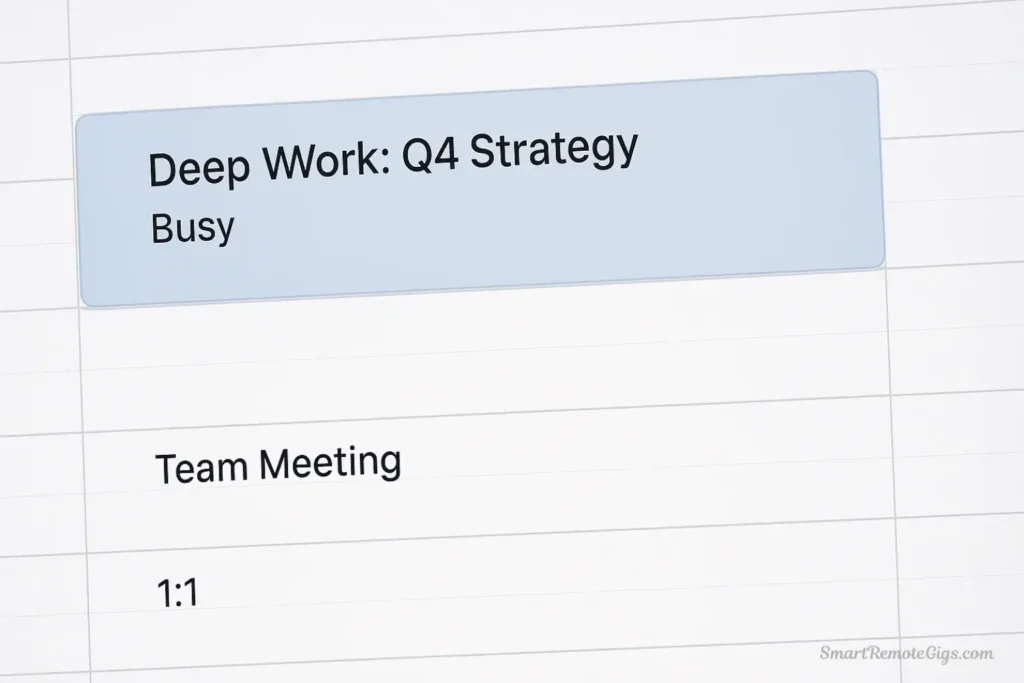
- Title them clearly: “Deep Work: Q4 Strategy” or “Focus Time: Client Proposal”
- Mark them as “Busy” so others can’t book over them
- Add to the description: “Unavailable for meetings. For urgent matters: [phone number]”
- Schedule them during your peak energy hours (for most people: mornings)
Step 3: Protect these blocks ruthlessly
When someone requests a meeting during your deep work block:
- “I have a commitment during that time. I’m available at [alternative time].”
- Don’t explain that it’s “just” focused work time—it’s a commitment, period
If someone books over your block without asking, decline the meeting and propose an alternative. Your deep work time is non-negotiable.
Step 4: During deep work blocks
- Close email and chat completely
- Turn off all notifications
- Put phone in another room or turn off
- Close all browser tabs except those essential to your task
- Use a website blocker if needed
- Work on exactly one task—no multitasking
- Don’t “just quickly check” anything
This is sacred time. Protect it like your career depends on it—because it does. This approach is a concept popularized in books like Cal Newport’s “Digital Minimalism” and “Deep Work.”
Strategy 4: The “30-Minute Meeting” Mandate
Meetings are often the biggest waste of professional time. Here’s how to reduce their impact:
Challenge every meeting request:
Before accepting any meeting, ask:
- “Could this be an email?” Many meetings are information distribution, which email handles better
- “Is my attendance necessary?” If you’re not contributing or deciding, you shouldn’t be there
- “What’s the specific desired outcome?” If there’s no clear goal, decline
Use these exact phrases when pushing back:
“I want to make sure I’m adding value. Can you help me understand what specific input you need from me in this meeting? If it’s primarily informational, I’m happy to read notes afterward and provide feedback asynchronously.”
“I’m trying to protect focus time for [important project]. Could we handle this via email or schedule a brief 15-minute call instead?”
“My calendar is quite full this week. Could we try resolving this asynchronously first, and schedule a meeting only if we can’t reach a decision?”
When you must attend meetings:
- Shorten them: Push for 30 minutes instead of 60, or 15 minutes instead of 30. Most meetings expand to fill available time.
- End early: If the goal is accomplished in 20 minutes, end the meeting. Give people time back.
- Require agendas: Don’t attend meetings without clear agendas. If there’s no agenda, there’s no meeting.
- Limit participants: Fewer people = more focused discussion and faster decisions
For recurring meetings:
Audit them quarterly:
- “Is this meeting still necessary?”
- “Could we move to biweekly instead of weekly?”
- “Could we reduce attendance?”
Many recurring meetings continue long after they’ve stopped providing value simply because no one wants to be the person to cancel them. Be that person.
Leading by Example: Digital Minimalism for Managers
If you manage a team, you have both opportunity and responsibility to create a healthier digital culture.

Model boundaries:
- Don’t send emails or Slack messages after hours (use scheduled send features if needed)
- Don’t expect immediate responses to non-urgent communications
- Visibly protect your own deep work time
- Talk openly about your digital minimalism practices
Create team norms:
- Establish “no-meeting” days or blocks for deep work
- Define what constitutes “urgent” (hint: very few things qualify)
- Encourage batched communication over constant messaging
- Default to asynchronous communication (documents, recorded videos) over synchronous (meetings, real-time chat)
Respect attention:
Before adding someone to an email thread, channel, or meeting, ask: “Does this person truly need this information, or am I just covering myself?”
Your team takes cues from you. If you’re constantly available, they’ll feel pressure to be constantly available. If you protect focus time and respect boundaries, they’ll feel permission to do the same.
To supplement these workplace strategies and build a robust system for focus, explore these additional resources:
- For Quick Wins: Implement these 10 actionable tips to see immediate improvements in your daily workflow.
- For The Right Tools: Equip yourself with the right technology. See our review of the 7 best apps to build your professional focus toolkit.
Conclusion: From Busy to Productive
Digital minimalism at work isn’t about doing less—it’s about creating space for the work that truly matters. It’s recognizing that your most valuable professional contribution isn’t your ability to respond quickly to every request, but your capacity to think deeply, solve complex problems, and produce high-quality work.
The strategies in this guide—email batching, configured communication tools, protected deep work time, and meeting reduction—aren’t about being unavailable. They’re about being deliberately available for high-value work rather than accidentally available for low-value distractions.
Here’s what changes when you implement these approaches:
You become more productive: Two hours of focused deep work produces more value than eight hours of distracted, reactive busyness.
You reduce stress: Constant context-switching and the pressure to respond immediately create chronic stress. Batched processing and protected focus time restore calm.
You improve output quality: Your best work requires sustained attention. When you protect that attention, your work quality improves dramatically.
You set a better example: Whether you’re a manager or individual contributor, your boundaries give others permission to set their own.
You reclaim work-life balance: When work stays at work (because it’s not on your phone), you’re truly present in your personal life.
The most successful professionals aren’t the ones who are always available—they’re the ones who protect their attention for work that matters. That’s the competitive advantage digital minimalism provides.
Start with one strategy. Master it. Then add another. You don’t need to implement everything simultaneously. Even email batching alone will transform your workday.
Your attention is your most valuable professional asset. Stop letting it be interrupted, fragmented, and claimed by whoever pings you. Protect it, direct it, and use it intentionally.
That’s how you go from busy to productive. That’s how you build a career that’s both successful and sustainable.
Welcome to digital minimalism at work. Your focused, high-impact career starts now.