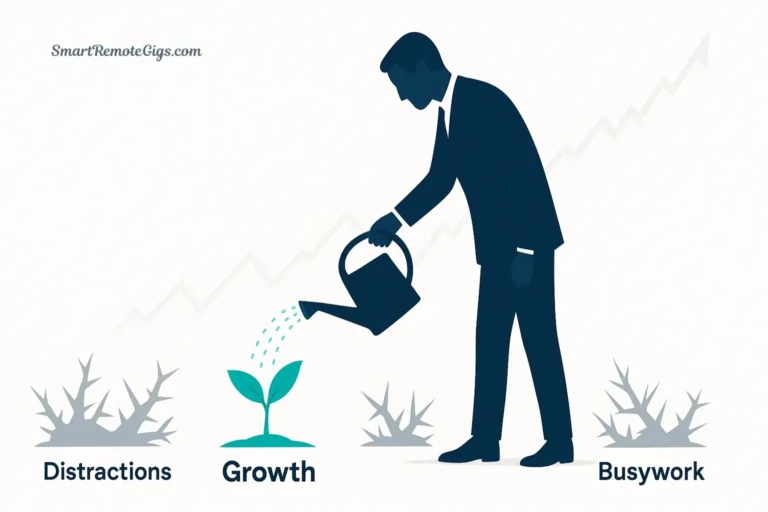
It’s Sunday evening and the dread is building.
You know you forgot something. Something important. You can feel it in your gut, that low-level anxiety creeping in as the weekend ends. You open your productivity app—the one you spent hours configuring—and scroll through 87 overdue tasks you haven’t touched in weeks.
Your fancy GTD system has become a graveyard of guilt.
Here’s what nobody tells you about Getting Things Done: The system is only as good as your review process.
You can have the perfect capture system. You can organize tasks into beautiful project hierarchies. You can use the best app money can buy. But if you never review your system, it dies. It becomes a zombie—technically alive, but not actually functional.
The Weekly Review is the heartbeat that keeps GTD alive.
You don’t need more discipline. You need a system reboot—a structured process that turns a 3-hour overwhelming slog into a 60-minute energizing ritual.
This is that process.
Download the 2026 GTD Weekly Review Checklist (PDF) and let’s turn your dead system back into a trusted companion.
The Amateur Review vs. The Pro Review
Before we dive in, let’s talk about why most people’s Weekly Reviews fail.
Feature | The Amateur Review ❌ | The Pro Review ✅ |
|---|---|---|
Duration | 3+ Hours (Exhausting) | 45-60 Minutes (Energizing) |
Focus | “Doing” the work | “Defining” the work |
Mindset | Guilt-driven audit | Strategic planning |
When Tasks Aren’t Done | Shame spiral | Rational re-scheduling |
Outcome | More overwhelm | “Mind Like Water” |
The difference? Amateurs try to do the work during the review. Professionals just organize the work.
The Weekly Review is not a work session. It’s a planning session. You’re not checking off tasks—you’re making sure your system accurately reflects reality so you can make trusted decisions about what to do next.
Why Your System is Dead (The Zombie Effect)
Let me tell you what happens when you skip Weekly Reviews.

Week 1: You skip the review. No big deal, right? You’re busy. You’ll catch up next week.
Week 2: Your inbox has 37 uncaptured items. Your Projects list has three completed projects you haven’t archived. You have five tasks marked “waiting for” that people actually delivered on last week, but you forgot to check.
Week 3: You stop trusting your system. When you look at your Next Actions list, you don’t believe it’s complete or current. So you start keeping a separate “real” list in your head or on sticky notes.
Week 4: Your GTD system is now a zombie. It’s technically there, but it’s not alive. It’s not helping. It’s just making you feel guilty every time you see it.
This is the Zombie Effect: A GTD system without a review is just a list of things you aren’t doing.
The only cure is the Weekly Review. It’s what keeps the system alive, current, and trusted.
If you trust your system, you can let go of the mental burden. If you don’t trust it, you’ll carry everything in your head anyway—which defeats the entire purpose of GTD.
The review is what creates trust.
The Download: Your 1-Page Cheat Sheet
Stop right here and get the tool.

Seriously. Everything below is useful, but the PDF checklist is what you’ll actually use during your real Weekly Reviews.
This is a one-page, printable checklist you can keep next to your computer. It guides you through the three phases of the Weekly Review in 60 minutes or less.
What’s included:
- ✅ Step-by-step checklist for each phase
- ⏱️ Suggested time allocations
- 💡 Pro tips for common sticking points
- 🎯 Focus questions to keep you on track
Print it. Laminate it. Use it every week.
Got it? Good. Now let’s walk through the process.
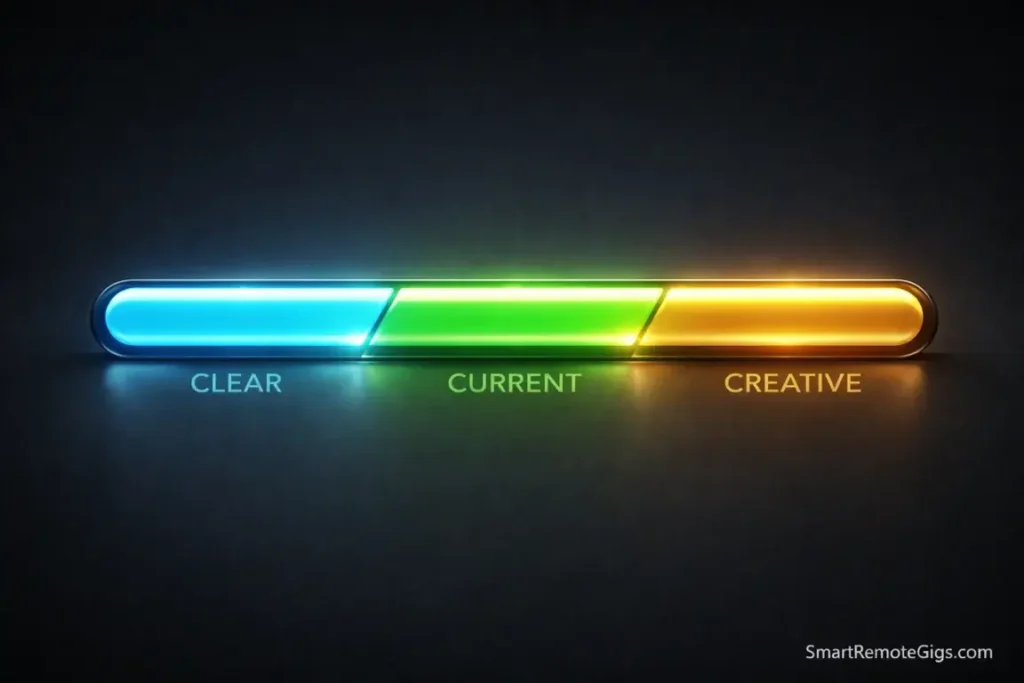
Phase 1: Get Clear (Empty the Head)
Time allocation: 15-20 minutes
This phase is about gathering all the loose inputs scattered across your life and getting them into your inbox for processing.
Think of this as “closing all your browser tabs.”
1. Gather Loose Papers and Materials
Walk around your physical space and grab everything that’s been accumulating:
- Papers on your desk
- Business cards in your wallet
- Receipts in your pocket
- Sticky notes on your monitor
- Notes from meetings
- Items in your physical inbox tray
Put it all in one pile. Don’t process it yet—just gather it.
2. Process Digital Inboxes
Check every digital input source and either process it or move it to your main inbox:
- Email inbox → Process to zero or forward to task manager
- Text messages → Capture any commitments or tasks
- Slack/Teams → Flag important items or convert to tasks
- Voice memos → Transcribe or capture the key point
- Downloads folder → Clear out or file what’s needed
- Desktop → Organize or trash random files
- Browser bookmarks → Capture “to read” items as tasks
The goal is not to do everything. The goal is to get everything visible in your system.
3. Mind Sweep (Brain Dump)
Set a timer for 5 minutes and do a quick brain dump of anything rattling around in your head:
- Tasks you’ve been meaning to do
- Ideas you’ve been mulling over
- Commitments you made verbally
- Things that are bothering you
- Random worries or concerns
The most important part of Phase 1 is the brain dump. Use our Mind Sweep Guide if you feel stuck.
Pro Tip: Keep a running “inbox” note on your phone throughout the week. Capture things as they come up, then process them all during your Weekly Review. This prevents the 5-minute brain dump from turning into a 30-minute excavation.
By the end of Phase 1, everything should be captured. Nothing is floating loose in your head or scattered across random systems.
Phase 2: Get Current (Update the Lists)
Time allocation: 25-30 minutes
This is the meat of the Weekly Review. You’re going through each core GTD list and making sure it accurately reflects reality.
1. Review Previous Calendar Data
Look back at the past week’s calendar:
- Did any meetings generate tasks you forgot to capture?
- Any commitments you made that need follow-up?
- Any patterns you notice? (Too many meetings? Not enough deep work time?)
Capture anything that needs action.
2. Review Upcoming Calendar
Look at the next 2-3 weeks:
- Any appointments that need preparation?
- Any deadlines approaching that need tasks created?
- Any travel or time off that affects your commitments?
- Any meetings you need to schedule?
The calendar only holds time-specific commitments. But those commitments often generate tasks.
3. Review Projects List
Go through your Projects list (remember: a project is any outcome requiring more than one action step) and ask:
For each project:
- ✅ Is it complete? → Archive it and celebrate
- ⏸️ Is it on hold? → Move to Someday/Maybe or mark as inactive
- 🎯 Is there a clear next action? → If not, define one right now
- 📅 Does it need a new deadline? → Update if circumstances changed
This is not about doing the projects. It’s about making sure each project has a clear next step defined.
Pro Tip: If a project has been sitting with no progress for 3+ weeks, either activate it (schedule time to work on it) or move it to Someday/Maybe. Stale projects create guilt. Be honest about what you’re actually doing.
4. Review Next Actions Lists
Go through all your context-based action lists (@Computer, @Calls, @Errands, etc.):
- ✅ Done? → Check it off and celebrate
- ❌ No longer relevant? → Delete it guilt-free
- ⏭️ Still valid? → Leave it
- 📅 Needs rescheduling? → Update the date
- 🔄 Blocked by something? → Move to Waiting For
Struggling to focus during this part? Set a timer and use our Pomodoro Technique guide to sprint through your lists.
5. Review Waiting For List
This is the list of tasks you’ve delegated or things you’re waiting for others to complete.
For each item:
- ✅ Did they deliver? → Convert to a next action or archive
- ⏰ Overdue? → Follow up (send a reminder)
- 📅 Still valid? → Leave it with updated date if needed
Example format: “Waiting for Sarah to send Q4 report (delegated 1/15, follow up 1/22)”
6. Review Someday/Maybe
This is your “idea parking lot”—projects and tasks you might do someday but not now.
Important: Review this list monthly, not weekly. Including it in every Weekly Review creates unnecessary admin debt.
If it’s review time, scan through and ask:
- 🔥 Ready to activate? → Move to Projects
- 🗑️ No longer interesting? → Delete without guilt
- 💤 Still someday? → Leave it
The Someday/Maybe list gives you permission to not do things without forgetting them.
Phase 3: Get Creative (The Fun Part)
Time allocation: 10-15 minutes
This is the phase most people skip because they’re exhausted from Phase 2.
Don’t skip it. This is where the magic happens.
1. Review Goals and Horizons of Focus
GTD has different “horizons” of focus:
- Ground level: Current actions
- Horizon 1: Current projects
- Horizon 2: Areas of responsibility (health, family, career, finances)
- Horizon 3: 1-2 year goals
- Horizon 4: 3-5 year vision
- Horizon 5: Life purpose
During Phase 3, zoom out and ask:
- Are my current projects aligned with my goals?
- Am I neglecting any area of responsibility?
- Is there a new project I should start?
- What’s working? What’s not?
Capture any new projects or ideas that emerge.
2. Get Creative and Inspired
This is the time for:
- Wild ideas (“What if I…?”)
- Bold moves (“Maybe I should finally…”)
- Course corrections (“This isn’t working, I should…”)
- New possibilities (“I wonder if…”)
You don’t have to commit to any of these. Just capture them. Put them in Projects or Someday/Maybe and let them marinate.
The Weekly Review should end with energy, not exhaustion. Phase 3 is what makes it energizing—you’re not just managing the grind, you’re steering toward the life you want.
Pro Tip: End every Weekly Review by choosing your “Big 3” for the coming week. What three outcomes would make you feel great about the week? Write them down and reference them daily.
How to Review in Your App
The Weekly Review looks slightly different depending on which tool you use.
Todoist Users
Todoist doesn’t have a built-in Review mode, so you need to create it yourself.
Create a “Weekly Review” filter:
(overdue | 7 days) & !@SomedayThis shows everything overdue or due in the next 7 days, excluding Someday/Maybe items.
During your review:
- Open each project manually and review
- Use the filter to see what’s coming up
- Process your inbox to zero
- Check your “Waiting For” label
Pro tip: Create a recurring task called “Weekly Review” with a checklist of steps in the description. Check off each step as you complete it.
OmniFocus Users
OmniFocus users have a superpower: the dedicated “Review” mode.
This is literally the killer feature that justifies OmniFocus’s price tag. The app tracks when you last reviewed each project and surfaces the ones that are overdue for review.
How to use it:
- Click “Review” in the sidebar
- OmniFocus shows you which projects need review
- For each project, ask: “Is this current? Is there a next action?”
- Mark it as reviewed
- Move to the next project
You can set different review frequencies for different projects:
- Daily tasks: Review weekly
- Active work projects: Review weekly
- Long-term goals: Review monthly
- Someday/Maybe: Review quarterly
This automated rotation is the reason OmniFocus is the gold standard for serious GTD practitioners.
Other Apps
For Things, Notion, Asana, or any other tool:
- Create a saved search/view for “Weekly Review”
- Manually go through each project list
- Use tags or labels to mark items for review
The tool doesn’t matter as much as the consistency of doing the review.
When the Review Feels Impossible (ADHD Edition)
Let’s be honest: 60 minutes of systematic review requires executive function that not everyone has all the time.
If you have ADHD, if you’re in a particularly chaotic season of life, or if 60 minutes just feels insurmountable, here’s the Emergency Reset:
15-Minute Emergency Review:
- Brain dump (3 min) → Get the screaming thoughts out
- Scan for fires (2 min) → Anything exploding if you ignore it?
- Pick 3 wins (2 min) → What 3 things would make this week feel good?
- Archive the noise (5 min) → Mark done stuff as done, move the rest to “Later”
- Set one intention (3 min) → What’s the ONE thing you want to accomplish?
Is this perfect GTD? No. Does it keep your system alive and your mind quiet? Yes.
For a more forgiving approach to the entire GTD system, check out the GTD for ADHD method.
The goal isn’t perfection. The goal is a system you can return to when you need it.
Frequently Asked Questions
What is the best day for a Weekly Review?
Friday afternoon works best for most people:
Corporate workers can clear their mental desk before the weekend
You end the week with closure instead of loose ends
Monday starts with clarity instead of chaos
You’re already in “work mode” so the review feels natural
Sunday evening works better for:
Creatives who work non-traditional schedules
People who like to plan their week before it starts
Anyone who finds Friday too chaotic or draining
The honest answer: The best day is the day you’ll actually do it consistently.
Pick a day and time, put it on your calendar as a recurring event, and treat it like a meeting with yourself that cannot be moved.
How long should a Weekly Review take?
60-90 minutes maximum.
If your review consistently takes longer:
You’re probably trying to do work instead of define work
Your system has too many projects (archive the inactive ones)
You’re not capturing throughout the week (so the review becomes a massive cleanup)
If your review takes less than 30 minutes, you’re probably skipping important steps or your system is very simple (which is fine).
The sweet spot is 45-60 minutes of focused review that leaves you feeling clear and energized.
What if I miss a week?
You’ll miss weeks. Everyone does.
Life gets chaotic. You get sick. You travel. You forget. It happens.
How to recover:
1. Don’t beat yourself up (guilt is useless)
2. Do a quick 20-minute “triage review” to catch the urgent stuff
3. Declare inbox bankruptcy if needed (archive everything and start fresh)
4. Get back on track next week
The system is designed to be resilient, not perfect. Missing a review doesn’t break GTD—it just means you’ll feel a bit more cluttered until you do the next one.
Can I split the Weekly Review across multiple days?
Technically yes, but it’s not ideal.
Some people do “micro-reviews” daily (10 minutes to process inbox and update lists) instead of one big weekly session.
The problem: You lose the bird’s-eye view. The Weekly Review is powerful because you see your entire system at once and can spot patterns, conflicts, and opportunities.
If 60 minutes in one sitting is genuinely impossible, try:
Monday: Phase 1 (Get Clear) – 15 min
Wednesday: Phase 2 (Get Current) – 30 min
Friday: Phase 3 (Get Creative) – 15 min
But work toward doing it all in one session eventually. The continuity creates clarity.
Final Verdict: Self-Care for Your Brain
The Weekly Review is not a chore. It’s self-care for your brain.

Think about it: You spend 60 minutes organizing your external commitments so your internal world can be quiet. You close all the mental loops. You clear the browser tabs. You make conscious choices instead of reacting to whatever screams loudest.
The result? Mind Like Water.
You start Monday morning knowing exactly what you’re doing and why. No anxiety. No guilt. No nagging feeling that you forgot something critical.
That’s worth 60 minutes.
Here’s what to do right now:
- Download the PDF checklist
- Put a recurring event on your calendar (Friday 3-4 PM works for most people)
- Do your first review this week (even if it’s messy)
The system only works if you review it. The review only happens if you schedule it.
Block the time now. Make it sacred. Protect it like you would a doctor’s appointment or an important meeting.
Your future self—the one who’s calm, clear, and in control—will thank you.
Ready to build the complete GTD system? Head back to the Getting Things Done Guide to see how the Weekly Review fits into the full methodology.
Your brain deserves a weekly reset.
Give it one.