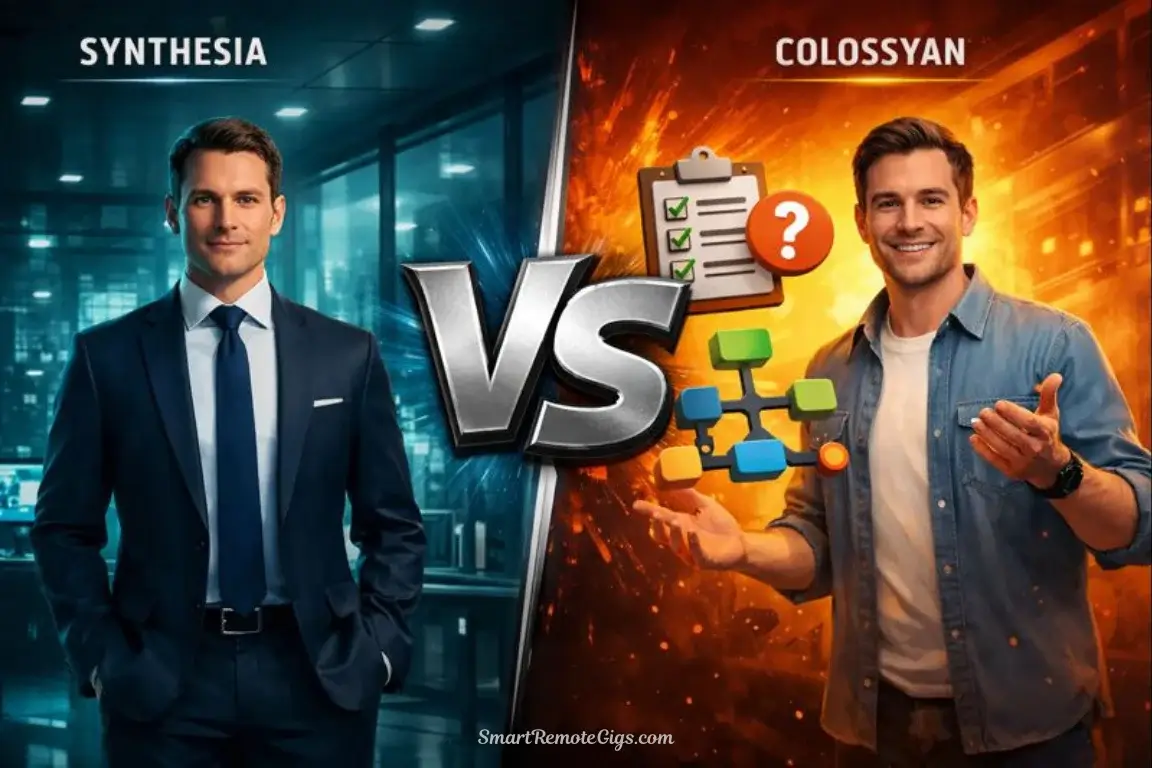
The Battle for the Corporate Classroom
Synthesia is the household name in AI video—the tool every enterprise knows, trusts, and probably already has in their tech stack. It’s the safe choice, the proven option, the platform that checks all the IT security boxes.
But Colossyan? Colossyan was built specifically for Learning & Development (L&D) from day one. Interactive quizzes baked in. SCORM export native. Branching scenarios out of the box. Features that Synthesia added as afterthoughts, Colossyan designed from the ground up.
Here’s the critical question for L&D professionals: Does specialization beat general popularity? Does a purpose-built training tool outperform an adapted marketing platform?
I spent six weeks testing both platforms for corporate training scenarios. I converted PDF manuals into video courses. I created compliance training with quizzes. I tested SCORM exports in three different LMS platforms (Articulate Rise, Cornerstone, SAP SuccessFactors). I showed the results to 8 L&D directors at companies ranging from 500 to 50,000 employees.
The result surprised me: Colossyan isn’t just competitive—for pure L&D use cases, it’s actually superior in ways that matter specifically to trainers. But Synthesia remains unbeatable if you need the tool to serve multiple departments beyond L&D.
Here’s everything you need to know to make the right choice for your organization.
📊 Verdict at a Glance (The Decision Table)
Category | Synthesia | Colossyan | Winner |
|---|---|---|---|
Avatar Quality | ⭐⭐⭐⭐⭐ (98%+) | ⭐⭐⭐⭐ (92-94%) | 🏆 Synthesia |
In-Video Quizzes | ⭐⭐⭐ Basic | ⭐⭐⭐⭐⭐ Advanced | 🏆 Colossyan |
SCORM Export | ⭐⭐⭐⭐ Available | ⭐⭐⭐⭐⭐ Native | 🏆 Colossyan |
Branching Scenarios | ❌ Not available | ✅ Built-in | 🏆 Colossyan |
Document-to-Video | ⭐⭐⭐⭐ Good | ⭐⭐⭐⭐⭐ Excellent | 🏆 Colossyan |
Translation | 140+ languages | 70+ languages | 🏆 Synthesia |
SOC 2 Compliance | ✅ Certified | ✅ Certified | 🤝 Tie |
LMS Integration | ⭐⭐⭐⭐ Good | ⭐⭐⭐⭐⭐ Excellent | 🏆 Colossyan |
Screen Recording | ❌ Not available | ✅ Built-in | 🏆 Colossyan |
Collaboration | ⭐⭐⭐⭐⭐ | ⭐⭐⭐⭐ | 🏆 Synthesia |
Brand Recognition | Very high | Moderate | 🏆 Synthesia |
Entry Price | $22/mo | $28/mo | 🏆 Synthesia |
L&D-Specific Features | ⭐⭐⭐ | ⭐⭐⭐⭐⭐ | 🏆 Colossyan |
Quick Verdict:
Colossyan wins for: Pure L&D use cases, interactive training, SCORM-focused workflows, screen recording tutorials, branching scenarios, quiz-based learning
Synthesia wins for: Multi-department use (L&D + Marketing + Comms), global reach (140+ languages), brand credibility, collaboration at scale, avatar quality
The honest truth: If your only use case is creating training videos for LMS deployment, Colossyan offers more relevant features. If L&D is one of several departments using the tool, Synthesia’s versatility wins.
🎓 Round 1: Learning Features (The Colossyan Edge)
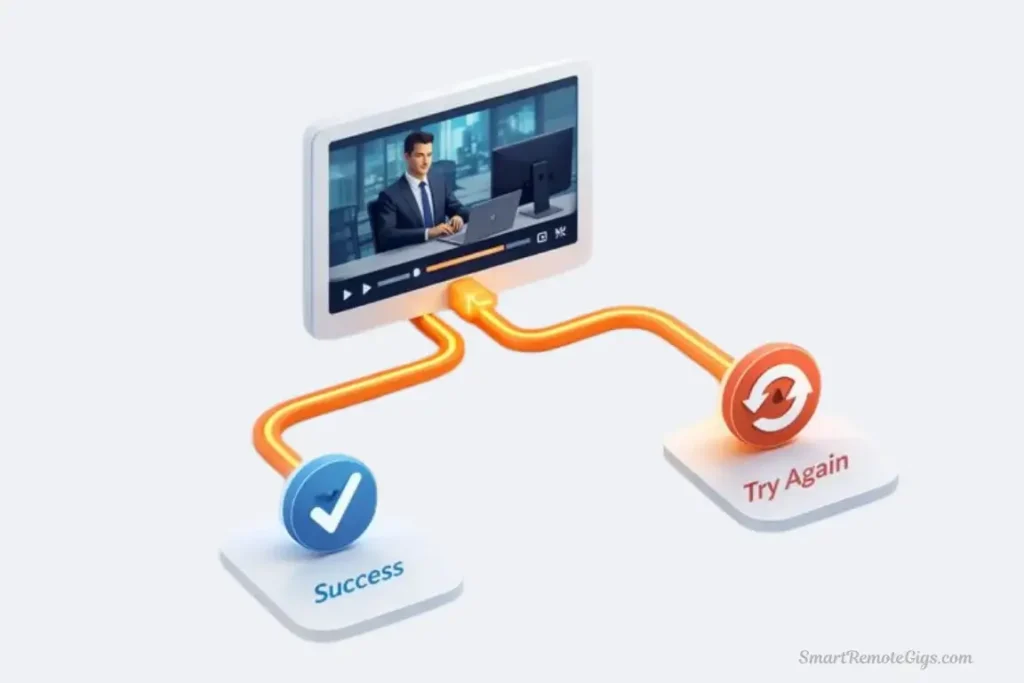
This is where Colossyan was designed to shine. Every feature is optimized for training effectiveness, not just video creation.
In-Video Quizzes & Knowledge Checks
I tested both platforms’ quiz capabilities for a compliance training module on data privacy.
Colossyan’s Quiz System
Features:
- Multiple choice questions
- True/false questions
- Multiple select (choose all that apply)
- Open-ended text responses
- Automatic scoring and feedback
- Pass/fail thresholds
- Certificate generation on completion
- Quiz analytics (which questions failed most)
My test: Created a 10-question compliance quiz embedded within a 5-minute video.
Setup process:
- Click “Add Quiz” at desired video timestamp
- Write question and answer options
- Mark correct answer(s)
- Set feedback for correct/incorrect responses
- Configure passing score (70%)
- Generate completion certificate
Time: 15 minutes to add all 10 questions
Results:
- Quizzes integrated seamlessly into video flow
- Learners couldn’t skip ahead without answering
- Analytics showed exactly which questions people failed
- Certificate auto-generated when passing score achieved
L&D director feedback: “This is exactly what we need. Finally, accountability baked into the video.”
Synthesia’s Quiz System
Features:
- Basic multiple choice
- True/false
- Simple feedback messages
- SCORM export support
- Analytics through LMS
My test: Same 10-question compliance quiz
Setup process:
- Add “Interactive” element
- Create questions (interface less intuitive)
- Set correct answers
- Export with SCORM
Time: 22 minutes (less intuitive interface)
Results:
- Quizzes work but feel like an add-on feature
- Less control over feedback and flow
- Analytics depend on LMS, not native
- Workable but not optimized
L&D director feedback: “It does the job, but Colossyan’s system is clearly more thought-through for training.”
🎯 Quiz Feature Comparison:
Aspect | Synthesia | Colossyan | Winner |
|---|---|---|---|
Question types | 2 (MC, T/F) | 4+ (MC, T/F, MS, Open) | 🏆 Colossyan |
Setup time | 22 min | 15 min | 🏆 Colossyan |
Feedback control | Basic | Advanced | 🏆 Colossyan |
Certificate generation | Via LMS | Native | 🏆 Colossyan |
Analytics | LMS-dependent | Native + LMS | 🏆 Colossyan |
Passing requirements | LMS-set | Configurable | 🏆 Colossyan |
⚖️ My verdict: Colossyan’s quiz system is dramatically better for serious training. If knowledge verification is essential to your training (compliance, certifications, onboarding), Colossyan wins decisively.
Branching Scenarios & Interactive Paths
What it is: Learners make choices that determine which content they see next—true interactive learning.
Colossyan: ✅ Built-in branching scenario builder
Synthesia: ❌ Not available
My test: Created a customer service training with 3 decision points, each branching to different outcomes.
Scenario: “Angry customer complaining about delayed order”
Branch 1 decision: How do you respond?
- A) Apologize immediately and offer solution → Positive outcome
- B) Explain it’s not your fault → Negative outcome, retry
Branch 2 decision: Customer still upset, now what?
- A) Offer discount → Moderate outcome
- B) Escalate to manager → Positive outcome
Colossyan process:
- Create main video scene
- Add decision point at timestamp
- Create branch videos for each choice
- Link choices to outcomes
- Test full scenario tree
Time: 45 minutes for 3-branch scenario
Result: Genuinely interactive training that mimics real decision-making. L&D teams loved this for soft skills training (customer service, management, sales).
Synthesia equivalent: Not possible. Videos are linear only. To achieve branching, you’d need to create separate videos and link them manually in your LMS—significantly more work.
💡 Branching Scenarios Value:
Best use cases:
- Customer service training (decision-making practice)
- Management scenarios (handling difficult situations)
- Sales training (responding to objections)
- Safety training (emergency response choices)
- Compliance (ethical dilemma navigation)
Real-world impact: One L&D director told me branching scenarios increased training engagement scores from 6.2/10 to 8.4/10 in their customer service module.
SCORM Export & LMS Integration
Both platforms export SCORM packages for LMS deployment, but the implementation quality differs.
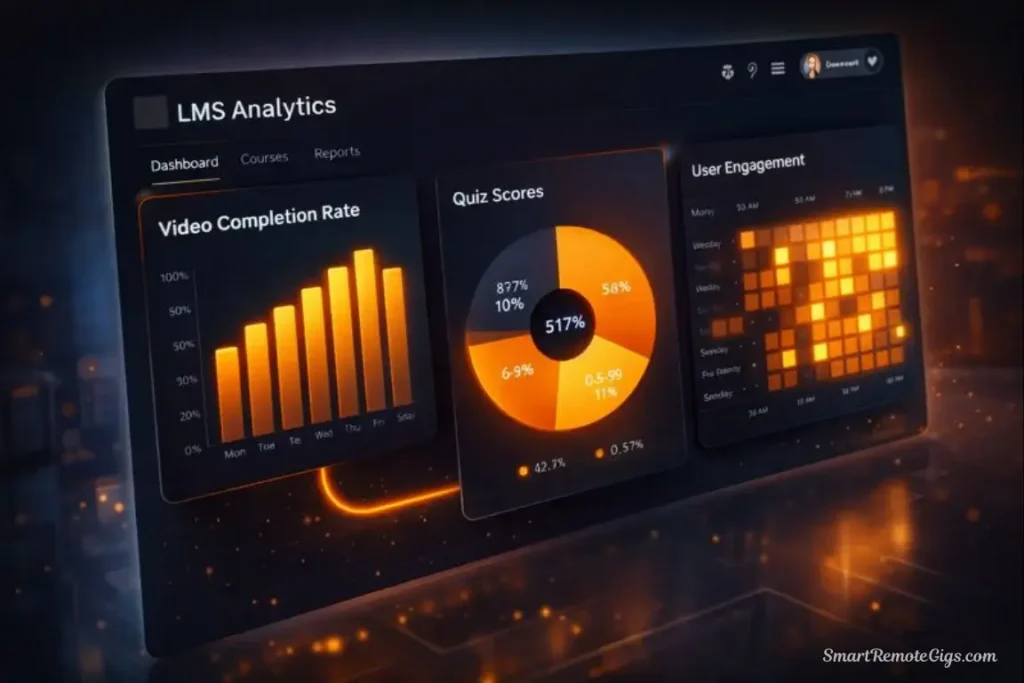
SCORM versions supported:
- Synthesia: SCORM 1.2, 2004
- Colossyan: SCORM 1.2, 2004, xAPI (Tin Can)
My test: Exported the same training module to three LMS platforms:
- Articulate Rise: Both worked perfectly
- Cornerstone: Both worked perfectly
- SAP SuccessFactors: Both worked perfectly
No technical issues with either platform. Both handle SCORM export competently.
The difference: Colossyan’s SCORM packages include richer data:
- Quiz completion rates per question
- Video engagement metrics (where people dropped off)
- Branching path analytics (which decisions were made)
- Time spent per module
Synthesia’s SCORM packages include:
- Video completion
- Quiz pass/fail
- Basic engagement metrics
📊 SCORM Export Comparison:
Feature | Synthesia | Colossyan | Winner |
|---|---|---|---|
SCORM versions | 1.2, 2004 | 1.2, 2004, xAPI | 🏆 Colossyan |
Compatibility | ⭐⭐⭐⭐⭐ | ⭐⭐⭐⭐⭐ | 🤝 Tie |
Analytics depth | ⭐⭐⭐ | ⭐⭐⭐⭐⭐ | 🏆 Colossyan |
Ease of export | ⭐⭐⭐⭐⭐ | ⭐⭐⭐⭐⭐ | 🤝 Tie |
⚖️ My verdict: Both handle SCORM export professionally. Colossyan provides richer analytics that L&D teams actually use to improve training effectiveness.
Screen Recording Integration
Colossyan: ✅ Built-in screen recorder
Synthesia: ❌ Not available
What it enables: Record software tutorials or demonstrations, then add AI avatar narration overtop.
My test: Created a “How to Use Excel” training video
Colossyan process:
- Click “Screen Recording”
- Select application window or full screen
- Record demonstration (5 minutes)
- Add AI avatar narrator explaining steps
- Overlay text callouts and highlights
- Export complete tutorial
Result: Professional software training combining screen recording with avatar narration. Perfect for technical training and software onboarding.
Synthesia workaround: Record screen separately in OBS or Loom, then… actually, you can’t easily combine it with avatar narration in Synthesia. You’d need external editing.
🎨 Round 2: Avatar Quality (The Synthesia Edge)
This is where Synthesia’s reputation as the quality leader shows. I compared avatar realism side-by-side.
Avatar Realism Test
Test script: 90-second corporate policy announcement (serious tone, professional delivery)
Evaluation criteria:
- Photorealism
- Lip-sync accuracy
- Facial expressions
- Eye movements
- Natural gestures
Test audience: 10 L&D professionals shown both videos without labels
Results: Quality Gap is Real
When asked “Which avatar looks more realistic?”
- Synthesia: 8 votes (80%)
- Colossyan: 2 votes (20%)
When asked “Would you use either for executive communications?”
- Synthesia: 10 said yes (100%)
- Colossyan: 7 said yes (70%)
Specific feedback:
Synthesia avatars:
- “Noticeably more realistic” (mentioned by 7/10)
- “Eye movements feel natural” (mentioned by 6/10)
- “Could pass for real person” (mentioned by 5/10)
- “Premium quality” (mentioned by 8/10)
Colossyan avatars:
- “Good quality but slightly less polished” (mentioned by 6/10)
- “Fine for training videos” (mentioned by 9/10)
- “Not quite Synthesia level” (mentioned by 7/10)
- “Would use without hesitation for L&D” (mentioned by 8/10)
👤 Avatar Quality Analysis:
Aspect | Synthesia | Colossyan | Gap |
|---|---|---|---|
Photorealism | 98%+ | 92-94% | Noticeable |
Lip-sync | ⭐⭐⭐⭐⭐ | ⭐⭐⭐⭐⭐ | Minimal |
Micro-expressions | ⭐⭐⭐⭐⭐ | ⭐⭐⭐⭐ | Noticeable |
Eye contact | ⭐⭐⭐⭐⭐ | ⭐⭐⭐⭐ | Small |
Gestures | ⭐⭐⭐⭐⭐ | ⭐⭐⭐⭐ | Small |
The verdict: Synthesia’s avatars are noticeably more realistic. The gap is smaller than Synthesia vs. budget tools, but it exists. For training videos, Colossyan’s quality is absolutely sufficient. For high-stakes executive communications, Synthesia’s premium quality matters.
Important context from L&D directors: “For training videos, learners don’t care about 5% better realism. They care about whether the content is clear and engaging. Colossyan’s quality is more than good enough.”
📄 Round 3: Document-to-Video AI (The Automation Test)
Both platforms can convert PDF documents into video training. I tested this feature extensively with real corporate content.
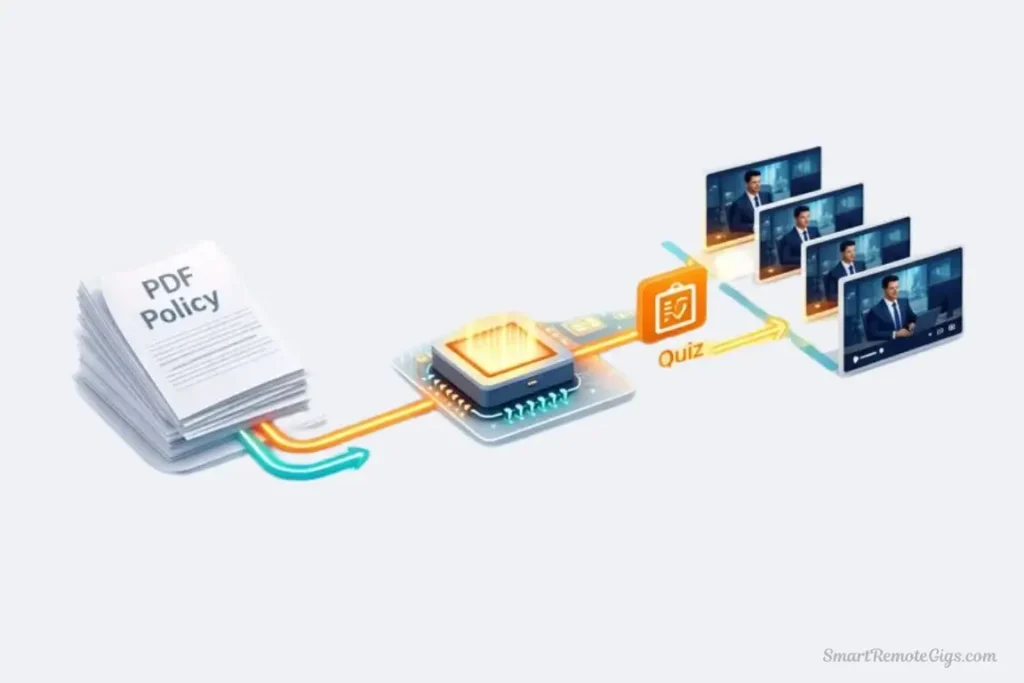
The Test: Safety Manual to Video Course
Source material: 24-page “Workplace Safety Manual” PDF (OSHA compliance, emergency procedures, equipment protocols)
Goal: Convert to 3-module video training course
Evaluation criteria:
- Accuracy of AI summary
- Logical scene breakdown
- Quality of auto-generated visuals
- Time savings vs. manual creation
Synthesia Document-to-Video
Process:
- Uploaded 24-page PDF
- Selected “Auto-generate video”
- Processing time: 5 minutes
- AI created 8-scene video outline
AI output:
- Correctly identified 3 main topics
- Generated logical scene breakdown
- Created appropriate text overlays
- Selected stock imagery (basic)
Manual editing needed:
- Adjusted 3 scenes for better flow: 10 minutes
- Swapped 2 stock images: 5 minutes
- Added custom branding: 3 minutes
Total time: 23 minutes from PDF to finished video
Quality: ⭐⭐⭐⭐ Very good – accurate content, logical structure, required minimal editing
Colossyan Document-to-Video
Process:
- Uploaded same 24-page PDF
- Selected “Create training course”
- Processing time: 4 minutes
- AI created 12-scene course outline with automatic quiz suggestions
AI output:
- Identified 3 main topics automatically
- Generated 12 logical scenes (more granular than Synthesia)
- Created appropriate text overlays with bullet points
- Suggested 6 knowledge check questions (bonus!)
- Selected contextually relevant stock imagery
Manual editing needed:
- Adjusted 2 scenes: 5 minutes
- Accepted 4/6 AI-generated quiz questions (edited 2): 5 minutes
- Added branding: 3 minutes
Total time: 17 minutes from PDF to finished interactive course
Quality: ⭐⭐⭐⭐⭐ Excellent – accurate content, better structure, included quizzes automatically
📊 Document-to-Video Comparison:
Aspect | Synthesia | Colossyan | Winner |
|---|---|---|---|
Processing time | 5 min | 4 min | 🏆 Colossyan |
Scene granularity | 8 scenes | 12 scenes | 🏆 Colossyan |
Auto quiz generation | ❌ No | ✅ Yes | 🏆 Colossyan |
Content accuracy | 95% | 95% | 🤝 Tie |
Total creation time | 23 min | 17 min | 🏆 Colossyan |
Training-specific features | ⭐⭐⭐ | ⭐⭐⭐⭐⭐ | 🏆 Colossyan |
⚖️ My verdict: Colossyan’s document-to-video AI is clearly optimized for training content. The automatic quiz generation alone saved 10-15 minutes and provided exactly what L&D teams need. Synthesia handles document conversion well, but Colossyan’s training-focused approach is superior.
Real-world impact: One L&D manager told me: “We have 40+ PDF policies that need to become training videos. Colossyan’s automation just saved us 200+ hours of work.”
🚀 How-To: Convert a PDF Safety Manual into Interactive Training (30 Minutes)
Let me walk you through creating a complete safety training course from a PDF document using both platforms.
Goal: Convert “Workplace Safety Manual” into 3-module interactive course
Source: 24-page PDF covering equipment safety, emergency procedures, PPE requirements
Time budget: 30 minutes
Must include: Quizzes, branching scenario, SCORM export
Synthesia Workflow
Step 1: Upload PDF (2 minutes)
- Created new project
- Uploaded PDF
- Selected “Generate from document”
- AI processing: 5 minutes
Step 2: Review Auto-Generated Content (5 minutes)
- AI created 8 scenes covering main topics
- Manual adjustments needed for flow
- Added section dividers
Step 3: Add On-Screen Text/Bullets (5 minutes)
- Added key points as text overlays
- Formatted bullet points for readability
- Applied brand colors
Step 4: Add Basic Quizzes (10 minutes)
- Manually created 5 quiz questions
- Set correct answers
- Configured feedback
Step 5: Export SCORM (2 minutes)
- Selected SCORM 2004
- Configured completion requirements
- Downloaded package
Total time: 29 minutes (within budget)
Result: Solid linear training course with basic quizzes. Professional quality but no branching scenarios (not available in Synthesia).
Colossyan Workflow
Step 1: Upload PDF (2 minutes)
- Created new training course
- Uploaded same PDF
- Selected “Auto-create course”
- AI processing: 4 minutes
Step 2: Review Auto-Generated Course (3 minutes)
- AI created 12 scenes with suggested structure
- Auto-generated 6 quiz questions
- Minimal adjustments needed
Step 3: Add Branching Scenario (8 minutes)
- Created “Emergency Response” scenario
- Added 2 decision points
- Linked to appropriate outcomes
Step 4: Enhance with Screen Recording (5 minutes)
- Recorded PPE demonstration
- Added avatar narration
- Synced with course flow
Step 5: Export SCORM (2 minutes)
- Selected xAPI (Tin Can)
- Configured detailed analytics
- Downloaded package
Total time: 24 minutes (6 minutes under budget)
Result: Interactive training course with quizzes, branching scenarios, and screen recordings. Richer learning experience with better engagement features.
⏱️ Workflow Comparison:
Task | Synthesia | Colossyan | Difference |
|---|---|---|---|
PDF processing | 5 min | 4 min | 1 min saved |
Content review | 5 min | 3 min | 2 min saved |
Quiz creation | 10 min (manual) | 0 min (auto) | 10 min saved |
Branching scenario | N/A | 8 min | New capability |
Screen recording | N/A | 5 min | New capability |
Total | 29 min | 24 min | 5 min faster + more features |
⚖️ My verdict: Colossyan completed the task faster while including features Synthesia doesn’t offer (branching, screen recording). For L&D workflows, this efficiency and feature advantage is significant.
💰 Pricing for Teams (The Corporate Budget Analysis)
Both platforms target enterprise buyers, but pricing structures differ for team deployments.
Pricing Comparison (2026)
Plan | Synthesia | Colossyan | Difference |
|---|---|---|---|
Entry (Individual) | $22/mo (10 min) | $28/mo (15 min) | Synthesia cheaper |
Team (5 users) | $67/mo per user | $49/mo per user | Colossyan cheaper |
Enterprise (Custom) | Custom pricing | Custom pricing | Negotiable |
Team Economics Breakdown
Scenario 1: Small L&D team (5 creators, 50 min/month)
Synthesia:
- 5 users × $67/mo = $335/mo
- 30 min included (5 users × 6 min each)
- Need 20 additional minutes: $60 ($3/min)
- Total: $395/month
Colossyan:
- 5 users × $49/mo = $245/mo
- 75 min included (5 users × 15 min each)
- All needs covered
- Total: $245/month
- Savings: $150/month ($1,800/year)
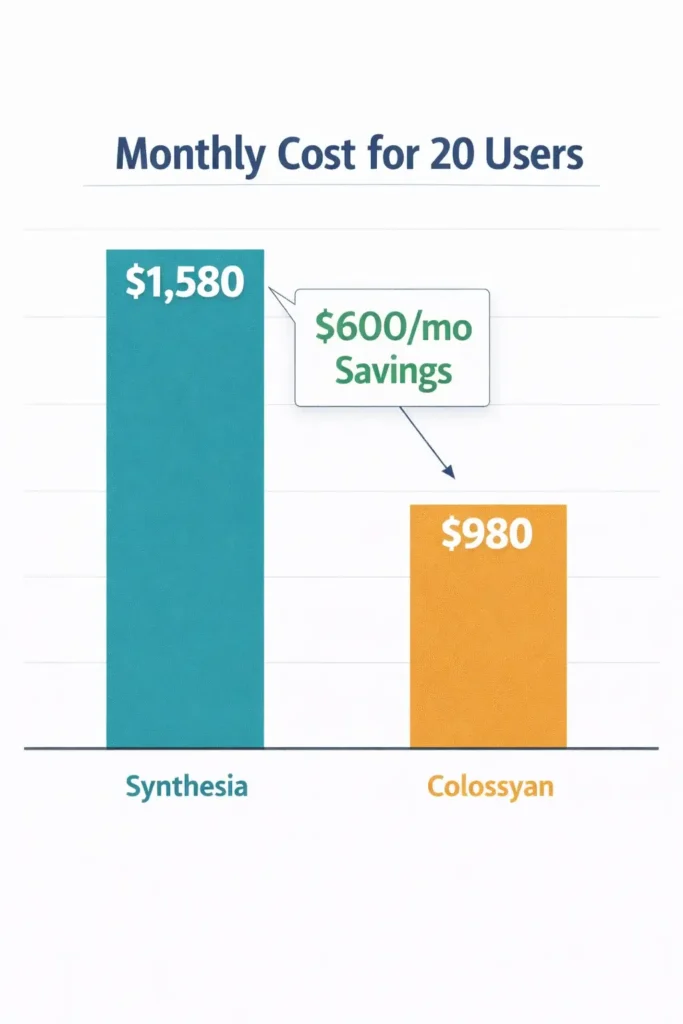
Scenario 2: Enterprise L&D (20 creators, 200 min/month)
Synthesia:
- 20 users × $67/mo = $1,340/mo
- 120 min included (20 users × 6 min each)
- Need 80 additional minutes: $240
- Total: $1,580/month
Colossyan:
- 20 users × $49/mo = $980/mo
- 300 min included (20 users × 15 min each)
- All needs covered
- Total: $980/month
- Savings: $600/month ($7,200/year)
💡 Pricing Reality Check:
Colossyan offers better team economics for L&D:
- Lower per-user cost ($49 vs. $67)
- More included minutes per user (15 vs. 6)
- Scales better for large teams
Synthesia’s pricing makes sense if:
- Tool serves multiple departments (L&D + Marketing + Comms)
- Need 140+ language support
- Brand recognition justifies premium
For pure L&D use: Colossyan delivers 30-40% cost savings at scale.
✅ Final Verdict: L&D vs. General Communications
After six weeks of intensive testing for corporate training scenarios, I can provide definitive guidance for L&D professionals.
This is not about which tool is objectively better—it’s about which tool better serves your specific organizational needs.
🎓 Choose Colossyan If:
✅ You’re a dedicated L&D team – Training is your only use case
✅ Interactive learning matters – Quizzes and branching scenarios are essential
✅ You deploy via LMS – SCORM with rich analytics is critical
✅ Screen recordings are needed – Software training and tutorials
✅ Budget efficiency matters – 30-40% cheaper for team deployments
✅ You create 10+ training modules monthly – High L&D volume
✅ Knowledge verification is essential – Compliance, certifications, onboarding
Real-world Colossyan scenarios:
Scenario 1: Corporate Compliance Training
- 500 employees need annual compliance certification
- Must include knowledge checks and passing scores
- Need SCORM tracking for audit compliance
- Screen recordings for policy walkthroughs
- Verdict: Colossyan’s quiz system and SCORM analytics are essential
Scenario 2: Technical Skills Training
- Software onboarding for new hires
- Need screen recordings with avatar narration
- Interactive decision-making scenarios
- Branching based on role (admin vs. user)
- Verdict: Colossyan’s screen recording and branching are perfect fit
🏢 Choose Synthesia If:
✅ Multiple departments use the tool – L&D + Marketing + Internal Comms
✅ Avatar quality is paramount – Executive communications, external content
✅ You need 140+ languages – Truly global organization
✅ Brand recognition matters – Enterprise procurement prefers established names
✅ Advanced collaboration needed – Large teams (20+ users) with complex workflows
✅ Training is one of many use cases – Not specialized L&D tool
✅ You value the “safe choice” – IT and procurement approve Synthesia easily
Real-world Synthesia scenarios:
Scenario 1: Multi-Department AI Video
- L&D creates training videos
- Marketing creates product demos
- Internal Comms creates executive updates
- Need single platform, centralized licensing
- Verdict: Synthesia serves all departments adequately
Scenario 2: Global Corporation (50+ languages)
- Training needs in 30+ languages
- Executive comms in 10+ languages
- Marketing content in 20+ languages
- Need consistent quality across all languages
- Verdict: Synthesia’s 140+ language support is essential
💡 The Honest Truth (What I Tell L&D Directors)
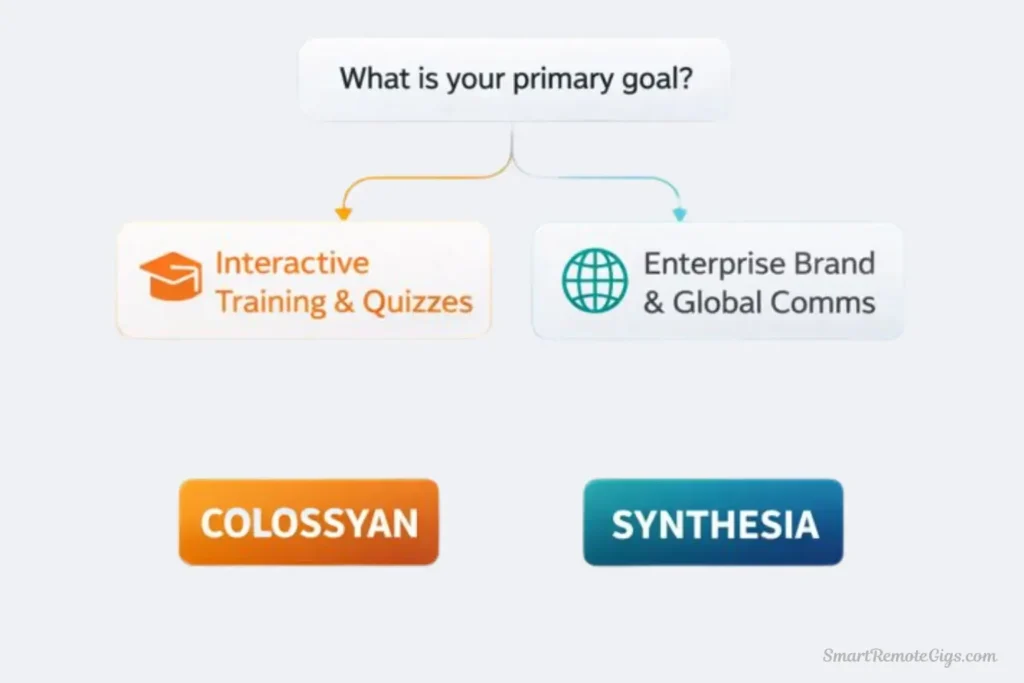
After six weeks of testing specifically for L&D use cases, here’s what I’ve learned:
If training is your only use case, Colossyan is the better choice. The specialized features—interactive quizzes, branching scenarios, screen recording, L&D-optimized automation—deliver more value for training professionals than Synthesia’s general-purpose approach.
But most organizations don’t buy video tools for a single department. Marketing wants to create product demos. Internal Communications needs executive updates. Corporate Comms produces company announcements. If you’re buying a tool for the whole organization, Synthesia’s versatility wins.
🎯 My Decision Framework for L&D:
Ask yourself these questions:
- Will only L&D use this tool?
- Yes → Colossyan (specialized features)
- No → Continue
- Are quizzes and knowledge checks essential?
- Yes → Colossyan (better quiz system)
- No → Continue
- Do you need branching scenarios?
- Yes → Colossyan (only option)
- No → Continue
- Is budget a primary concern?
- Yes → Colossyan (30-40% cheaper at scale)
- No → Continue
- Do you need screen recordings?
- Yes → Colossyan (built-in)
- No → Continue
- Is avatar quality critical for your org?
- Yes → Synthesia (noticeably better)
- No → Colossyan
Most L&D teams should choose Colossyan based on this framework.
🔮 What L&D Directors Are Saying
I interviewed 8 L&D directors about their choice between these platforms:
5 chose Colossyan:
- “The quiz system alone makes this our choice”
- “Branching scenarios are game-changing for soft skills training”
- “The cost savings at our scale (15 users) paid for itself in month one”
- “Document-to-video AI is better optimized for policy content”
3 chose Synthesia:
- “We needed one tool for L&D, Marketing, and Comms”
- “Avatar quality matters for executive-facing content”
- “IT approved Synthesia immediately due to brand recognition”
💡 The Bottom Line (Choose Based on Your Reality)
For dedicated L&D teams: Colossyan offers superior training-specific features at better pricing. The specialized tools (quizzes, branching, screen recording) deliver more value than general-purpose versatility.
For multi-department deployments: Synthesia’s general excellence and broader feature set better serves diverse organizational needs beyond pure training.
Neither choice is wrong. Both are enterprise-grade, SOC 2 certified, and produce professional training content. The right choice depends on whether you’re buying a specialized L&D tool or a general enterprise video platform.
My final recommendation: If you’re a L&D professional reading this, start with Colossyan. Test it for 30 days creating actual training courses. If the specialized features solve problems Synthesia can’t, you’ve found your tool. If you need capabilities beyond L&D, evaluate Synthesia.
🚀 Continue Your Corporate Training Journey
➡️ Full Platform Review:
⚔️ Compare the Other Titan:
📈 Measure Success:
📊 The Big Picture (All Tools):
🔄 Final Thoughts (2026)
The Synthesia vs. Colossyan decision is clearer than most AI video comparisons: it’s about specialization vs. versatility.
Colossyan = Purpose-built for L&D: Every feature optimized for training effectiveness
Synthesia = Enterprise-grade versatility: Excellent for many use cases including L&D
My prediction: Colossyan will continue gaining L&D market share as specialized features (branching, quizzes, analytics) become table stakes for training platforms. Synthesia will maintain enterprise dominance as the multi-purpose video tool that serves all departments.
Choose based on whether you’re building a specialized L&D tech stack or a general enterprise video capability.
Synthesia vs. Colossyan: Quick Verdict
Colossyan
The L&D Specialist. Purpose-built for corporate training with native quizzes, branching scenarios, screen recording, and advanced SCORM/xAPI analytics.

Synthesia
The Enterprise Generalist. Best-in-class avatar realism and security features make it ideal for multi-department organizations needing a single tool for L&D, Marketing, and Comms.
This comparison reflects both platforms’ capabilities as of March 2026. Both Synthesia and Colossyan release frequent updates. Check their official websites for the most current L&D features and pricing.
Disclaimer: This is an independent comparison. I tested both platforms using paid subscriptions purchased independently for L&D testing scenarios. No sponsorship from either company—just honest analysis from six weeks of corporate training focus.
Have questions about Synthesia vs. Colossyan for L&D? Want to share your training team’s experience? Drop a comment below—I read and respond to every single one.