
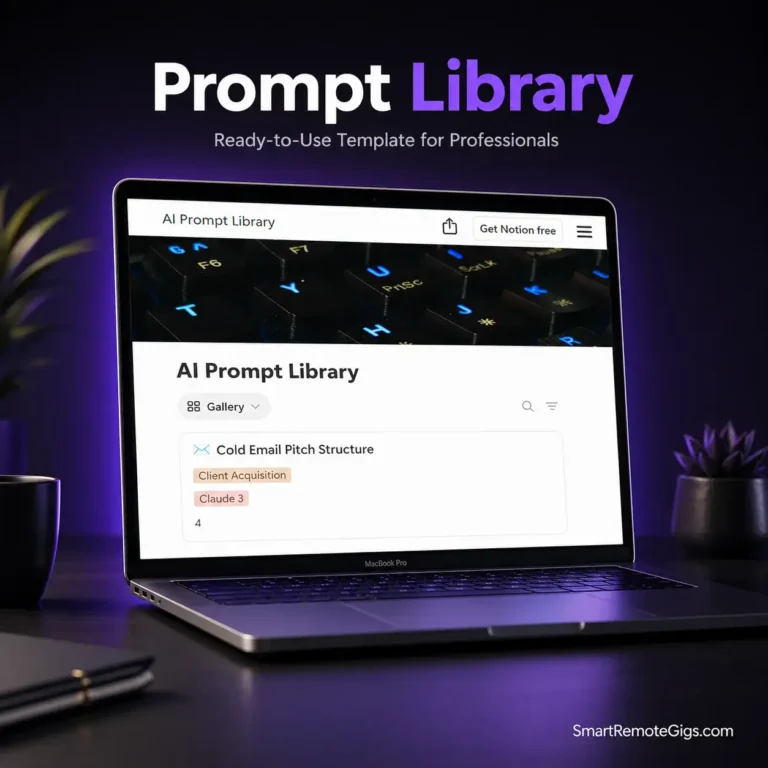
Typing the exact same instructions into ChatGPT fifty times a week isn’t just annoying; it’s a massive drain on your billable hours. If you are relying on a chaotic Google Doc or messy desktop sticky notes to save your best AI instructions, you are losing money. You need a centralized prompt library template that categorizes your most profitable workflows so you can copy, paste, and execute in seconds. Let’s get your AI operations out of the stone age and into a streamlined database.
🛑 Why I Built This Template (The Backstory)
Back in 2024, I spent three solid hours tweaking a single ChatGPT prompt to write the perfect freelance proposal. It had the exact right tone, strict formatting rules, and an undeniable hook. I used it to land a $3,000 client. But a week later, when I went to use it again, ChatGPT had wiped my chat history due to a server glitch. I panicked. I tried recreating the prompt from memory, but the magic was gone. The outputs were generic, robotic garbage. I had lost my ultimate money-maker because I didn’t save it properly.
I immediately realized that treating AI like a casual chat interface was a rookie mistake. Real professionals treat their prompts like software code. I built this Notion setup to act as my personal “code repository” for AI. Instead of typing from scratch, I started logging every successful prompt, tagging the variables, and categorizing them by project type. This single system shaved ten hours off my workweek and made my client deliverables insanely consistent. Now, I’m giving you the exact hub I use to store my god-tier prompts.
✨ What’s Inside?
We cut the bloated features and focused entirely on retrieval speed. This template is a fast, visually organized database designed to get you the exact prompt you need in three clicks or less.
- ✅ The Copy-Paste Code Blocks: Dedicated sections inside each card using Notion’s native code blocks, allowing you to copy a massive 500-word prompt with a single click.
- ✅ Variable Fill-in-the-Blanks: Clear visual tags indicating exactly which brackets (like [CLIENT NAME] or [INDUSTRY]) you need to swap out before hitting enter.
- ✅ Tool & Category Filters: Quickly sort your database to find the perfect prompt for Midjourney image generation, Claude copywriting, or ChatGPT data analysis.
- ✅ Effectiveness Rating System: Track which prompts actually generate high-quality outputs and which ones need to be refined, ensuring you only use the best material.
🚀 How to Use It
You don’t need to be an AI engineer to use this system. It takes two minutes to deploy and saves you hours every week.
- Duplicate the Workspace: Click the link below, hit “Duplicate” in the top right corner, and pull the entire library into your private Notion account.
- Migrate Your Best Hits: Go through your current AI chat histories, Apple Notes, or Word docs. Find the 5 to 10 prompts you rely on the most and drop them into the database as individual cards.
- Standardize Your Variables: When pasting your prompts, replace specific client names or old topics with bracketed variables (e.g., [TARGET AUDIENCE]). The next time you need it, simply duplicate the text, fill in the brackets, and generate.
❓ Frequently Asked Questions (FAQ)
Why do I need a prompt library template if ChatGPT saves my chat history?
Because AI chat history is unreliable, unsearchable, and heavily cluttered. When you rely on the sidebar, you are scrolling through dozens of useless “test” chats trying to find one specific instruction. A dedicated Notion library lets you tag, rate, and instantly search for the master version of your prompt without the noise.
Can I use this for tools other than ChatGPT?
Absolutely. This library is entirely tool-agnostic. Whether you are storing negative prompts for Midjourney, tone-of-voice rules for Claude, or automation scripts for Zapier, the database handles them all seamlessly. You can simply use the built-in drop-down tags to categorize which AI tool the prompt was designed for.
Is this template completely free to use?
100% free. We believe that mastering AI is the key to thriving as a freelancer in 2026, and you shouldn’t have to pay a monthly subscription just to organize your text snippets. You can duplicate this into your workspace right now and use it forever.