
Analog vs. Digital GTD: Which Fits Your Brain? (2026)
 ·
Last Updated: January 31, 2026 ·
13 min read
·
Last Updated: January 31, 2026 ·
13 min read
You’re doing it again.
You’re researching another productivity app. Or maybe you’re on Amazon looking at leather-bound planners. Again.
This is the third system you’ve tried this year. The last one lasted six weeks before you abandoned it. The one before that? Three weeks.
You tell yourself the tool was the problem. Too complicated. Not flexible enough. Missing that one feature you need.
But here’s the truth: The tool isn’t the problem. The match is.
This is “Tool Hopping”—the productivity disease of the perpetually dissatisfied. You keep switching between analog and digital, between apps and notebooks, convinced that the perfect system is just one more purchase away.
It’s not.
The perfect system doesn’t exist. But the right system for your brain does.
Some brains thrive on the tactile feedback of pen and paper. Others need the speed and searchability of digital. Some need both.
This isn’t about which system is objectively better. It’s about which system fits how your specific brain works.
Let me help you diagnose your “Productivity Personality” so you can stop switching and start executing.
The Showdown: Analog vs. Digital
|
Feature |
Analog (Paper) 📝 |
Digital (Apps) 💻 |
|---|---|---|
|
Capture Speed |
Slow (write by hand) |
Fast (type, voice input, quick add) |
|
Search & Find |
Impossible at scale |
Instant, powerful search |
|
Recurring Tasks |
Manual rewriting |
Automated |
|
Distractions |
Zero (no notifications) |
Constant (emails, alerts, apps) |
|
Cognitive Load |
Lower (writing aids memory) |
Higher (typing is shallow processing) |
|
Portability |
Always works, no battery |
Requires device, internet, power |
|
Scalability |
Breaks at 50+ active tasks |
Handles thousands easily |
|
Flexibility |
Infinite (draw, doodle, structure) |
Constrained by app design |
|
Cost |
$10-50 one-time |
$0-100/year subscription |
|
Backup |
None (lose it, lose everything) |
Automatic cloud sync |
Neither system wins across all categories. They win in different categories.
The question isn’t “Which is better?” It’s “Which weaknesses can I tolerate and which strengths do I need?”
The Core Conflict: Friction vs. Focus
Every productivity system involves a trade-off between two competing values:
Friction = How much effort it takes to capture, organize, and retrieve information
Focus = How much uninterrupted cognitive space you have to think and execute
Digital reduces friction:
- Capture is instant (type or voice)
- Search is powerful (find anything in seconds)
- Reorganization is effortless (drag and drop)
- Recurrence is automated (no manual rewriting)
But digital destroys focus:
- Notifications interrupt constantly
- The same device holds your distractions (email, social media, news)
- App switching creates micro-context switches
- The temptation to “just check one thing” is always present
Analog increases friction:
- Capture is slower (handwriting takes time)
- Search is impossible (flip through pages hoping to find it)
- Reorganization requires rewriting
- Recurring tasks must be manually copied
But analog preserves focus:
- Zero notifications or interruptions
- Single-purpose tool (can’t check email on paper)
- Writing creates deeper cognitive processing
- Physical separation from digital distractions
The question you need to answer: Which do you lack more—speed or focus?
If you’re drowning in inputs and struggling to capture everything, you need digital.
If you’re drowning in distractions and struggling to think clearly, you need analog.
The Case for Analog (Paper)
Let me make the case for paper.
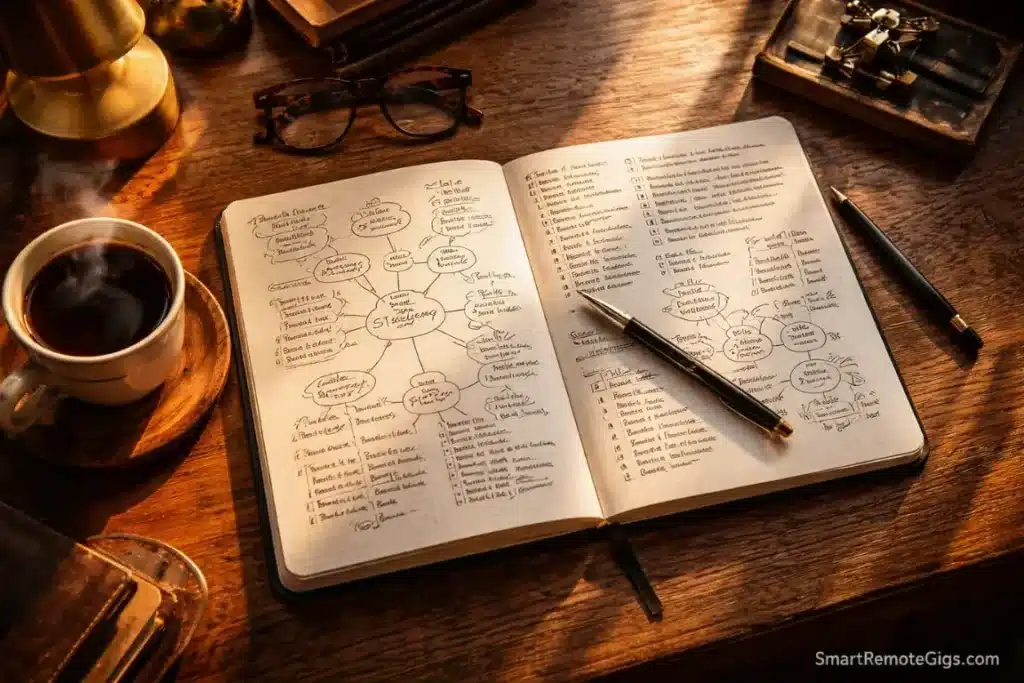
1. Writing Creates Deeper Processing
Research consistently shows that handwriting activates more neural pathways than typing. When you write by hand, you’re forced to process information more deeply because writing is slower.
This makes analog GTD better for:
- Clarifying (processing inbox items and deciding what they mean)
- Weekly Review (reflecting on projects and commitments)
- Creative thinking (brainstorming and idea generation)
The friction becomes a feature, not a bug. Slowing down forces you to think.
2. No Digital Distractions
When you pull out a notebook, you can’t “quickly check Slack.” The tool only does one thing: capture thoughts.
For people whose biggest problem is focus (not speed), this single-purpose design is liberating.
If you are drowning in digital noise, a Mind Sweep on paper is the best reset button. The physical act of writing with zero interruptions creates mental space that digital can’t match.
3. Infinite Flexibility
Paper doesn’t constrain you to fields, templates, or app logic. You can:
- Draw mind maps
- Sketch diagrams
- Use different colors for different contexts
- Create custom layouts that match your thinking
- Mix text, drawings, and symbols freely
Bullet Journaling proves this—it’s essentially analog GTD with custom notation. Users create their own signifiers, collections, and layouts. No app can match this level of customization.
4. Tactile Satisfaction
There’s something deeply satisfying about physically crossing off a completed task. The kinesthetic feedback creates a sense of accomplishment that checking a digital checkbox doesn’t match.
For some brains (especially those motivated by tangible progress), this tactile element is crucial for building momentum.
5. Best for Small Systems
If you have:
- Fewer than 20 active projects
- Fewer than 50 regular tasks
- A relatively simple life with clear boundaries
Paper works beautifully. The system stays simple, portable, and distraction-free.
Who should use analog:
- People who struggle with digital distractions
- Visual thinkers who need to sketch and diagram
- Anyone managing a simple life or single area of focus
- People who want to disconnect from screens
- Those who remember things better when they write them
The best analog tools:
- Bullet Journal (flexible, customizable)
- Hobonichi Techo (structured daily pages)
- Leuchtturm1917 (quality notebook with numbered pages)
- Index cards + 43 Folders (classic David Allen setup)
- Legal pad + binder clips (minimalist approach)
The Case for Digital (Apps)
Now let me make the case for digital.
1. Speed of Capture
Digital input is 3-5x faster than handwriting. This matters when:
- You’re in a meeting capturing rapid-fire action items
- You’re driving and need voice capture
- Ideas are coming faster than you can write
- You’re processing a large inbox
For the GTD methodology, fast capture is non-negotiable. If friction prevents you from capturing thoughts, they stay in your head—which defeats the entire purpose.
2. Search and Retrieval
Paper has no search function. If you captured something three weeks ago, you’re flipping through pages hoping to find it.
Digital search is instant and powerful:
- Search by keyword
- Filter by date, context, project
- Find related items automatically
- Surface buried tasks that would be lost in paper
For people managing large volumes of information, this alone justifies digital.
Digital wins on volume. If you manage 50+ projects, paper will break. You need OmniFocus or Todoist.
3. Recurring Tasks
GTD includes many recurring commitments: weekly reviews, monthly check-ins, daily routines.
Paper: You rewrite “Weekly Review” every single week
Digital: You set it once and it auto-generates forever
For recurring tasks, digital saves hours of manual copying.
4. Collaboration and Sharing
Paper is private. Digital can be shared.
If you need to:
- Delegate tasks to others
- Share projects with teammates
- Collaborate on outcomes
- Track what others are waiting for
Digital is essential. You can assign tasks, add comments, track completion, and sync in real-time.
5. Backup and Sync
Lose your notebook, lose everything. Spill coffee on it, lose everything.
Digital systems automatically backup to the cloud and sync across devices. Your phone, tablet, and computer always have the latest version.
For people whose lives depend on their system (entrepreneurs, busy parents, professionals managing multiple clients), this redundancy is critical.
Who should use digital:
- People managing high volumes (100+ active tasks)
- Anyone who needs fast capture (meetings, phone calls, driving)
- Those who collaborate or delegate frequently
- People who work across multiple devices
- Anyone whose job requires constant access to their system
The best digital tools:
- Todoist (best all-rounder, great NLP)
- OmniFocus (power users, Apple-only)
- Things (beautiful, Apple-only)
- Notion (if you want notes + tasks)
- Asana (for team collaboration)
The Hybrid Solution (Best of Both)
Here’s the secret most productivity gurus won’t tell you: You don’t have to choose.
The most effective GTD practitioners use both analog and digital—but strategically, not randomly.
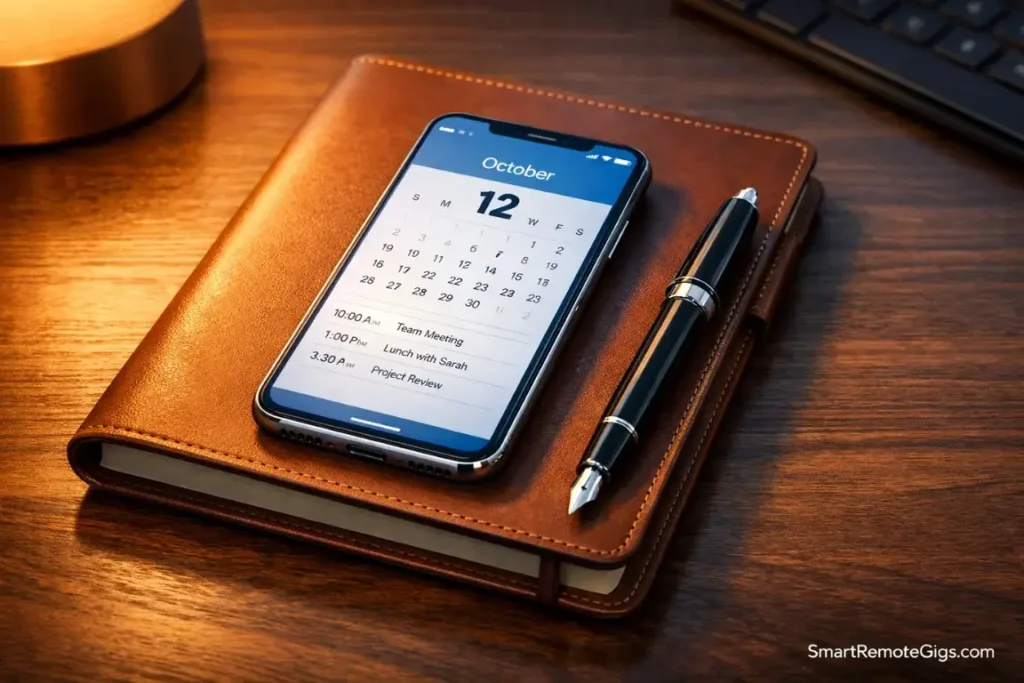
The Hybrid Approach
Digital = Database (storage and search)
- All projects, all tasks, all reference material
- Long-term storage and retrieval
- Recurring tasks and automation
- Collaboration and delegation
Analog = Interface (daily execution and thinking)
- Daily/weekly planning on paper
- Mind sweeps and brain dumps
- Weekly Review reflection
- Creative thinking and problem-solving
How it works:
Morning Ritual (Analog):
- Open your notebook
- Review your digital system and pick 3-5 priorities for today
- Write them on paper with time blocks
- Close the digital app
- Execute from paper all day
Evening Ritual (Digital):
- Open your digital system
- Check off completed tasks
- Capture any new items that emerged
- Review tomorrow’s calendar
- Close and return to paper
Weekly Review (Hybrid):
- Start on paper: Brain dump and reflection
- Move to digital: Process inbox, update projects
- Return to paper: Plan next week’s big wins
This is the “Secret Weapon” for neurodivergent brains. Read how we apply this in GTD for ADHD.
Why Hybrid Works
The hybrid approach gives you:
- Speed of digital capture (quick add from phone throughout the day)
- Focus of analog execution (work from paper to avoid digital distraction)
- Backup of digital storage (never lose anything)
- Reflection of analog thinking (deeper processing during review)
You’re using each tool for what it does best.
Recommended hybrid setups:
Setup 1: Todoist + Bullet Journal
- Todoist holds everything (projects, tasks, recurring items)
- Bullet Journal for daily planning and reflection
- Each morning, transfer 3-5 priorities from Todoist to paper
- Each evening, update Todoist with completions
Setup 2: OmniFocus + Index Cards
- OmniFocus as comprehensive system
- Index cards for daily “3 Most Important” tasks
- Weekly Review in OmniFocus
- Daily execution from cards
Setup 3: Notion + Legal Pad
- Notion for projects, reference, long-term planning
- Legal pad for daily task list and brain dumps
- Mind sweeps on paper, then transfer to Notion
The key: Use digital for storage, analog for execution.
Decision Guide: Which One Are You?
Still not sure? Here’s how to diagnose your productivity personality.
Profile A: The Executive (Go Digital)
You are this if:
- You manage 50+ active commitments
- You’re constantly in meetings capturing action items
- You collaborate with teams and need to delegate
- You work across multiple devices
- Your job requires fast response times
- You need to search historical information frequently
Your biggest problem: Volume and speed. You can’t keep up with the inputs.
Your solution: Full digital GTD system with fast capture and powerful filters.
Start here: Todoist Review or OmniFocus Review
Profile B: The Creative (Go Analog)
You are this if:
- You have fewer than 30 active commitments
- You think visually or spatially
- Your work requires deep focus and minimal distraction
- You remember things better when you write them
- You value disconnecting from screens
- You’re overwhelmed by digital notifications
Your biggest problem: Distraction and shallow processing. Digital pulls you in too many directions.
Your solution: Pure analog GTD with notebook and pen.
Start here: Get a Bullet Journal and our Mind Sweep Guide
Profile C: The Overwhelmed (Go Hybrid)
You are this if:
- You feel torn between analog and digital
- You have ADHD or executive function challenges
- You need the speed of digital but crave the focus of analog
- You’ve tried both and each has failed in different ways
- You manage medium complexity (30-75 active tasks)
Your biggest problem: You need different tools for different phases. Capture needs speed (digital), but execution needs focus (analog).
Your solution: Hybrid system with digital storage and analog interface.
Start here: Pick Todoist as your database, get a simple notebook, and use the hybrid morning/evening ritual above.
Frequently Asked Questions
Can I do GTD with a Bullet Journal?
Yes, and it’s one of the best analog implementations of GTD.
The Bullet Journal system naturally maps to GTD:
Rapid Logging = Capture
Collections = Projects and Context Lists
Daily Log = Next Actions
Monthly Log = Calendar and Review
Future Log = Someday/Maybe
The key is adapting Ryder Carroll’s notation to include GTD concepts:
Use custom signifiers for contexts (@, #, etc.)
Create separate collections for Projects, Waiting For, and Someday/Maybe
Do a “Monthly Review” instead of (or in addition to) Weekly Review
Bullet Journaling is essentially analog GTD with beautiful flexibility.
Is digital GTD faster?
For capture: Yes, dramatically. Typing or voice input is 3-5x faster than handwriting.
For review: No, usually slower. Digital systems tempt you with distractions. You open your task manager to review, and suddenly you’re checking email, Slack, or social media.
Analog review is slower to execute but faster to complete because there are zero distractions.
The verdict: Digital is faster for input, analog is faster for focus.
What if I want to switch from digital to analog (or vice versa)?
Don’t do it impulsively. Tool hopping is a form of productive procrastination.
If you’re genuinely mismatched (not just avoiding hard tasks), here’s how to switch:
Digital → Analog:
1. Do one final Weekly Review and export everything
2. Write your active Projects and Next Actions on paper
3. Archive or delete your digital system (don’t maintain both)
4. Commit to analog for 90 days before reevaluating
The key: Pick one and stick with it for 90 days. You can’t evaluate a system in two weeks.
Can I use both for different areas of my life?
Technically yes, but it’s risky.
Example: Digital for work, analog for personal.
The problem: GTD requires one trusted system. If you split it, you’ll never feel fully clear. You’ll always wonder “Did I capture that in my work system or personal system?”
Better approach: One primary system (digital or analog) that holds everything, with the other as a temporary interface.
Example: Everything lives in Todoist, but you use paper for daily planning.
What about apps that simulate analog (GoodNotes, Notability)?
These try to give you the best of both worlds: handwriting on a tablet with digital search and backup.
The reality: They give you the worst of both worlds.
You get:
The slowness of handwriting
The distraction of a digital device
The constrained canvas of a screen (not as free as paper)
The temptation to switch apps mid-task
Use these only if you have a very specific need (e.g., annotating PDFs for work). Don’t use them as your primary GTD system.
Final Verdict: Stop Switching. Pick One. Commit.
Here’s what I want you to understand:
The tool is not your problem.
Your problem is that you keep switching tools instead of sticking with one long enough to build the habit.
You spend 10 hours configuring a new system, use it for three weeks, hit one friction point, and declare it broken. Then you spend another 10 hours researching the next system.
You’ve invested 50+ hours in setup and switching. Zero hours in mastery.
Stop.
Choose your system today based on your productivity personality:
- High volume + collaboration? Go digital.
- Low volume + need focus? Go analog.
- Medium complexity + ADHD? Go hybrid.
Then commit for 90 days. No switching. No researching alternatives. No “just trying” another app.
Give the system time to become second nature. The magic of GTD isn’t in the tool—it’s in the weekly rhythm of review and the daily habit of trusted capture.
After 90 days, if it’s genuinely not working, switch. But not before.
Your next steps:
- Decide: Executive, Creative, or Overwhelmed?
- Choose: Digital, Analog, or Hybrid?
- Commit: 90 days, no matter what
Chosen your path? Go read the deep dive:
- Digital: Todoist Review or OmniFocus Review
- Analog: Get a notebook and start with our Mind Sweep Guide
- Hybrid: Set up Todoist + paper using the morning/evening ritual above
Stop researching. Start executing.
The perfect system is the one you actually use.


![Build AI Second Brain Assistant 2026: Local Setup [Guide]](https://smartremotegigs.com/wp-content/uploads/2026/09/build-your-second-brain-ai-assistant-local-rag-hero-1024x577.webp)
![Second Brain with Claude & Obsidian 2026 [My Setup]](https://smartremotegigs.com/wp-content/uploads/2026/08/claude-obsidian-second-brain-mcp-hero-1024x577.webp)
![Why Your Second Brain Fails 2026: Retrieval Fix [Fix]](https://smartremotegigs.com/wp-content/uploads/2026/08/why-your-second-brain-fails-hero-1024x576.webp)