
GTD for ADHD: How to Organize a Neurodivergent Brain
 ·
Last Updated: January 30, 2026 ·
12 min read
·
Last Updated: January 30, 2026 ·
12 min read
Let me tell you about my personal graveyard.
It’s not in a cemetery. It’s in my desk drawer. Seven planners. Four productivity apps I paid for annual subscriptions to (still charging my card, by the way). Twelve abandoned Notion templates. Each one started with the same dopamine rush—this is the system that will finally fix me—and ended three days later in the same shame spiral.
The problem wasn’t me. The problem was that I was trying to force an ADHD brain into a neurotypical filing system.
David Allen’s Getting Things Done is brilliant. For about 80% of people. But if you have ADHD, the system that’s supposed to free your mind becomes another job. The “Weekly Review” turns into a two-hour guilt session staring at 50 overdue tasks. The carefully organized project folders? They’re where tasks go to die, because out of sight literally means out of existence for us.
Here’s what I learned after a decade of failed systems: GTD works for ADHD brains, but only if you break the rules.
This is the Remix Method. We’re keeping the engine, but we’re stripping out everything that requires you to be a librarian of your own life.
Standard GTD vs. The ADHD Remix
|
Feature |
Standard GTD 🛑 |
The ADHD Remix ✅ |
|---|---|---|
|
Capture Style |
Strict processing rules |
“Dump & Forget” (Audio/Visual) |
|
Weekly Review |
2-hour systematic audit |
15-min “Emergency Reset” |
|
Task View |
Project-based hierarchies |
Context-based (e.g., “Low Energy”) |
|
Failure Mode |
System breaks if neglected |
System is designed to be rebooted |
That table isn’t just theoretical. It’s the difference between a system you abandon in shame and one that forgives you when life gets messy.
Let me show you how to build it.
Why David Allen’s Rules Don’t Work for You

Before we fix it, you need to understand what’s broken. And no, it’s not your willpower.
The “Admin Tax” is Too High
Standard GTD requires high executive function to maintain. You’re supposed to process your inbox daily, review projects weekly, and keep everything filed in the right bucket.
But executive dysfunction means that the system maintenance becomes harder than the actual work.
Think about it: You captured a task. Now you need to decide if it’s a Next Action or a Project. Then you need to assign it a context. Then you need to link it to the right area of responsibility. By the time you’ve done all that, you’ve burned through your dopamine reserves and the actual task—the thing you were trying to do—never happens.
The processing rules aren’t just tedious. For an ADHD brain, they’re paralyzing.
The Object Permanence Problem
Here’s the cruel joke about filing systems: they work too well.
You file a task under “Project: House Renovation” in a beautiful, logical hierarchy. The problem? Your ADHD brain operates on working memory, not long-term retrieval. If you can’t see it, it doesn’t exist.
I once “lost” a critical client deadline for three weeks. It was filed perfectly under the right project. I just never looked at that project folder again because nothing reminded me it existed.
Folders are where tasks go to vanish forever.
The Remix Method: 4 Rules You Must Break
Forget what you’ve been told about “doing GTD properly.” These modifications aren’t cheating—they’re survival adaptations.
1. Stop Sorting, Start Dumping (The Mind Sweep)

The only part of GTD that’s non-negotiable for ADHD is the Capture phase.
Your brain has terrible working memory. Trying to hold tasks in your head is like trying to juggle water. Everything in your head needs to get out of your head immediately.
But here’s the remix: don’t categorize anything during capture.
Standard GTD says you should process items as you capture them. Wrong. That’s how you create resistance. The moment you make capture complicated, you stop doing it.
Instead, do a pure brain dump:
- Use voice memos while driving (I use my phone’s built-in recorder)
- Keep a physical “Doomsday Bucket”—a literal inbox where you throw everything
- Screenshot things on your phone and dump them in a folder
- Email yourself with zero guilt about formatting
The rule is simple: If it’s in your head, you lose. Get it out. Worry about organizing later (or never).
Pro Tip: Keep a small notebook on your nightstand. ADHD brains love 3 AM anxiety spirals about random tasks. Write it down in the dark without turning on the light. Your morning self will thank you.
If your brain feels full of static, use our complete guide to the GTD Mind Sweep to clear the cache immediately. It’s a structured brain dump that takes 15 minutes and creates instant mental clarity.
Your goal isn’t a neat list. Your goal is clearing the mental RAM so you can actually think.
2. Contexts Over Projects (Energy Mapping)
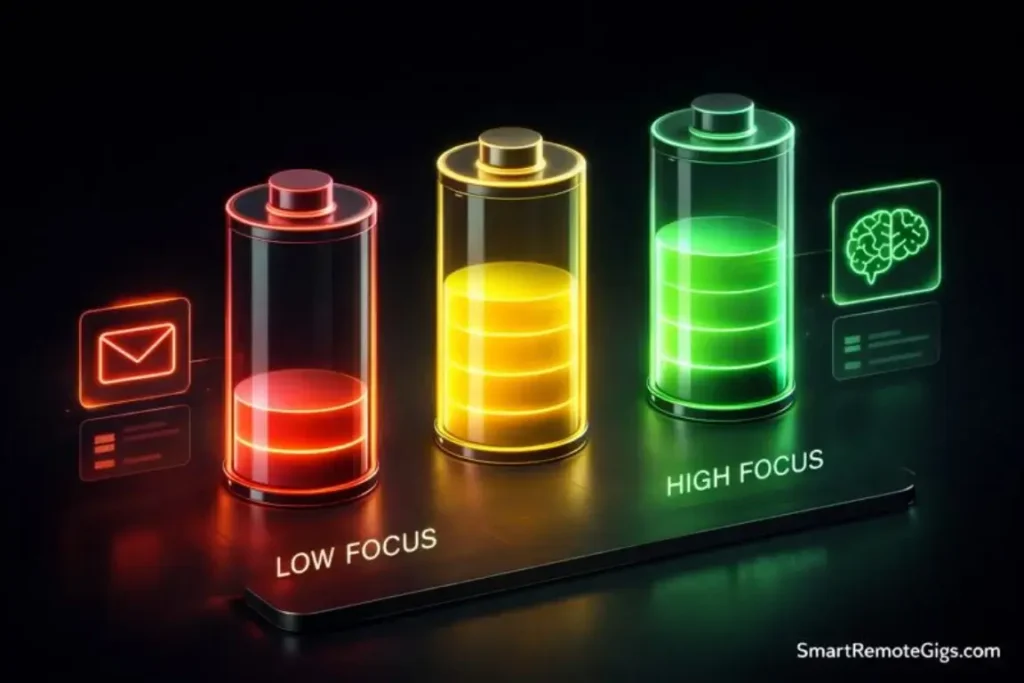
This is the modification that saved my system.
Standard GTD organizes by project: “Work,” “Home,” “Side Business.” That makes logical sense if you’re a computer. But you’re not.
Your ADHD brain operates on state-dependent performance. The same task can feel impossible at 2 PM and effortless at 9 PM. The variable isn’t the task—it’s your energy level.
So organize by how much brain power you have right now:
- @HighFocus – Tasks requiring deep concentration (writing, coding, complex decisions)
- @LowFocus – Mindless admin tasks (filing, scheduling, responding to simple emails)
- @Hyperfocus – Projects you’re currently obsessed with (ride the wave while it lasts)
- @Social – Tasks requiring interaction with humans (when you have social battery)
- @Physical – Tasks requiring you to move around (when you’re restless)
I check my context lists based on how I feel, not what calendar block I’m in.
It sounds chaotic. It works beautifully.
When you’re fried at 4 PM, you don’t stare guiltily at your “Strategic Planning” project. You open @LowFocus and knock out three easy wins. You work with your brain’s limitations, not against them.
3. The “Someday/Maybe” List is Your Safety Net
ADHD brains produce ideas at a fire-hose rate. Every conversation, article, or shower thought generates six new “I should really…” moments.
If you put all of these on your active task list, you’ll drown.
The Someday/Maybe list is your pressure release valve. It’s where ideas go to be safe, not forgotten.
Here’s how I use it:
- Zero judgment during capture – Every idea goes in, no matter how ridiculous
- Review it monthly, not weekly – Don’t create more admin debt
- Accept that 90% will never happen – That’s fine. The 10% that survive are the real ones.
The magic is that your brain stops obsessing once the idea is captured. You’re not forgetting it. You’re choosing not to do it right now.
This list gives you permission to say “not yet” instead of “never.” For an ADHD brain constantly terrified of losing a good idea, that’s freedom.
4. Abandon the Two-Minute Rule (Seriously)
David Allen says if something takes less than two minutes, do it immediately.
For most people, this prevents inbox buildup. For ADHD brains, it’s a trap.
Here’s what actually happens: You’re processing your inbox. You hit a two-minute task. You do it. That triggers three related thoughts. You chase those. Suddenly it’s 45 minutes later, you’ve accomplished one minor thing, and your inbox still has 30 items.
The two-minute rule hijacks your attention.
My remix: Batch all two-minute tasks into a single @QuickWins context and do them in one focused sprint. Set a timer for 20 minutes and burn through as many as you can.
This way you get the dopamine hit of rapid completion without destroying your processing flow.
The “Forgiving” Weekly Review
Let’s talk about the Weekly Review—the part where most ADHD folks abandon GTD entirely.
The standard version is a systematic two-hour audit of every project, every action list, and every commitment. It’s designed to create clarity.
For ADHD brains, it creates paralysis.
Sitting down to a list of 50 overdue tasks isn’t “organizing.” It’s facing evidence of your failure. Your brain shuts down before you finish the first page.
Here’s the remix: The 15-Minute Emergency Reset.
This isn’t an audit. It’s triage.
What you actually do:
- Brain dump – 3 minutes. Get everything rattling around your head into your inbox.
- Scan for emergencies – 2 minutes. Anything that will explode if you ignore it today?
- Pick three wins – 2 minutes. What three things would make you feel good about this week?
- Archive the noise – 5 minutes. Move completed tasks to “Done.” Move everything else to “Later” without guilt.
- Set one intention – 3 minutes. What’s the one thing you want to accomplish this week?
That’s it. No project review. No systematic audit. Just a quick reset so you can start fresh.
Warning: If you miss a Weekly Review, you have not failed. You just skipped a beat. Do a 5-minute scan and move on. The system is designed to be rebooted, not maintained perfectly.
The goal isn’t a pristine list. The goal is a quiet mind for the next seven days.
Tools & Tactics for the Chaos
Let’s get tactical. What actually works?
Analog vs. Digital (The Tactile Advantage)
I’ve tested everything. Todoist. Things. OmniFocus. Notion. Obsidian. A literal wall of sticky notes.
Here’s the truth: The best system is the one you’ll actually use.
For many ADHD folks, that means hybrid:
- Analog for capture – Physical notebooks provide tactile feedback that helps cement the act of writing
- Digital for review – Apps let you reorganize without rewriting everything
Bullet Journaling elements merge beautifully with GTD for ADHD because they embrace imperfection. You don’t need perfect handwriting or pristine pages. You just need rapid capture.
My current setup:
- Voice memos on my phone (instant capture anywhere)
- A pocket notebook for meetings and random thoughts
- Todoist for organizing by contexts (their natural language input is ADHD gold: “Fix sink @LowFocus #Home”)
- A weekly paper checklist printed fresh every Monday (there’s something about physically crossing things off)
If you want visual planning, try Tiimo. It’s specifically designed for neurodivergent brains with color-coded time blocks.
Avoid OmniFocus unless you’re the rare ADHD person who hyperfocuses on productivity systems. It’s powerful, but as we covered in our full review, the learning curve will eat your week.
Visual Timers & The “Sprint” Method
Capturing tasks is useless if you never execute them.
The problem? ADHD brains are terrible at estimating time and starting tasks. We need external pacing.
This is where the Pomodoro Technique becomes essential. Not because 25-minute work blocks are magic, but because the timer creates urgency.
Capture is useless without execution. Pair your task list with our step-by-step guide to the Pomodoro Technique for ADHD to trick your brain into starting.
My hack: I use Focusmate—50-minute co-working sessions with a stranger on video. The social pressure of another human watching (even silently) forces me to start. I’ve completed more work in Focusmate sessions than in entire weeks of “I’ll do it later.”
The sprint method works like this:
- Pick one task from your context list
- Set a visible timer (I use a physical kitchen timer—the ticking helps)
- Work until the timer goes off
- Celebrate the win, even if you didn’t finish
The goal isn’t completion. The goal is starting. ADHD brains struggle with initiation, not capability. The timer is your starting gun.
Frequently Asked Questions
Is GTD good for ADHD?
Yes, but only if you simplify it ruthlessly.
The Capture phase is a lifesaver for ADHD working memory. Getting tasks out of your head prevents the mental clutter that makes us freeze.
But the Organize phase must be minimized. Standard GTD’s filing systems, project hierarchies, and processing rules create admin debt that ADHD brains can’t sustain.
Strip it down to capture and context-based review. Throw away everything else.
What is the best GTD app for ADHD?
Todoist wins for most people because of natural language input. You can type “call doctor tomorrow @LowFocus” and it auto-parses everything. Fast capture means you’ll actually use it.
Tiimo is excellent if you’re a visual thinker. Color-coded time blocks help you see your day at a glance instead of drowning in text lists.
Avoid complex tools like OmniFocus or Asana unless you hyperfocus on productivity systems. The setup friction will kill your momentum.
The best app is the one that makes capture effortless. Anything that requires more than three taps to add a task will fail.
How do I stick to GTD with ADHD?
Gamification.
ADHD brains run on dopamine. Make the system feed you rewards:
Use apps with streak counters (Todoist’s karma system is dopamine crack)
Give yourself absurd rewards for completing your Weekly Review (ice cream, new book, guilt-free Netflix binge)
Track “wins” instead of completions—even doing one thing from your list counts
Use Habitica if you like RPG mechanics—your tasks become quests
Lower the bar for success. Standard GTD says you review weekly. Remix says reviewing whenever you remember is a win. Captured three tasks today? That’s a win. Did your 15-minute reset instead of the 2-hour review? That’s a win.
The system works when showing up poorly beats not showing up at all.
Final Verdict: It’s Not About the System, It’s About the Reset

I wasted years chasing the perfect productivity system.
The truth? There is no perfect system. There’s only the system that forgives you when you fail.
GTD gives ADHD brains something we desperately need: an external working memory. A place where tasks live so our heads can be quiet.
But the traditional implementation demands perfection we can’t sustain. It asks us to be project managers of our own lives when we can barely manage to eat lunch.
The Verdict: GTD is not a religion; it’s a toolkit. Take the “Capture” tool. Take the context-based organization. Take the idea of a Weekly Reset. Throw away the filing cabinet, the rigid processing rules, and the guilt. Your goal is not a pristine list; it is a quiet mind.
Start with this:
- Capture everything (voice memos, notebook, screenshot—whatever’s fastest)
- Organize by energy level (@HighFocus, @LowFocus, @QuickWins)
- Review when you remember (15 minutes beats zero minutes)
- Forgive yourself constantly (the system is designed to be rebooted, not maintained perfectly)
That’s the whole system. Everything else is optional.
Ready to reset? Download our ADHD Weekly Reset Checklist (PDF)—it’s only 5 steps, not 50. Print it. Stick it on your wall. Do it when you remember.
Your brain isn’t broken. The system was just built for someone else.
Now you have one built for you.

![Build AI Second Brain Assistant 2026: Local Setup [Guide]](https://smartremotegigs.com/wp-content/uploads/2026/09/build-your-second-brain-ai-assistant-local-rag-hero-1024x577.webp)
![Second Brain with Claude & Obsidian 2026 [My Setup]](https://smartremotegigs.com/wp-content/uploads/2026/08/claude-obsidian-second-brain-mcp-hero-1024x577.webp)
![Why Your Second Brain Fails 2026: Retrieval Fix [Fix]](https://smartremotegigs.com/wp-content/uploads/2026/08/why-your-second-brain-fails-hero-1024x576.webp)