Best Project Management Tools 2026: Top 7 Ranked [Audit]
 ·
Last Updated: Mar 26, 2026
·
Last Updated: Mar 26, 2026
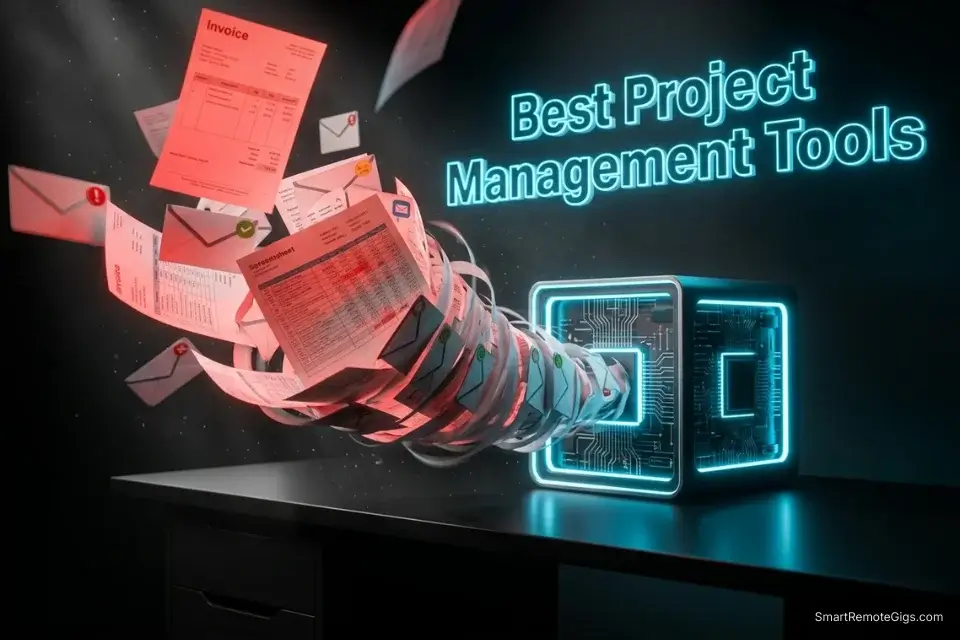
When you are juggling five different client retainers, relying on messy email threads is a guaranteed path to burnout. Finding the best project management tools isn’t just about getting organized — it’s a strict requirement if you ever want to reclaim your time and scale your income in 2026.
I spent the last 3 months migrating my entire freelance operation across 7 different platforms to see which one actually saves time instead of creating more admin work. That level of exhaustive, hands-on testing is exactly why we built Smart Remote Gigs — to curate the definitive operational stack so you can stop researching software and get back to billing hours.
Most of them failed that test. A few passed it impressively. Before we get into the rankings, browse our complete software evaluation hub to see how these tools fit into a broader freelance tech stack.
Verdict: Notion is the ultimate winner for freelancers building scalable digital assets — it’s the only tool that doubles as both a project manager and a product you can sell. Trello is the best runner-up for absolute beginners who need zero-friction task visibility from day one.
Top 7 Project Management Tools: At a Glance
|
Tool Name |
Best For |
2026 Pricing |
Verdict |
|---|---|---|---|
|
Notion |
Digital asset builders & knowledge workers |
Free / $10/mo (Plus) |
⭐ Top Pick |
|
Asana |
Retainer clients & timeline management |
Free / $10.99/mo (Starter) |
⭐ Best for Pipelines |
|
ClickUp |
Power users with complex workflows |
Free / $7/mo (Unlimited) |
⚙️ Best Automation |
|
Monday.com |
Agency collaboration & visual planning |
From $9/seat/mo |
🤝 Best for Teams |
|
Trello |
Beginners & simple Kanban tracking |
Free / $5/mo (Standard) |
🟢 Easiest Start |
|
Basecamp |
Client communication & portals |
$15/mo (flat per user) |
📬 Best Client Portal |
|
Todoist |
Solo task management & offline use |
Free / $4/mo (Pro) |
✅ Best for Solos |
Top 7 Ranked Tools for Freelancers
1. Notion — The Ultimate Digital Asset Builder
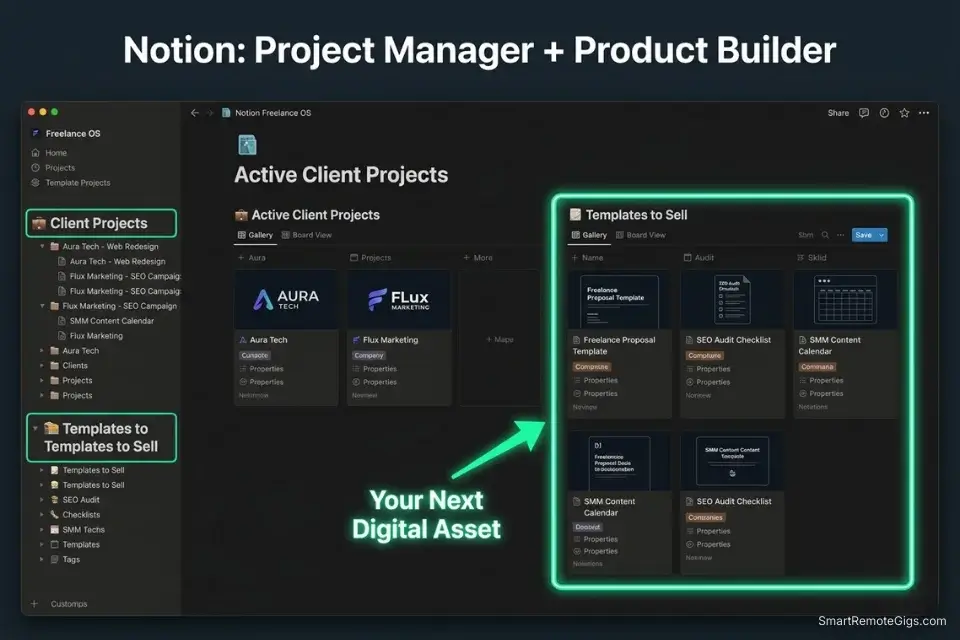
Notion is the only project management tool on this list that pays you back twice. You use it to run your business, then you sell the system you built. No other tool in this category does that.
In my tests, Notion handled everything: client project wikis, content calendars, invoice trackers, CRM databases, and SOPs — all in one workspace with a consistent UI. The database-linked views are genuinely powerful once you invest the setup time.
The real edge for 2026 is the template economy. If you’re building sellable Notion templates as a passive income asset, your project management system and your product are the same thing. You document your workflow, clean it up, and list it on Gumroad. That’s a business model no other tool enables.
The hard truth: Notion has a steep onboarding curve. New users routinely spend days configuring a workspace instead of working in one. If you want it to work for you, block a full day to set it up properly — or buy a pre-built template to start from.
Notion
Best for: Packaging your freelance systems and client wikis into sellable digital assets.
2. Asana — The Classic Client Pipeline Manager
Asana is where project management gets serious for retainer-heavy freelancers. The Timeline view (Gantt-style) is the best in class for mapping recurring deliverables across multiple clients — I’ve never found anything cleaner for visualizing a 90-day content retainer at a glance.
The workflow rules are where Asana earns its place. Automatic task assignments, due date triggers, status changes — once your recurring client process is mapped in Asana, it runs itself. Client onboards, you duplicate the template, the tasks populate, and the automation fires.
Where it struggles: Asana is built for teams, not solo operators. The interface assumes you have multiple people to assign tasks to. As a solo freelancer, you end up talking to yourself in comments and assigning tasks to yourself, which feels absurd. The real ROI kicks in when you’re managing subcontractors or handing off deliverables to a VA.

Asana
Best for: Managing complex recurring retainers and automating timeline handoffs.
3. ClickUp — The All-in-One Overkill (Or Genius?)
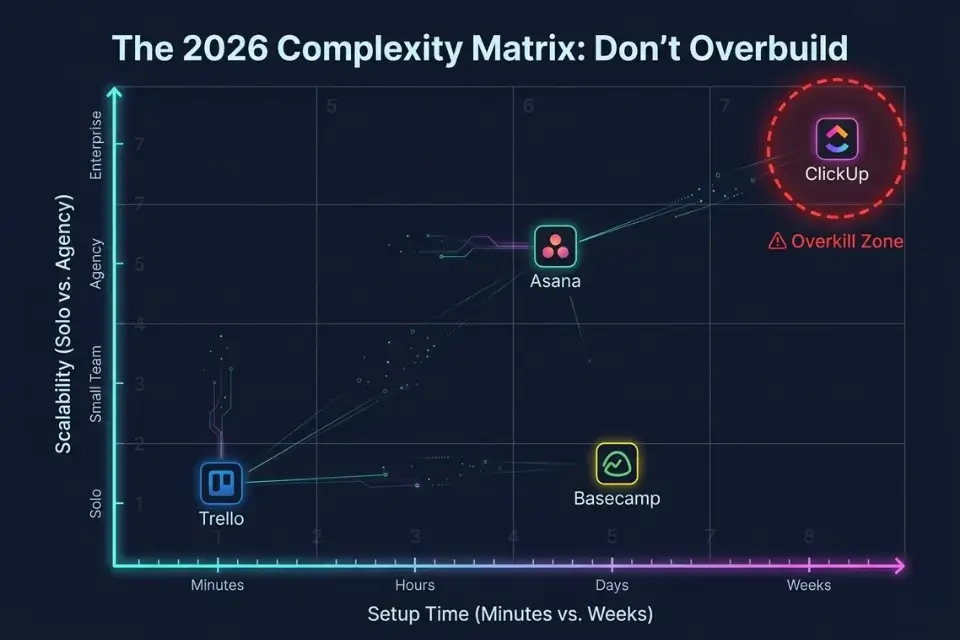
ClickUp wants to replace every tool in your stack. Project management, docs, whiteboards, time tracking, goals, chat — it’s all in there. Whether that’s a feature or a bug depends entirely on how your brain works.
The automation engine is the strongest of any tool I tested. You can build multi-step workflows that trigger across spaces, assign tasks based on form submissions, and push updates to clients automatically. For a freelancer running a productized service at volume, ClickUp’s automation library is genuinely impressive.
The onboarding reality, though, is brutal. I spent more time configuring ClickUp than I spent using it productively in the first two weeks. The UI is dense, the feature set is overwhelming, and the mobile app has historically been unreliable. The payoff is real — but only if you commit fully.
Warning: Don’t use ClickUp if you only have 2–3 clients. The setup time will eat your profit margins. This tool only makes financial sense once your volume justifies the configuration investment — think 5+ active projects running simultaneously.

ClickUp
Best for: Power users and scaling freelance agencies who need heavy multi-step automation.
4. Monday.com — The Visual Workflow Engine
Monday.com is the tool I recommend when a freelancer’s work touches external agency teams, multiple stakeholders, or clients who want visibility without needing a login tutorial.
The board views are the most visually intuitive of anything I tested. Color-coded statuses, drag-and-drop columns, and the dashboard widgets make it easy to show a client exactly where their project stands in a 30-second screen share. That visibility has real value for client retention.
The pricing is the honest problem here. Monday.com charges per seat with a 3-seat minimum, which means you’re paying for two ghost seats as a solo freelancer. The cost-per-value ratio only makes sense at the point where you’re actively collaborating with external partners who need their own access. If that’s you — it’s worth it. If not, you’re overpaying.

Monday.com
Best for: Highly visual project tracking and collaborating directly with external agency teams.
5. Trello — The Simple Kanban King
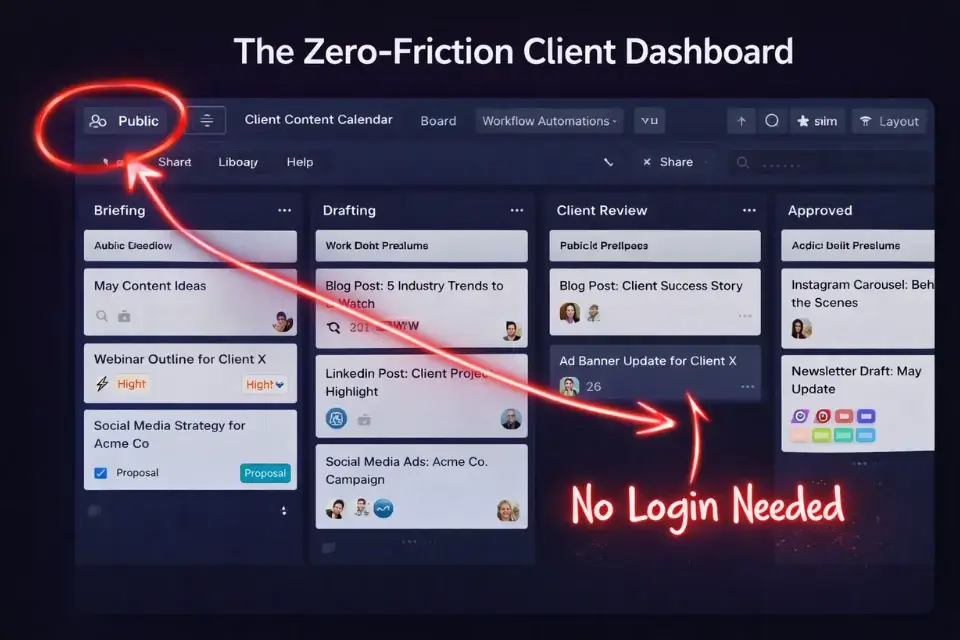
Trello is the tool I tell brand-new freelancers to start with, and I say that without apology. Zero setup. Zero learning curve. You’re organized in 20 minutes.
The Kanban board structure (To Do → In Progress → Done) maps perfectly to how most freelancers think about client work. Cards hold checklists, attachments, due dates, and comments. For a freelancer managing 2–4 active clients, Trello is more than enough.
The power-up ecosystem extends it meaningfully — calendar view, time tracking integrations, and automation via Butler rules are all available. Trello won’t scale with you forever, but it will absolutely hold you together in your first 1–2 years of freelancing.
Pro Tip: Use Trello’s public board feature to create a transparent, read-only content calendar for your clients. Share the link instead of sending weekly status update emails. Clients love the visibility, and you’ll eliminate a recurring time sink from your schedule.

Trello
Best for: Absolute beginners looking for zero-friction, drag-and-drop Kanban organization.
6. Basecamp — The Anti-Chaos Communicator

Basecamp solves a different problem than the other tools on this list. It’s not really a project manager — it’s a client communication system that happens to have task management built in.
The core value proposition: everything related to a client project lives in one place. Messages, files, to-dos, schedules, and automatic check-ins all sit inside a single Basecamp project. No more hunting through email threads for the approved brief from three weeks ago.
For freelancers who charge premium rates, a professional Basecamp portal signals a level of operational maturity that justifies higher pricing. Clients who are used to receiving work via chaotic email chains experience a real upgrade when you onboard them into a clean, organized portal. If you want to understand how that professionalism translates directly into rate increases, our freelance services pricing guide breaks down the full pricing leverage model.
The flat per-user pricing at $15/month is either a steal or expensive depending on your client volume. One drawback I ran into: Basecamp’s task management is deliberately simple — no Gantt views, no advanced dependencies. If you need complex project timelines, you’ll want to pair it with another tool or accept the limitation.

Basecamp
Best for: Creating professional client communication portals to eliminate messy email threads.
7. Todoist — The Solo Freelancer’s Brain Dump
Todoist isn’t trying to be an enterprise project manager. It’s trying to make sure you never drop a task again — and at that specific job, it’s the best tool I’ve ever used.
The natural language input is the killer feature. Type “send invoice to Sarah every 1st of the month” and Todoist parses the recurring task automatically. No dropdown menus, no configuration screens. It’s the fastest tool on this list to capture and process work.
The offline functionality is solid — rare in this category — which matters if you travel or work in unreliable connection environments. The Karma system (a productivity scoring mechanism) sounds gimmicky but actually works as a light accountability layer for solo operators.
What Todoist can’t do: client collaboration, shared project visibility, file storage, or anything team-oriented. It’s a personal productivity tool. If you need to share project status with a client, you need a second tool alongside it. But as your personal task layer underneath any of the above platforms, Todoist earns a permanent spot in the stack.
Todoist
Best for: Lightning-fast personal task capturing and organizing your daily solo brain dump.
Frequently Asked Questions
What is the easiest project management tool for freelance beginners?
Trello is the easiest starting point, full stop. The Kanban board model requires no training, the free tier is genuinely functional, and you can be fully organized within an hour of signing up. Once your client volume grows past 4–5 active projects and you need more structure, migrate to Notion or Asana.
Are free project management tools enough for a solo freelance business?
For most freelancers starting out — yes. Trello’s free tier, Notion’s free tier, and Todoist’s free tier collectively cover the majority of what a solo operator actually needs. The paid tiers add automation, advanced views, and integrations that become valuable at scale, but they’re not necessary until you’re running a consistent volume of work.
According to PMI’s Pulse of the Profession report, teams that standardize on any project management system — paid or free — complete significantly more projects on time than those that don’t. The tool matters less than the habit.
How do client portals help increase my freelance rates?
Client portals (Basecamp being the strongest example in this list) do two things for your rates. First, they reduce client anxiety — when a client can see project status without emailing you, they trust the engagement more.
That trust supports premium pricing. Second, they signal operational professionalism that positions you above commodity freelancers competing on price. A client who pays $150/hour expects a different experience than one paying $25/hour — the portal is part of delivering that experience.
At Smart Remote Gigs, our core mission is to eliminate the friction between landing a client and delivering the work.
Upgrade your entire tech stack by browsing our Software Directory, and don’t forget to read our Ultimate Guide to Passive Income for Freelancers to see how to monetize the time these tools save you.







![How to Find Client Email Addresses: B2B Method [Guide]](https://smartremotegigs.com/wp-content/uploads/2026/10/how-to-find-client-email-addresses-hero-1024x577.webp)