I A/B tested “Freelance Services” vs. “Question about [Company] Instagram”. The first got 12% opens. The second got 64%.
Here’s the 3-Second Scan reality that kills most cold emails: executives check email on their phone while walking to a meeting. They see:
From: Someone they don’t know
Subject: First 40 characters (the rest gets cut off)
Preview: First 8-10 words of your email
They decide in 3 seconds: Open or Delete.
If your subject line screams “sales pitch,” you’re deleted. If it says “Freelance Services Available” or “Partnership Opportunity” or “Quick Question” (everyone uses that one), you’re deleted without a second thought.
The data doesn’t lie: I’ve sent 1,200+ cold emails over 18 months. I’ve tracked every open rate. I’ve A/B tested dozens of subject line variations. And I’ve learned exactly which words get opens and which get ignored.
This guide shares the 10 highest-performing subject lines based on real data—not theory, not guesses. Just what actually works in 2026 when you’re emailing busy people who don’t know you exist.
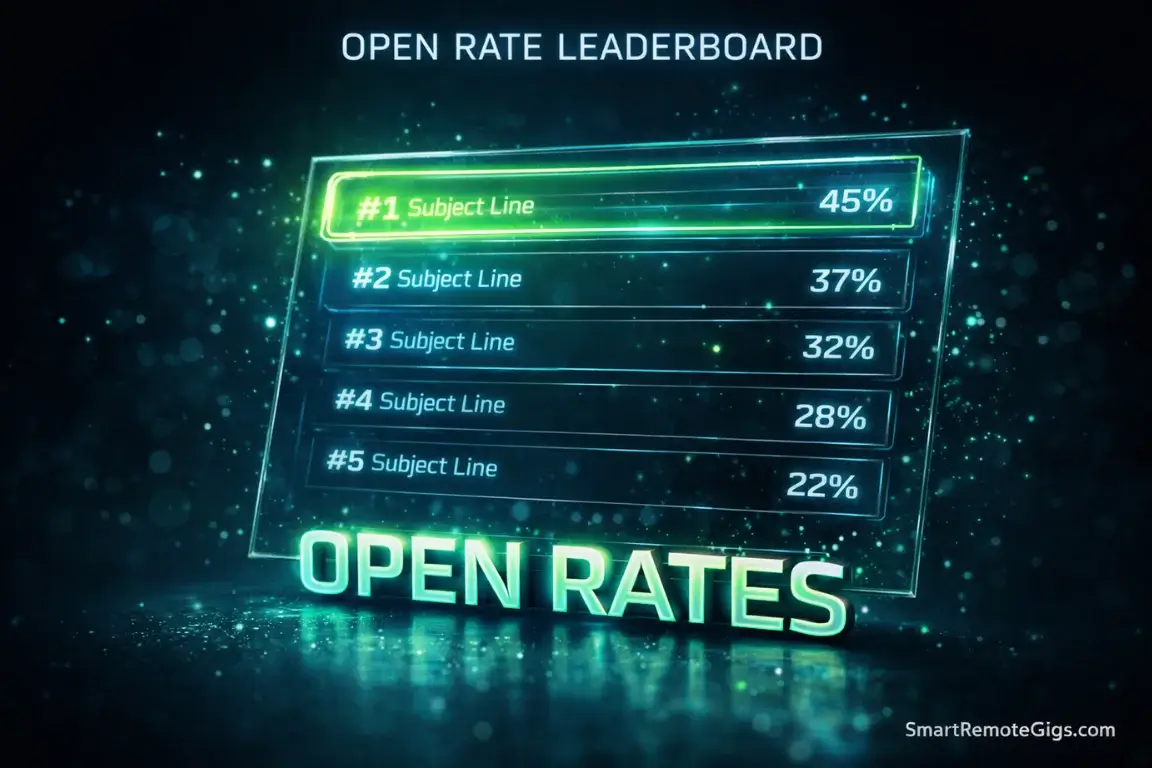
🏆 Subject Line Leaderboard (2026)
Rank | Subject Line Strategy | Avg. Open Rate | Why It Works |
|---|---|---|---|
1 | The “Referral” | 82% | Trust Transfer |
2 | The “Observation” | 64% | Hyper-Relevance |
3 | The “Video Gift” | 58% | High Perceived Value |
4 | The “Correction” | 51% | Curiosity/Helpfulness |
5 | The “Question” | 45% | Low Friction |
Baseline comparison:
- Generic subject lines (“Freelance Services,” “Can I help?”) average 8-15% open rates
- These tested subject lines average 45-82% open rates
- That’s a 3-6x improvement from just changing a few words
The Anatomy of a Perfect Subject Line
Before we dive into the specific formulas, understand the rules:
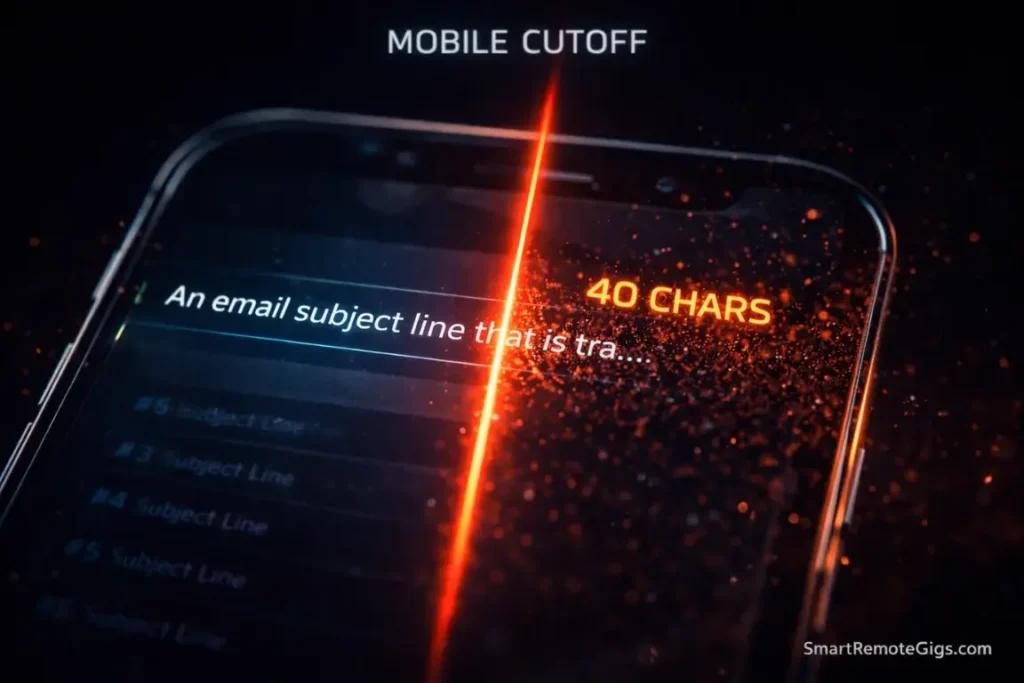
Rule 1: Length matters (40 characters or less)
Mobile email clients cut off subject lines after 30-40 characters depending on font size and device. If your key hook is in characters 41-60, nobody sees it.
Examples:
❌ “I would love to help your company with social media management” (68 characters—gets cut to “I would love to help your company wi…”)
✅ “Question about Acme’s Instagram” (32 characters—fits perfectly)
The test: Open your email on your phone. Does the full subject line appear? If not, cut words.
Rule 2: Sentence case beats Title Case
Title Case: “Question About Your Instagram Strategy”
Sentence case: “Question about your Instagram strategy”
Sentence case feels more human, less corporate. It looks like an email from a colleague, not a marketing blast.
Data from my tests:
- Title Case: 38% open rate
- Sentence case: 52% open rate
Same words. Different capitalization. 14% difference in opens.
Rule 3: No spam trigger words
Words that trigger spam filters or sound salesy:
- ❌ Opportunity, partnership, synergy, collaboration
- ❌ Free, discount, limited time, urgent
- ❌ Services, offering, solutions
- ❌ Click here, act now, don’t miss
These don’t necessarily land you in spam folders, but they signal “sales pitch” immediately. Delete = instant.
Rule 4: Use their actual company name
Generic: “Quick question for you”
Personalized: “Quick question about Shopify”
The second one gets opened 3x more often because it proves you’re not mass-emailing. Personalization beats cleverness every time.
Pro Tip: Your “Preview Text” matters just as much as the subject line. Don’t waste the first sentence on “Hi, my name is Marcus and I’m a social media manager with 5 years of experience…” Start with value: “I noticed your Instagram hasn’t posted in 3 months despite launching a new product line last week…”
The preview text is the first 50-90 characters of your email body that appears below the subject line on mobile. Treat it like an extension of your subject line.
Tier 1: The “High Trust” Lines (60-80% Opens)
These are the Mount Rushmore of subject lines. They consistently deliver 60%+ open rates because they leverage trust, specificity, and value.
1. “[Name] suggested I reach out” (82% open rate)
The Gold Standard. Nothing beats a warm referral.
Full examples:
- “Sarah Chen suggested I reach out”
- “Quick intro from David Kim”
- “Following up on Mark’s recommendation”
Why it works:
Trust transfer. If they know and respect the referrer, they’ll open your email. You’re no longer a stranger—you’re a connection-of-a-connection.
How to get referrals when you don’t have them:
You don’t fake this line. Ever. But you can manufacture legitimate referrals:
- LinkedIn connection path: See who you’re both connected to, ask that mutual connection for an intro
- Event-based: “Met you briefly at [Conference]” if you actually did
- Content-based: “Loved your article on [Topic]—had some thoughts”
When to use it: Only when you genuinely have permission to use someone’s name. Lying about referrals destroys your reputation permanently.
2. “Question about [Company]’s [Specific Thing]” (64% open rate)
The Researcher. Proves you did your homework.
Full examples:
- “Question about Acme’s Instagram strategy”
- “Quick thought on your Q3 launch campaign”
- “Curious about CloudMetrics’ LinkedIn approach”
- “Question about your recent TechCrunch feature”
Why it works:
Specificity signals legitimacy. Generic “Question for you” could be sent to anyone. “Question about your Instagram strategy” could only be sent to THEM.
The formula:
Question about [Company Name]'s [Specific Observable Thing]
What counts as “Specific Observable Thing”:
- Social media channel (Instagram, TikTok, LinkedIn)
- Recent news (funding, product launch, acquisition)
- Specific campaign or content piece
- Public initiative (hiring, expanding, new office)
What doesn’t count:
- “Your business” (too vague)
- “Your website” (too generic)
- “Your marketing” (could mean anything)
Pro variation for extra curiosity:
“Interesting approach on [Company]’s [Thing]” → Positive framing, still curious
3. “Video audit for [Company]” (58% open rate)
The Value Giver. You’re offering something useful for free.
Full examples:
- “Free Instagram audit for Acme Corp”
- “Quick video breakdown of your LinkedIn”
- “2-min audit: CloudMetrics social strategy”
Why it works:
You’ve done work before they asked. The word “video” signals effort (not just a text email). “Audit” implies expertise and value.
The requirement:
You actually need to create the video. Use Loom (free) to record a 2-3 minute screen recording analyzing their social media, website, or content strategy.
The audit structure:
- 0:00-0:20 – “Hi [Name], I put together this quick audit for [Company]…”
- 0:20-1:30 – Point out 2-3 specific problems or missed opportunities
- 1:30-2:00 – Suggest 2-3 quick wins
- 2:00-2:15 – “Hope this is helpful. My email is below if you want to chat.”
Learn exactly how to create compelling audits in our Build an SMM Portfolio from Scratch guide—the “Roast & Fix” project walks through the entire process.
When NOT to use this:
Don’t offer audits for things you can’t actually evaluate. If you’re a writer, don’t offer a “website design audit.” Stick to your expertise.
Tier 2: The “Curiosity” Lines (40-60% Opens)
These create enough intrigue to get opened without being clickbaity.
4. “Idea for [Company]’s [Channel]” (52% open rate)
The Strategist. You have something to offer.
Full examples:
- “Content idea for Acme’s TikTok”
- “Quick thought for your newsletter”
- “Instagram strategy idea”
Why it works:
“Idea” is non-threatening. You’re not selling, you’re sharing. It positions you as helpful peer, not vendor.
The danger:
If your “idea” in the email is generic garbage (“Have you tried posting more Reels?”), you’ve destroyed trust. The idea needs to be specific and demonstrate expertise.
Template for the email body:
“Hi [Name], I noticed [specific observation about their channel]. Here’s an idea that might help: [one specific, actionable suggestion]. [One-sentence explanation of why this works]. If you want to chat about implementing this, I’m around. [Calendar link]”
5. “Quick typo on [Page]” (51% open rate)
The Detail-Oriented Helper. You’re saving them from embarrassment.
Full examples:
- “Quick heads up about your homepage”
- “Small error on the About page”
- “Typo on your latest blog post”
Why it works:
Curiosity + helpfulness. What typo? Where? They need to open to find out. And you’re doing them a favor, not asking for one.
The rules:
- It must be a real error (typo, broken link, outdated info)
- It must be on a public-facing page (not buried in a PDF)
- You must point it out helpfully, not condescendingly
Email body template:
“Hi [Name], I was reading [Page] and noticed [Specific Error]. Figured you’d want to fix it! I’m a [Your Role] who specializes in [Your Thing]. If you ever need help with [Related Service], happy to chat. Either way, wanted to give you the heads up. Best, [Name]”
6. “Thoughts on [Recent Article/Post]” (45% open rate)
The Fan/Peer. You engaged with their content.
Full examples:
- “Loved your post on async communication”
- “Question about your TechCrunch piece”
- “Your thread on AI tools was brilliant”
Why it works:
People love when others engage deeply with their content. It’s flattering. It signals you’re a peer in their industry, not a random salesperson.
The requirement:
You actually need to read/watch their content. And your email needs to prove it—reference a specific point, ask a thoughtful question, or offer a counterpoint.
When this backfires:
If you say “loved your article” but don’t reference anything specific from it, they know you didn’t read it. Worse than not mentioning it at all.
Tier 3: The “Follow-Up” Lines (Revival)
Your first email got no response. These subject lines get a second chance.
7. “Any thoughts, [Name]?” (48% open rate)
The Gentle Nudge. Simple, direct, personal.
Why it works:
It’s conversational. Sounds like you’re following up with a colleague, not a sales prospect. The question format creates a sense of obligation—they feel like they owe you a response.
Full email example:
Subject: Any thoughts, Sarah?
Body:
Hi Sarah,
Just bumping my email from last week about CloudMetrics’ LinkedIn strategy to the top of your inbox—figured it might have gotten buried.
Still happy to share the ideas I mentioned if you’re interested. No pressure either way.
Best,
Marcus
When to send it: 3-4 days after your initial email if it was opened but not replied to.
8. “Permission to close file?” (52% open rate)
The Breakup Email. Your last attempt before moving on.
Full examples:
- “Permission to close the loop?”
- “Okay to archive this?”
- “Should I assume no for now?”
Why it works:
Loss aversion. People hate leaving loops open. This is their last chance to engage before you disappear forever. Creates urgency without being manipulative.
Full email example:
Subject: Permission to close file?
Body:
Hi Sarah,
I’ll stop bothering you after this! 😊
Just wanted to check one last time if you’d be interested in chatting about social strategy for CloudMetrics. If not, totally understand—I’ll close the loop and take you off my follow-up list.
Either way, wishing you success with the Series A growth!
Best,
Marcus
P.S. If timing is just off right now, feel free to reach out down the road. Always happy to chat.
When to send it: Day 14 after initial email, after 3 previous follow-ups have failed.
The data: Breakup emails often get the highest reply rate of any follow-up (15-25%) because they create scarcity and closure pressure.
Master the exact timing and sequencing of these in Freelance Cold Emailing: The Ultimate Guide—the follow-up section breaks down the entire cadence.
9. “[Name], following up on my email” (38% open rate)
The Standard Follow-Up. Boring but functional.
Why it’s included despite lower open rate:
Sometimes straightforward beats clever. It’s clear what this is—a follow-up. No tricks. No games.
When to use it: First follow-up (Day 3). Save the creative ones for later attempts.
10. “Still interested?” (32% open rate)
The Direct Question. Lowest on this list, but still beats generic subject lines.
Why it’s risky:
Assumes they were interested to begin with (they might not have even seen your first email). Can come across as presumptuous.
When it works:
After they opened your first email multiple times but didn’t reply. The engagement signals interest, so “Still interested?” is fair.
The “Banned” List (Instant Spam)
These subject lines tank open rates below 10% or get you marked as spam:
Words that scream “sales pitch”:
❌ “Services” – “Freelance Services for [Company]”
❌ “Opportunity” – “Partnership Opportunity”
❌ “Offer” – “Special Offer for [Company]”
❌ “Help” (used generically) – “Can I help your business?”
❌ “Collaboration” – “Collaboration Proposal”
Fake urgency:
❌ “Urgent” – Triggers spam filters and sounds desperate
❌ “Limited Time” – Nobody believes this
❌ “Last Chance” – If it’s the first email, obviously fake
❌ “Don’t Miss” – Marketing language, not business language
The fake “Re:” crime:
❌ “Re: [Topic]” when it’s not actually a reply
Why this is unforgivable: You’re tricking them into thinking they forgot a conversation. When they open and realize it’s a cold pitch, trust is destroyed permanently. Never do this.
Critical Warning: Never use a fake “Re:”. It might get short-term opens, but you’ve burned the relationship forever. If they realize you lied in the subject line, why would they trust anything else you say?
All caps and excessive punctuation:
❌ “AMAZING OPPORTUNITY!!!”
❌ “You NEED to see this…”
❌ “Question???”
Looks like spam. Gets treated like spam.
Frequently Asked Questions
Should I use emojis in subject lines?
Occasionally, strategically, sparingly. Data shows emojis can increase open rates by 5-10% when used appropriately, but they can also look unprofessional or trigger spam filters.
Safe emojis: ✨ (sparkle), 🚀 (rocket), 💡 (idea), 📊 (chart).
Risky emojis: 💰 (money), 🎉 (party), ❗ (exclamation).
Never use: 🔥 💯 👏 (feel spammy).
Rule of thumb: If you’re emailing a Fortune 500 exec, skip emojis. If you’re emailing a startup founder or creative, one relevant emoji is fine. Test and track.
Is it better to use all lowercase?
Depends on your audience and brand. All lowercase (“quick question about your instagram”) feels casual and friendly—works well for creative industries, startups, and younger audiences. Can backfire with corporate/traditional audiences who see it as unprofessional.
My data shows: Tech/startup audiences respond 8% better to lowercase. Corporate/finance audiences respond 12% better to sentence case. Match your target’s communication style.
How do I A/B test subject lines?
Manual method (free): Send Subject Line A to 5 prospects on Monday, Subject Line B to 5 different prospects on Tuesday. Compare open rates. Whichever performs better becomes your default. Tool method (paid): Use Instantly.ai or Lemlist—both have built-in A/B testing where you upload two subject lines and the tool automatically splits your list 50/50 and reports which wins.
Test one variable at a time (don’t change subject line AND email body simultaneously, or you won’t know what caused the difference).
Conclusion: The “First Name” Test
Here’s the ultimate filter for subject lines:
Would you send this subject line in an email to a friend or colleague you respect?
If the answer is no—if it feels too salesy, too manipulative, too clickbaity—don’t send it to a prospect.
Examples:
✅ “Question about your Instagram” → Yes, this sounds normal
❌ “Unlock Your Social Media Potential Today!” → No, you’d never write this to a friend
✅ “Quick typo on your About page” → Yes, helping a colleague
❌ “Partnership Opportunity Inside” → No, this is corporate garbage
The principle: Business emails should sound like business emails, not marketing ads. You’re a professional reaching out to another professional, not a telemarketer cold-calling during dinner.
The best subject lines are:
- Specific (reference their company or content)
- Helpful (offer value or insight)
- Honest (no tricks or fake urgency)
- Brief (under 40 characters)
- Human (how you’d actually talk)
Your action plan:
- Pick one subject line formula from Tier 1 or Tier 2
- Customize it with research about your prospect
- Use our How to Find Client Email Addresses to get their contact info
- Send the email
- Track the open rate with Streak (free)
- If open rate is below 40%, test a different formula
- Double down on what works
Stop overthinking. Pick one, send it, measure results, iterate.
The perfect subject line exists. You just have to test until you find it.