The first time I failed a transcription test, I assumed it was a fluke.
The second time, I realized the problem: I was treating remote transcriptionist jobs like simple typing gigs. They’re not. The platforms that actually pay well have surprisingly rigorous standards—and they filter out unprepared applicants before they ever see a single audio file.
Here’s what nobody tells you upfront: the test isn’t just about whether you can type fast. It’s about formatting rules, verbatim vs. clean-read standards, speaker identification, and whether you can flag inaudible audio correctly. Miss one style guideline and you fail regardless of your WPM.
The good news? Every single one of those skills is learnable in under two weeks. I tested it myself.
This guide walks you through the exact prep method that gets you through the gate—and the specific platforms worth your time once you’re in.
⚡ 2026 Transcription Quick Snapshot
What It Actually Is | Converting audio/video to accurate, formatted text — often editing AI drafts |
Avg. Pay Range | $15–$25/hr (skilled); $10–$14/hr (entry-level platforms) |
Min. Typing Speed | 60 WPM at 98%+ accuracy (below this, you lose money on time) |
The Real Gatekeeper | Platform style tests — most rejections are formatting errors, not speed |
Best Entry Platforms | Rev, TranscribeMe, Scribie, GoTranscript |
Career Ceiling | General → Medical/Legal Transcription → $40–$70/hr with certification |
The Ugly Truth About Transcription Pay (And Why It Doesn’t Matter)
Let’s address the number people always lead with: Rev pays $0.45–$0.75 per audio minute.
At first glance, that looks terrible. Do the math though. An experienced transcriptionist handles a one-hour audio file in about 2.5–3 hours of work. At $0.60/audio minute average, that’s $36 for 2.5 hours of work—roughly $14/hr. Not exciting, but honest money for a beginner with zero experience.
More importantly, that rate compounds fast as your speed improves. Hit 80 WPM with strong accuracy and your effective hourly rate on the same files climbs to $18–$22/hr. Specialize in medical or legal content and you’re looking at $35–$60/hr once you hold the relevant certification.
The real reason to start here isn’t the entry-level pay. It’s the skill stack you build.
Speed. Ear training. Formatting fluency. Verbatim vs. clean-read judgment. These are transferable to higher-paying roles in captioning, medical transcription, and content editing—all of which pay significantly more.
Start general. Get fast. Niche up.
The Platforms: Ranked Honestly
Tier 1: Best for Beginners
Rev
The most well-known entry point, and for good reason. Rev has the largest volume of available work, a clear style guide, and a qualification test that’s difficult but not impossible with two weeks of prep. Pay is per audio minute. The community is active and the platform is reliable.
One honest caveat: Rev’s rates are on the lower end. Use it to build speed and a track record, then diversify to higher-paying platforms.
TranscribeMe
My personal recommendation for first-timers. The audio files are shorter (typically 2–4 minutes), which means less commitment per task and faster feedback loops while you’re learning. Their style guide is strict but well-documented. Pay averages around $15–$22/hr for experienced workers.
The qualification exam is challenging—roughly 2% of applicants pass on the first attempt without preparation. That stat should tell you exactly how much pre-work matters.
Scribie
Lower barrier to entry than Rev or TranscribeMe, which makes it a good confidence builder. Pay is lower ($10/hr equivalent for most files), but the work is consistent and the quality feedback helps you identify exactly where you’re making formatting errors.
GoTranscript
Slightly more flexible style requirements than the top-tier platforms. Pay rates sit around $0.60 per audio minute. The test has a higher pass rate than TranscribeMe, which makes it a reasonable starting point if you want to begin earning while still building toward the harder platforms.
Tier 2: Higher Ceiling, Higher Bar
Verbit
Combines AI-generated drafts with human editors—which means your job is cleanup and verification, not raw transcription. This is the direction the whole industry is moving. Pay is higher, but they want demonstrated experience before hiring.
3Play Media
Well-regarded in the captioning and transcription space. They hire for both captioning and transcription roles. The application process is more formal, and they expect professional-level accuracy from day one.
Platform | Avg. Pay | Test Difficulty | File Length | Best For |
|---|---|---|---|---|
TranscribeMe | $15–$22/hr | 🔴 Hard | Short (2–4 min) | Serious beginners |
Rev | $14–$18/hr | 🟡 Medium | Medium–Long | Volume builders |
Scribie | $10–$14/hr | 🟢 Easier | Short–Medium | True first-timers |
GoTranscript | $12–$16/hr | 🟢 Easier | Medium | Flexible entry |
Verbit | $18–$28/hr | 🔴 Hard | Varies | Experienced workers |
3Play Media | $20–$30/hr | 🔴 Hard | Varies | Professional-level |
The Test Problem: Why Most Beginners Fail (And How to Stop)
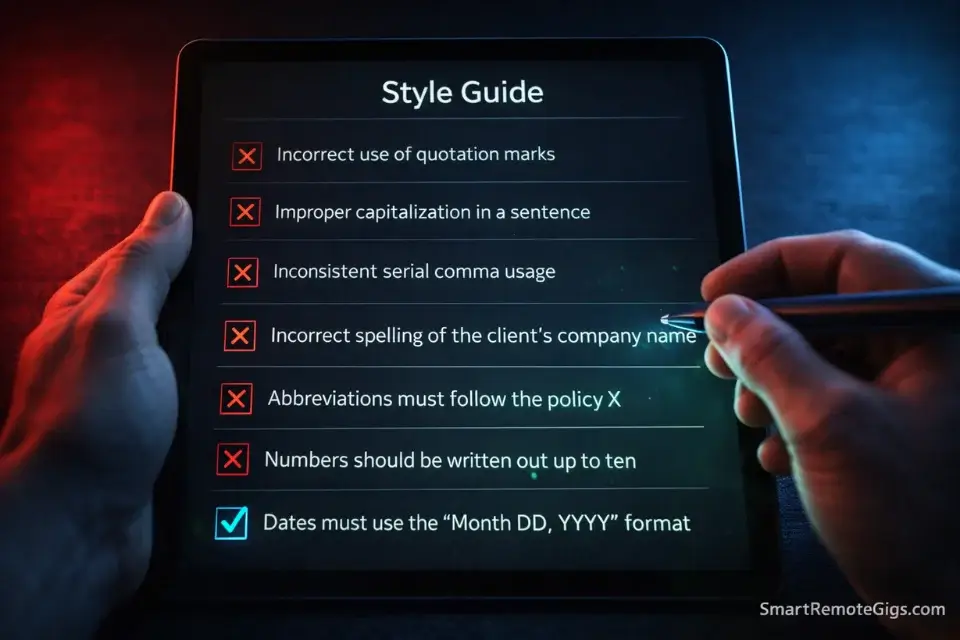
This is the section that would have saved me two weeks of frustration.
Most beginners fail transcription qualification tests for one of three reasons—and none of them are typing speed.
Reason 1: They Don’t Read the Style Guide
Every major platform publishes a detailed style guide before you take the test. Rev’s is 20+ pages. TranscribeMe’s covers verbatim standards, filler word rules, number formatting, and how to handle crosstalk.
Most applicants skim it or skip it entirely.
The test is designed to catch every rule they published. Read the guide twice, take notes, then do the test. This alone bumps pass rates dramatically.
Reason 2: Verbatim vs. Clean Read Confusion
Verbatim transcription means you include every “um,” “uh,” false start, and repeated word exactly as spoken. Clean-read (also called “intelligent verbatim”) means you edit out the filler for readability while keeping the meaning intact.
Applying the wrong standard to a test file is an automatic fail. Know which one you’re being tested on before you start typing.
Reason 3: Speaker Labeling Errors
Multi-speaker audio is where most beginners fall apart. Platforms want speakers identified consistently throughout the document—not just when you can tell who’s talking. When audio is unclear, there are specific formatting conventions for labeling unknown speakers.
Miss these conventions and a perfectly typed transcript still fails.
Pro Tip: Before taking any platform test, find a 5-minute YouTube video with multiple speakers and transcribe it manually using that platform’s specific style guide. Time yourself. Check your output against the actual auto-captions (not for accuracy, but for comparison). Do this twice before applying. The test will feel familiar instead of foreign.
The 2026 Reality: You’re an AI Editor, Not a Typist

This needs to be said clearly: the transcription industry is being restructured by AI.
Tools like Otter.ai, Whisper, and Descript can now produce a first-draft transcript of clean audio in seconds. The question isn’t whether AI will replace transcriptionists—it’s already replacing raw transcription.
What it cannot replace is human judgment.
AI misses accents. It mishears technical terminology. It confuses homophones in context. It can’t identify when a speaker is being sarcastic, referencing something off-mic, or switching languages mid-sentence. And it absolutely cannot apply a client’s specific formatting standards consistently.
In 2026, your job is to be the quality layer that AI can’t be.
That reframe matters for how you present yourself. Instead of “I do transcription,” the value proposition is “I produce AI-assisted transcripts with human-verified accuracy to your style spec.” That’s a different offering—and it commands a higher rate.
Platforms like Verbit and 3Play Media have already built their workflows around this hybrid model. The beginner platforms are getting there. Learn the AI tools now so you’re ahead of the transition, not behind it.
The Path Up: From $14/hr to $50/hr
General transcription is the floor, not the ceiling. Here’s what the ladder looks like.
General Transcription ($12–$18/hr)
Where you start. Build speed, learn formatting standards, develop your ear for difficult audio.
Captioning ($18–$28/hr)
Closely related to transcription but with timing requirements (syncing text to video). Platforms like 3Play Media, Vitac, and CaptionMax hire captioners at significantly higher rates than general transcription.
Medical Transcription ($25–$45/hr)
This is where the serious money starts. Medical transcriptionists convert dictated physician notes into formal records. The terminology learning curve is steep, but AHDI offers recognized certification programs that most medical employers require.
Legal Transcription ($30–$60/hr)
Court reporters and legal transcriptionists work with deposition recordings, legal proceedings, and formal legal documents. Precision is non-negotiable. The pay reflects that.
If you want to understand how this growth trajectory connects to the broader remote work ladder, our guide on entry-level data entry jobs covers the parallel path—many transcriptionists use data entry work to fill schedule gaps during their early months.
And once you’re earning consistently, the skills you’ve built—formatting fluency, attention to detail, deadline management—translate directly into higher-paying remote roles. Our remote jobs no experience guide maps out exactly where those paths lead.
Tools That Separate Amateurs From Professionals
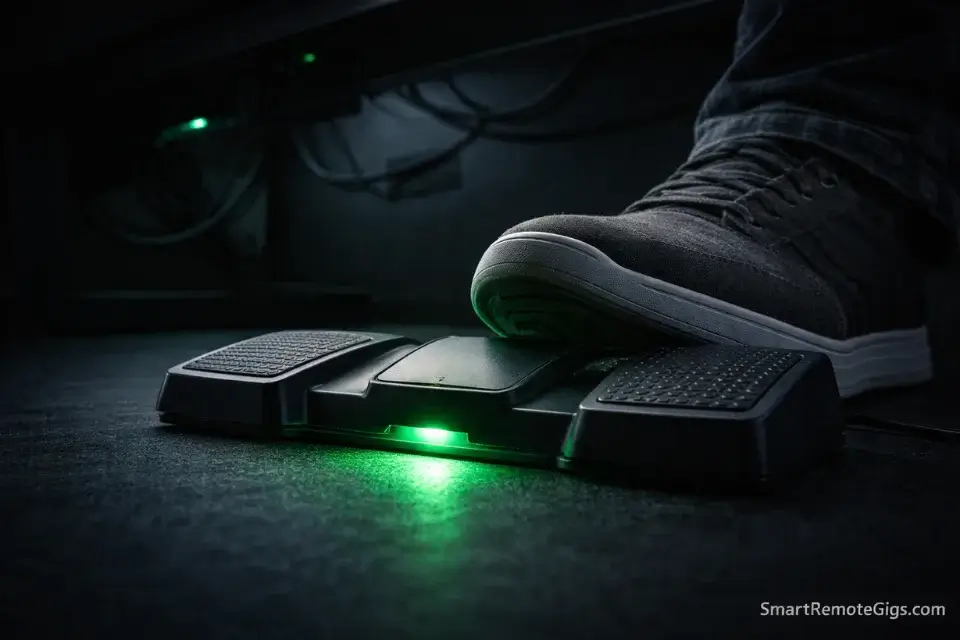
You can transcribe with nothing but a browser. Most beginners do. But there are three tools that meaningfully improve your output quality and reduce the time-per-file ratio.
oTranscribe — Free, browser-based transcription interface. Lets you control audio playback with keyboard shortcuts without switching windows. Sounds minor. Saves enormous amounts of time over a full day’s work.
Express Scribe — The industry standard for professional transcriptionists. Foot pedal compatible (more on that below), supports all major audio formats, and has a built-in variable speed playback. The free version handles most beginner needs.
Otter.ai — Use this as a first-draft generator for your own practice sessions, not for client work. Upload audio, get a draft, then manually correct it against the original. This accelerates your ear training dramatically.
The foot pedal — A USB foot pedal lets you play/pause audio without touching the keyboard, which means your hands never leave the typing position. Experienced transcriptionists consider this non-negotiable. It costs $30–$60 and it will improve your effective hourly rate immediately.
Warning: The “Guaranteed Income” Transcription Course Trap
There is an entire industry of $200–$500 online courses promising to teach you transcription and “guarantee” your first job placement. I have reviewed several of them. The content is largely available for free through platform style guides, YouTube, and practice tools like oTranscribe. Do not pay for transcription training. The only things worth paying for are medical or legal terminology courses if you’re pursuing those specializations — and even then, AHDI certification is the only credential that actually matters to employers.
Scams to Watch in This Space
Transcription scams are less common than data entry scams, but they exist and they target the same people.
The most common version: a “company” hires you via email for a high-volume transcription project, sends work, and then either disappears without paying or disputes your output quality to avoid paying. There’s no platform protection because the “job” lives entirely in email.
Rule: If there’s no established platform mediating the work and payment, treat it with extreme skepticism. Legitimate transcription companies use their own portals or established freelance platforms with escrow payment systems.
For the full map of red flags across all remote work categories, our guide to spotting remote job scams is worth a careful read before you accept any off-platform work.
Frequently Asked Questions
How much can a beginner make doing remote transcription?
Entry-level transcriptionists on platforms like Scribie or GoTranscript typically earn $10–$14/hr equivalent while building speed. At Rev or TranscribeMe with solid accuracy, that moves to $15–$22/hr. The realistic first-month expectation is part-time supplemental income, not a full-time salary replacement.
Do I need special equipment to start transcription from home?
The minimum: a computer, reliable internet, and headphones with decent audio clarity. To work professionally: add a USB foot pedal ($30–$60) and Express Scribe software (free version works). A medical-grade transcription headset matters if you pursue medical transcription, but it’s not necessary at the general level.
How hard are the transcription platform tests to pass?
TranscribeMe’s test has roughly a 2% first-attempt pass rate without preparation. Rev’s is more forgiving. Scribie’s is the most accessible for true beginners. The single biggest predictor of passing is whether you thoroughly read and applied the platform’s style guide beforehand — most rejections are formatting errors, not accuracy problems.
Is transcription still worth pursuing with AI improving so fast?
Yes — but the job is evolving. Raw transcription of clean audio is increasingly automated. What remains human is quality editing of AI drafts, handling difficult audio (accents, crosstalk, technical jargon), and applying client-specific formatting standards. Learning the AI-assisted workflow now puts you ahead of the transition rather than behind it.
Conclusion & Your First Move
The Verdict: Remote transcriptionist jobs are real, accessible, and more durable than most people expect — not despite AI, but because of it. The transcriptionists who fail are the ones who treat it as mindless typing. The ones who succeed treat it as precision editing work and build their skill set accordingly. The path from $14/hr to $45/hr is linear and achievable. The work to get there is concrete and learnable.
The losers are the unprepared applicants who fail the test, blame the platform, and move on. They were one style guide read-through away from passing.
The winners are the ones who prep deliberately, start on the right platform, and treat general transcription as the first rung on a clearly visible ladder.
Your action items right now:
- Test your typing speed at TypingTest.com. You need 60 WPM minimum before applying anywhere.
- Download Express Scribe free version and get comfortable with keyboard playback controls.
- Read TranscribeMe’s or Rev’s style guide completely — before you do anything else.
- Apply to Scribie first if you’re under 65 WPM. Apply to TranscribeMe if you’re above it.
- Set a 30-day goal: pass one platform test and complete 10 hours of paid work. That proof of output is worth more than any resume line.