
Create A Fiverr Gig Video 2026: AI Tools Method (Proven)
 ·
Last Updated: March 27, 2026 ·
12 min read
·
Last Updated: March 27, 2026 ·
12 min read
Fiverr explicitly states that adding a video can increase your order volume by up to 40%. If you are actively trying to get your first Fiverr client, a video is the single highest-leverage asset you can add to your profile. But if you think you need a DSLR and a ring light to create a Fiverr gig video that converts, you’re operating on advice that was outdated three years ago.
I spent weeks delaying my gig launch because I hated how I looked on camera. Finding workflows that bypass these exact psychological and technical roadblocks is exactly why we built Smart Remote Gigs. We created this platform to test and curate the AI tools that allow introverted or camera-shy freelancers to compete with high-end agencies—without spending thousands on gear.
Eventually, I forced myself to test two approaches side by side: a raw, unedited iPhone video shot in my home office, and a 100% AI-generated avatar video built in HeyGen. Here’s exactly what happened to my conversions — and which method I’d recommend for which seller.
|
Method |
Best For |
Time & Tools Required |
|---|---|---|
|
The “Raw” iPhone Method |
Building personal trust — coaching, consulting, writing, design |
15 minutes + a window and your phone |
|
The AI Avatar Method |
Faceless sellers and camera-shy freelancers on transactional gigs |
45 minutes + HeyGen or InVideo |
|
The Screen-Share Method |
Developers, designers, and anyone whose work speaks louder than their face |
20 minutes + Loom (free tier) |
The 2026 Vibe Shift: Authenticity vs. Production Value
There’s a widespread assumption that a more polished video signals more professionalism. In my testing, the opposite was consistently true — and the reason makes sense once you think about it.
Why Over-Produced Videos Actually Hurt Conversions
A slick, agency-style promo video with stock b-roll, a custom intro animation, and a professional voiceover creates an immediate credibility gap when a solo freelancer uses it. Buyers aren’t stupid. They know the video cost $500 to produce and that the person behind it has two reviews. The mismatch between production value and social proof registers as suspicious rather than impressive.
The videos that converted best in my tests were direct, slightly informal, and clearly shot by the person selling the service. They looked like someone who was good at their job and confident enough in their work to just talk to a camera for 45 seconds.
Pro Tip: Buyers are tired of slick, agency-style promo videos from solo freelancers. A slightly imperfect video shot in your actual workspace builds more trust because it proves you’re a real human being — not a reseller, not a dropshipped service, not a front for a content mill. The background clutter, the natural lighting variation, the slight verbal stumble: these are trust signals in 2026, not liabilities.
Take Smart Remote Gigs With You 🌍
Get daily remote job alerts, exclusive AI tool reviews, and premium freelance templates delivered straight to your phone. Join our growing community of modern digital nomads.
Quick Links: Software Directory | Free Templates | Remote Jobs
Method 1: The “Raw” Smartphone Setup (High Trust)
If you can get over the discomfort of seeing yourself on screen — and most sellers can with one test recording — this method produces the highest-converting results for service-based gigs where the buyer is choosing you, not just your output.
The “Window Light” Rule
You do not need a ring light. You need a window.
Natural light from a window positioned to your side (not behind you, not directly in front) produces soft, even, flattering illumination that phone cameras handle extremely well in 2026. Shoot during daylight hours, face the window at roughly a 45-degree angle, and your phone’s auto-exposure will do the rest.
The one non-negotiable: turn off all overhead fluorescent or warm artificial lights while shooting. Mixed light sources create a color temperature conflict that makes even good phones produce unflattering footage. Window light only, one source, clean background behind you.
Prop your phone at eye level using a stack of books, a box, or a $12 phone tripod from Amazon. Eye-level camera angle reads as confident and direct. Below eye level makes you look like you’re looming over the viewer; above eye level makes you look small. Eye level — every time.
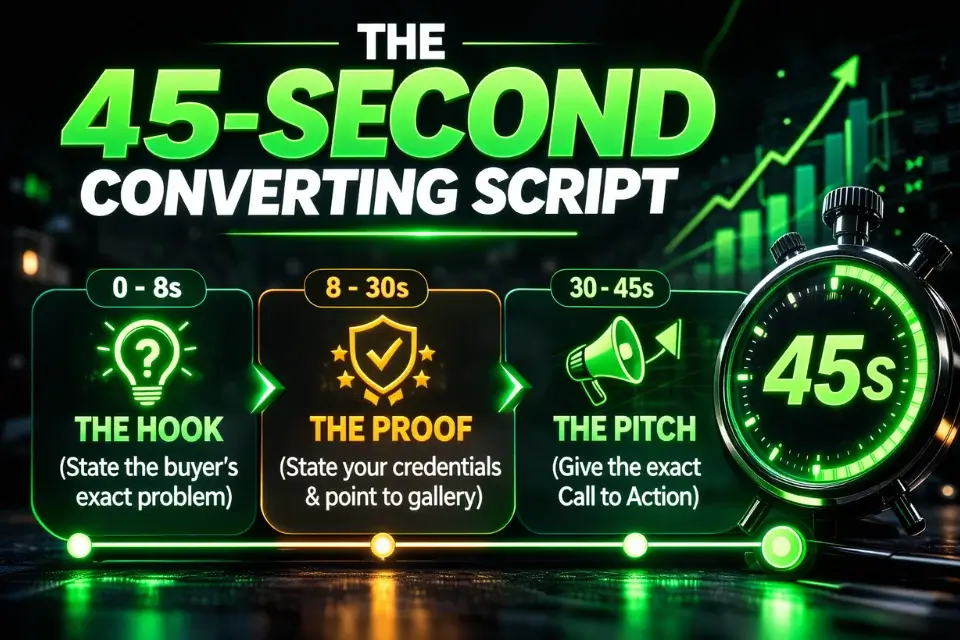
The 3-Part Script Formula (Hook, Proof, Pitch)
The biggest mistake sellers make in gig videos is rambling without structure. They introduce themselves, list everything they offer, mention their experience three times, and forget to tell the buyer what to do next. The video hits 90 seconds and gets cut off by Fiverr’s limit mid-sentence.
The formula that works in under 45 seconds:
- Hook (5–8 seconds): Name the specific problem you solve. Not your job title. The problem. “If your Shopify product descriptions are costing you sales, I can fix that.”
- Proof (15–20 seconds): One specific credential, result, or sample reference. “I’ve written conversion copy for 60+ e-commerce brands — you can see three samples in my gig gallery below.”
- Pitch (10–15 seconds): Tell them exactly what to do. “Click the package that fits your order size, message me with your product details, and I’ll deliver within three days.”
|
Script Type |
Structure |
Result |
|---|---|---|
|
❌ The Rambling Script |
“Hi, I’m [Name] and I’m a passionate freelancer with 5 years of experience in writing, SEO, social media, and content strategy. I offer a wide range of services including blog posts, product descriptions, email newsletters, and…” |
Buyer disengages after 8 seconds. No clear offer. No CTA. Zero conversions from the video. |
|
✅ The 45-Second Converting Script |
Hook: “Weak product copy is killing your Shopify conversions.” Proof: “I’ve fixed this for 60+ brands — samples in the gallery.” Pitch: “Choose your package, message me your product details, delivered in 3 days.” |
Buyer gets the offer in 10 seconds. Social proof lands in 20. CTA is clear. Conversion rate measurably higher. |
Record 3–5 takes. Pick the one where you sound most natural, not the one where you made zero mistakes. Natural beats perfect every time.
Method 2: The AI Generation Route (Faceless & Fast)
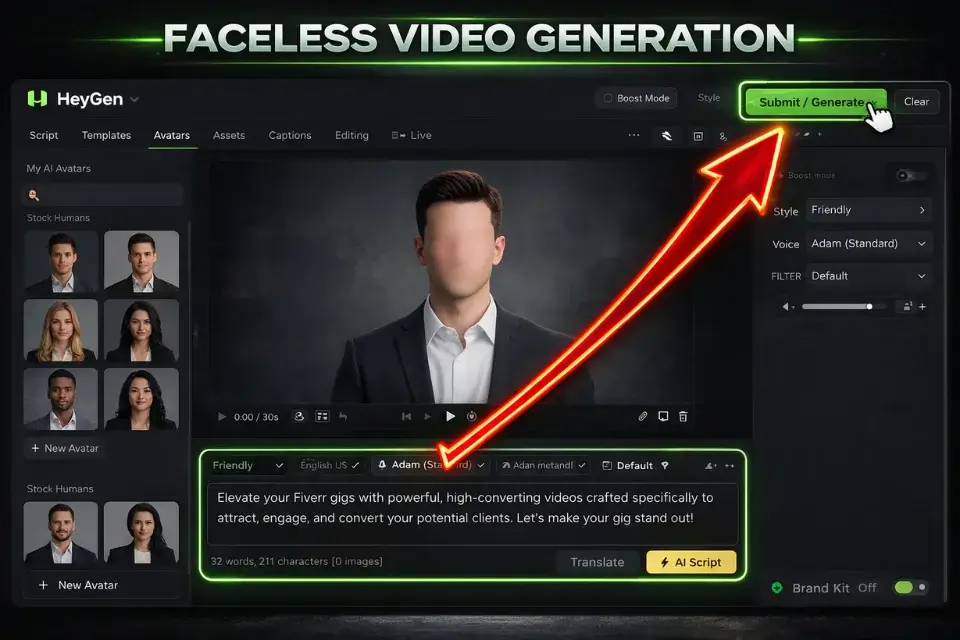
For sellers who genuinely cannot or will not appear on camera, AI video generation has matured enough in 2026 to produce usable results — with important caveats about where it works and where it backfires.
Generating Explainer Videos with InVideo
InVideo is the fastest route to a professional-looking explainer video without any camera involvement. The workflow: write your script using the Hook-Proof-Pitch formula above, paste it into InVideo’s text-to-video generator, select a template that matches your niche aesthetic, and swap in your spec work samples as b-roll.
The AI voiceover selection is extensive enough that you can find one that matches the tone of your service — conversational for creative gigs, authoritative for technical ones. Export at 1080p, check the total runtime, and you’re done.
The real limitation with InVideo for Fiverr gigs: the default templates are widely used. If you export a video without meaningfully customizing the color scheme, font treatment, and b-roll imagery, your video will pattern-match to dozens of other sellers in your category. The same customization discipline that applies to Canva thumbnails applies here — the template is your starting point, not your finish line. Budget an extra 20 minutes to make it visually distinct from the default output.

InVideo
Best for: Instantly generating faceless, professional explainer videos from a simple text script.
Using AI Avatars with HeyGen (When to Do It)
HeyGen generates realistic AI avatar videos from a text script — a digital presenter that lip-syncs your words without you ever appearing on camera. The technology is genuinely impressive in 2026, and for the right use case, it works.
The right use case is narrower than most sellers assume.
HeyGen avatars are appropriate for transactional, process-driven gigs where buyers are evaluating the service rather than the person: data entry, basic voiceover packages, file format conversions, simple templated design work. For these gigs, buyers don’t need to feel a personal connection — they need to see that you’re professional and that the process is clear.
Where AI avatars actively hurt conversions: any gig where buyers are selecting you as a trusted partner — coaching, consulting, ghostwriting, brand strategy, personalized services of any kind. In those categories, buyers are specifically trying to read you as a person. An AI avatar in that context triggers the uncanny valley response — something feels slightly off, they can’t articulate why, and they click away. I tested this directly: my HeyGen video underperformed my iPhone video by a meaningful margin on my copywriting gig, but performed comparably on a lower-touch data formatting gig.
Use HeyGen for transactional. Use your phone for personal. Don’t mix them up.

HeyGen
Best for: Creating hyper-realistic AI avatar presenters for process-driven, transactional gigs.
Browse our full directory of AI video tools for freelancers to find the right generator.
Method 3: The “Show, Don’t Tell” Screen-Share
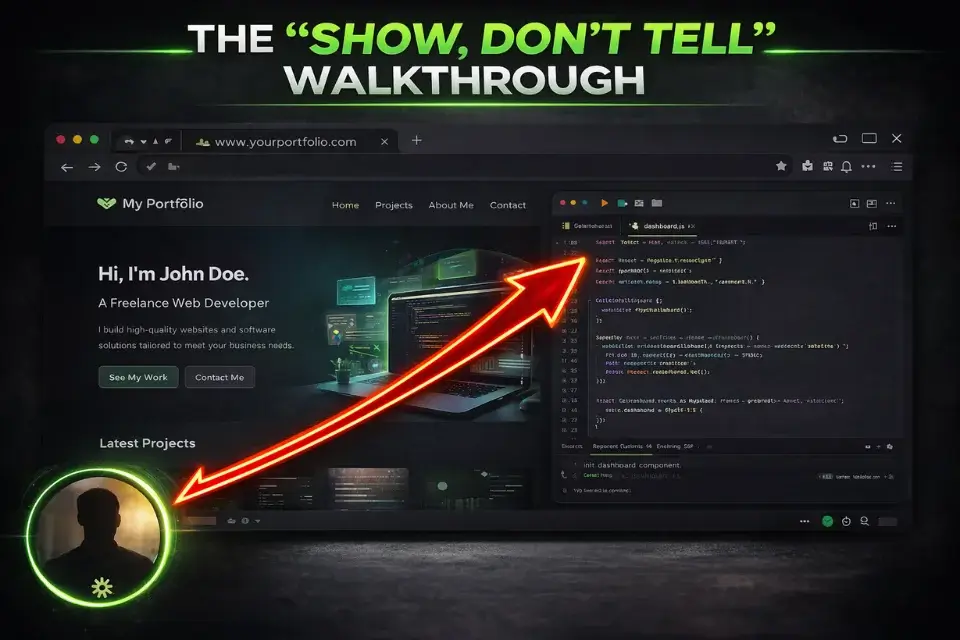
For a specific category of sellers, appearing on camera isn’t just unnecessary — it’s the wrong move entirely. If your work is visual, technical, or process-driven, the most compelling 45-second video you can make is a live demonstration of what you actually deliver.
Why Developers and Designers Should Never Be On Camera
A web developer who spends 45 seconds explaining their services on camera tells you they can talk about code. A web developer who spends 45 seconds doing a screen walkthrough of a site they built — showing the responsive breakpoints, the load speed, the clean component structure — tells you they can actually build.
Same principle for UI designers, video editors, data analysts, and anyone else whose output is inherently visual. Show the output. Let it speak. Don’t talk over it.
Recording Walkthroughs (Free Tools)
Loom’s free tier (available at loom.com) is purpose-built for exactly this use case. Install the browser extension, hit record, and walk through your best portfolio piece while narrating briefly what the buyer is seeing and why the technical choices you made serve them.
Keep it under 60 seconds. Start with the finished product, then briefly show one process detail that demonstrates skill. End with the same Hook-Proof-Pitch structure: what you do, proof it works, what to do next.
The free Loom tier watermarks your video, which isn’t ideal. Two workarounds: upgrade to Loom’s paid tier for the video you’ll use on Fiverr specifically, or use OBS Studio (completely free, open-source) to record your screen without watermarks. OBS has a steeper setup curve but produces clean, professional recordings with no branding.
Crucial Fiverr Video Guidelines (Don’t Get Banned)
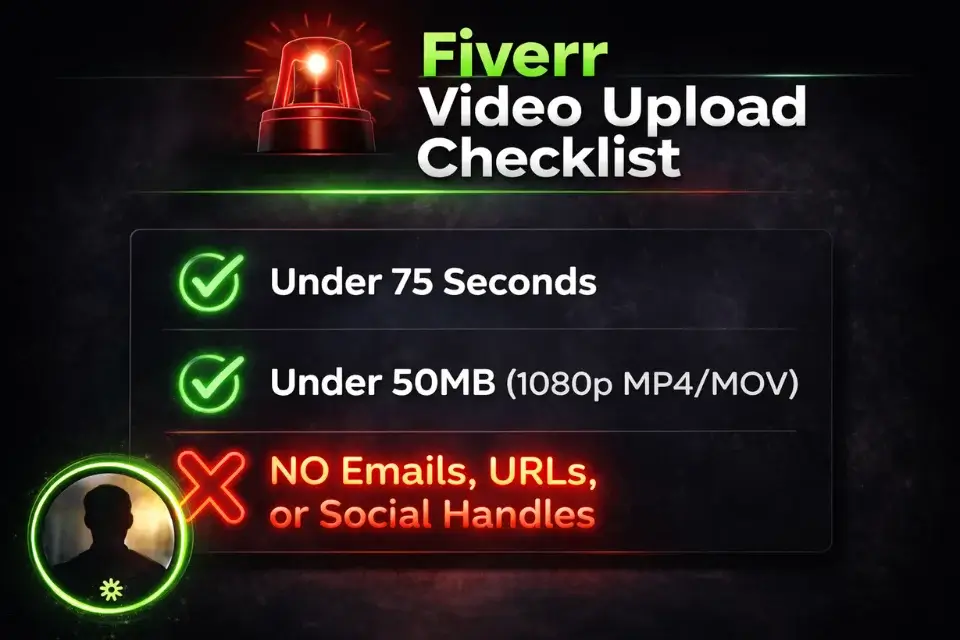
Before you upload anything, there are platform rules that will get your video rejected automatically if you miss them. Most rejections I’ve seen come from sellers who didn’t read the guidelines, not from sellers who made bad videos.
The 75-Second Limit and File Size Rules
Fiverr’s maximum gig video length is 75 seconds. Maximum file size is 50MB. Accepted formats are MP4 and MOV.
Export your video at 1080p (1920×1080) using H.264 encoding. This combination produces the best quality-to-file-size ratio and is the most reliable for Fiverr’s upload system. A properly encoded 60-second 1080p video will typically sit between 15–30MB — well within the limit.
If your file is coming in over 50MB, reduce the bitrate in your export settings rather than reducing resolution. A slightly lower bitrate at 1080p is visually indistinguishable from maximum bitrate but cuts file size significantly.
Warning: Never include your personal email address, website URL, phone number, or social media handles anywhere in your video — on screen as text, in your verbal script, or watermarked into b-roll. Fiverr’s automated review system scans video content for off-platform contact information and will reject your video immediately without manual review. This includes subtle mentions like “find me on LinkedIn” or showing a screen with your URL visible in a browser tab. Keep all contact attempts inside Fiverr’s messaging system.
Frequently Asked Questions
Do I have to be in my Fiverr gig video?
No. As covered above, screen-share walkthroughs and AI-generated explainer videos are both accepted formats. The only firm requirement is that the video represents your actual service and doesn’t violate Fiverr’s content guidelines.
That said, for gigs where personal trust matters — coaching, consulting, writing, creative services — appearing on camera meaningfully outperforms the alternatives. Choose based on your gig type, not your comfort level alone.
Can I add background music to my gig video?
Yes, but use royalty-free tracks only. Music from Spotify, commercial releases, or anything requiring licensing will trigger Fiverr’s content review and result in rejection. Free royalty-free libraries that are safe to use include the YouTube Audio Library and Pixabay’s music section.
Keep the volume low enough that it doesn’t compete with your voiceover — music should be atmosphere, not the point. If you’re using InVideo, it has a built-in licensed music library that’s pre-cleared for commercial use.
Why did Fiverr reject my video upload?
The most common rejection causes, in rough order of frequency: off-platform contact information detected (email, URL, social handle), video exceeds 75 seconds, file size exceeds 50MB, unsupported file format, or the video promotes services not listed in the gig. Fiverr’s rejection notification is often vague about the specific cause — run through this checklist before re-uploading rather than guessing.
If you’ve addressed all of the above and still getting rejected, the video may have triggered a false positive on the contact-info scanner; re-record any section where you mention external platforms, even by implication.
The Verdict: Just Hit Record (Or Generate)
Verdict: A B-minus video is infinitely better than an A-plus gig image by itself. Motion and voice are the ultimate trust signals in 2026 — they prove you exist, you communicate clearly, and you can actually deliver what your gig promises. Whether you shoot it on your phone in 15 minutes or generate it with AI in 45, the sellers with videos consistently outperform those without. Stop waiting for perfect conditions and start with what you have right now.
The only bad video is the one you never made because you kept waiting to feel ready.
At Smart Remote Gigs, our mission is to tear down the technical barriers that keep talented freelancers invisible on these platforms. We spend our time testing the AI generators, script frameworks, and algorithm rules so you can confidently hit record (or generate) and get back to your actual craft.
Now that your video is live, make sure your packages are priced to match the quality you’re projecting. Read our complete Fiverr pricing strategy 2026 guide to set rates that attract the right buyers — and repel the wrong ones.

![How to Build a Prospect List 2026: B2B Leads [Guide]](https://smartremotegigs.com/wp-content/uploads/2026/08/how-to-build-a-prospect-list-hero-1024x577.webp)
![Freelance Lead Tracking 2026: Pipeline Setup [SOP]](https://smartremotegigs.com/wp-content/uploads/2026/09/freelance-lead-tracking-hero1-1024x577.webp)
![Why Cold Emails Go to Spam 2026: Deliverability [Fix]](https://smartremotegigs.com/wp-content/uploads/2026/09/why-cold-emails-go-to-spam-hero1-1024x577.webp)