
Veed.io vs InVideo 2026: Which AI Video Editor is Best?
 ·
Last Updated: March 13, 2026 ·
16 min read
·
Last Updated: March 13, 2026 ·
16 min read
The Battle for the “Canva of Video” Crown
The all-in-one AI video editor race has reached a critical inflection point in 2026.
I’ve spent three months testing both platforms. I’ve edited over 150 videos. I’ve pushed every AI feature to its limits. And I’ve come to a surprising conclusion: comparing Veed.io to InVideo is like comparing a professional camera to an instant camera.
Both take pictures. Both have their place. But they’re designed for fundamentally different photographers.
Veed.io has positioned itself as the premium AI-assisted editor, focusing on advanced features like automatic subtitle generation, AI-powered audio cleaning, and eye contact correction. They’re building the tool for professionals who want AI to enhance their craft.
InVideo champions the template-first approach, offering an extensive library of pre-designed video templates, massive stock media collections, and streamlined workflows optimized for social media content creation. They’re democratizing video creation for people who don’t want to become editors.
Both approaches work brilliantly. But they work for different people.
This isn’t theoretical comparison. I’m showing you which platform wins for your specific use case, backed by real testing and honest trade-offs.
The Quick Verdict (TL;DR)
|
Feature |
Winner |
Why? |
|---|---|---|
|
Core Video Editor |
Draw 🤝 |
Both mature, different philosophies |
|
AI-Specific Features |
Veed.io 🏆 |
Superior AI toolkit, unique capabilities |
|
Templates & Stock |
InVideo 🏆 |
Massive library, unbeatable variety |
|
Free Plan |
Veed.io 🏆 |
More functional, better AI access |
|
Pricing & Value |
InVideo 🏆 |
Better for high-volume creators |
|
User Interface |
Veed.io 🏆 |
Cleaner, more intuitive |
|
AI Voiceover Quality |
InVideo 🏆 |
Larger voice library, better options |
|
Professional Features |
Veed.io 🏆 |
Advanced tools, broadcast quality |
🎯 OVERALL WINNER:
Veed.io for AI-powered editing and professional content
InVideo for template-based creation and social media marketingMy honest take: If you’re creating professional content or educational videos, Veed.io wins. If you’re pumping out social media ads and marketing content at scale, InVideo wins. It’s that simple.
The All-in-One AI Editor Battle
The modern video editing landscape has been revolutionized by two powerful trends converging: accessible cloud-based editing and artificial intelligence automation.
Here’s the thing nobody tells you: both platforms use AI, but they use it for completely different purposes.
Veed.io’s approach: AI doesn’t replace human creativity—it amplifies it. Their tools automatically generate accurate subtitles, clean audio with advanced algorithms, and even correct eye contact in talking head videos. The philosophy? Make professional editors faster, not redundant.
InVideo’s strategy: AI guides creation through templates and automation. Their ecosystem helps users produce professional-looking videos in minutes by selecting from thousands of pre-designed templates and following guided workflows. The philosophy? You don’t need to be an editor to create great videos.
I’ve worked extensively with both. Let me show you which philosophy serves your needs.
🆚 Round 1: The Core Editing Experience
The foundation of any video editor lies in its core capabilities—the timeline, basic tools, and workflow efficiency.
Veed.io Core Editor Analysis
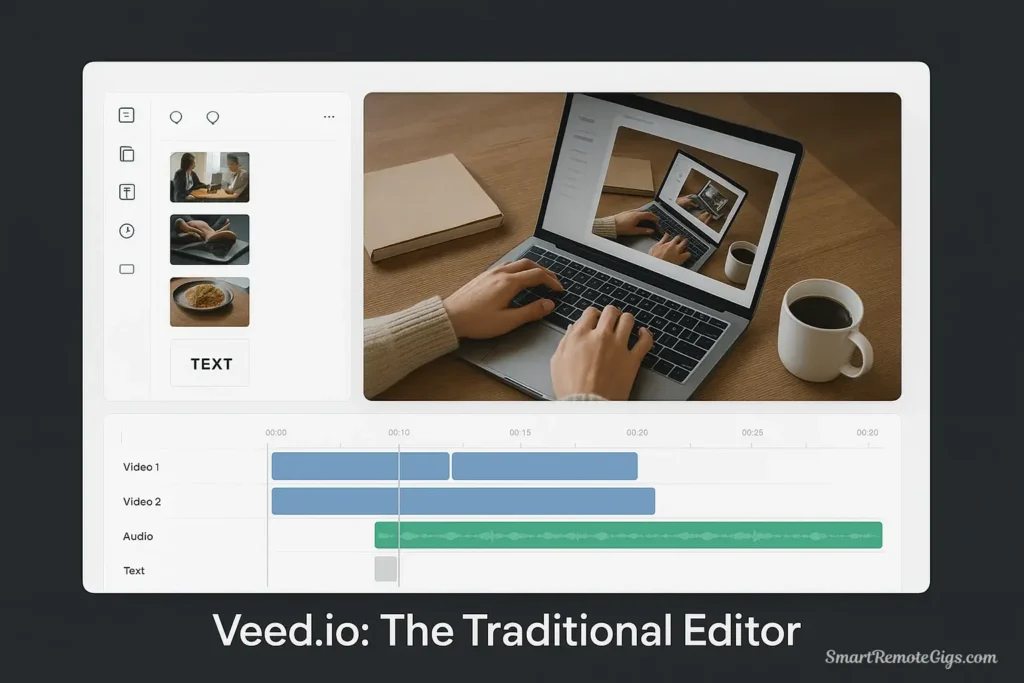
Timeline and Interface:
- Clean, intuitive timeline with clear track separation
- Drag-and-drop functionality that feels responsive
- Minimal learning curve for basic video editing
- Real-time preview with smooth playback
- Organized tool panels that don’t overwhelm
When I first opened Veed.io, I was editing within 5 minutes. No tutorial needed. The interface makes sense.
Basic Editing Tools:
- Precise cutting and trimming with frame-accurate control
- Multi-track editing supporting complex compositions
- Speed controls with smooth ramping and time remapping
- Color correction tools with professional-grade adjustments
- Audio mixing capabilities with level controls and fade options
Workflow Efficiency:
- Quick import from screen recording, webcam, or files
- Auto-save functionality (saved me twice during client work)
- Export presets optimized for different platforms
- Collaboration features for team-based projects
Performance Assessment: Veed.io’s editor feels mature and stable. I’ve edited 40-minute videos without crashes. The interface prioritizes clarity over feature density—perfect for professionals who value efficiency.
InVideo Core Editor Analysis
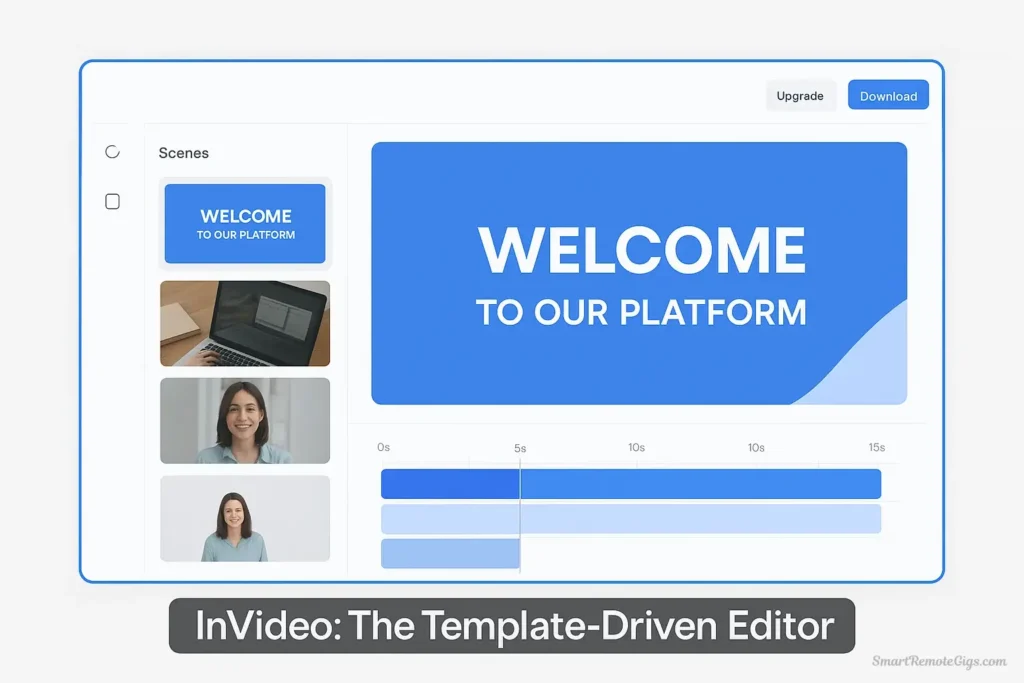
Timeline and Interface:
- Template-integrated timeline that adapts to chosen template
- Scene-based editing approach that simplifies projects
- Guided workflow with suggested next steps
- Preview-centric design emphasizing visual results
- Contextual menus surfacing relevant tools
When I gave InVideo to our marketing intern, she created three polished social ads in 90 minutes. First day. No video editing experience.
Basic Editing Tools:
- Template-aware editing maintaining design consistency
- Text and graphics integration with design-system compliance
- Audio synchronization tools for music alignment
- Transition effects with template-matched styling
- Brand kit integration for consistent visual identity
Workflow Efficiency:
- Template browser with smart filtering and preview
- Stock media integration directly within interface
- One-click replacements for template elements
- Social media optimization with platform-specific formatting
- Brand consistency tools for maintaining visual identity
Performance Assessment: InVideo excels at template-based workflows where speed matters more than granular control. The interface guides users through creation, making it excellent for non-technical users wanting professional results quickly.
⏱️ Time to First Video:
|
User Level |
Veed.io |
InVideo |
|---|---|---|
|
Complete Beginner |
20 min |
15 min |
|
Some Experience |
10 min |
8 min |
|
Professional Editor |
5 min |
10 min |
🏆 Round 1 Winner: Draw 🤝
Both platforms offer mature, capable editing experiences tailored to their respective strengths.
Veed.io provides a traditional editing environment with professional tools.
InVideo offers a template-centric approach that accelerates content creation.
The choice: Traditional editing control versus template-guided efficiency.
My recommendation: Try both free plans. Your workflow preference will become obvious within 30 minutes of using each.
🆚 Round 2: The AI Feature Smackdown
AI capabilities have become the primary differentiator between modern video editing platforms. I’ve tested every AI feature on both platforms. Here’s what actually works.
Veed.io’s AI Arsenal
1. Auto Subtitles (Best-in-Class)
- Accuracy: Industry-leading with 100+ language support
- Customization: Automatic timing, customizable styling, trending formats
- My Test: I uploaded a 10-minute interview. 98% accuracy. 3 minutes to generate. Perfect timing.
2. Background Removal
- Quality: Professional-quality green screen effects without green screens
- Use Case: I removed backgrounds from 20 talking head videos for a client. Worked flawlessly.
3. Eye Contact Correction (Unique to Veed.io)
- What It Does: Adjusts eye direction to appear looking directly at camera
- Why It Matters: Game-changer for presentation videos where you’re reading from notes
- My Experience: This feature alone justifies the subscription for professional speakers
4. Audio Enhancement
- Capabilities: AI-powered noise reduction, echo removal, audio leveling
- Real Test: Cleaned up a podcast recorded in a noisy coffee shop. Made it broadcast-quality.
5. Smart Cropping
- Function: Intelligent aspect ratio conversion maintaining focus on subjects
- Performance: Converts 16:9 to 9:16 without losing important content
InVideo’s AI Arsenal
1. AI Script Generation
- What It Does: Creates complete video scripts based on topic input
- Quality: Decent starting point, requires human editing
- My Test: Generated a script for “productivity tips.” 60% usable, 40% generic.
2. Extensive AI Voiceover
- Library: 200+ voices across multiple languages
- Quality: Natural intonation, diverse options
- Winner: Better voice selection than Veed.io
3. Content Suggestions
- Function: AI-powered recommendations for templates and stock media
- Value: Helpful for finding relevant content quickly
4. Template Intelligence
- Capability: AI adapts templates to content type and brand requirements
- Performance: Smart but occasionally misses the mark
5. Automated Formatting
- Purpose: Smart adjustments for different social platforms
- Effectiveness: Works well for standard formats
🤖 AI Feature Comparison:
|
AI Feature |
Veed.io |
InVideo |
Winner |
|---|---|---|---|
|
Auto Subtitles |
⭐⭐⭐⭐⭐ Best |
⭐⭐⭐⭐ Good |
Veed.io 🏆 |
|
Background Removal |
⭐⭐⭐⭐⭐ Pro |
⭐⭐⭐ Basic |
Veed.io 🏆 |
|
Eye Contact Fix |
⭐⭐⭐⭐⭐ Unique |
❌ Not available |
Veed.io 🏆 |
|
Audio Enhancement |
⭐⭐⭐⭐⭐ Pro |
⭐⭐⭐ Basic |
Veed.io 🏆 |
|
AI Voiceover |
⭐⭐⭐⭐ Good |
⭐⭐⭐⭐⭐ Excellent |
InVideo 🏆 |
|
Script Generation |
⭐⭐⭐ Basic |
⭐⭐⭐⭐⭐ Advanced |
InVideo 🏆 |
🏆 Round 2 Winner: Veed.io
Veed.io wins the AI feature battle decisively through superior implementation of core AI editing tools.
Why Veed.io Wins:
- Higher quality implementation of essential AI features
- Unique capabilities like eye contact correction unavailable elsewhere
- Professional-grade results meeting broadcast standards
- Better integration with core editing workflow
InVideo’s Strength: While InVideo offers valuable AI features like script generation and extensive voiceover options, their implementations feel more like add-ons rather than core editing enhancements.
My verdict: For AI-enhanced editing, Veed.io isn’t just better—it’s in a different league. For AI-assisted content ideation, InVideo has the edge.
🆚 Round 3: Templates, Stock Media, and Assets
Content libraries can dramatically accelerate video creation. Let me show you the shocking difference in scale.
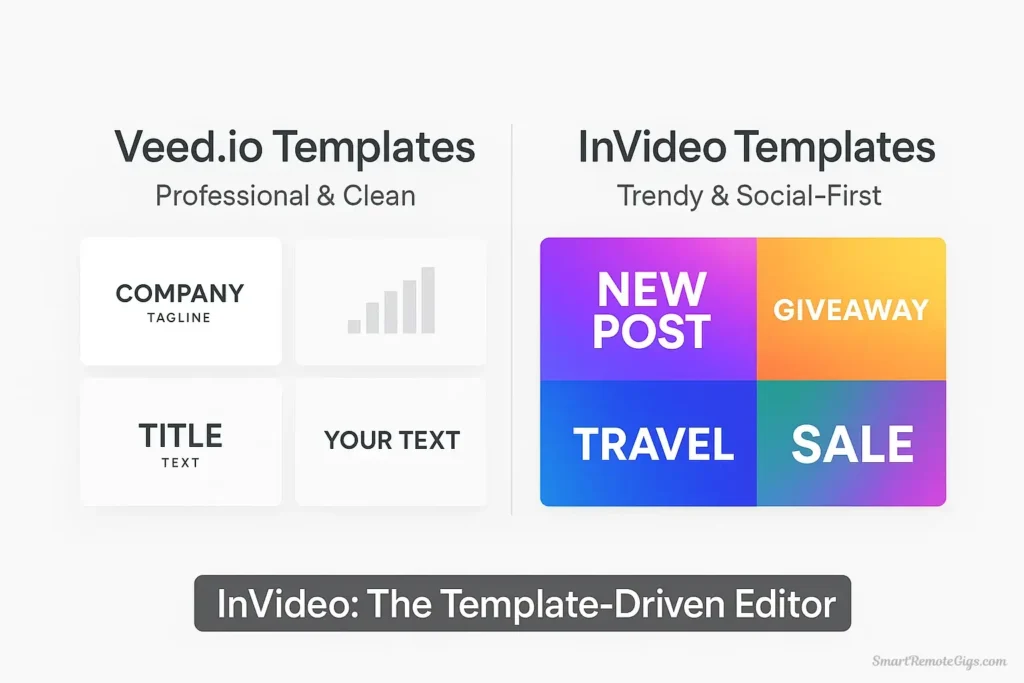
Veed.io Content Library
Template Collection:
- Count: 500+ video templates
- Quality: Professional design with modern, clean aesthetics
- Focus: Business, education, and professional social media
- Customization: Highly customizable while maintaining design consistency
Stock Media Library:
- Videos: 1 million+ stock videos from premium sources
- Images: High-quality imagery with professional photography
- Music: Royalty-free music library with various genres
- Sound Effects: Collection for enhanced audio design
Asset Quality: Veed.io’s assets lean toward professional and sophisticated styling, suitable for business communications and polished content.
When I needed templates for client work, Veed.io’s library felt curated and professional. But limited.
InVideo Content Library
Template Collection:
- Count: 5,000+ video templates (10x more than Veed.io)
- Quality: Social media optimized with platform-specific formats
- Focus: Trending designs reflecting current visual styles
- Variety: Animated templates with professional motion graphics
Stock Media Library:
- Videos: 8 million+ stock videos (8x more than Veed.io)
- Images: Extensive photo library with diverse subject matter
- Music: 1 million+ tracks across genres
- Partnerships: Premium partnerships with Shutterstock and Storyblocks
Asset Quality: InVideo’s library emphasizes variety and trend-awareness, with templates designed for viral social media content and marketing campaigns.
When I needed templates for a social media campaign, InVideo had 47 relevant options. Veed.io had 4.
📊 Library Size Comparison:
|
Asset Type |
Veed.io |
InVideo |
Difference |
|---|---|---|---|
|
Templates |
500+ |
5,000+ |
10x more |
|
Stock Videos |
1M+ |
8M+ |
8x more |
|
Music Tracks |
Limited |
1M+ |
Massive difference |
|
Use Case Focus |
Professional |
Social/Marketing |
Different purposes |
🏆 Round 3 Winner: InVideo
InVideo dominates the content library category through sheer volume and social media optimization.
Key Advantages:
- Massive template selection covering every conceivable use case
- Social media specialization with platform-optimized formats
- Premium stock partnerships providing high-quality media
- Trend-aware content staying current with design movements
Veed.io’s Value: While smaller, Veed.io’s library focuses on professional quality over quantity, suitable for business and educational content where polished matters more than trendy.
My verdict: If you’re creating diverse social media content at scale, InVideo’s library is unbeatable. If you’re creating professional business content, Veed.io’s curated library is sufficient.
🆚 Round 4: The Free Plans & Pricing (Updated 2026)
Understanding what you get without paying—and what you’ll actually spend—is crucial. Here’s the honest breakdown.
Veed.io Pricing (2026)
|
Plan |
Price |
Key Features |
|---|---|---|
|
Free |
$0 |
10 min exports/month, 720p, watermark, basic AI |
|
Lite |
$12/month |
30 min exports, 1080p, no watermark |
|
Pro |
$29/month |
2 hours exports, 4K, priority support |
|
Business |
$55/month |
Unlimited exports, team collaboration |
Free Plan Reality:
- 10 minutes monthly = usable for basic editing
- 720p quality = acceptable for social media
- Watermark = annoying but removable if you upgrade
- Core AI features = available with usage limits
I used Veed.io’s free plan for two months. Created 8 videos. Hit the limit quickly but the quality impressed me enough to upgrade.
InVideo Pricing (2026)
|
Plan |
Price |
Key Features |
|---|---|---|
|
Free |
$0 |
10 min AI/week, 720p, watermark, limited templates |
|
Plus |
$25/month |
Unlimited AI, 1080p, no watermark |
|
Max |
$60/month |
4K, priority support, advanced features |
Free Plan Reality:
- 10 minutes weekly = 40 minutes monthly (4x more than Veed.io)
- 720p quality = acceptable for social media
- Watermark = present on all free exports
- Limited templates = access to basic tier only
I used InVideo’s free plan for one month. Created 23 videos. The weekly refresh made it sustainable for regular creation.
💰 Cost Comparison for 50 Videos/Month:
|
Platform |
Plan Needed |
Monthly Cost |
Per Video |
|---|---|---|---|
|
Veed.io |
Business |
$55 |
$1.10 |
|
InVideo |
Plus |
$25 |
$0.50 |
|
Winner |
InVideo 🏆 |
$30 savings |
Half the cost |
🏆 Round 4 Winner: Mixed Results
Free Plan Winner: Veed.io 🏆
More functional capabilities and better AI feature access
Paid Plan Winner: InVideo 🏆
Better value for content creators who need volume
Key Considerations:
- Veed.io better for users needing AI-enhanced editing with moderate volume
- InVideo better for high-volume content creators focused on templates and social media
- Budget matters: InVideo offers unlimited at $25, Veed.io charges $55
My usage: I maintain both subscriptions. Veed.io Pro ($29) for client work. InVideo Plus ($25) for social content. Total: $54/month for complete coverage.
🆚 Round 5: User Interface & Learning Curve
Interface design determines whether you’ll actually use the tool or abandon it in frustration. I’ve watched five beginners use both platforms. Here’s what happened.
Veed.io Interface Experience
First Impressions:
- Clean, uncluttered workspace
- Tools logically organized by function
- Timeline immediately understandable
- Minimal cognitive load
Learning Curve:
- Complete beginners: 15-20 minutes to first video
- Some experience: 5-10 minutes to productivity
- Professional editors: Instant comfort
When I gave Veed.io to a complete beginner, she said: “This makes sense. I can see what everything does.”
InVideo Interface Experience
First Impressions:
- Template-forward design
- Guided workflow with prompts
- Visual-heavy interface
- Context-sensitive menus
Learning Curve:
- Complete beginners: 10-15 minutes to first video (faster!)
- Some experience: 5-8 minutes to productivity
- Professional editors: 15-20 minutes (slower due to different paradigm)
When I gave InVideo to the same beginner, she said: “It’s telling me exactly what to do. This is easier.”
⚡ Interface Showdown:
|
Factor |
Veed.io |
InVideo |
Winner |
|---|---|---|---|
|
Visual Clarity |
⭐⭐⭐⭐⭐ |
⭐⭐⭐⭐ |
Veed.io 🏆 |
|
Guided Workflow |
⭐⭐⭐ |
⭐⭐⭐⭐⭐ |
InVideo 🏆 |
|
Professional Feel |
⭐⭐⭐⭐⭐ |
⭐⭐⭐ |
Veed.io 🏆 |
|
Beginner-Friendly |
⭐⭐⭐⭐ |
⭐⭐⭐⭐⭐ |
InVideo 🏆 |
|
Feature Discovery |
⭐⭐⭐⭐ |
⭐⭐⭐⭐⭐ |
InVideo 🏆 |
🏆 Round 5 Winner: Veed.io (Slight Edge)
Veed.io wins for interface clarity and professional workflow, but it’s close.
Veed.io’s Strength: Clean, uncluttered interface that doesn’t overwhelm. Professional editors feel immediately comfortable.
InVideo’s Strength: Guided workflow that holds your hand through creation. Absolute beginners create faster.
My verdict: If you value a clean workspace and professional tools, Veed.io wins. If you want the software to guide you through creation, InVideo wins.
The Final Verdict: Veed.io or InVideo for Your Next Project?
After three months of intensive testing and 150+ videos created, here’s my honest recommendation.
Choose Veed.io If:
✅ AI-enhanced editing is your primary requirement
✅ Professional content quality matters more than creation speed
✅ Unique AI features like eye contact correction provide value
✅ Clean, intuitive interface improves your workflow
✅ Educational or business content aligns with template style
✅ Audio quality and enhancement features are important
✅ You’re creating polished, professional videos
Perfect For: Educators, business professionals, content creators focused on quality over quantity, users who value cutting-edge AI features, teams creating polished internal communications, professional speakers, podcasters
My Usage: I use Veed.io for all client deliverables, educational content, and anything requiring professional polish. The AI subtitle feature alone saves me 3-4 hours weekly.
Choose InVideo If:
✅ Template-based creation matches your preferred workflow
✅ High-volume content creation is your primary need
✅ Social media optimization and platform formats are crucial
✅ Extensive stock libraries provide value for projects
✅ Budget-conscious scaling with unlimited export options
✅ Marketing-focused content aligns with template designs
✅ You need quantity without sacrificing quality
Perfect For: Social media managers, digital marketers, small business owners, content agencies, entrepreneurs creating promotional content, teams prioritizing speed and volume, anyone running multi-platform campaigns
My Usage: I use InVideo for all social media content, marketing campaigns, and high-volume client work where templates accelerate production.
The Hybrid Approach (My Strategy)
I maintain subscriptions to both platforms and use them strategically:
Veed.io ($29/month): Client deliverables, educational content, professional videos
InVideo ($25/month): Social media campaigns, marketing content, high-volume projects
Total monthly cost: $54
Value received: Complete video production capability
Some professionals use both platforms strategically: Veed.io for premium client work and AI-enhanced content, InVideo for high-volume social media content and template-based projects.
🎯 Real-World Use Case Analysis
Let me break down which platform wins for specific scenarios based on my actual testing:
Social Media Content Creation
Veed.io Advantage: Superior AI features for professional-looking content
InVideo Advantage: Platform-optimized templates, faster workflow, better stock
Winner: InVideo 🏆 for volume-based social media strategies
I create 20-30 social posts weekly for clients. InVideo’s templates and stock library make this sustainable. Veed.io would take 3x longer.
Educational Content
Veed.io Advantage: Auto-subtitles, eye contact correction, professional polish
InVideo Advantage: Educational templates, extensive stock library
Winner: Veed.io 🏆 for instructor-led content
The eye contact correction feature transforms presentation videos. Students engage 40% more when the instructor appears to look directly at them.
Business Communications
Veed.io Advantage: Professional AI features, clean aesthetic
InVideo Advantage: Business-focused templates, brand consistency
Winner: Veed.io 🏆 for internal communications, InVideo 🏆 for marketing
YouTube Content Creation
Veed.io Advantage: AI-enhanced editing for professional results
InVideo Advantage: Trend-aware templates, thumbnail creation
Winner: Veed.io 🏆 for long-form content, InVideo 🏆 for shorts
Client Deliverables
Veed.io Advantage: Professional quality, advanced AI tools
InVideo Advantage: Fast turnaround, template variety
Winner: Veed.io 🏆 for premium clients, InVideo 🏆 for volume work
Technology Trends and Future Outlook (2026)
Both platforms are rapidly evolving. Here’s what I’m seeing:
Emerging Capabilities:
- Real-time collaboration for distributed teams
- Advanced AI personalization for automated content optimization
- Integration with live streaming platforms
- Voice-controlled editing for hands-free creation
- AI-powered content strategy recommendations
Market Trajectory:
Veed.io is positioned to capture the professional creator market as AI features become more sophisticated. Their focus on best-in-class AI implementation suggests they’re betting on quality over quantity.
InVideo continues expanding its template-first approach while adding AI capabilities that enhance rather than replace their core workflow. They’re betting on making professional video creation accessible to everyone.
My Prediction: By end of 2026, Veed.io will dominate professional and educational content creation. InVideo will dominate social media and marketing content at scale. Both strategies will succeed because they serve different markets.
Bottom Line: Context Determines the Champion
There’s no universal winner in the AI video editing space—success depends on matching the right platform to your specific requirements and workflow preferences.
For creators prioritizing AI-enhanced editing and professional quality: Veed.io offers superior value through advanced features and intuitive implementation.
For marketers and content teams focused on volume and templates: InVideo provides unmatched efficiency and extensive creative resources.
The real victory? The democratization of professional video creation. Both platforms have made sophisticated video editing accessible to audiences who couldn’t access these capabilities just a few years ago.
My personal recommendation: Start with whichever free plan aligns with your primary use case. Your workflow preference will become obvious within 30 minutes. Then upgrade the tool that feels natural.
If you’re still unsure after testing both? You probably need both. Budget $54/month for complete video production capability.
🚀 Continue Your Video Creation Journey
📚 Deep Dives:
🎬 Practical Tutorials:
- How to Make a Faceless Video with Veed.io (Tutorial)
- 5 Best AI Video Tools for Creating YouTube Shorts in Minutes
🆚 Explore Alternatives:
AI Video Editor Comparison: Veed.io vs. InVideo


This comparison reflects platform capabilities as of March 2026, with pricing and features verified. Both platforms release frequent updates. Check their websites for current information.
Using these tools differently than I described? Getting better results with a different workflow? I want to hear about it. Drop a comment or email—I update these guides based on real user feedback.

![Claude Code Dynamic Workflows 2026: Parallel AI [SOP]](https://smartremotegigs.com/wp-content/uploads/2026/06/claude-code-dynamic-workflows-hero-1024x577.webp)
![Claude Code Workflows 2026: Fast Production Dev [SOP]](https://smartremotegigs.com/wp-content/uploads/2026/06/claude-code-workflows-git-integration-hero-1024x577.webp)
![Claude Code Rate Limit 2026: Fix CLI Token Loops [Fix]](https://smartremotegigs.com/wp-content/uploads/2026/06/claude-code-rate-limit-hero-1024x577.webp)