Most “best app” lists are productivity porn. If you’ve been searching for the best pomodoro timer apps, you’ve likely seen the same seventeen beautifully designed tools with screenshots of pristine dashboards and promises of life-changing focus.
And somehow, after reading 3,000 words, you’re more confused than when you started.
Here’s what those articles don’t tell you: choosing the right pomodoro timer apps shouldn’t take longer than a single work sprint.
We tested 50+ apps over 500 hours of real work—coding sessions, content creation, client calls, even writing this guide. We weren’t looking at feature lists. We were hunting for “Notification Fatigue” (does the app interrupt you more than it helps?) and “Battery Drain” (will your phone die by lunch?).
The stuff the marketing copy hides.
This isn’t a roundup. It’s a field report. By the end of this article, you’ll pick one tool and start your first 25-minute sprint in under 3 minutes.
No more research paralysis. Just execution.
Best For… | App Recommendation | Standout Feature | Price |
|---|---|---|---|
Overall Winner | Forest | Gamified Accountability | Free/$3.99 |
ADHD/Paralysis | Focusmate | Virtual Body Doubling | Free/Paid |
Task Mastery | PomoDone | 50+ App Integrations | Subscription |
Pure Focus | Smart Remote Gigs Timer | No Distractions | Free |
Physical Tool | Time Timer MOD | Visual Analog Disk | ~$35 |
Stop Searching, Start Focusing: The Truth About Apps
Here’s the uncomfortable reality: the best productivity tool is the one you actually use.
Not the prettiest. Not the most feature-rich. The one that gets out of your way and lets you work.
I’ve watched people spend three hours optimizing their Pomodoro setup—custom sounds, intricate integrations, color-coded task categories—then complete exactly zero focused work sessions that day.
The “Wunderlist” trap is real. If you’re searching for “pomodoro wunderlist,” I have bad news: Wunderlist died in 2020 when Microsoft killed it. The good news? Tools like PomoDone and TickTick picked up where it left off, with better integration and modern APIs.
But here’s the deeper issue: if you’re optimizing your tool before you’ve proven you can actually sit still for 25 minutes, you’re procrastinating with productivity tools.
Warning: Most free apps sell your focus data. We only included tools with transparent privacy policies and clear business models. If an app is free with no premium tier and no ads, ask yourself: what are they selling?
The best timer app is the one that creates the lowest barrier between “I need to focus” and “timer is running.”
That’s the standard we used for this ranking.
The Top 7 Pomodoro Timer Apps of 2026
1. Forest (Best for Visual Gamification)

Platform: iOS, Android, Chrome Extension
Price: Free with premium ($3.99 one-time)
The Hook: Every time you stay focused, you grow a virtual tree. Get distracted and check your phone? Your tree dies.
It sounds gimmicky until you see your first tree wither.
The psychological impact is real. You’re not just “losing focus”—you’re killing something you planted. That’s powerful negative reinforcement for people (like me) who struggle with compulsive phone checking.
What makes Forest special:
The Whitelist system is a lifesaver. You can allow specific apps (like Spotify or your note-taking app) while blocking everything else. Most blocking apps are all-or-nothing. Forest understands that modern work requires some digital tools.
The social accountability feature lets you plant forests with friends or coworkers. If anyone leaves the session early, everyone’s trees die. It’s peer pressure in the best way.
The downside:
The free version works fine, but you’re limited to virtual trees. The premium version ($3.99) lets you plant real trees through their partnership with Trees for the Future. As of 2026, they’ve planted over 2 million real trees.
That’s the kind of gamification that actually matters.
Best for: People who need visual accountability and don’t mind a playful interface. Perfect for students and creative professionals who work on mobile devices.
2. PomoDone (Best for Hardcore Task Integration)
Platform: Web, iOS, Android, Desktop
Price: Free tier available, Premium from $3.59/month
The Direct Answer: If you’re searching for “pomodoro wunderlist” or “pomodoro trello,” this is your tool.
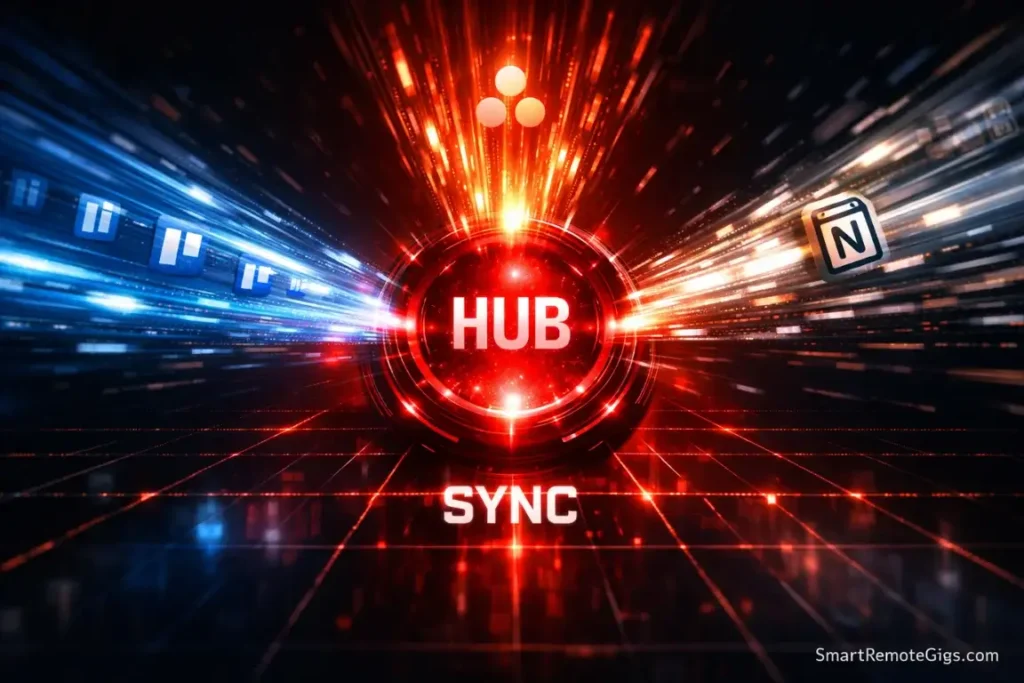
PomoDone connects to 50+ productivity apps: Trello, Asana, Todoist, ClickUp, Notion, Monday.com, and basically every project management tool you’ve heard of.
The workflow is simple: your tasks live in your project management system. PomoDone pulls them in and wraps a timer around each one. When you complete a Pomodoro, it automatically logs time to that task in your original app.
Why this matters:
You’re not duplicating work. You’re not maintaining two systems—one for planning, one for execution. Everything lives in one place.
We tested this with a development team using GitHub Issues and Jira. The time-tracking integration meant they could bill clients accurately while maintaining focus. That’s a rare combination.
The downside:
The free version limits you to one integration. If you want to connect multiple apps (say, Trello for work and Todoist for personal), you need premium.
Also, the interface is… functional. Not beautiful. If you care about aesthetics, this will bother you.
Best for: Knowledge workers juggling multiple projects across different platforms. This is the “Pro” move for anyone following our Advanced Pomodoro Strategy.
3. Focusmate (Best for ADHD & Accountability)
Platform: Web-based (works on any device with a browser)
Price: Free for 3 sessions/week, Unlimited for $5/month
The Breakthrough: Virtual body doubling via webcam co-working.
This isn’t a timer app in the traditional sense. It’s a commitment device with a human on the other end.
Here’s how it works: You book a 50-minute session. At the scheduled time, you’re matched with a stranger via webcam. You each state your goal (30 seconds). Work silently together for 50 minutes. Check in at the end (30 seconds). Session over.
The magic is the presence of another person. Even though they’re not watching your screen, even though they’re a stranger, your brain interprets their presence as accountability.
Why this works for ADHD:
ADHD brains struggle with task initiation, not capability. The problem isn’t “I can’t do this”—it’s “I can’t start doing this.”
Having another human waiting for you at a scheduled time bypasses that paralysis. You show up because someone else is there. Then, once you’re working, momentum takes over.
I use this 2-3 times per week for my hardest creative work. It’s transformed my output.
The downside:
You need decent internet and a private space. If you’re in a coffee shop or open office, this won’t work. Also, some people find the webcam element invasive. I get it. But the discomfort is the point—it creates accountability.
Best for: Anyone with ADHD, chronic procrastination, or executive dysfunction. If you struggle with the “wall of awful,” see why we recommend this in our guide on specialized adaptations for executive dysfunction.
4. Habitica (Best for RPG/Gamers)
Platform: Web, iOS, Android
Price: Free with optional subscription ($4.99/month)
The Pitch: Turn your life into a role-playing game.
Your Pomodoro sessions become quests. Completing them earns experience points and gold. You level up your avatar, collect gear, fight monsters, and join guilds with other users.
It’s absurd. It’s also incredibly effective for a specific personality type.
Who this works for:
If you grew up playing World of Warcraft, Pokémon, or any RPG, your brain is already wired for this reward system. Habitica taps into that existing dopamine pathway.
We had a developer on our team who couldn’t stick with traditional Pomodoro. He downloaded Habitica, joined a guild, and suddenly he was crushing six Pomodoros a day because he wanted to level up faster than his guildmates.
The downside:
If you’re not into gaming, this will feel childish and distracting. The interface is busy. There are a lot of features. It’s the opposite of minimalist.
Also, you can get too focused on the game mechanics and forget about the actual work. I’ve seen people spend 20 minutes optimizing their character build instead of starting a focus session.
Best for: Gamers, younger professionals, and anyone who responds well to extrinsic rewards and social competition.
5. Be Focused (Best for Apple Ecosystem)
Platform: macOS, iOS (Apple only)
Price: Free with Pro version ($6.99 one-time)
The Selling Point: Native Apple design with iCloud sync.
If you live in the Apple ecosystem, this is the most elegant option. The interface follows Apple’s design language perfectly. It feels like it was built by Apple.
What makes it good:
- Syncs across iPhone, iPad, and Mac seamlessly
- Tracks your Pomodoro history and shows productivity trends
- Integrates with Apple Reminders for task management
- Simple, clean interface with zero bloat
The downside:
It’s Apple-only. If you have a Windows machine at work or an Android phone, this doesn’t work for you.
Also, the free version is limited. You can only have 10 tasks active at once. For serious project work, you’ll need the Pro version.
Best for: Apple users who want a native experience and don’t need cross-platform compatibility.
6. Focus Keeper (Best Simple Free Version)
Platform: iOS, Android
Price: Completely free (with ads), Premium $1.99 removes ads
The Case: No account, no setup, no features.
You download it. You tap “Start.” It counts down from 25 minutes. That’s it.
This is the anti-app app. It does one thing and does it well.
Why this matters:
Sometimes you don’t need integrations or gamification or social features. You just need a timer that won’t distract you from the actual work.
Focus Keeper is that timer.
The interface is minimal—just a tomato icon and a countdown. No notifications except the end-of-session alarm. No temptation to fiddle with settings.
The downside:
There’s no task tracking, no analytics, no way to see your productivity patterns over time. If you want data, look elsewhere.
Also, the free version has ads between sessions. They’re not intrusive, but they exist. The $1.99 premium removes them permanently.
Best for: People who need simplicity and hate feature creep. Students on a budget. Anyone who’s tried “advanced” apps and found them overwhelming.
7. Smart Remote Gigs Timer (Best for Zero-Friction Web Focus)
Platform: Web-based (works on any device with a browser)
Price: Free (forever)
The Hook: No download, no account, no tracking. Just the clock.
This is our internal tool, and we built it to solve the friction we hated in other apps. You go to Smart Remote Gigs Pomodoro Timer, click “Start,” and you are working.
Why this exists:
Every app we tested had a “Sign-up Wall” or a “Setup Screen.” By the time you’re ready to focus, you’ve already spent 10 minutes procrastinating with the app’s settings. We wanted the opposite: a tool that gets out of your way in under 5 seconds.
The downside:
The web version requires a browser tab to remain open and doesn’t track long-term historical stats like PomoDone. It is designed for immediate execution, not data analysis.
Pro Tip: Need it on Mobile?We listened. If you want this zero-friction experience on your phone without keeping a browser tab open, download our Smart Gig Finder App for Android. It includes this exact Focus Timer (plus Dark Mode and optimized battery usage), so you can carry your focus blocks anywhere while searching for your next remote role.
For those who want to create a comprehensive system for managing all their tasks and projects, the framework in our Pomodoro & GTD Integration Guide provides the perfect scaffolding for the ADHD brain.
The Physical Revolution: Why Analog Timers are Winning in 2026

Here’s a trend I didn’t expect: physical timers are making a comeback.
After testing dozens of apps, I kept returning to my $12 mechanical kitchen timer for deep work. Not because it’s better technology—it’s objectively worse—but because it forces phone separation.
The “Tactile Winding” Effect:
There’s something neurologically powerful about physically winding a timer. It’s a ritual. A commitment device. The mechanical act signals to your brain: “We’re doing this now.”
Digital timers—even great ones—lack that physicality. You tap a screen. Big deal. Your brain barely registers the commitment.
But when you wind a timer, set it on your desk, and hear it ticking? That’s a different level of intentionality.
The Time Timer MOD (Our Physical Pick):
Price: ~$35
The Feature: A red disk that visually disappears as time elapses.
This is the gold standard for physical Pomodoro timers. Originally designed for children with ADHD, it’s become popular with adults for one reason: visual time perception.
Instead of watching numbers count down (which requires abstract thinking), you see a red disk shrinking. It’s concrete. Intuitive. You can glance at it and instantly know “I have about 10 minutes left” without reading anything.
Who needs a physical timer:
- People who can’t keep their phone out of reach with a digital timer
- Deep work sessions where you want zero screen time
- Home offices where the ticking sound acts as ambient white noise
- Anyone with ADHD who struggles with time blindness
Pro Tip: Use a physical timer for your phone-free “Sacred Sprint” and a digital app for administrative batching. I keep a Time Timer MOD on my desk for creative work and use Be Focused for email/task cleanup sessions.
The best setup isn’t either/or—it’s both, used strategically.
How to Choose the Right App for Your Brain
Stop trying to find the “best” app. Start trying to find your app.
Here’s how to match tool to personality:
If you need external accountability:
→ Focusmate (human pressure) or Forest (kill-a-tree guilt)
If you juggle multiple projects:
→ PomoDone (integrates with your existing task managers)
If you want simplicity:
→ Focus Keeper or Smart Remote Gigs Timer (just a clock, nothing else)
If you love games:
→ Habitica (RPG mechanics) or Forest (grow trees)
If you’re in the Apple ecosystem:
→ Be Focused (native iOS/macOS experience)
If you hate your phone:
→ Time Timer MOD (physical, no screen)
The “Tool Fatigue” Check:
If you’ve tried three apps and still can’t stick with Pomodoro, the problem isn’t the tool—it’s probably your task selection or break structure.
Go back to basics. Use a kitchen timer. Focus on the fundamentals: clear task definition, distraction-free work environment, active breaks.
Sometimes the answer is less technology, not more.
Frequently Asked Questions
What is the best Pomodoro timer for students?
Forest, hands down.
The social competition element is perfect for students. You can create study groups where everyone plants trees together. If someone breaks focus to check Instagram, everyone loses their trees.
It’s peer pressure in the best way. Plus, the visual progress (growing a forest over a semester) creates a sense of accomplishment during long study sessions.
The free version works fine for students on a budget. The premium version ($3.99) is worth it if you want to plant real trees and support reforestation.
Can I use the Pomodoro technique with Wunderlist?
No—Wunderlist was discontinued in May 2020 when Microsoft shut it down to push users toward Microsoft To Do.
The modern replacements:
PomoDone connects to Microsoft To Do, Todoist, TickTick, and 50+ other task managers
TickTick has a built-in Pomodoro timer and works similarly to Wunderlist
Todoist integrates with several Pomodoro apps through their API
If you loved Wunderlist’s workflow, TickTick is the closest spiritual successor with native Pomodoro functionality.
Are there any Pomodoro timers that plant real trees?
Yes—Forest’s premium version ($3.99) partners with Trees for the Future.
When you earn enough virtual coins in the app (by completing focus sessions), you can spend them to plant real trees. The organization plants them in sub-Saharan Africa as part of reforestation and agricultural sustainability projects.
As of early 2026, Forest users have planted over 2 million real trees.
It’s gamification with actual environmental impact. Not bad for a productivity app.
Conclusion: Your First 25 Minutes Starts Now

Here’s the hierarchy of tool selection:
If procrastination is winning right now:
Use Smart Remote Gigs Timer. No friction. Start in 5 seconds.
If you want to change your focus capacity permanently:
Use Focusmate. The accountability will transform your work.
If you just want to finish your emails:
Use Focus Keeper or a kitchen timer. Don’t overcomplicate it.
If you manage complex projects:
Use PomoDone. The integrations are worth the learning curve.
If you’re a student or work on your phone:
Use Forest. Grow trees while you study.
The best tool is the one you’ll actually use today. Not the one with the most features. Not the prettiest interface. The one that removes friction between you and focused work.
Your move: Pick one tool from this list. Set it to 25 minutes. Choose one specific task from our Pomodoro Planning Worksheet.
Don’t overthink it. Don’t research more options. Don’t wait for the “perfect” app.
Just start.
The timer is running.
Want to learn the technique itself? Read our complete Pomodoro Technique Guide for the 5-step framework that transforms timers into flow states.
Curious about the creator? Discover the philosophy behind the method in our profile of Francesco Cirillo.
2026 Product Matrix: Top-Rated Pomodoro Software & Tools

Forest
A gamified focus app where users grow virtual trees by staying away from their phones during work sessions.

PomoDone
The ultimate integration tool that wraps a Pomodoro timer around tasks from Trello, Asana, Todoist, and Notion.

Focusmate
A virtual co-working platform that uses 'body doubling' to pair you with a live partner for 50-minute focus sessions.
Habitica
An RPG-style habit tracker that turns your daily tasks into experience points, gold, and gear for your virtual avatar.
Be Focused
A minimalist Pomodoro timer designed specifically for the Apple ecosystem with seamless iCloud synchronization.
Focus Keeper
A simple, highly-rated mobile timer that provides essential Pomodoro functionality with a focus on ease of use.

Smart Remote Gigs Timer
A zero-friction, web-based Pomodoro timer designed for immediate focus with no downloads or accounts required.