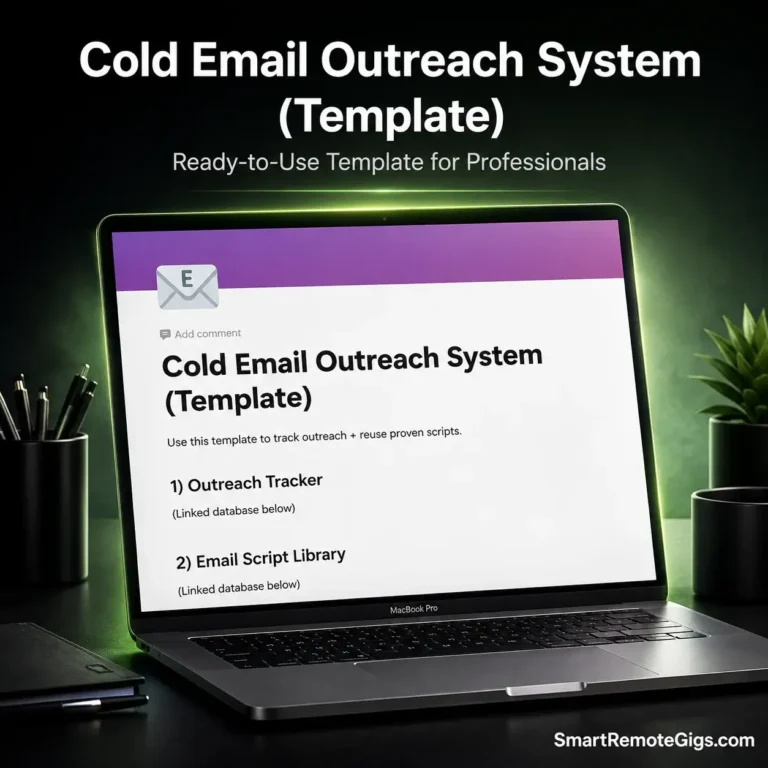
Most cold email outreach doesn’t fail at the pitch — it fails at the follow-up. Most replies come from the second or third touch, not the first email, but without a system you either lose track of who you emailed or you’re rewriting the same follow-up from scratch every time. This cold email outreach pack fixes both problems in one Notion page.
🛑 The Real Problem This Solves (Why This Exists)
We built this because the data on cold outreach is unforgiving: average B2B reply rates sit around 3-5%, and most of those replies come from follow-ups sent days or weeks after the first email — not the first send itself. The problem isn’t usually the pitch. It’s that people either forget to follow up, follow up too late, or don’t have a follow-up written and ready when the moment comes.
That’s the exact gap this pack closes: one tracker so no lead falls through the cracks, and a script library so you’re never starting a follow-up from a blank page.
🆚 What Makes This Different From a Generic Template
Most free cold outreach templates we found while researching this are one thing, not both: either a bare lead list (name, email, status — nothing else) or a folder of email scripts with no way to track who’s actually gotten which one. That split is the problem. A lead tracker with no scripts attached means you’re still writing follow-ups cold every time.
A script library with no tracker means you have no idea who’s due for a nudge today. This pack links the two: every prospect row is tagged to a use case, so when a follow-up is due, the matching script is one click away — not a separate doc you have to go dig up.
✨ What’s Inside?
- ✅ Outreach Tracker — a single view showing status, follow-up count, and next follow-up date for every prospect, so nothing relies on memory.
- ✅ Script Library tagged by use case — scripts for finding the right contact, pitching, and closing the loop, so you’re matching the message to the moment instead of reusing one generic template for everything.
- ✅ Built-in follow-up staging — each prospect row shows exactly which follow-up number they’re on, which matters since most replies come after the first touch, not during it.
- ✅ Notes field for personalization details — a dedicated place to log the specific thing you referenced (a post, a launch, a mutual connection) so your follow-up can build on it instead of repeating it.
📋 A Real Walkthrough
Say you’re running outreach to three prospects this week. Jordan Reyes gets the first email Monday, referencing their studio’s recent rebrand — that goes in the Notes field so it’s not forgotten by follow-up time. The tracker logs “Sent,” Follow-Up # 1, and sets the next follow-up date a few days out.
Priya Nair replies within two days asking for a rate card — her status flips to “Replied” and she drops out of the follow-up queue entirely. Sam Okafor doesn’t respond to the first email or the first follow-up.
By the second unanswered follow-up, the tracker’s Notes field flags it as time to move on — exactly the kind of prospect the “Break-Up Email” script in the Script Library is built for. At no point are you guessing who’s due for what; the tracker tells you.
🚀 How to Use It
- Duplicate the template into your own Notion workspace.
- Add your prospects to the Outreach Tracker and log your first send date.
- When a follow-up is due, pull the matching script from the Script Library and log it in the tracker.
💡 Getting the Most Out of It
Fill in the Notes field the moment you send the first email, not later — the whole point of that field is to make your follow-up feel like a continuation, not a cold restart, and that only works if the detail is captured while it’s fresh. Also, don’t let the Follow-Up # column climb past 2-3 for any one prospect; use it as a built-in signal to pull the Break-Up script and move on, rather than a counter you ignore.