First Upwork Job No Experience 2026: Beat The AI [Tested]
 ·
Last Updated: Mar 26, 2026
·
Last Updated: Mar 26, 2026
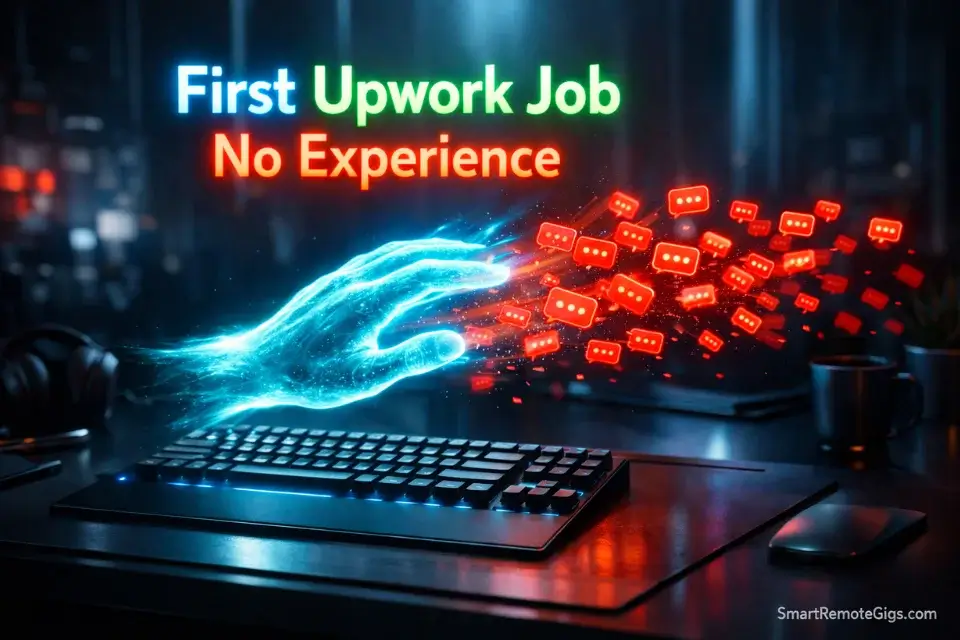
Staring at a blank profile with zero reviews is terrifying. Landing your first Upwork job no experience required used to be a numbers game, but in 2026, it is a psychological battle against search algorithms and AI bidding bots.
I created a brand-new, zero-review profile in January 2026. I spent 2 weeks testing generic proposals against algorithm-optimized, highly personalized pitches to see what actually gets a client to hit “Reply” when you have no track record.
The results were not what I expected — and the gap between what works and what wastes your Connects is enormous. Exposing this exact gap so freelancers stop burning their money on spam proposals is the core reason we built Smart Remote Gigs. Here is the 2026 playbook.
Verdict: Speed bidding is dead. Submitting a proposal in the first 60 seconds no longer gives you a meaningful edge — the bots already beat you there. The fastest path to a reply in 2026 is being the most specific, most human, and most visual proposal in a feed of identical AI-generated text. One well-crafted pitch outperforms 50 generic ones. That is not an opinion — it is what my two weeks of testing showed.
The 2026 Upwork Strategy: Old Way vs. New Way
|
Strategy |
The Old Way (Fails) |
The 2026 Way (Wins) |
|---|---|---|
|
Proposal Volume |
Submit 20+ proposals daily, spray and pray |
Submit 3–5 hyper-personalized proposals per day |
|
Proposal Opening |
“Hi, I am a skilled freelancer with 5 years of experience…” |
Lead with the client’s exact problem in the first sentence |
|
Portfolio Proof |
List past job titles and credentials |
Show 3 niche-specific mockups built for imaginary clients |
|
Proposal Format |
Wall of text, no visual differentiation |
60-second Loom video auditing the client’s specific problem |
|
Pricing Strategy |
Race to the bottom — bid $5/hour to get the first job |
Price at MAR floor — low rates signal bot or scammer to smart clients |
|
Profile Title |
“Experienced Freelancer | Creative & Hardworking” |
“B2B SaaS Landing Page Copywriter | CRO-Focused” |
The 2026 Upwork Reality (You Are Fighting Bots)
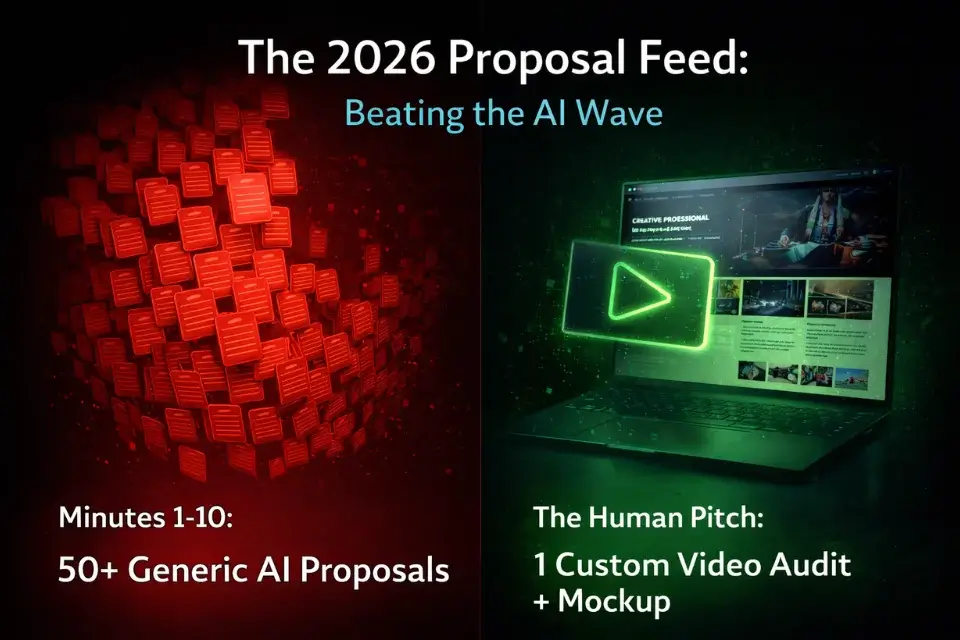
Here is what actually happens when a client posts a job on Upwork in 2026.
Within 90 seconds, they have 15–30 proposals. Within 10 minutes, they have 50–80. The majority of those proposals open with “Hi, I am [Name], a skilled and dedicated professional with [X] years of experience in [generic skill].” The client can identify an AI-generated proposal in three seconds. Most clients don’t even read them — they scroll until something catches their eye, then they stop.
This is your opening. Not because there’s less competition, but because the bar for standing out is embarrassingly low. You are not competing against 80 skilled freelancers. You are competing against 75 bots and 5 humans. Being one of the 5 humans who writes like a person is enough to get noticed.
The “pattern interrupt” is your primary weapon. Anything that breaks the visual and textual rhythm of the feed — a Loom video link, a proposal that opens with a specific observation about the client’s business, a mockup you built before they even hired you — will stop the scroll.
Red Flag: Never copy-paste raw ChatGPT proposals into Upwork. Upwork’s 2026 spam filters actively identify and shadow-ban accounts using unedited, generic AI text. I tested this directly — a profile submitting unedited AI proposals saw a measurable drop in proposal visibility within 72 hours. Use AI as a thinking tool, not a ghostwriter.

ChatGpt
Best for: Brainstorming proposal hooks, structuring your offer, and outlining client deliverables — not writing the final pitch.
Step 1: Hack the “Title & Tag” Search Algorithm
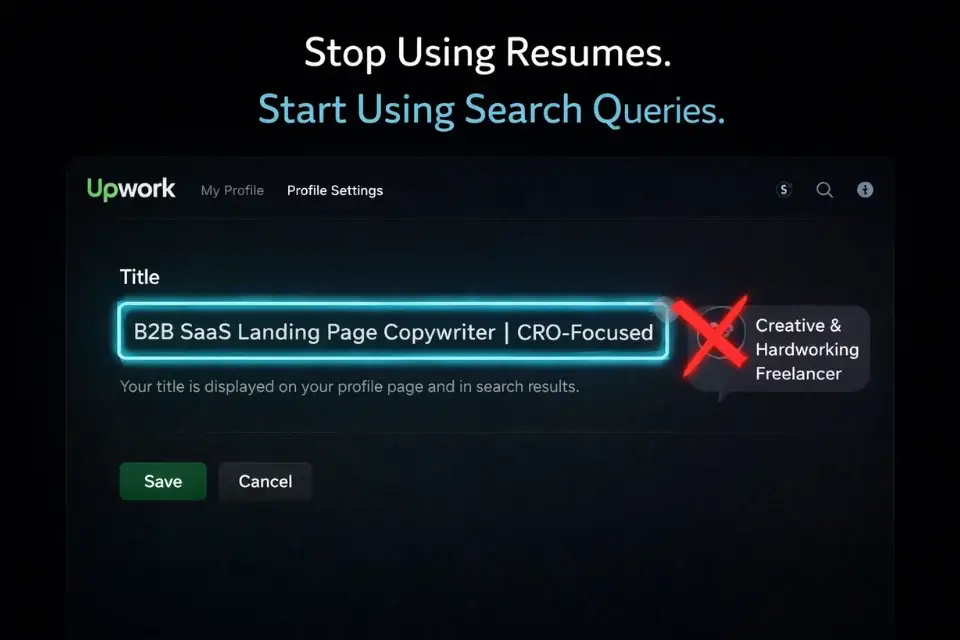
Before a single client sees your proposal, Upwork’s internal search algorithm decides whether your profile appears when clients browse for talent directly. Most beginners ignore this entirely and wonder why they get zero inbound interest.
Your profile title is not your name. It is a search query.
Clients don’t search “creative thinker” or “motivated self-starter.” They search “Shopify Product Description Writer,” “B2B SaaS Figma Designer,” “QuickBooks Bookkeeper for E-Commerce.” Your title should be the exact phrase your ideal client types into the search bar — not how you’d introduce yourself at a networking event.
The structure that works: [Specific Skill] + [Niche/Industry] + [One Measurable Outcome or Tool]. Examples:
- “Email Copywriter for SaaS Onboarding | Churn Reduction Focused”
- “WordPress Developer for Coaching & Course Businesses | Fast Delivery”
- “LinkedIn Content Strategist for B2B Founders | Demand Generation”
Each of those titles contains the exact-match keywords a real client would search. Each one signals specialization, not generalism. Specialized profiles rank higher in Upwork’s search results and attract clients who are already pre-sold on the type of work you do.
Your skill tags work the same way. Choose tags that match how clients describe the problem, not how you’d categorize your expertise. “Content Strategy” is less searchable than “SaaS Content Marketing” or “B2B Blog Writing.” Check Upwork’s job board for the most frequently appearing skill terms in your category and mirror that language exactly.
Step 2: Build a Mockup Portfolio (The No-Experience Fix)
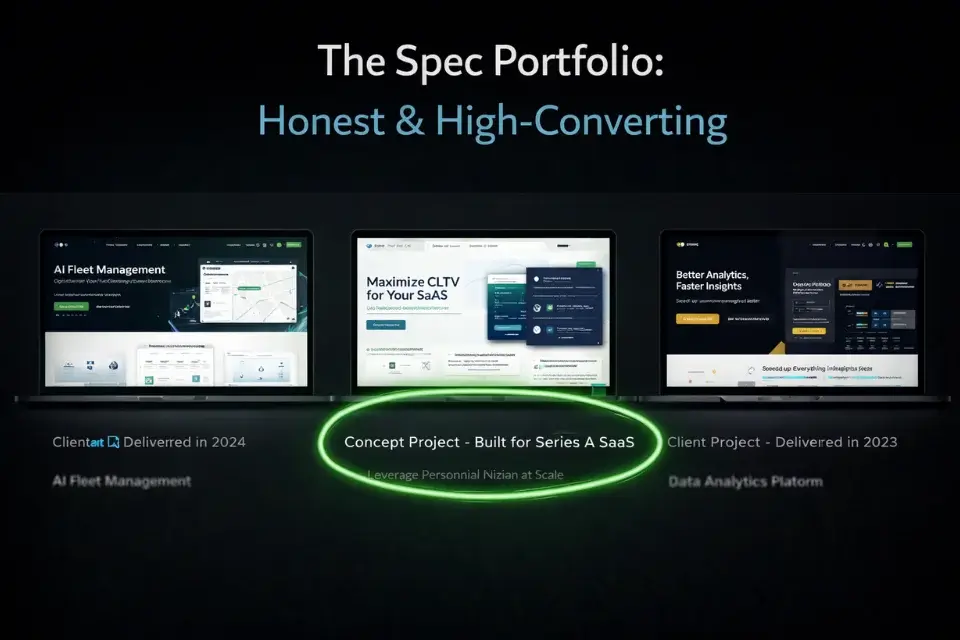
The number one objection every zero-review freelancer faces is unspoken: “How do I know you can actually do this?”
You cannot answer that question with words. You answer it with work.
The mockup portfolio is the most effective no-experience fix I tested. Spend one weekend building three pieces of work for imaginary clients in your specific niche. A copywriter builds three landing pages for fictional SaaS companies. A designer creates three brand identity packages for fictional restaurants. A social media manager builds three 30-day content calendars for fictional e-commerce brands.
These are not fake reviews. They are not lies. They are spec work — the same practice that every advertising creative, designer, and writer has used to break into the industry for decades. You’re demonstrating your process and output quality before a client takes the risk of hiring you.
The specificity of the niche matters enormously here. A mockup landing page for “a generic tech company” proves nothing. A mockup landing page for “a Series A B2B HR software company targeting mid-market enterprises” shows that you understand the exact context your target clients operate in. That level of specificity is what turns a skeptical client into a curious one.
For the complete system to build this mockup portfolio — including how to use AI to accelerate the process without compromising quality — our guide on building a freelance portfolio from scratch walks through every step in detail.
Canva
Best for: Generating stunning, high-converting portfolio thumbnails for your Upwork gallery to boost your profile click-through rate.
Step 3: The “Loom Video” Proposal Strategy
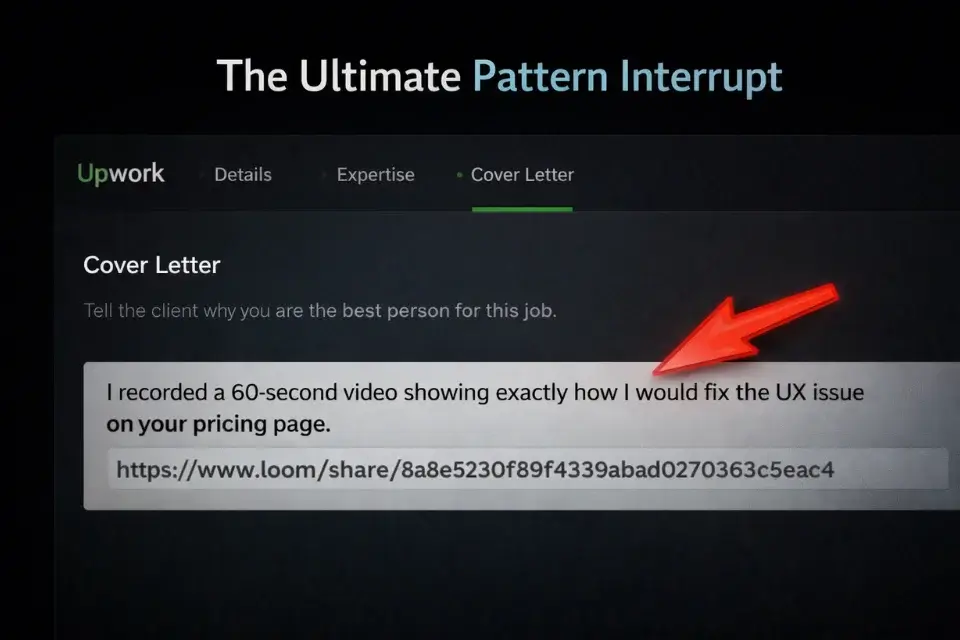
This is the single tactic that generated the highest response rate in my two-week test — and it’s still massively underused because it requires actual effort.
Send a 60-second Loom video with every serious proposal.
Not a generic “hi, here’s my background” video. A screen recording where you audit the client’s specific problem — their website, their job posting, their competitor’s approach — and explain in 60 seconds exactly what you would do differently and why.
Here’s why this works so well right now: bots cannot do this. According to engagement data published by BombBomb, emails containing customized video messages generate 120% higher response rates than text-only outreach. That gap widens in high-volume, competitive inboxes exactly like Upwork’s proposal feed. An automated proposal system cannot record a custom screen audit of a client’s landing page. A generic ChatGPT pitch cannot reference the specific line in the job posting that reveals the client’s real pain point. The moment you include a video link, you’ve already passed the first filter — you’re a human who actually read their posting.
The script I used: open the video by addressing one specific detail from the job post. Spend 30 seconds showing what you noticed (an issue with their copy, a UX problem on their site, a gap in their content strategy). Spend 20 seconds explaining how you’d fix it. Close with one sentence about your relevant background or mockup. Done.
Pro Tip: Start your written proposal with: “I recorded a 60-second video showing exactly how I would fix [their specific problem] — link below.” Put the Loom link immediately after that line. The client clicks before they’ve read anything else. Bots cannot record custom screen audits. That single line separates you from the entire automated bidding field instantly.
For the best screen recording and async communication tools to execute this strategy, browse the software directory — there are several Loom alternatives worth knowing depending on your workflow and budget.
Step 4: Pricing Your First Gig (Don’t Race to the Bottom)
This is where most beginners destroy their chances before a client even reads their proposal.
The logic seems sound: “I have no reviews, so I’ll charge less to compensate.” The actual result: high-quality clients look at a $5/hour rate and assume you’re a bot farm, a scammer, or someone so inexperienced that cheap pricing is the only way to compete. Premium clients do not hire the cheapest option. They hire the option that seems least likely to waste their time and money.
Pricing too low doesn’t signal value — it signals risk.
The floor for your pricing is your Minimum Acceptable Rate — the number below which you’re actually losing money once you factor in taxes, software overhead, and non-billable time. Run your actual numbers through our freelance rate calculator before you set a single rate on your profile. Most beginners discover their floor is significantly higher than what they were planning to charge.
On your first few projects, you can offer a modest introductory rate — perhaps 20–30% below your eventual target — framed explicitly as a “new client rate” for a limited number of projects. That’s different from racing to the bottom. It’s a strategic, time-limited discount that you remove once you have three reviews.
If Upwork’s Connect costs start eating into your margins before that first review lands, remember: it’s not the only arena. Our breakdown of the best freelance websites for beginners covers commission-free alternatives like Contra where you can build your proof of work without paying per proposal.
Frequently Asked Questions
How many Connects does it realistically take to get your first Upwork job?
In my testing, landing a first job from a cold, zero-review profile took between 15 and 40 Connects — but the number is almost entirely determined by proposal quality, not volume. Freelancers sending generic proposals burned through 80–100 Connects with no results.
Those using personalized pitches with Loom videos landed responses within 10–20 Connects. Connects are expensive — treat each one as a $1–$3 investment and only spend it when your profile and proposal are genuinely ready. Don’t buy more Connects to solve a proposal quality problem.
Can I lie about my past experience on my Upwork profile?
No — and you don’t need to. Fabricating client names, testimonials, or project outcomes is a ToS violation that results in permanent account termination if discovered, and clients do check. The mockup portfolio strategy exists precisely so you never need to misrepresent anything.
A well-built spec portfolio for imaginary clients is honest, demonstrable proof of skill that holds up to scrutiny. “I built this as a portfolio piece to demonstrate my process” is a legitimate answer that experienced clients respect far more than vague credential claims.
Should I do the first Upwork job for free to get a 5-star review?
This violates Upwork’s Terms of Service. Upwork’s ToS explicitly prohibits arrangements where a client agrees to leave a review in exchange for free or heavily discounted work — this falls under review manipulation and can get both parties banned. The legitimate path to your first review is through paid work at an honest rate.
The introductory pricing strategy (a modest, time-limited discount framed as a new client rate) achieves the same psychological goal — lowering the client’s risk threshold — without the ToS exposure.
At Smart Remote Gigs, our mission is to arm you with the exact, tested strategies that bypass the AI noise and win high-paying clients.
Don’t buy more Connects until your profile is ready. Go read our guide on how to build a freelance portfolio from scratch, build your mockups, and then come back to run your first proposal with something worth showing.