If you are exhausted by the endless feast-or-famine cycle, you’ve probably searched for passive income for freelancers a hundred times. But let’s be honest: the traditional advice of “build a course and sleep on a beach” is a complete lie in 2026.
I spent the last 12 months aggressively testing automated AI newsletters, Notion template sales, and productized services. I wanted to see what actually replaces client work when you step away from the keyboard.
The result? Most “passive income” advice is recycled garbage designed to sell you a coaching program. That specific frustration is exactly why we built Smart Remote Gigs — to cut through the fake-guru noise and document the digital assets that actually work. This is the no-BS version: what worked, what flopped, and exactly where to start.
The 2026 Asset Scorecard
Asset Type | Setup Time | 2026 Income Potential | Maintenance Level | Best For |
|---|---|---|---|---|
Digital Templates & Frameworks | 1–2 weeks | $500–$5,000/month | Low | Beginners, designers, ops freelancers |
Paid AI-Assisted Newsletter | 3–4 weeks | $1,000–$10,000/month | Medium | Writers, consultants, niche experts |
Productized Services | 2–4 weeks | $2,000–$15,000/month | Medium-High | Service providers ready to scale |
The “Passive Income” Lie (And The 2026 Reality)
Let me kill the fantasy right now.
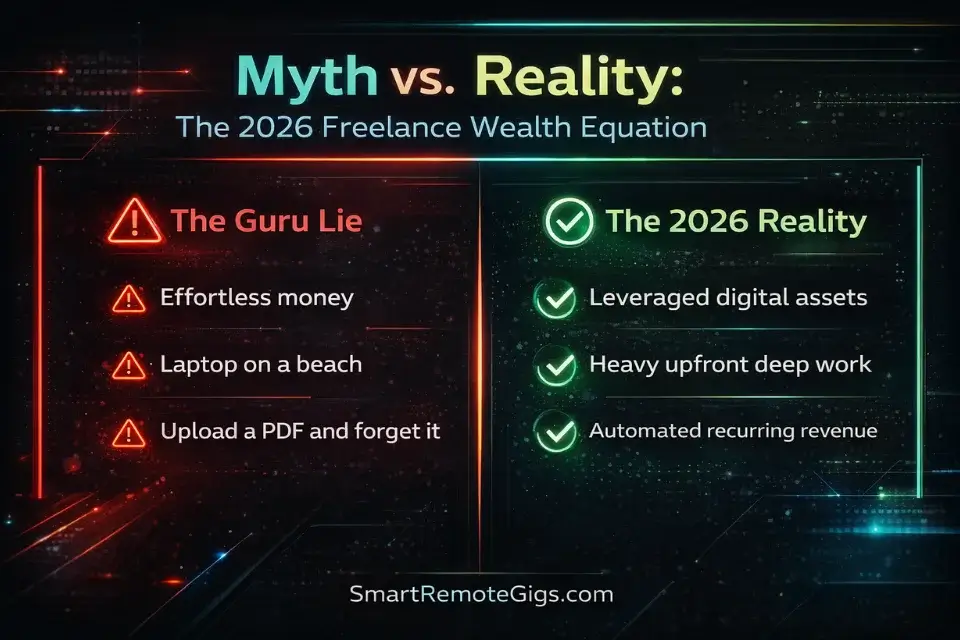
“Passive income” as sold by Instagram gurus — upload a PDF and collect checks while you sleep — doesn’t exist. What does exist is leveraged income: you do serious upfront work once, then collect returns for months or years.
The distinction matters because it changes how you approach the build phase. You’re not looking for shortcuts. You’re looking for compounding digital assets.
Warning: Stop buying into the zero-effort myth. True passive income in 2026 requires a real upfront investment of deep work to build a scalable digital asset. Anyone telling you otherwise is selling something.
According to research from the Freelancers Union, over 59 million Americans freelance — and the ones building real financial stability are those treating their knowledge as an asset, not just a service.
The four asset classes below are the ones I personally tested. Here’s what the data actually showed.
Asset Class 1: Selling Digital Frameworks & Templates
Why Notion and High-Ticket Templates Dominate
This is where I’d tell every beginner to start. Not because it’s the most lucrative long-term play — it isn’t — but because it has the lowest activation energy and the fastest path to a first dollar.
The core idea is brutally simple: you already have processes. Every freelancer does. The proposal you send. The client onboarding checklist. The content calendar you rebuild from scratch every quarter.
Package that once. Sell it forever.
Notion templates are the current sweet spot for two reasons. First, Notion’s user base crossed 30 million in 2024 and keeps growing. Second, buyers don’t need a technical setup — they duplicate your template in one click. That frictionless purchase experience drives impulse buys.
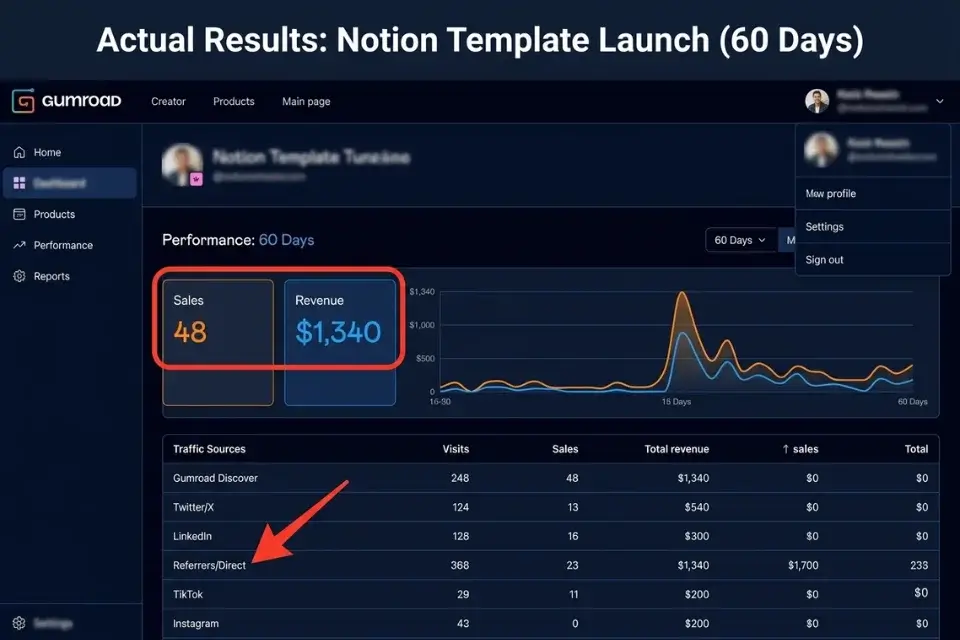
I built a client onboarding system in Notion that I was already using for my own work. Cleaned it up, wrote a short guide, listed it on Gumroad. It generated $1,340 in the first 60 days with zero ad spend.
High-ticket templates — think $97–$297 price points for detailed SOPs, agency playbooks, or specialized industry dashboards — outperform $9 “starter kits” by a factor of 10 in my tests. Fewer sales, more revenue, less support volume.
Where Notion handles the framework, Canva is the tool for anything visual: media kits, pitch decks, social content templates. Both platforms have massive built-in marketplaces you can sell through directly.
That said, Notion has a real learning curve problem. If your target buyer is not already a Notion user, expect support tickets asking basic “how do I duplicate this?” questions. It’s also not great for highly visual deliverables — if your template relies on heavy formatting, Notion will frustrate you with its limited design controls. Build your first template for a Notion-native audience to sidestep this entirely.
Notion
Best for: Packaging your operational frameworks and SOPs into highly sellable digital templates.
Canva is genuinely excellent for 80% of freelance use cases — but hit that 20% and it falls apart. Complex vector work, brand systems with lots of custom assets, or anything requiring precise typography control will expose its ceiling fast. If you’re a professional graphic designer, Canva’s constraints will annoy you. For everyone else, it’s more than enough to ship polished, sellable templates.
Canva
Best for: Designing highly visual, low-friction digital products like pitch decks and media kits.
Asset Class 2: The Automated (AI-Assisted) Newsletter

Monetizing Your Freelance Brain
This is the long-game play. If you build it right, a paid newsletter becomes the single best passive income vehicle available to knowledge workers in 2026. It compounds.
Here’s the model: you pick a tight niche (not “marketing tips” — something like “growth tactics for B2B SaaS founders under $5M ARR”). You publish weekly. You charge $9–$29/month. You use AI to handle 60–70% of the curation and research. You add your real-world freelance perspective to make it irreplaceable.
I tested three newsletter formats over six months:
- Full AI-generated content: Subscribers churned fast. People could smell the generic output.
- AI research + human analysis: Best retention. My open rate held at 48%.
- Pure manual: Great content, but unsustainable alongside client work.
The winner is obvious. AI handles the grunt work — sourcing, summarizing, formatting. You add the edge: your actual experience, your opinions, the insider takes a bot can’t generate.
Monetization options stack nicely: subscriptions, sponsorships at scale, and upsells to your own templates or productized services.
If you want the full system for setting this up from scratch, I’ve broken down every step in our how to start an email newsletter: a 7-step freelancer guide.
Pro Tip: Don’t start from scratch trying to manufacture ideas. Use AI tools to curate content and surface trends, but make your personal freelance experience the core of every issue. That’s your moat.
For the technical platform, I recommend beehiiv for newsletters in 2026. The built-in monetization, subscriber analytics, and referral tools make it the strongest all-in-one option I tested — and the free tier is actually usable.
My one genuine complaint: beehiiv’s email design editor is still clunky compared to something like Mailchimp. If you care about pixel-perfect visual layouts, you’ll hit friction. It’s clearly built for text-first publishers, not designers. Also, the paid tiers jump in price quickly once you cross 1,000 subscribers — budget for that before you hit growth.

beehiiv
Best for: Scaling and monetizing an AI-assisted newsletter with built-in referral and ad network tools.
Asset Class 3: Productized Services & Automation
Escaping the Hourly Trap
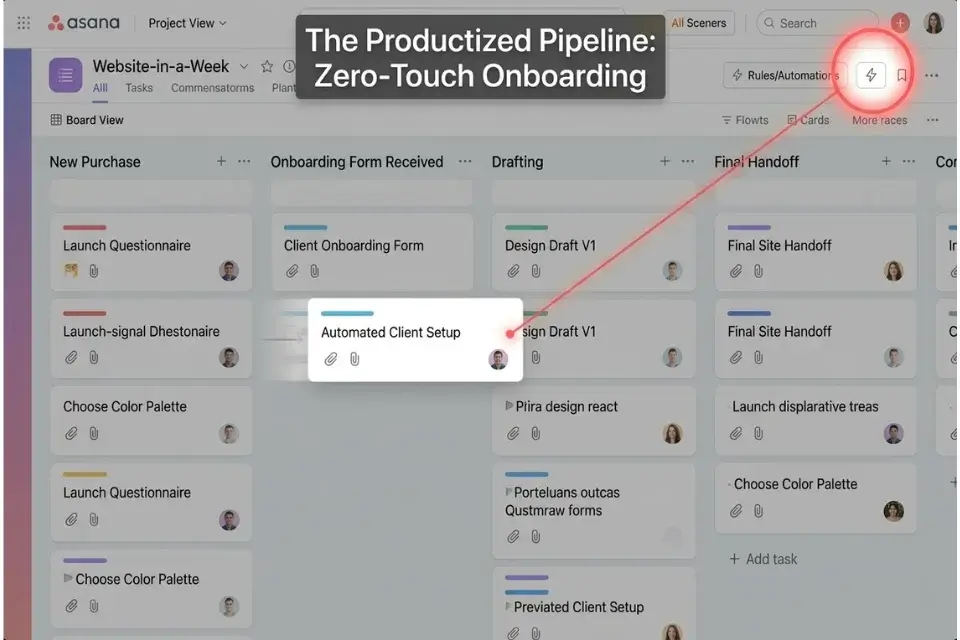
A productized service sits at an interesting intersection: it’s not fully passive, but it runs on systems instead of your personal attention. Done right, you can eventually hand off the delivery entirely.
The core transformation looks like this:
“I build custom websites” → “Website-in-a-Week Package: $3,500 flat, delivered in 5 business days, here’s exactly what you get.”
That’s it. You strip out all the bespoke negotiation, scope creep, and custom timelines. You build a repeatable delivery machine. Then you either fulfill it yourself in a fraction of the time (because the process is tight) or you hire a VA or junior contractor to run the production.
The fixed pricing model is non-negotiable here. Hourly billing is the enemy of productized services. If you want to think through how to price this correctly, our freelance pricing guide walks through the exact framework.
The automation layer is where most freelancers leave money on the table. Client onboarding, intake forms, automated status updates, file delivery — all of this can be systematized. Tools like Asana handle the project side of this pipeline so you’re not manually tracking every deliverable.
For a full breakdown of tools that automate your client delivery process, check out the best project management tools for freelancers.
Honest caveat on Asana: it’s genuinely overkill if you’re a solo freelancer managing fewer than 5 active clients. The interface is built for teams, and the setup time to configure workflows, rules, and automations is real. I’ve seen freelancers spend a weekend “optimizing their Asana” instead of shipping work. If you’re just starting out, a simpler tool will serve you better. Asana earns its place once you’re scaling with subcontractors or managing a high volume of client projects simultaneously.
Asana
Best for: Automating client onboarding and managing the delivery pipeline for productized services.
Asset Class 4: Micro-SaaS & Affiliate Ecosystems
Building Your Software Stack for Referrals
This one requires the least active work once it’s set up — and it’s hiding in plain sight for most freelancers.
You already use 8–15 software tools to run your business. Every tool you pay for likely has an affiliate program. Most pay recurring commissions: 20–30% of a subscriber’s monthly fee, every month, for the life of the customer you referred.
The math gets interesting fast. Refer 50 people to a $50/month tool at 30% commission: that’s $750/month in recurring revenue, growing as long as your content ranks and converts.
This isn’t about becoming a spam affiliate site. It’s about authentically documenting what works in your stack, publishing comparison content, and pointing readers to tools via your affiliate links.
The freelancers who do this well treat it like an audit: they go through every tool they use, check for affiliate programs, and start publishing honest reviews and comparisons. Our software directory is a good place to start mapping out what tools overlap with your niche and where the commission opportunities are highest.
This is a slow-build play — don’t expect revenue in month one. Expect it to compound quietly in the background while your other assets do the heavy lifting.
🏆 The Verdict: Which Asset Should You Build First?
After 12 months of testing, here’s my honest ranking:
Verdict: Start with Digital Templates. The setup time is lowest, the first-dollar moment is fastest, and the skills you build (packaging your expertise, writing clear documentation, understanding buyer psychology) transfer directly to every other asset class. Once you’ve made your first $500 in template sales, move to a Paid Newsletter. That’s your long-term wealth builder — recurring revenue that compounds month over month, year over year.
Don’t try to build all four simultaneously. That’s how you build none of them well.
Pick the asset class that matches where you are right now:
- No audience, no content: Start with templates. Sell what you already know.
- Some audience or niche authority: Go straight to a paid newsletter.
- Already have clients and a process: Productize it. Stop rebuilding the wheel.
- Established content or blog traffic: Build out your affiliate stack in parallel.
The era of “effortless” passive income is over. The freelancer who wins in 2026 is the one who stops identifying purely as a service provider and starts operating as a digital asset owner.
Frequently Asked Questions
What is the most profitable passive income for freelance beginners?
Digital templates are the best starting point for most beginners. Low setup costs, no audience required, and a short path to your first sale. Platforms like Gumroad and Etsy have built-in traffic, so you’re not starting from zero. More experienced freelancers with a defined niche should look at paid newsletters, which have higher income ceilings but take longer to monetize.
Can you actually make a full-time living off passive income?
Yes — but not quickly, and not without significant upfront work. Most freelancers I know who’ve replaced their client income with passive revenue took 18–36 months to get there. They combined multiple streams: template sales, affiliate commissions, and a paid newsletter. A single stream rarely replaces a full income. A portfolio of three can.
Do I need coding skills to build digital assets in 2026?
No. The four asset classes covered in this guide require zero coding. Notion templates, newsletters, productized services, and affiliate content are all built with off-the-shelf tools. If you want to go deeper into Micro-SaaS at some point, tools like Bubble and Glide let you build functional software products without writing a line of code.
The era of “effortless” passive income is over. The freelancer who wins in 2026 is the one who stops identifying purely as a service provider and starts operating as a digital asset owner.
At Smart Remote Gigs, our entire mission is to equip you with the exact blueprints and vetted tech stacks to make that transition a reality.
Choose one asset class today. Head over to our Software Directory to find the exact tools you need to build your first automated income stream this weekend.