
n8n Journalist Outreach Bot 2026: PR System [Guide]
 ·
Last Updated: August 4, 2026 ·
20 min read
·
Last Updated: August 4, 2026 ·
20 min read 
We assumed a full-time PR agency retainer was the only way to consistently get in front of journalists — until the fixed monthly cost with no guaranteed placements made the tradeoffs obvious.
Building a self-hosted PR triage system removes the retainer’s fixed cost — the tradeoff is that you’re now doing the actual expert-response writing yourself, which is exactly what still works on today’s journalist-request platforms.
Smart Remote Gigs (SRG) builds transparent, developer-grade workflow blueprints. Our guidance here comes from current reporting on the HARO/Connectively platform history and each vendor’s own documentation — not an in-house PR deployment. Where a number can’t be traced to a public source, we say so.
SRG Quick Summary
One-Line Answer: n8n can automate the tedious parts of journalist-request monitoring — ingesting the daily digest, filtering by relevance, and drafting a starting point — but the platform’s current anti-AI screening means the actual pitch a journalist receives should be genuinely written or substantially rewritten by a human, not sent as raw AI output.
🚀 Quick Wins:
- Set up an email-based trigger to catch your HARO digest TODAY.
- Build an AI triage filter to cut a long digest down to the handful of genuinely relevant queries THIS WEEK.
- Use AI-drafted starting points as a human writing aid, not an auto-send pipeline THIS MONTH.
📊 The Details & Hidden Realities:
- HARO’s current owner, Featured.com, relaunched the platform in April 2025 as a free, three-times-daily email digest — not the RSS/paid-tier version some older guides still describe.
- Current platform guidance explicitly discourages AI-generated pitches and screens for them; getting caught risks a ban. This changes what “automation” should mean here — automate the triage, not the actual writing.
[Evidence Source: Platform History Reporting] | [Confidence Level: Confirmed]
The Architecture of a Journalist Outreach Triage System
Paying a PR agency for media monitoring and pitch drafting is a fixed cost that doesn’t scale with your actual query volume, and agencies split attention across every client on their roster. When designing AI workflows and automation for PR specifically, the real leverage isn’t in automating the final pitch — it’s in automating everything before the pitch: catching the digest the moment it lands, filtering out the queries that aren’t a genuine fit, and giving your team a head start on the ones that are. This kind of infrastructure question is part of what we cover in our best AI automation tools index, and it connects directly to how we think about measuring the ROI of AI tools across an agency more broadly.
One important framing shift from how this kind of system used to be built: HARO’s current owner relaunched the platform in April 2025 as a free, email-based digest — sent three times daily — after Cision’s paid Connectively version was discontinued in December 2024. The RSS-feed-based ingestion architecture that older automation guides describe doesn’t match how the platform works today.
More importantly, current platform guidance explicitly warns against AI-generated responses and actively screens for them, largely because a flood of AI spam was part of what damaged the platform’s credibility with journalists before its relaunch. That changes the goal of this build: the automation below is designed to save your team time on triage and drafting starting points — not to auto-send AI-written pitches at scale.
The system operates across four layers: email-digest ingestion and parsing, AI-powered relevance filtering to cut a long digest down to a manageable shortlist, AI-assisted first-draft generation for your team to rewrite in their own voice, and human-in-the-loop delivery with CRM logging.
[Evidence Source: Platform History Reporting; Current Platform Guidance] | [Confidence Level: Confirmed]
⚖️ Quick Comparison Summary
| Metric | Traditional PR Agency | n8n-Assisted Triage System |
|---|---|---|
| Monthly cost | Agency retainer (varies widely) | VPS + API token costs |
| Monitoring effort | Shared across an agency’s client roster | Automated ingestion, still needs human review |
| Pitch personalization | Often templated | Human-written, AI-assisted for a first draft only |
| Data ownership | Agency retains relationship history | Fully owned |
| Scale ceiling | Agency’s bandwidth and billing tier | Your own review capacity — this is the real bottleneck, not infrastructure |
[Evidence Source: General Industry Comparison] | [Confidence Level: Directional — no specific benchmarked cost-per-placement figure is cited here, since none could be independently verified]
📬 Scenario 1 — The Data Engineer: Ingesting the HARO Email Digest
Scenario 1 — Reality Check & Diagnostics
HARO’s current format is a free, three-times-daily email digest, not the RSS feed or paid-tier API some older automation guides assume. Building an ingestion layer today means catching that email as it arrives and parsing the individual journalist queries out of the digest body — the digest bundles many unrelated requests into a single email, and only a handful will ever be relevant to any one agency.
The Exact Workflow
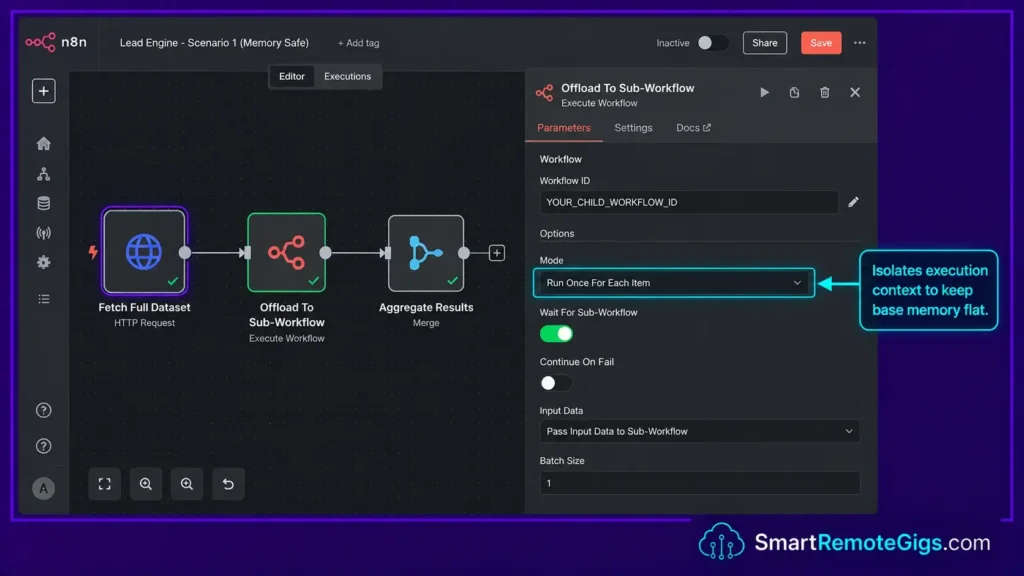
- Set up a Gmail Trigger node watching for new emails from HARO/Featured.com’s sending address, filtered by subject line pattern (the digest typically arrives with a consistent subject format you can match on).
- Extract the email body and pass it into a Code node that splits the digest into individual query blocks — HARO digests typically separate each request with a consistent delimiter pattern (category headers, “Name:”/”Email:”/”Deadline:” style fields, or numbered sections).
- Normalize each parsed query into a consistent JSON structure (category, deadline, query text, submission email) so downstream nodes can process them uniformly regardless of which section of the digest they came from.
- Pass the array of normalized queries into the AI filtering stage in Scenario 2, rather than trying to triage the full digest manually every time it lands.
To run this reliably around the clock rather than depending on checking your inbox manually, you’ll want it on infrastructure you control — see how to self-host n8n if you haven’t already set that up.
The JSON Script
{
  "nodes": [
    {
      "name": "Gmail Trigger — HARO Digest",
      "type": "n8n-nodes-base.gmailTrigger",
      "parameters": {
        "pollTimes": {
          "item": [
            { "mode": "everyMinute" }
          ]
        },
        "filters": {
          "sender": "YOUR_HARO_SENDER_ADDRESS",
          "q": "YOUR_SUBJECT_LINE_FILTER"
        }
      },
      "position": [250, 300]
    },
    {
      "name": "Parse Digest Into Queries",
      "type": "n8n-nodes-base.code",
      "parameters": {
        "mode": "runOnceForEachItem",
        "jsCode": "// Splits a HARO digest email body into individual query blocks.\n// The exact split pattern depends on the current digest format —\n// inspect a real digest email and adjust YOUR_QUERY_DELIMITER_REGEX below.\n\nconst body = $json['text'] || $json['html'] || '';\nconst YOUR_QUERY_DELIMITER_REGEX = /\\n\\d+\\)\\s/g; // e.g. splits on '1) ', '2) ', etc.\n\nconst blocks = body.split(YOUR_QUERY_DELIMITER_REGEX).filter(b => b.trim().length > 20);\n\nreturn blocks.map(block => ({\n  json: {\n    raw_query: block.trim(),\n    normalized_text: block.trim().toLowerCase(),\n    source: 'haro_digest',\n    ingested_at: new Date().toISOString()\n  }\n}));"
      },
      "position": [500, 300]
    },
    {
      "name": "Deduplicate",
      "type": "n8n-nodes-base.code",
      "parameters": {
        "mode": "runOnceForAllItems",
        "jsCode": "const seen = new Set();\nconst results = [];\nfor (const item of $input.all()) {\n  const key = item.json.normalized_text.slice(0, 100);\n  if (!seen.has(key)) {\n    seen.add(key);\n    results.push(item);\n  }\n}\nreturn results;"
      },
      "position": [750, 300]
    }
  ],
  "connections": {
    "Gmail Trigger — HARO Digest": {
      "main": [[{"node": "Parse Digest Into Queries", "type": "main", "index": 0}]]
    },
    "Parse Digest Into Queries": {
      "main": [[{"node": "Deduplicate", "type": "main", "index": 0}]]
    }
  }
}
Personalization Notes:
YOUR_HARO_SENDER_ADDRESS— The actual sending address for your HARO/Featured.com digest emails. Check a real digest email’s headers to confirm the exact address before filtering on it.YOUR_SUBJECT_LINE_FILTER— A Gmail search query fragment matching the digest’s subject line pattern (e.g.,subject:"HARO"or similar — confirm against a real digest email).YOUR_QUERY_DELIMITER_REGEX— The regex pattern splitting the digest body into individual queries. This is a placeholder pattern based on common digest formats and must be verified against a real, current digest email before deploying — digest formatting can change without notice, and this node will silently produce garbage output if the delimiter doesn’t match.
n8n’s Gmail Trigger node lets you catch and parse the digest the moment it lands rather than checking your inbox manually multiple times a day. For the complete breakdown of pricing and features:

Best For: The go-to workflow automation platform for technical freelancers and automation agencies, but non-developers will hit a wall fast.
The Workflow Limitations
This parsing approach is inherently fragile to digest format changes — since the split logic depends on matching the current email structure, any format change on HARO’s end (a new template, different delimiters) will break this node silently until someone notices malformed output downstream. It’s worth spot-checking the parsed output against the raw email periodically rather than assuming it’ll keep working indefinitely.
[Evidence Source: n8n Gmail Trigger Documentation] | [Confidence Level: Common Workaround — the general pattern of parsing structured emails is standard, but the specific regex here is a starting point that needs verification against a live digest, not a guaranteed-working solution]
The Pro Tip
Pro Tip:
Before wiring this into your full pipeline, run it in test mode against a handful of real digest emails and manually check that the parsed query count and text roughly match what you’d expect from reading the digest yourself. A parsing bug here silently corrupts everything downstream — catching it early is worth the extra 20 minutes.
🧠 Scenario 2 — The PR Specialist: Filtering Noise with AI Analysis
Scenario 2 — Reality Check & Diagnostics
A single HARO digest bundles queries across every industry and topic — most won’t be relevant to any one agency’s expertise. Basic keyword matching (checking whether “SEO” or “automation” appears in the query text) tends to produce false positives, because journalists’ queries often use surface-level keywords that don’t reflect the actual subject matter.
An AI node evaluating the query’s actual intent, rather than its keywords, is a more reliable filter — though it’s not perfect, and spot-checking its calls is worth doing periodically.
The Exact Workflow
- Pass the normalized query array into an AI node, using a cost-efficient model — this is a simple classification task, not one that needs your most capable (and most expensive) model.
- Inject a system prompt detailing your agency’s core areas of expertise, formatted as a strict evaluation rubric.
- Instruct the AI to output a strict Boolean value —
trueorfalse— rather than allowing ambiguous outputs that would need additional human triage logic. - Route the AI’s Boolean output through a Switch node, discarding
falseresults and passingtrueresults forward to Scenario 3 for draft assistance.
The Text Script
You are a senior PR specialist evaluating whether an incoming journalist query is relevant to a specific agency’s area of expertise.
Your task: Analyze the journalist’s query and return ONLY the word “true” or “false” — no explanation, no punctuation, no additional text.
Return “true” ONLY if the journalist’s query directly requires expertise in at least one of the following topics:
YOUR_EXPERTISE_TOPIC_1
YOUR_EXPERTISE_TOPIC_2
YOUR_EXPERTISE_TOPIC_3
Return “false” for all other queries, including those that superficially mention related keywords but are fundamentally about a different subject matter.
Critical rule: Evaluate the journalist’s INTENT, not the keywords. A query asking “Why is SEO dead?” is about content strategy, not technical SEO — evaluate accordingly.
Journalist Query:
[QUERY_TEXT]
Your output (one word only):
Personalization Notes:
YOUR_EXPERTISE_TOPIC_1 / 2 / 3— Replace with your agency’s most specific areas of expertise. Avoid broad terms like “marketing” or “technology” — the more specific the topic, the better the filter tends to perform.[QUERY_TEXT]— Injected dynamically using the n8n expression={{$json["normalized_text"]}}from Scenario 1’s deduplication output.
The SRG AI Paragraph Summarizer can pre-process verbose journalist queries into a cleaner, more intent-focused summary before they hit this filtering node, which can reduce the tokens you’re paying for on high digest volumes. For a quick test on your text data:
Overwhelmed by long articles, dense reports, or never-ending email threads? Paste any paragraph and get a clear, accurate summary in one or two sentences — instantly, for free, with no account needed.
The Workflow Limitations
This filter reduces obvious mismatches, but it isn’t perfect — a query that’s ambiguously worded can still get misclassified in either direction. Periodically reviewing a sample of both the “true” and “false” outputs against your own judgment is worth doing to catch systematic filtering mistakes before they cost you either wasted review time or a missed opportunity.
[Evidence Source: General LLM Classification Best Practice] | [Confidence Level: Common Workaround]
The Red Flag
Red Flag:
Never rely on basic keyword matching alone for this filter. A journalist asking “Why is SEO dead?” can trigger a naive SEO-keyword filter even for an agency with zero content-strategy expertise. Keyword matching checks for presence, not intent — the distinction determines whether your reviewer’s time gets spent on genuinely relevant queries or false positives.
✍️ Scenario 3 — The Copywriter: AI-Assisted First Drafts for Human Rewriting
Scenario 3 — Reality Check & Diagnostics
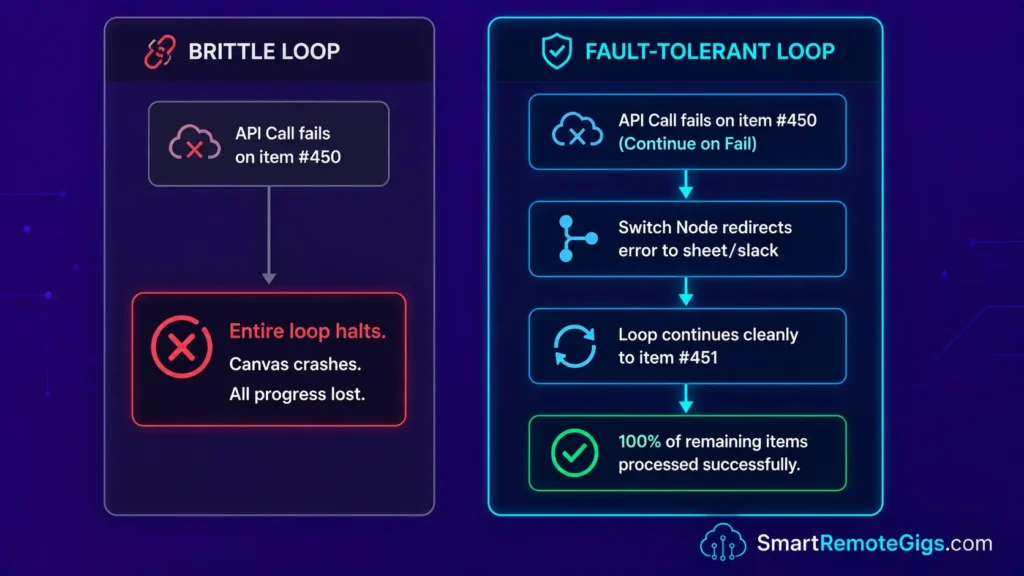
This is the stage where the framing has to shift most from how this kind of system used to be built. HARO’s current guidance explicitly discourages AI-generated responses and screens for them — getting caught risks a ban, and journalists on the platform have become more skeptical of anything that reads as templated or AI-written, since a wave of low-quality AI spam was part of what damaged the platform before its relaunch.
The right use of AI here is generating a first-draft starting point — a rough answer, a relevant data point, a possible angle — that a human on your team then genuinely rewrites in their own voice before it goes anywhere near a journalist. Treat the AI output as a research assistant’s rough notes, not a finished pitch.
The Exact Workflow
- Send the validated query to an LLM node with a prompt asking for a rough first-draft answer and one or two relevant supporting points — explicitly framed as a starting point for a human writer, not a final response.
- Extract the journalist’s context (publication, deadline, core question) into distinct variables using a Set node.
- Route the draft to a human team member for genuine rewriting — this step is not optional. The draft should be treated as raw material, the same way a researcher’s notes would be, not as send-ready copy.
- Track which queries convert to human-written responses and which get placements, so you can refine your filtering criteria in Scenario 2 over time based on what’s actually landing.
This general pattern — using AI to accelerate research and drafting while keeping a human in the actual writing seat — echoes the same principle from our n8n templates for lead generation guide: AI speeds up the parts that don’t require genuine voice, and a person still needs to own the parts that do.
The JavaScript Script
// AI Draft Output Sanitizer
// Place inside a Code node immediately after your LLM first-draft node
// Mode: Run Once For Each Item
// NOTE: this output is a starting point for human rewriting, not send-ready copy.

const items = $input.all();
const results = [];

for (const item of items) {
  // Extract the raw AI output — adjust key name to match your LLM node's output field
  let draftText = item.json[YOUR_LLM_OUTPUT_FIELD] || "";

  // Strip markdown formatting that doesn't belong in a plain-text working draft
  draftText = draftText
    .replace(/\*\*(.*?)\*\*/g, "$1")       // Remove bold **text**
    .replace(/\*(.*?)\*/g, "$1")            // Remove italic *text*
    .replace(/#{1,6}\s/g, "")               // Remove heading markers
    .replace(/`(.*?)`/g, "$1")              // Remove inline code backticks
    .replace(/\[([^\]]+)\]\([^)]+\)/g, "$1") // Strip hyperlinks, keep anchor text
    .replace(/\n{3,}/g, "\n\n")             // Collapse triple+ newlines to double
    .trim();

  results.push({
    json: {
      ...item.json,
      draft_for_human_review: draftText,
      needs_human_rewrite: true,
      journalist_name: item.json[YOUR_JOURNALIST_NAME_FIELD] || "Editor",
      publication: item.json[YOUR_PUBLICATION_FIELD] || "Unknown Publication"
    }
  });
}

return results;
Personalization Notes:
YOUR_LLM_OUTPUT_FIELD— The JSON key containing your LLM node’s generated text output. Check your LLM node’s output panel to confirm the exact key name.YOUR_JOURNALIST_NAME_FIELD/YOUR_PUBLICATION_FIELD— The JSON keys from your Set node containing the extracted journalist name and publication.
The Workflow Limitations
This stage produces a rough draft, not a response ready to send — that’s intentional. It also can’t verify factual claims the AI includes; if the AI draft references a statistic or case study, a human needs to confirm that’s actually real before it goes anywhere near a journalist, since LLMs can produce plausible-sounding but incorrect specifics.
[Evidence Source: Current HARO/Featured.com Platform Guidance] | [Confidence Level: Confirmed on the platform’s stated anti-AI policy; the practical detection mechanics aren’t publicly documented]
The Pro Tip
Pro Tip:
Keep a running log of which human-rewritten responses actually get quoted or placed, and loosely tag what made them work — a specific data point, a strong opening line, a particular angle. Over time this becomes a useful internal reference for your team’s own writing, which is a more durable asset than trying to get an AI pitch to slip past detection.
📨 Scenario 4 — The Account Executive: Delivery & CRM Logging
Scenario 4 — Reality Check & Diagnostics
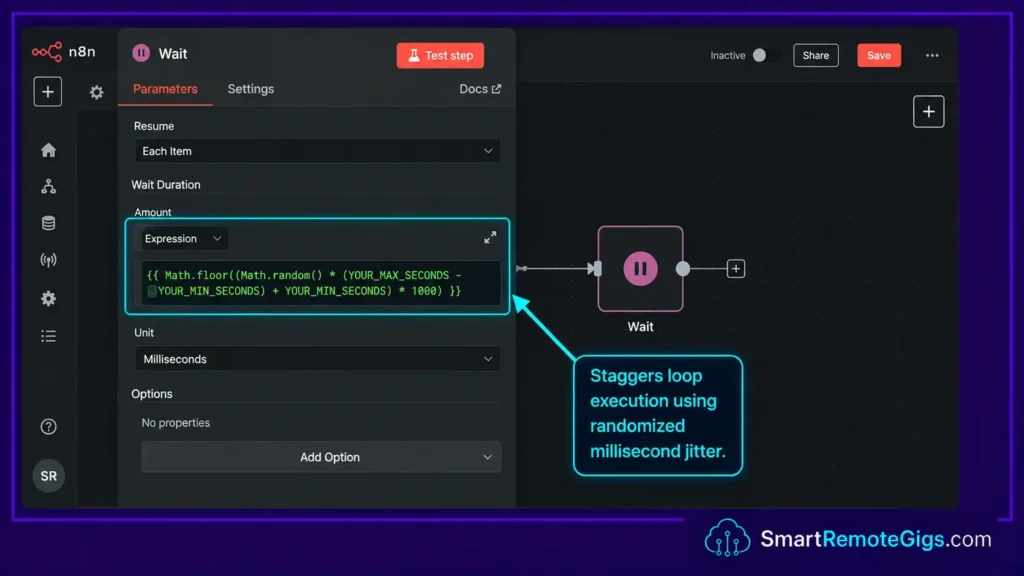
Sending a response without a genuine human rewrite and review step is the fastest way to damage both journalist relationships and your standing on a platform that actively screens for AI content. The delivery stage should always route through a draft state, giving a real person the chance to rewrite and review before anything is sent.
The Exact Workflow
- Route the human-rewritten response into the Gmail or SMTP node, configured with your outreach email credentials stored in n8n’s encrypted vault.
- Set the node action to “Create Draft” rather than “Send” — this is a firm requirement here, not just a nice-to-have, given the platform’s current anti-AI stance.
- Add an Airtable node to log the publication name, journalist name, subject line, date drafted, and a
statusfield defaulting to"Pending Human Rewrite". - Push a Slack or Discord notification to your team’s channel flagging that a new query has cleared filtering and has a rough draft ready for someone to actually write.
Using productivity workflow automation to route new queries to the right team member quickly is a reasonable efficiency gain — the goal is getting a person writing sooner, not skipping the person entirely.
The JSON Script
{
  "nodes": [
    {
      "name": "Create Gmail Draft",
      "type": "n8n-nodes-base.gmail",
      "parameters": {
        "operation": "create",
        "resource": "draft",
        "subject": "={{$json[\"pitch_subject\"]}}",
        "message": "={{$json[\"draft_for_human_review\"]}}",
        "toList": "YOUR_JOURNALIST_EMAIL_FIELD",
        "options": {}
      },
      "position": [250, 300]
    },
    {
      "name": "Log to Airtable",
      "type": "n8n-nodes-base.airtable",
      "parameters": {
        "operation": "append",
        "baseId": "YOUR_AIRTABLE_BASE_ID",
        "tableId": "YOUR_PR_LOG_TABLE_ID",
        "dataMode": "defineBelow",
        "fieldsUi": {
          "fieldValues": [
            {"fieldId": "Publication", "fieldValue": "={{$json[\"publication\"]}}"},
            {"fieldId": "Journalist", "fieldValue": "={{$json[\"journalist_name\"]}}"},
            {"fieldId": "Subject", "fieldValue": "={{$json[\"pitch_subject\"]}}"},
            {"fieldId": "Status", "fieldValue": "Pending Human Rewrite"},
            {"fieldId": "Date Drafted", "fieldValue": "={{new Date().toISOString().split('T')[0]}}"}
          ]
        }
      },
      "position": [500, 300]
    },
    {
      "name": "Notify Slack",
      "type": "n8n-nodes-base.httpRequest",
      "parameters": {
        "method": "POST",
        "url": "YOUR_SLACK_WEBHOOK_URL",
        "bodyParametersJson": "={\"text\": \"📝 New PR Query Ready For Human Draft\\n*Publication:* {{$json[\\\"publication\\\"]}}\\n*Journalist:* {{$json[\\\"journalist_name\\\"]}}\\n*Subject:* {{$json[\\\"pitch_subject\\\"]}}\\n*Action:* Rewrite the AI first-draft in your own voice, verify any facts referenced, then send manually.\"}"
      },
      "position": [750, 300]
    }
  ],
  "connections": {
    "Create Gmail Draft": {
      "main": [[{"node": "Log to Airtable", "type": "main", "index": 0}]]
    },
    "Log to Airtable": {
      "main": [[{"node": "Notify Slack", "type": "main", "index": 0}]]
    }
  }
}
Personalization Notes:
YOUR_JOURNALIST_EMAIL_FIELD— The n8n expression pointing to the journalist’s contact email, extracted during digest parsing.YOUR_AIRTABLE_BASE_ID/YOUR_PR_LOG_TABLE_ID— Your Airtable base and table identifiers for tracking outreach history.YOUR_SLACK_WEBHOOK_URL— Your Slack workspace’s incoming webhook URL.
The Workflow Limitations
This logging setup tracks drafting and status, but it doesn’t automatically track placements (whether a response actually got quoted) — that still needs to be logged manually when you find out, since there’s no reliable automated signal for “this got published.”
[Evidence Source: n8n Gmail & Airtable Node Documentation] | [Confidence Level: Confirmed]
The Red Flag
Red Flag:
Sending a response that’s obviously AI-generated — unrewritten, generic in tone, or with unverified specifics — risks both a platform ban and real damage to your standing with individual journalists who increasingly recognize this pattern. The “Create Draft, then genuinely rewrite” step isn’t a formality; it’s the difference between this being a legitimate research and drafting aid versus the exact behavior the platform is actively trying to filter out.
💰 Pricing & ROI Breakdown
A traditional PR agency retainer is a real fixed monthly cost, and outcomes vary — there’s no reliable published figure for “typical” placement volume per retainer dollar that we could verify, so we won’t invent one. Running this triage-and-draft-assist system costs whatever your VPS runs plus AI API token usage, which scales with your actual digest volume rather than being a fixed retainer.
We don’t have a verified per-placement cost figure to cite for this approach either — the honest answer is that the real ROI depends heavily on how much genuine human writing time your team puts into the responses this system surfaces, which isn’t something a workflow can fully automate away. For a broader cost-structure comparison across automation platforms, see our best AI automation tools breakdown.
[Evidence Source: General Cost Structure Comparison] | [Confidence Level: Directional — no specific benchmarked cost-per-placement figure independently verified]
🗓️ The 7-Day Execution Plan
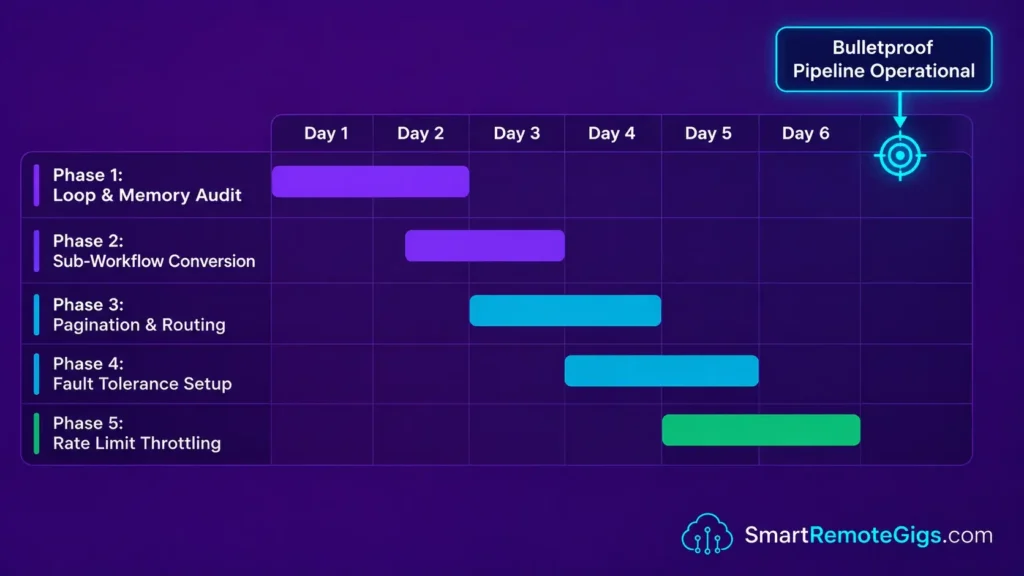
📅 Days 1–3: Ingestion & Filtering
- Set up the Gmail Trigger and digest-parsing Code node from Scenario 1, and verify the parsing logic against several real digest emails before trusting it.
- Build the AI Boolean filter from Scenario 2 and check its output against your own judgment on a sample of queries.
Pro Tip:
Run the parsing and filtering stages in test mode for a few real digest cycles before connecting anything downstream. Confirming the parser isn’t silently mangling queries is worth the delay.
📅 Days 4–7: Draft Assistance & Delivery
- Connect the first-draft LLM node from Scenario 3, explicitly prompted to produce rough starting points rather than finished copy.
- Wire the Gmail Draft, Airtable logging, and Slack notification flow from Scenario 4.
- Establish a clear team norm: every draft gets genuinely rewritten by a human before it’s sent, no exceptions.
By Day 7: Your team should have a working pipeline that catches the HARO digest automatically, filters it down to genuinely relevant queries, and hands your writers a head start — while the actual outreach remains human-written, which is both the safer and the more effective approach on the current platform.
The Verdict: Automating Triage, Not Trust
The system in this guide isn’t a content mill — it’s infrastructure for catching a high-volume email digest, cutting it down to genuinely relevant queries, and giving your team a research-assisted head start on drafting. What it deliberately doesn’t do is auto-send AI-written pitches, because the current platform landscape makes that a bad trade: real ban risk, real journalist-trust risk, in exchange for saving the one step — genuine writing — that actually determines whether a pitch lands.
Who should build this: agencies or teams that get enough HARO digest volume that manual triage is a genuine time sink, and who are willing to keep a real person writing and reviewing every response that goes out. Who should skip it: anyone looking for a way to fully automate pitch-sending without a human in the loop — that’s both against current platform norms and, more practically, unlikely to land placements on a platform actively filtering for exactly that pattern.
Verdict:
A self-hosted n8n triage-and-draft-assist system is a genuinely useful way to handle high digest volume and speed up research — but the value in 2026 comes from freeing up your team’s time to write better, human responses, not from replacing the writing itself.
Head to the SRG Job Board at /jobs/ for remote PR and SEO contracts in workflow-driven content strategy. Browse the SRG Software Directory at /software/ for vetted outreach tools.

![Fix n8n PostgreSQL Timeout 2026: DB Handshake [Fix]](https://smartremotegigs.com/wp-content/uploads/2026/08/fix-n8n-postgresql-timeout-hero-1024x576.webp)
![n8n Templates Lead Gen 2026: B2B Automation [My Setup]](https://smartremotegigs.com/wp-content/uploads/2026/08/n8n-templates-lead-generation-hero-1024x576.webp)
![n8n Active Loops 2026: Fix Pagination Logic [Data]](https://smartremotegigs.com/wp-content/uploads/2026/08/n8n-active-loops-pagination-hero-1024x576.webp)