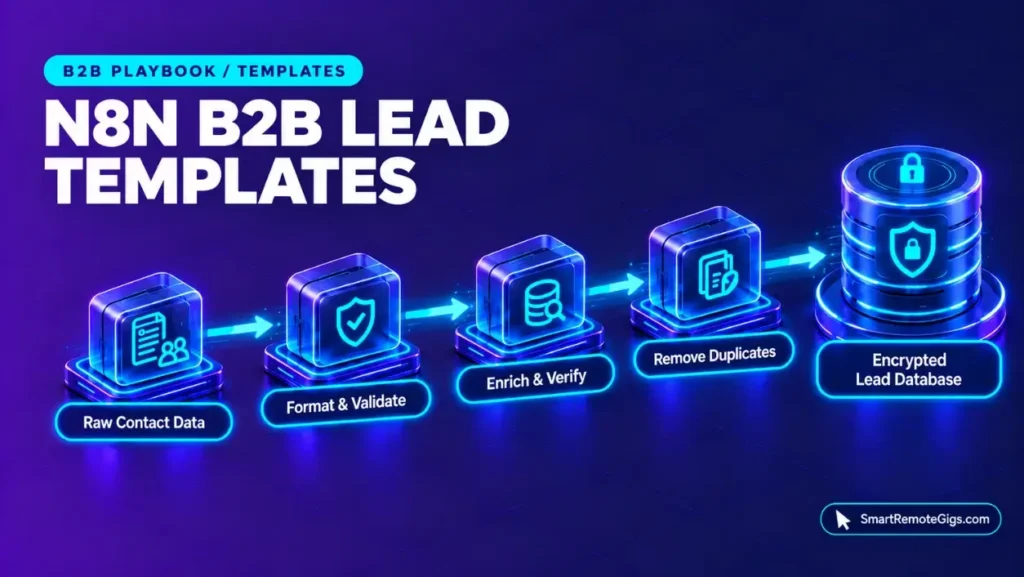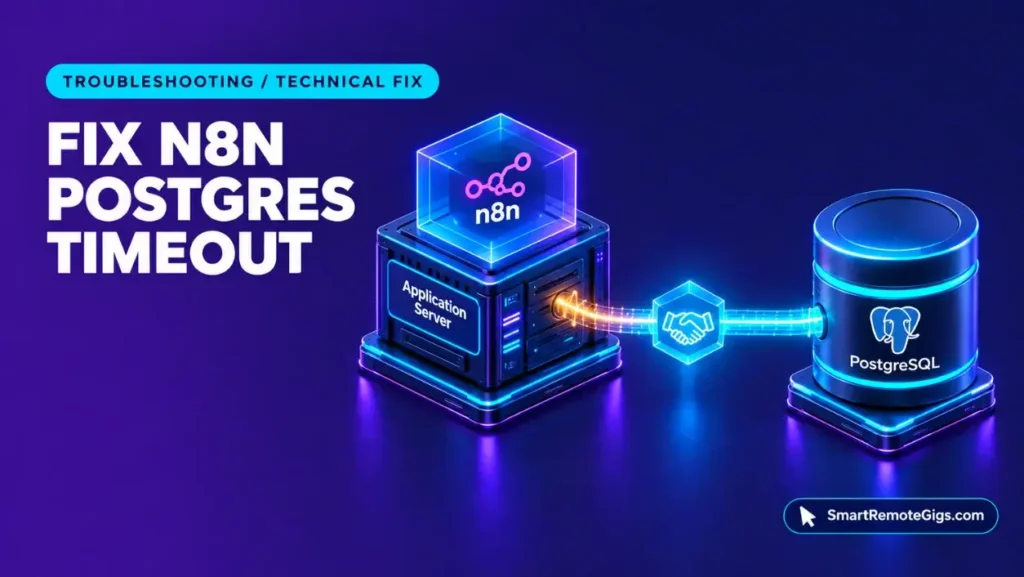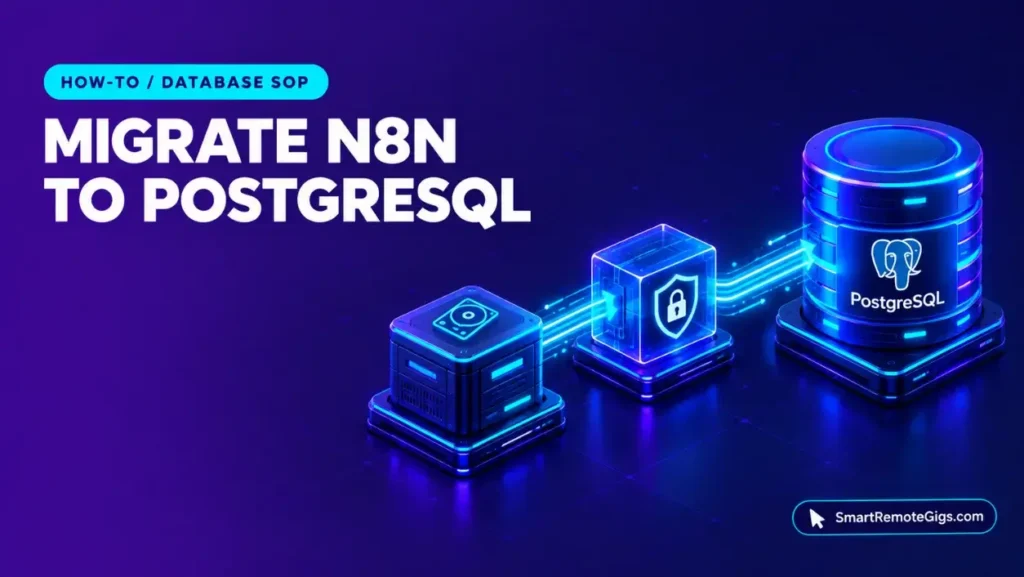



Learning how to self-host n8n on Docker means coordinating several parts: a database that must be reachable before n8n starts, a connection timeout that aborts initialization when it is missed, and a webhook variable that must match the public URL. Each of these has a documented parameter, and each is configured in this guide.
This guide establishes a production configuration baseline for remote systems engineers, automation consultants, and technical solopreneurs deploying n8n on a dedicated Linux VPS. It excludes managed cloud hosting comparisons. Smart Remote Gigs (SRG) publishes source-backed technical guides, SOPs, and career blueprints.
Method: compiled from 4 sources reviewed on October 2026 for n8n v2.42.3. SRG did not hands-on test this setup.
SRG Quick Guide Summary
One-Line Goal: Deploy a production-oriented deployment baseline of n8n on Linux using Docker Compose, dedicated PostgreSQL 16 storage, and reverse proxy TLS routing.
🚀 Prerequisites: A Linux VPS, Docker Engine with the Compose plugin, a domain with a DNS A-record pointing at the server, and a host data directory writable by the n8n container user.
📋 Core Workflow: Provision persistent volume directories ➔ deploy a Docker Compose stack with a health-checked PostgreSQL service ➔ set N8N_WEBHOOK_URL and route TLS through a reverse proxy.
⚠️ Primary Pitfall: n8n aborts initialization if it cannot connect to PostgreSQL within the 20,000 ms (20 seconds) default connection timeout, so the database must be reachable before n8n starts.
How to Self-Host n8n: Objective & Production Baseline Prerequisites
Environment & Dependency Specifications
The official n8n Docker Compose documentation lists version 2.42.3 as the current stable release, and this guide pins that tag. The stack uses three containers: n8n, PostgreSQL 16, and a Traefik reverse proxy.
Official documentation does not specify a minimum RAM/CPU baseline; this guide demonstrates the configuration on a standard Linux VPS baseline. No hardware figures in this guide are vendor requirements.
Licensing Boundaries: Community Edition vs. Metered Cloud
Without a license key, n8n runs as the free Community edition. The official n8n pricing and license page lists unlimited executions for it under the Sustainable Use License, and the self-hosted deployment in this guide uses that edition.
n8n Cloud plans, by contrast, start at €20/month billed annually and carry monthly execution caps. For full plan specifications and limits, see the n8n dossier:

Best For: Technical solopreneurs, systems integrators, and engineering teams that need either self-hosted execution under the free Community edition or Cloud plans metered per full workflow run with unlimited users.
- Free Free
- Starter From €50 /mo
- Pro From €20 /mo
Infrastructure Hardening & Directory Provisioning
Non-Root Permissions & User 1000 Mapping
The n8n container writes application data to a mounted .n8n directory, so the host folder must be writable by the user the container runs as. The sources reviewed do not record the container user ID. This guide assumes 1000:1000 as a value to confirm in your environment.
The commands below create the project directories and assign the n8n data directory to that user. The PostgreSQL directory is left at its default ownership.
sudo mkdir -p /opt/n8n/n8n_data /opt/n8n/db-storage /opt/n8n/letsencrypt
# Default node UID; verify in your environment if non-standard
sudo chown -R 1000:1000 /opt/n8n/n8n_data
cd /opt/n8n
ls -la
This manifest demonstrates an SRG reference architecture; validate syntax in a sandbox before deploying to live client workloads.
Persistent Volume Topologies (.n8n and db-storage)
The Docker Compose documentation separates two persistent stores. The .n8n directory holds n8n application data, and db-storage holds the PostgreSQL data files. Keeping them in separate directories lets each be backed up or restored independently.
| Host path | Container path | Contents |
|---|---|---|
/opt/n8n/n8n_data | .n8n (n8n user home) | n8n application data |
/opt/n8n/db-storage | PostgreSQL data directory | Database files |
/opt/n8n/letsencrypt | Traefik certificate store | TLS certificate data |
Step-by-Step Production Docker Compose Implementation Sequence
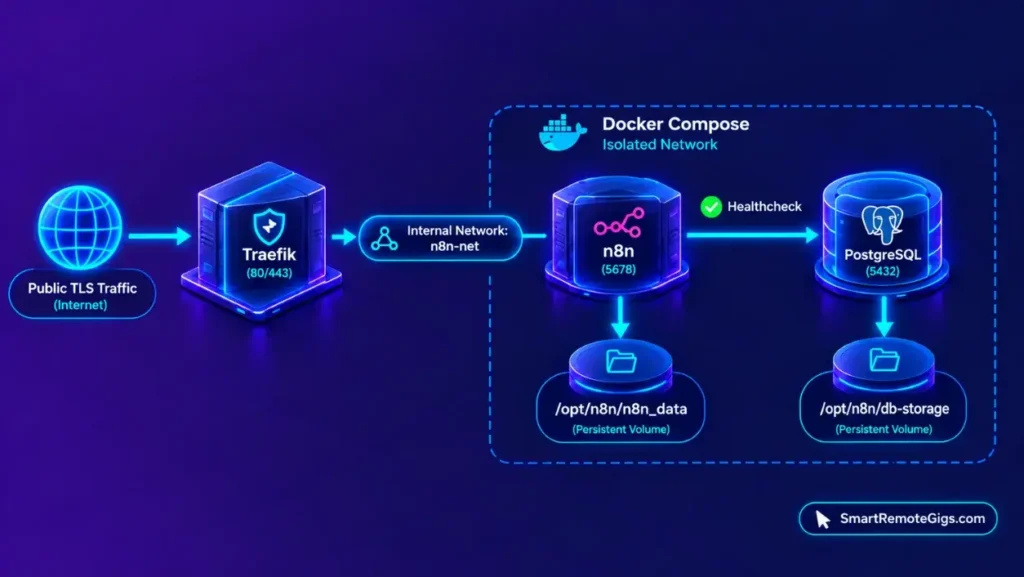
Step 1: Network Topology & PostgreSQL 16 Service Configuration
All three services join one isolated bridge network, n8n-net. Only Traefik publishes ports (80 and 443) to the host, so PostgreSQL and n8n are reachable only on the internal network.
The database service uses the postgres:16-alpine image with POSTGRES_USER, POSTGRES_PASSWORD, and POSTGRES_DB set. A pg_isready healthcheck reports when PostgreSQL accepts connections. n8n’s start is gated on that healthcheck, which addresses the cold-boot timeout described under Common Production Pitfalls.
Step 2: n8n Service Definition & Environment Configuration
The n8n service pins docker.n8n.io/n8nio/n8n:2.42.3 and selects PostgreSQL with DB_TYPE=postgresdb. The official n8n database configuration reference documents the three timeout parameters below, and the official n8n execution variables document the execution ceiling. The manifest sets each to its documented default so the values are visible in the file.
| Variable | Value set | Documented meaning |
|---|---|---|
DB_POSTGRESDB_CONNECTION_TIMEOUT | 20000 | Postgres connection timeout in milliseconds |
DB_POSTGRESDB_IDLE_CONNECTION_TIMEOUT | 30000 | Time before an idle connection becomes eligible for eviction, in milliseconds |
DB_POSTGRESDB_MAX_CONNECTION_LIFETIME_MS | 3600000 | Maximum pooled connection lifetime in milliseconds (one hour) |
EXECUTIONS_TIMEOUT_MAX | 3600 | Maximum execution time in seconds that users can set for an individual workflow |
Step 3: Enforcing Modern N8N_WEBHOOK_URL & Reverse Proxy Routing
n8n uses N8N_WEBHOOK_URL to configure the webhook endpoint, and it supersedes the legacy WEBHOOK_URL variable. Set it to the public HTTPS address of the instance, for example https://[YOUR_DOMAIN]/, so that URLs shown for webhook triggers match the address external services call.
This guide demonstrates Traefik for TLS termination, using Let’s Encrypt certificates and a redirect from HTTP to HTTPS. The sources reviewed do not document Traefik, Caddy, or Nginx settings, so the proxy labels in the manifest are a composite reference configuration rather than vendor-specified values.
The Production Docker Compose Manifest (compose.yml)
Save the file below as /opt/n8n/compose.yml. It combines the three services, the health-gated startup, the isolated network, and N8N_WEBHOOK_URL in one manifest.
SRG reference architecture: Traefik and container settings are composite, not vendor-specified.
Validate in a sandbox before deploying to live client workloads.services:
traefik:
image: traefik:v3.1
restart: unless-stopped
command:
- --providers.docker=true
- --providers.docker.exposedbydefault=false
- --entrypoints.web.address=:80
- --entrypoints.websecure.address=:443
- --entrypoints.web.http.redirections.entrypoint.to=websecure
- --entrypoints.web.http.redirections.entrypoint.scheme=https
- --certificatesresolvers.letsencrypt.acme.tlschallenge=true
- --certificatesresolvers.letsencrypt.acme.email=[ACME_EMAIL]
- --certificatesresolvers.letsencrypt.acme.storage=/letsencrypt/acme.json
ports:
- "80:80"
- "443:443"
volumes:
- /var/run/docker.sock:/var/run/docker.sock:ro
- ./letsencrypt:/letsencrypt
networks:
- n8n-net
postgres:
image: postgres:16-alpine
restart: unless-stopped
environment:
- POSTGRES_USER=[POSTGRES_USER]
- POSTGRES_PASSWORD=[POSTGRES_PASSWORD]
- POSTGRES_DB=[POSTGRES_DB]
volumes:
- ./db-storage:/var/lib/postgresql/data
healthcheck:
test: ["CMD-SHELL", "pg_isready -U $${POSTGRES_USER} -d $${POSTGRES_DB}"]
interval: 5s
timeout: 5s
retries: 10
networks:
- n8n-net
n8n:
image: docker.n8n.io/n8nio/n8n:2.42.3
restart: unless-stopped
depends_on:
postgres:
condition: service_healthy
environment:
- DB_TYPE=postgresdb
- DB_POSTGRESDB_HOST=postgres
- DB_POSTGRESDB_PORT=5432
- DB_POSTGRESDB_DATABASE=[POSTGRES_DB]
- DB_POSTGRESDB_USER=[POSTGRES_USER]
- DB_POSTGRESDB_PASSWORD=[POSTGRES_PASSWORD]
- DB_POSTGRESDB_CONNECTION_TIMEOUT=20000
- DB_POSTGRESDB_IDLE_CONNECTION_TIMEOUT=30000
- DB_POSTGRESDB_MAX_CONNECTION_LIFETIME_MS=3600000
- EXECUTIONS_TIMEOUT_MAX=3600
- N8N_HOST=[YOUR_DOMAIN]
- N8N_PORT=5678
- N8N_PROTOCOL=https
- N8N_WEBHOOK_URL=https://[YOUR_DOMAIN]/
labels:
- traefik.enable=true
- traefik.http.routers.n8n.rule=Host([YOUR_DOMAIN])
- traefik.http.routers.n8n.entrypoints=websecure
- traefik.http.routers.n8n.tls.certresolver=letsencrypt
- traefik.http.services.n8n.loadbalancer.server.port=5678
volumes:
- ./n8n_data:/home/node/.n8n
networks:
- n8n-net
networks:
n8n-net:
driver: bridge
This manifest demonstrates an SRG reference architecture; validate syntax in a sandbox before deploying to live client workloads.
[YOUR_DOMAIN]: the public domain name whose DNS A-record points at the VPS (appears inN8N_HOST,N8N_WEBHOOK_URL, and the Traefik router rule).[ACME_EMAIL]: the email address registered with Let’s Encrypt for certificate notices.[POSTGRES_USER]: the PostgreSQL username, identical in thepostgresandn8nservices.[POSTGRES_PASSWORD]: a strong database password, identical in both services.[POSTGRES_DB]: the database name, identical in both services.
Step 4: Container Orchestration & Healthcheck Verification
Run the commands below from /opt/n8n. docker compose config --quiet checks the manifest syntax, and docker compose ps shows the health state of the postgres service. After startup, inspect the n8n log and confirm that it contains no database connection-timeout error.
cd /opt/n8n
docker compose config --quiet
docker compose up -d
docker compose ps
docker compose logs --tail=100 postgres
docker compose logs -f n8n
curl -I https://[YOUR_DOMAIN]/[YOUR_DOMAIN]: the same public domain used incompose.yml. Thecurlcommand checks the HTTPS endpoint.
Common Production Pitfalls & Edge Cases
Cold Boot Race Condition: PostgreSQL Handshake Timeouts
The default DB_POSTGRESDB_CONNECTION_TIMEOUT of 20,000 ms converts to a 20-second connection window (calculated by SRG). Per the database configuration reference, a failure to connect to the database within the configured timeout aborts container initialization with a fatal handshake error.
On a cold boot, n8n and PostgreSQL start together, so the database may not yet accept connections. The manifest uses depends_on with condition: service_healthy so the n8n container starts only after the pg_isready check passes. For errors that appear after a successful first start, see the PostgreSQL timeout resolution guide.
Reverse Proxy & SSL Webhook URL Misconfigurations
N8N_WEBHOOK_URL must match the public HTTPS endpoint served by the reverse proxy. The same applies to N8N_HOST and N8N_PROTOCOL. The sources reviewed do not document what external services receive when the value is wrong, so compare the webhook URL shown in the n8n editor against the public address after every domain or proxy change.
SQLite Lock Failures & When to Migrate
The official sources reviewed for this guide do not document SQLite concurrency limits, so no locking behavior is asserted here. The manifest above starts on PostgreSQL from the first boot. An existing instance that began on the default SQLite database can move its data using the SQLite to PostgreSQL migration SOP.
Verification Checklist & Post-Deploy Health Check
- Container status: Execute
docker compose psand verify thattraefik,postgres(healthy), andn8nreport an active running state. - Webhook and SSL reachability: Query
https://[YOUR_DOMAIN]/viacurl -Iand verify that the endpoint returns a valid HTTPS status, then confirm that the webhook URL in the n8n editor matches that address. - Database persistence: Execute
docker compose downfollowed bydocker compose up -d, then verify that previously saved workflows and credentials persist in the database. - Execution logging: Trigger a manual test workflow and verify that a completed execution record populates the executions log.
- Non-root execution: Inspect
/opt/n8n/n8n_dataownership and confirm that the n8n container logs exhibit no permission denial errors during startup.
The Verdict: Documented Boundaries of Self-Hosting
Self-hosting the Community edition gives the operator execution volume sovereignty. The official pricing page lists unlimited executions with no license fee, so volume is bounded by the operator’s infrastructure rather than a plan allowance. The edition runs without a license key under the Sustainable Use License.
The trade-off is that provisioning, upgrades, and connection management move to the operator. The documented 20,000 ms database connection timeout is one example: a missed connection aborts initialization, so startup ordering becomes a deployment concern. The health-gated depends_on configuration and a matching N8N_WEBHOOK_URL are the two settings in this baseline that address the failure modes the sources document.
This guide is a documentation-derived production configuration baseline, not a field-certified environment. Test the manifest in a sandbox before it carries live workflows.
Documented via 4 official vendor sources as of October 2026. SRG did not hands-on test this setup.
Operators comparing self-hosting with Cloud can review plan limits in the n8n dossier. Automation roles that use n8n are listed on the Smart Remote Gigs Exchange.

Never Miss a New Remote Job
Remote job alertsGet notified about new remote jobs and access practical freelance tools from your phone.