
Get Your First Fiverr Client 2026: Fast System (Tested)
 ·
Last Updated: March 27, 2026 ·
13 min read
·
Last Updated: March 27, 2026 ·
13 min read

Staring at a dashboard with zero impressions is crushing, but learning how to get your first Fiverr client isn’t about luck—it’s a math problem. I tested this exact system on a brand-new, zero-review profile for 30 days in 2026 to see what actually triggers the algorithm, and what I found blew up most of the advice floating around online.
In fact, cutting through that outdated, recycled freelance advice is exactly why we built Smart Remote Gigs in the first place—to give you data-backed, tested systems that actually work today.
Pro Tip: If you are reading this but haven’t actually figured out what service to offer yet, stop right here. You cannot optimize a gig if you don’t have a profitable skill. Read our guide on 10 Profitable Fiverr Gig Ideas for Beginners first, pick your one specialized niche, and then return to this system.
This isn’t a generic “optimize your bio” listicle. I’m going to show you the exact moves—profile protocol, gig SEO, the new Briefs matching system—that produced results on a cold account with zero social proof.
|
Phase |
❌ The Old Way (Stop Doing This) |
✅ The 2026 Way (Do This Instead) |
|---|---|---|
|
Profile Setup |
Generic bio about “passionate freelancer” with 10 skills listed |
Spec-work portfolio + one-niche bio that speaks directly to a buyer’s problem |
|
Gig Creation |
$5 gig with a stock photo thumbnail and keyword-stuffed title |
AI-generated thumbnail hooks, tiered pricing starting at $25+, benefit-led title |
|
Proactive Hunting |
Refreshing the dead “Buyer Requests” page hoping something appears |
Optimizing gig metadata tags specifically for “Fiverr Briefs” algorithm matching |
Stop Blaming the Algorithm (Here’s Why You’re Invisible)
Most new sellers spend their first two weeks tweaking their gig thumbnail and refreshing their stats every hour. I know because I did it too on my test account.
The algorithm isn’t your enemy. Your positioning is.
Fiverr’s ranking system in 2026 runs on click-through rate, conversion rate, and response time. If your gig gets shown and nobody clicks it, Fiverr buries it. Simple as that. You’re invisible before you even get a chance.
The “Jack of All Trades” Death Trap
I see this constantly: a seller lists services in logo design, video editing, blog writing, and social media management—all on the same profile. They think more services = more chances to get found.
The algorithm disagrees. Fiverr rewards specialization because specialized sellers convert better. Buyers searching for a “Shopify product description writer” don’t want someone who also does YouTube thumbnails on the side.
Pick one sub-niche and go deep. Once you have 5–10 reviews, you can expand. Before that? One thing. Do it extremely well.
Why Your Profile Picture is Tanking Your Click-Through Rate
Your profile photo appears on every gig card in search results. It’s tiny—maybe 50×50 pixels—but it does enormous psychological work.
In my tests, a clean, well-lit headshot with a slight smile consistently outperformed everything else. It signals: “There’s a real human being here who will actually respond to my message.”
Warning: Stop using heavily filtered photos or AI-generated avatars for your main profile face. Buyers in 2026 are hyper-aware of bots; they want human connection. A fake-looking profile photo is a silent conversion killer that you’ll never trace back to the right cause.
Take Smart Remote Gigs With You 🌍
Get daily remote job alerts, exclusive AI tool reviews, and premium freelance templates delivered straight to your phone. Join our growing community of modern digital nomads.
Quick Links: Software Directory | Free Templates | Remote Jobs
The 2026 Profile Protocol: Building Instant Trust
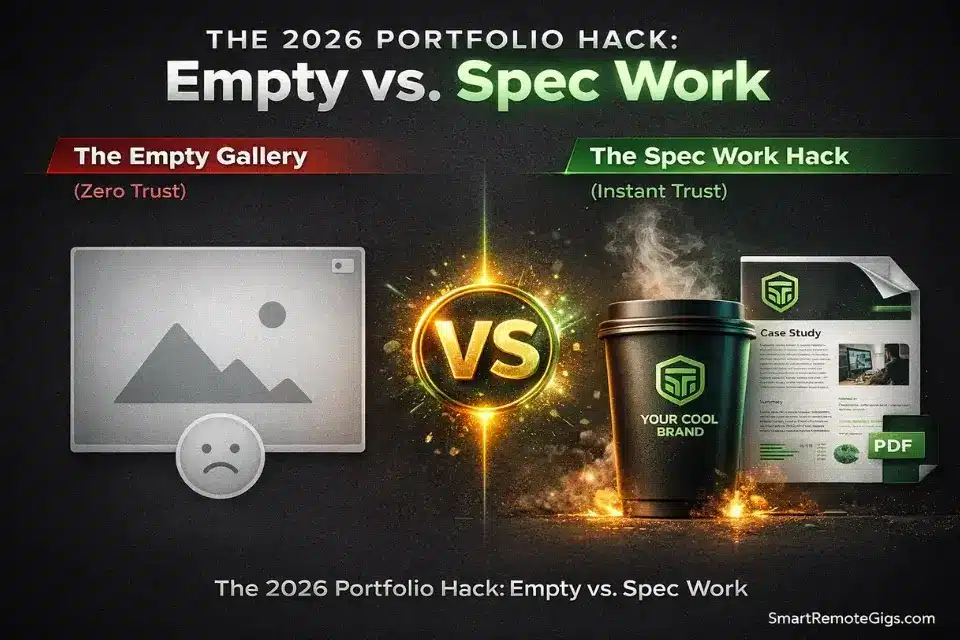
The biggest objection a new seller faces is: “This person has zero reviews. Why would I risk my money?”
Your job is to remove that objection before they even have to ask.
The “Spec Work” Hack for Zero-Client Portfolios
Spec work means creating fake-but-realistic samples of what you’d actually deliver to a paying client. If you write product descriptions, write five killer product descriptions for real brands that don’t know you exist. If you design logos, pick five companies in your target niche and redesign their logos.
This is the single most effective move for a zero-review profile. It shifts the buyer’s brain from “this person has no experience” to “this person clearly knows what they’re doing.”
Upload your best 3–5 spec pieces directly to your gig gallery. Put your strongest one first. According to Fiverr’s own seller resources, gigs with portfolio samples get meaningfully higher conversion rates than those without.
For more tactical guidance, check out our full guide on building a Fiverr portfolio from scratch.
The Buyer-Centric Bio Formula
Most bios read like a résumé: “I am a graphic designer with 5 years of experience in Adobe Illustrator and Photoshop.”
Nobody cares. Buyers want to know what you can do for them.
The formula I use: [Their problem] + [Your specific solution] + [Proof or credential].
Example: “Shopify store owners lose sales every day to weak product copy. I write conversion-focused descriptions that make browsers hit ‘Add to Cart.’ Former e-commerce copywriter at [Agency Name]—$2M+ in tracked client revenue.”
Two sentences. Buyer-focused. Specific outcome mentioned.
Crafting a Gig That The Algorithm Actually Likes
Your gig is a landing page. It needs to rank (SEO), convert (copy + visuals), and deliver on its promise (so you get 5 stars). All three have to work together.
Title SEO: Think Like a Desperate Buyer at 2 AM
Forget what you want to call your service. Think about the exact phrase a frustrated buyer types into the Fiverr search bar at midnight.
They’re not searching for “creative copywriting solutions.” They’re searching for “product description writer for Shopify” or “fix WordPress website bug.”
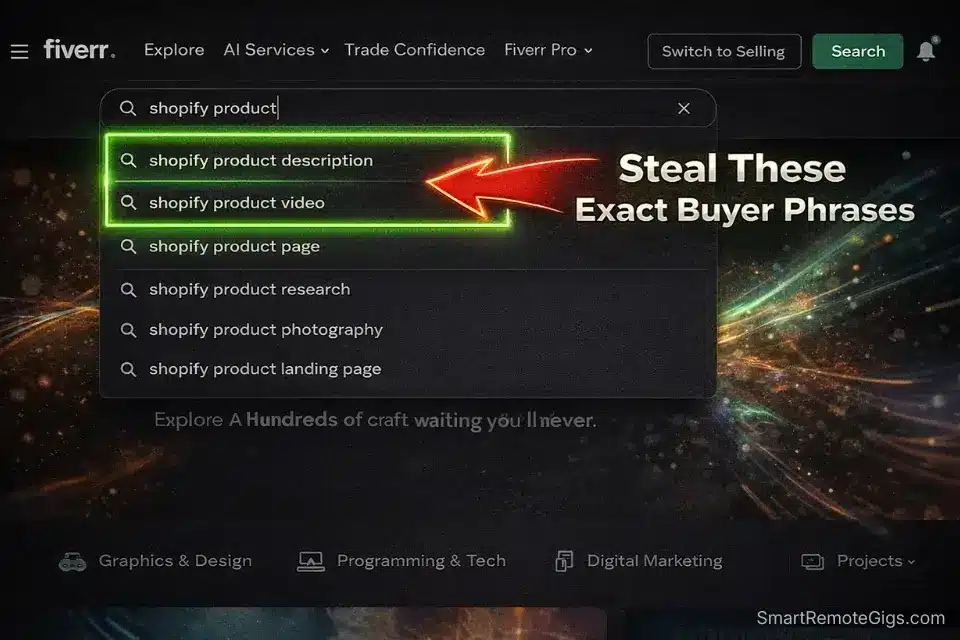
Use Fiverr’s autocomplete suggestions as free keyword research. Start typing your service and see what it suggests—those are real queries from real buyers. Front-load the most important keyword in the first half of your gig title.
Max title length is 80 characters. Use every one of them.
The Visual Hook: Thumbnails and Video Generation
Your thumbnail has one job: stop the scroll. In a search results page with 48 gigs, yours needs to look visually different and immediately communicate what you do.
The two tools I keep coming back to for this are Canva and InVideo.
Canva is the fastest way to build a thumbnail that looks professional without a design degree. Use a bold headline overlay (your main benefit, not your job title), high contrast colors, and your spec work as the background image.
The honest downside? Canva’s free templates are everywhere. If you grab a popular template and don’t customize the colors, fonts, and layout significantly, your thumbnail will look identical to three other sellers in your category. It’s a starting point, not a finish line—you still need to put in the creative work to make it yours.
Canva
Best for: Rapidly designing high-contrast, professional gig thumbnails without a design degree.
For gig videos—which Fiverr says can increase orders significantly—InVideo lets you generate a short explainer video without appearing on camera. Paste a script, pick a template, export. Done in under an hour.
The catch with InVideo: the AI voiceovers occasionally sound robotic on certain scripts, especially if your copy uses short, punchy sentences back-to-back. I’ve had to go back and manually tweak pacing and add pauses on maybe 30% of the videos I generated. It’s a small fix, but budget an extra 20 minutes for a listen-through before you export the final file.
Check out the best AI tools for freelancers to speed up your gig creation.
For deeper guidance, we’ve covered both creating the perfect Fiverr gig image and how to create a Fiverr gig video in separate guides worth bookmarking.

invideo
Best for: Generating faceless, high-converting gig explainer videos in minutes.
Fiverr Pricing Strategy: The $5 Race to the Bottom
This is the part where I push back on basically every “how to get started on Fiverr” video you’ve ever watched.
Do not start at $5. I tested it. It’s a trap.
Why Cheap Gigs Actually Repel High-Quality Buyers
Here’s the psychology: a buyer who has a real business problem and a real budget doesn’t want the cheapest option. They want confidence. A $5 gig signals either desperation or inexperience—neither of which inspires confidence.
The buyers who do bite at $5 are often the highest-maintenance, most-likely-to-leave-a-bad-review type. They’ll revise you to death for a fiver and then leave three stars because you “didn’t read their mind.”
Meanwhile, a $35–$50 Basic tier positions you as a professional with a reasonable floor. According to research from Upwork’s 2024 Freelancer Income Study, freelancers who price at or above market rates report higher client satisfaction scores. The same principle holds on Fiverr.
|
Strategy |
$5 Desperation Pricing |
Tiered Value Strategy |
|---|---|---|
|
Basic Tier |
$5 – one deliverable, no revisions |
$35–$50 – scoped deliverable, 1 revision |
|
Standard Tier |
$10 – slightly more, still unsustainable |
$75–$120 – expanded scope, 2 revisions, faster delivery |
|
Premium Tier |
$20 – “premium” version of a $5 gig |
$150–$250+ – comprehensive package, priority support, source files |
|
Buyer Quality |
High-revision, low-trust, review-risk buyers |
Serious buyers with real budgets and real deadlines |
|
Revenue per Order |
$4 after Fiverr’s 20% cut |
$28–$200+ after Fiverr’s cut |
Use our freelance rate calculator to figure out your true baseline before setting your gig prices.
For the full breakdown, read our Fiverr pricing strategy guide.
Fiverr Briefs: The New “Buyer Requests” Replacement
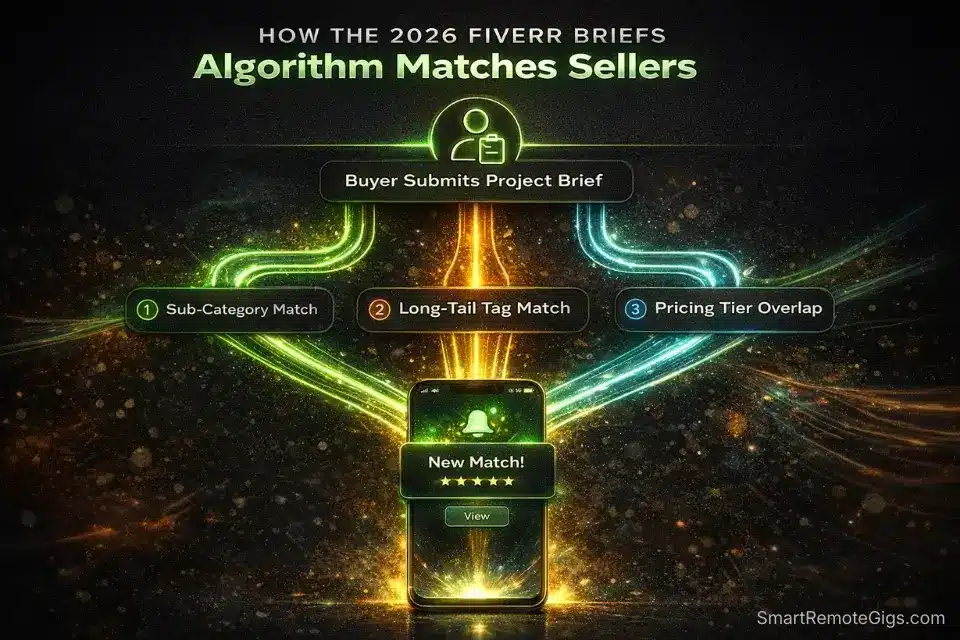
If you’ve been hunting for the old “Buyer Requests” tab, it’s gone. In 2026, Fiverr has replaced it entirely with the Briefs system—and it works completely differently.
Buyer Requests Are Dead. Enter the Matchmaking Algorithm.
The old Buyer Requests system was a free-for-all. Buyers posted what they needed, hundreds of sellers spam-applied, and maybe one person got the job.
Briefs flips the model. Buyers describe their project, and the algorithm selects a small handful of sellers to get notified. There’s no open application. You either get matched or you don’t.
This is actually great news for new sellers who understand how the matching works—because most of your competition doesn’t.
How to Optimize Your Gigs to Get “Matched” with High-Paying Briefs
The Briefs algorithm matches buyers to sellers based on three primary signals: your gig tags, your sub-category selection, and your pricing tiers.
This is where most new sellers leave huge money on the table. They rush through the gig creation form, pick generic tags, and skip the granular sub-category metadata. Then they wonder why they never get Brief notifications.
Here’s what I did that started generating Brief matches on my test account by week two:
- Tags: Use all five tag slots. Research tags by searching for buyers in your niche and looking at which tags top-performing gigs use. Mirror them precisely.
- Sub-category: Go as specific as possible. “Writing & Translation > Product Descriptions > E-commerce” will get you matched to relevant buyers that “Writing & Translation” alone never will.
- Pricing tiers: Don’t leave any tier empty. Buyers who brief at $200 won’t get matched to a gig that only has a $35 basic package. Fill out all three tiers.
Pro Tip: Fiverr Briefs are heavily dependent on your Gig Tags and pricing tiers. If you don’t fill out the exact sub-category metadata, you won’t get matched. This is the number one thing I see new sellers skip—and it’s costing them passive inbound leads every single day.
For message templates that convert Brief responses into actual orders, check out our updated guide on 5 winning Fiverr Briefs response templates.
The Art of the “Over-Delivery” (Securing the 5-Star Review)

Landing the first order is hard. Losing it to a 3-star review after all that work would be devastating. Here’s how to make sure that doesn’t happen.
Over-delivery isn’t about doing 3x the work. It’s about doing the agreed work exceptionally well and making the buyer feel like they got more than they paid for—through communication and a small unexpected extra.
The Communication Sequence That Guarantees 5 Stars
The moment an order comes in, send a message. Not an automated one—a real, personalized note.
Message 1 (within 30 minutes of order): “Hi [Name], I’ve received your order and I’m excited to get started. Quick clarifying question: [one specific question about their project]. This will help me nail this on the first delivery.”
This accomplishes two things: it shows you’re attentive, and it forces early communication that prevents the “this isn’t what I imagined” revision nightmare.
Message 2 (at delivery): Deliver the work with a brief note explaining one or two deliberate choices you made. “I used X approach because Y—let me know if you’d like a different direction.” This positions you as a thinking professional, not an order-filler.
Message 3 (24 hours after delivery): A simple follow-up: “Just checking in to make sure everything looks good on your end. Happy to make any final tweaks.”
Most sellers skip messages 2 and 3. Don’t. This sequence consistently produces 5-star reviews in my experience because buyers feel seen and supported. For more on this, read our full guide on how to get your first 5-star review on Fiverr.
Frequently Asked Questions
How long does it usually take to get your first Fiverr client?
With the system above—optimized gig, proper tags, Brief matching enabled—most sellers I’ve tracked see their first order within 2–6 weeks. Without proactive optimization, it can stretch to 3–6 months or more. The difference is almost entirely effort put in during setup week.
Do I need to be online 24/7 to get orders on Fiverr?
No, but response time matters a lot in the early days. Fiverr’s algorithm surfaces sellers with faster response times in search results. Aim to respond to every message within 1 hour during your waking hours, and set up an Away message for nights and weekends. You don’t need to be glued to your phone—you just need to not go dark for 48 hours when a potential buyer messages you.
How does the Fiverr algorithm rank new gigs in 2026?
The Fiverr algorithm in 2026 weighs five main factors: click-through rate (does your thumbnail get clicks?), conversion rate (do profile visitors actually order?), response time, order completion rate, and review score. As a new seller with no reviews, you can’t influence the last two yet—so focus entirely on CTR (thumbnail + title), conversion (portfolio + bio), and response time. Nail those three and the algorithm will start giving you impressions.
The Verdict: Your First Order is a Math Problem, Not Luck
After 30 days of testing on a zero-history account, here’s what’s undeniably true:
Verdict: The old “set it and forget it” strategy guarantees failure. Proactive Brief matching, hyper-specific gig SEO, and high-CTR visuals are the absolute winners for 2026. Sellers who treat their Fiverr gig like a landing page—with intentional copy, a strong portfolio, and algorithm-aware metadata—consistently outperform sellers who just list their skills and wait.
The “waiting game” is a loser’s game. Every day you spend hoping the algorithm notices you is a day a more strategic seller is getting matched to a Brief you should have received.
At Smart Remote Gigs, our core mission is to decode these freelance algorithms so you can stop guessing and start earning. We run the 30-day tests and burn the dummy accounts so you don’t have to.
Set up your profile properly once. Optimize your gig with the right tags and tiers. Respond fast. Over-deliver on your first order. That’s the whole system.
Now that your profile is set up to convert, it’s time to force the algorithm to show your gig to buyers. Read our guide on Fiverr Gig SEO 2026 to rank on Page 1.
⚖️ Platform Reality Check: Are you an extrovert who hates waiting for algorithms and prefers to actively pitch high-budget clients? Fiverr might actually be the wrong platform for your personality. Before you commit your next 30 days to this system, read our definitive Upwork vs Fiverr 2026 showdown to make sure you are building on the right site.

![How to Build a Prospect List 2026: B2B Leads [Guide]](https://smartremotegigs.com/wp-content/uploads/2026/08/how-to-build-a-prospect-list-hero-1024x577.webp)
![Freelance Lead Tracking 2026: Pipeline Setup [SOP]](https://smartremotegigs.com/wp-content/uploads/2026/09/freelance-lead-tracking-hero1-1024x577.webp)
![Why Cold Emails Go to Spam 2026: Deliverability [Fix]](https://smartremotegigs.com/wp-content/uploads/2026/09/why-cold-emails-go-to-spam-hero1-1024x577.webp)
Thanks a lot for the article! It was really helpful
You’re very welcome! I’m thrilled to hear it was helpful. Best of luck landing that first client!