
Day in the Life of a Project Manager 2026 [Async Reality]
 ·
Last Updated: March 25, 2026 ·
8 min read
·
Last Updated: March 25, 2026 ·
8 min read 
If you search YouTube for a typical day in the life of a project manager, you’ll find aesthetic coffee pours followed by eight hours of exhausting Zoom calls. But in 2026, top-tier remote companies don’t pay you to talk all day—they pay you to build automated, async systems that run without you in the room.
I learned this the hard way. When I first started managing a globally distributed engineering team, I tried to overlap my schedule with everyone. I was working 14-hour days just to host 15-minute syncs. I nearly quit until I stopped acting like a traditional manager and started operating like an Async AI Operator.
That exact burnout is why we built Smart Remote Gigs—to help professionals escape the meeting-heavy grind and connect with async-first companies that actually respect deep work.
Here’s what that 2026 reality actually looks like, hour by hour.
The 2026 PM Daily Matrix
Time Block | Task | AI / Tool Used | Traditional PM Equivalent |
|---|---|---|---|
8:30 AM | Async Triage & Sprint Review | AI Slack Summaries | 1-Hour Standup Meeting |
10:00 AM | Deep Work System Building | Notion & Automations | Updating 5 different Excel sheets |
1:00 PM | Developer Unblocking | Jira AI Ticketing | Hosting a “quick sync” call |
3:30 PM | Global Handoff | Loom & Asana | End-of-day status meeting |
8:00 AM – 9:30 AM: Triage & The “No-Meeting” Standup
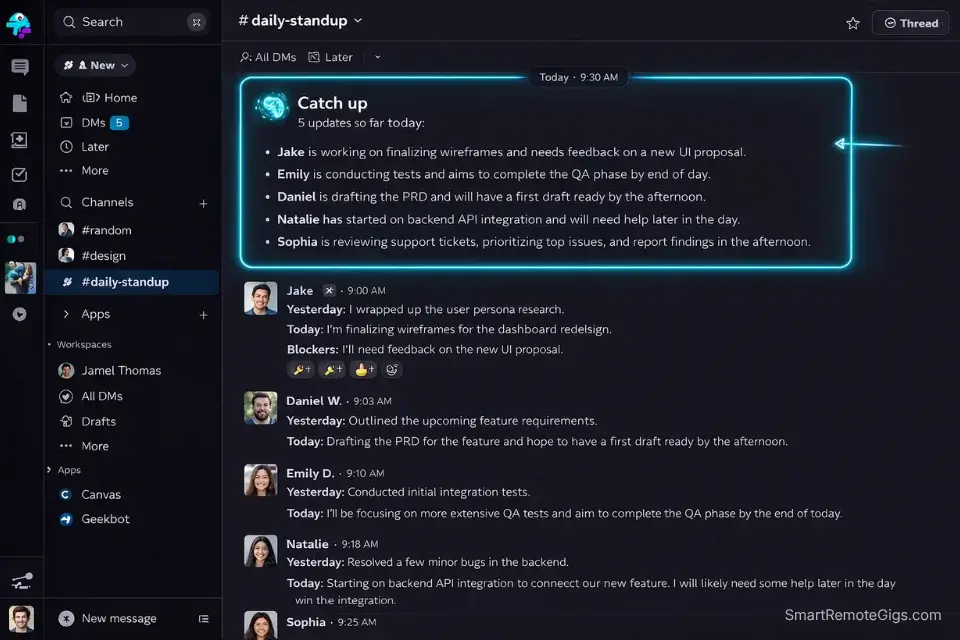
The day starts not with a call, but with a read.
By the time I open my laptop, Geekbot has already collected async standups from every team member. Slack’s AI summarization has digested overnight activity across six channels into a single digest. I know what shipped, what’s blocked, and what needs a decision—before I’ve touched my coffee.
This triage block is about signal extraction, not conversation. I’m scanning for three things: blockers that will cascade if I don’t act today, decisions that have stalled because someone is waiting on me, and scope drift that hasn’t been flagged yet. An AI prompt I’ve built takes the raw standup data and surfaces all three in a structured output. That sweep takes 15 minutes. It used to take an hour-long standup meeting.
The remaining time in this block is for responses. Not calls—written async responses in Slack threads, Notion comments, and Jira ticket updates. Every answer I write becomes documentation. Every decision I type becomes a searchable record. That is the leverage point that live meetings will never have.
Warning: If you start your morning by pulling everyone into a live call just to ask “What did you do yesterday?”, you are killing your team’s most productive hours before they even start. Deep work for most engineers peaks between 9 AM and noon. Your standup is burning it.

Slack
Best for: Async Communication & AI Daily Summaries
10:00 AM – 12:00 PM: Deep Work & Sprint Architecture
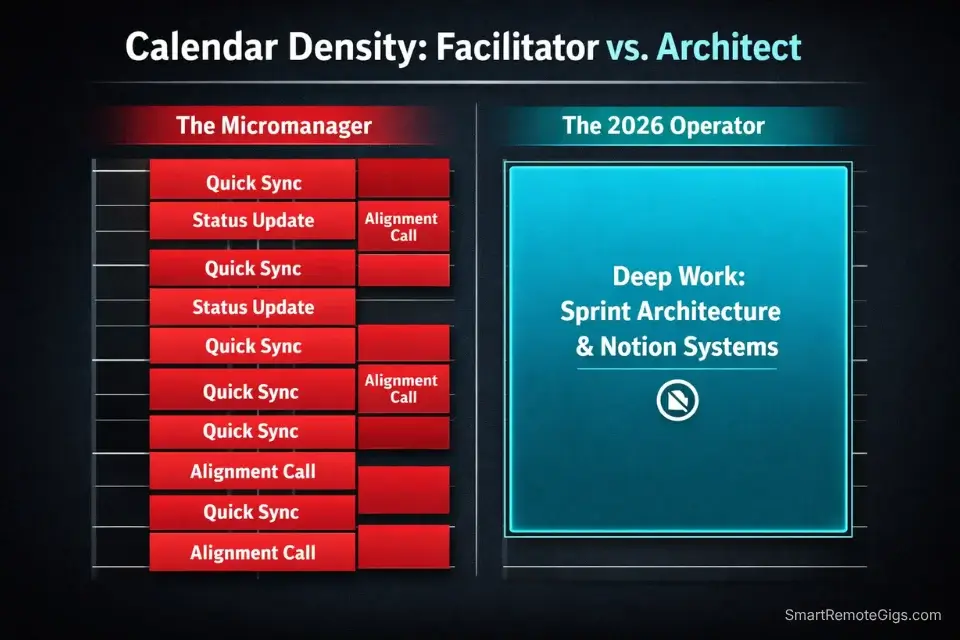
This two-hour block is protected. No Slack notifications. No ad-hoc requests. Calendar is blocked and the team knows it.
This is where the actual PM work happens—the work that compounds. I’m building sprint briefs that give the team enough context to execute without needing a sync. I’m updating roadmap databases in Notion, designing automation rules that will eliminate three recurring manual tasks, and writing decision logs that document why we’re building what we’re building.
Most PMs skip this kind of structural work because they’re too busy facilitating. That’s the trap. Every hour you spend building a clear system saves you four hours of clarification conversations later in the sprint. The math is obvious once you see it.
The specific output of this block varies by sprint week, but the format is always the same: written, linked, searchable, and actionable without a meeting to explain it.
🎁 Free Digital Asset: The Remote PM Command Center
This is the exact Notion dashboard I use during this two-hour deep work block to align the entire team without a single meeting. It includes sprint brief templates, decision log structure, roadmap databases, and the AI prompt library I use daily.
Notion
Best for: Async Documentation & Team Wiki
1:00 PM – 3:00 PM: Unblocking the Engineering & Design Teams
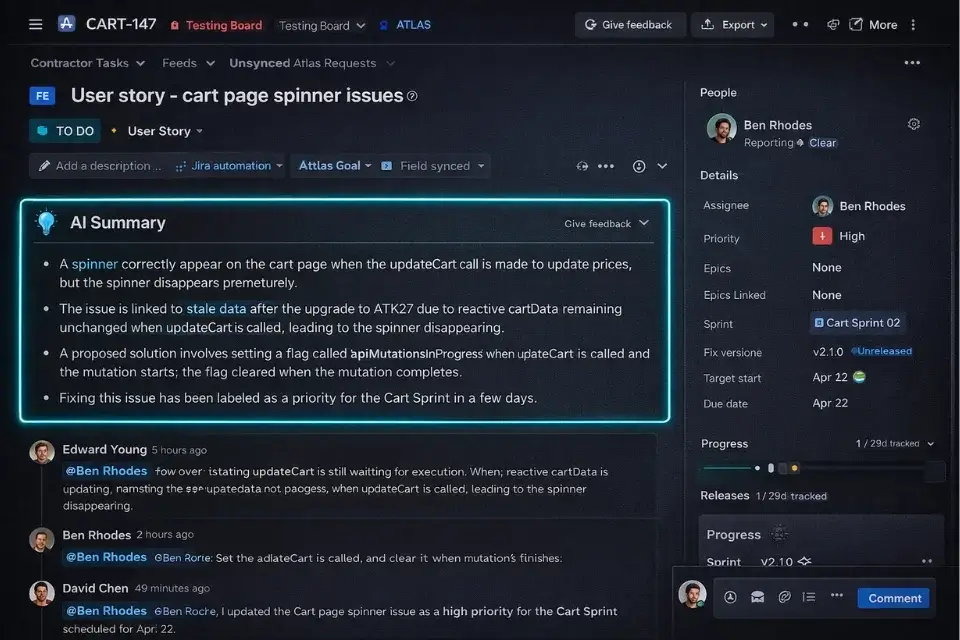
This is the most operationally dense block of the day, and it’s almost entirely asynchronous.
After lunch I work through the Jira queue. Blocked tickets get updated with specific, actionable context—not “let’s discuss,” but “the decision is X, here’s why, proceed with Y.” Engineers shouldn’t need to wait for me to become unblocked. They should be able to read a ticket and know exactly what to do next.
Jira’s AI features in 2026 make this significantly faster than it was two years ago. Atlassian Intelligence can summarize ticket history, flag dependency conflicts, and surface related issues I might have missed. I’m reviewing its suggestions, not starting from scratch. The cognitive load reduction is real.
The design team runs on a parallel async track. Figma comments replace design review meetings. Loom recordings replace walkthroughs. I watch, comment, approve, or redirect—all in writing, all timestamped, all trackable.
The occasional live conversation does happen in this block, but it’s always scheduled at least 24 hours in advance and comes with a written agenda. Spontaneous “got a minute?” calls don’t exist in my workflow. That boundary alone protects the whole team’s output.
If you are unsure whether to track engineering bottlenecks in Jira or Asana for your specific team setup, read our technical breakdown comparing Asana and Jira for remote teams to see exactly which tool fits your operational context.
Jira
Best for: Developer Handoffs & AI Issue Ticketing
3:30 PM – 5:00 PM: The Global Handoff (Mastering Time Zones)
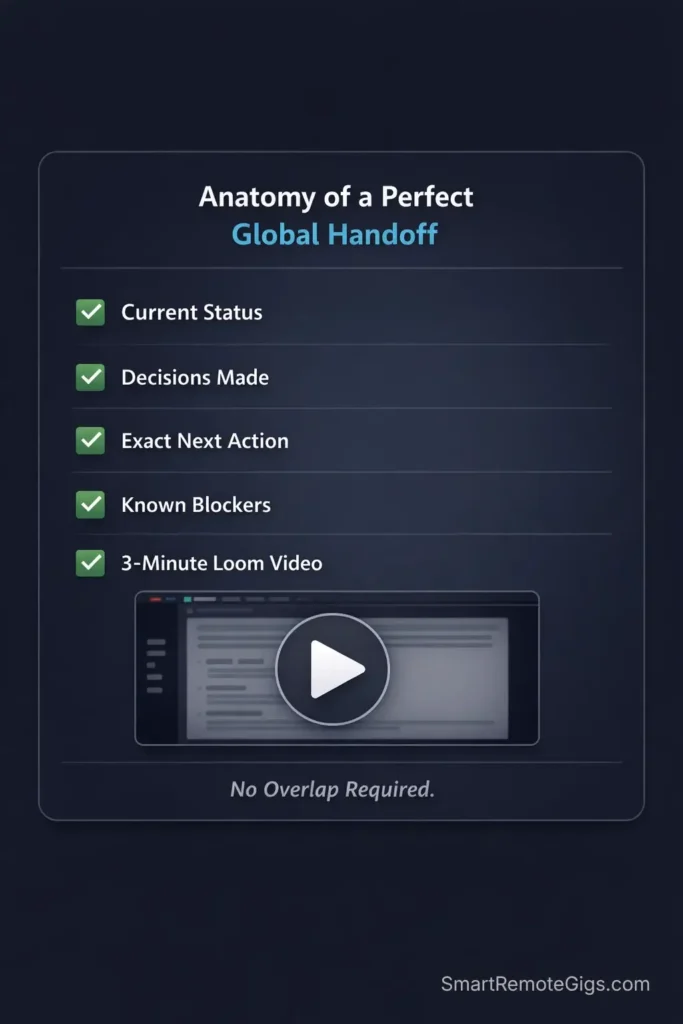
This is the block most traditional PMs completely ignore—and it’s the reason async teams either thrive or collapse.
By 3:30 PM, my European team is at end of day. My Asia-Pacific team is waking up in a few hours. The handoff window is short and the cost of getting it wrong is a full 8-hour delay while someone waits for context that should have already been packaged.
The handoff is a system, not a feeling. Every significant task that needs to continue overnight gets a structured context package: current status, decision made today, exact next action, relevant links, and any known blockers. This goes into Asana as a task update—not into a Slack message that will get buried, not into an email that requires a reply chain.
I record a three-minute Loom walkthrough for anything complex enough that text alone might create ambiguity. The Loom gets embedded directly into the Asana task. No scheduling friction. No waiting for the next overlap window. The Singapore team wakes up, watches a three-minute video, and starts executing.
The Singapore team wakes up, watches a three-minute video, and starts executing. This exact handoff protocol is the foundation of our masterclass on managing teams across time zones, detailing how to run global operations on purely asynchronous time.
Pro Tip: Replace end-of-day status calls with a 3-minute Loom screen recording embedded directly into your PM software task. It delivers full context, tone, and nuance with zero scheduling friction—and the team can watch it at 1.5x speed.

Asana
Best for: Cross-Timezone Task Alignment
Frequently Asked Questions
Do remote project managers actually work 40 hours a week?
Traditional PMs often clock 50+ hours because meeting bloat masquerades as productivity. Async-first 2026 PMs regularly operate in 30–35 highly focused hours because AI and automation absorb the administrative drag that used to eat entire afternoons. Fewer hours, higher output, better results—that’s the async dividend.
Is being a remote project manager stressful?
Only if you try to micromanage people across multiple time zones manually. The stress in traditional PM roles comes from being the human glue holding together a system that should be automated. Build strong async systems, document decisions in writing, and eliminate the dependency on live presence—and it becomes one of the most flexible, sustainable careers in tech.
Do you need to know how to code?
No. You need to understand how software gets built—Agile workflows, sprint cycles, ticket hierarchies—and you need to be genuinely fluent in configuring tools like Jira and Asana. But you are not writing code. You are building the system that lets engineers write better code with less friction.
The Verdict: The best part of a 2026 remote PM’s day is what isn’t in it—pointless status meetings, calendar Tetris, and the slow drain of being everyone’s human notification system. Your day should be spent architecting clarity, not chasing people for updates.
At Smart Remote Gigs, we curate the exact roles that let you live this schedule. To find companies that actually support this kind of async autonomy, check out our actively updated Smart Remote Job Board.
If you are ready to transition your career, read our complete guide to landing high-paying remote project manager jobs in 2026, and download the Remote PM Command Center to clone this exact daily workflow into your own Notion workspace.

![AI Content Writer Jobs: [My 2026 Survival Playbook]](https://smartremotegigs.com/wp-content/uploads/2026/04/ai-content-writer-jobs-survival-playbook-1024x577.webp)
![Remote Copywriting Jobs 2026: [High-Ticket Method]](https://smartremotegigs.com/wp-content/uploads/2026/04/remote-copywriting-jobs-high-ticket-method-guide-1024x577.webp)
![Remote Technical Writing Jobs: [The $80K/Yr Guide]](https://smartremotegigs.com/wp-content/uploads/2026/04/remote-technical-writing-jobs-hero.webp)